


H-17 WAVES TEMPLATE - Pro Tools Session Template
On Sale
$69.99
$69.99
The full H-17 Studio session: every channel, every route and every vocal chain, built with Waves plugins.
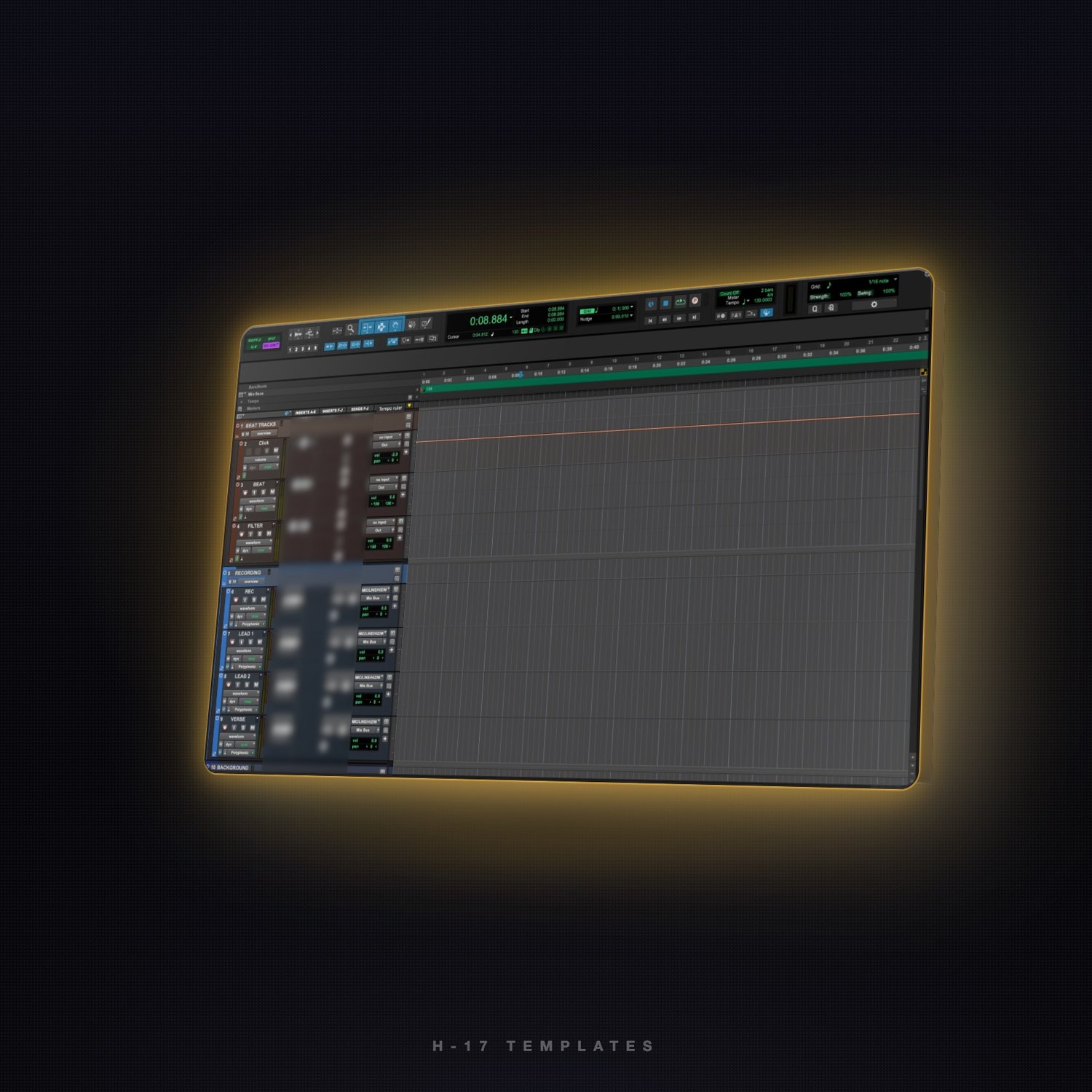
This is the template I record and mix with. Open it and the beat tracks, the recording channels and the background vocals are all there, mapped and ready, with the Waves chains already dialed in on each channel. Plug in the mic and record.
WHAT'S INSIDE
- Every channel created and named: Beat Tracks folder (click, beat, filter), Recording folder (rec, lead 1, lead 2, verse and more) and Background folder.
- Vocal chains already on the channels, built with Waves plugins: tuning, cleanup and channel strip, set up the way I use them on sessions.
- Beat channels with tools ready (key detection on the beat, a filter channel for drops and transitions).
- All the mapping done: inputs, outputs, Mix Bus, reverb and 1/4-note delay sends on every vocal.
- Session ready to work: 130 BPM, 4/4, 1/16 grid, 2-bar count-off, Polyphonic Elastic Audio on the vocal tracks.
WHAT YOU GET
- H-17 WAVES TEMPLATE.ptxt (Pro Tools session template) + How to install.txt, in one ZIP.
REQUIREMENTS
- Pro Tools 2026.4 or newer, Mac or Windows.
- Waves plugins (not included). You need your own Waves licenses for the chains to load; channels whose plugins you don't own open with those inserts inactive.
HOW TO INSTALL
- Unzip and double-click H-17 WAVES TEMPLATE.ptxt. Pro Tools asks where to save your new session.
- Or keep it in your template list: Dashboard › Create › template group menu › Install Template… and pick the file.
All sales are final; digital products can't be returned or refunded. Questions: h17musiconline@gmail.com