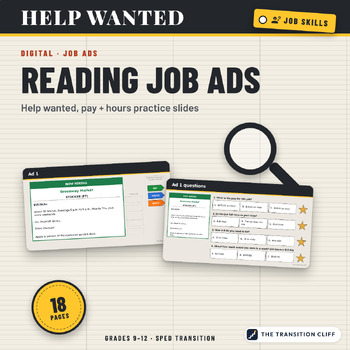
Digital Reading Job Ads: Help Wanted, Pay and Hours PowerPoint Activity, Ages 14 to 21
These digital reading job ads activities are PowerPoint slides (they also work in Google Slides) where students find the pay, hours, and how to apply in six help wanted ads, then answer drag and drop questions about each one.
Why I made this: Job ads are short, full of abbreviations, and easy to misread. Students apply for jobs they cannot work because they missed "weekends req." I wanted them to slow down and find the parts that matter before they ever send an application.
What’s included:
• 6 made up help wanted ads, each with PAY, HOURS, and APPLY tags to drag into place
• 24 drag a star questions (4 per ad), including weekly pay math
• A match for 12 job ad short words like PT, exp., pref., and EOE
• A compare two jobs table and a which job fits me slide
• A Check Your Work slide and a teacher guide PDF with an answer key
How to use it: Open the file in PowerPoint or Google Slides and assign it with a copy for each student. Do two ads a day, then look at real job ads from your area together.
Who it’s for: special education, transition, life skills, and CTE classes in grades 9 to 12 and 18 to 21 programs.
Format: 18 slide PowerPoint file (.pptx), widescreen, plus a teacher guide PDF with the answer key. Open it in PowerPoint, or upload it to Google Drive and open it with Google Slides. The ads and questions are locked on each slide's layout, so students only move the tags, stars, and checks and type. All businesses, names, and phone numbers are made up.
Prefer task cards?
Part of the Transition Cliff Digital series.
Made by Jeremy D. Gooch, special education teacher and transition coordinator. Drafting and layout had AI assistance; every page was checked by me.