









Conversation Intelligence System for Coaches | Google Sheets + Notion
KPI Dashboard System for Coaches
Google Sheets + Notion (Desktop & Mobile Included)
KPI dashboard system for coaches combining Google Sheets and Notion to track sales signals, conversations and client alignment in one focused business tracking system.
If you close clients through:
• LinkedIn conversations
• Instagram DMs
• Sales calls
• Comment threads
• Ongoing dialogue
You don’t just need numbers and you don’t just need notes, you need both.
Why This System Exists
Most coaches try one of two things:
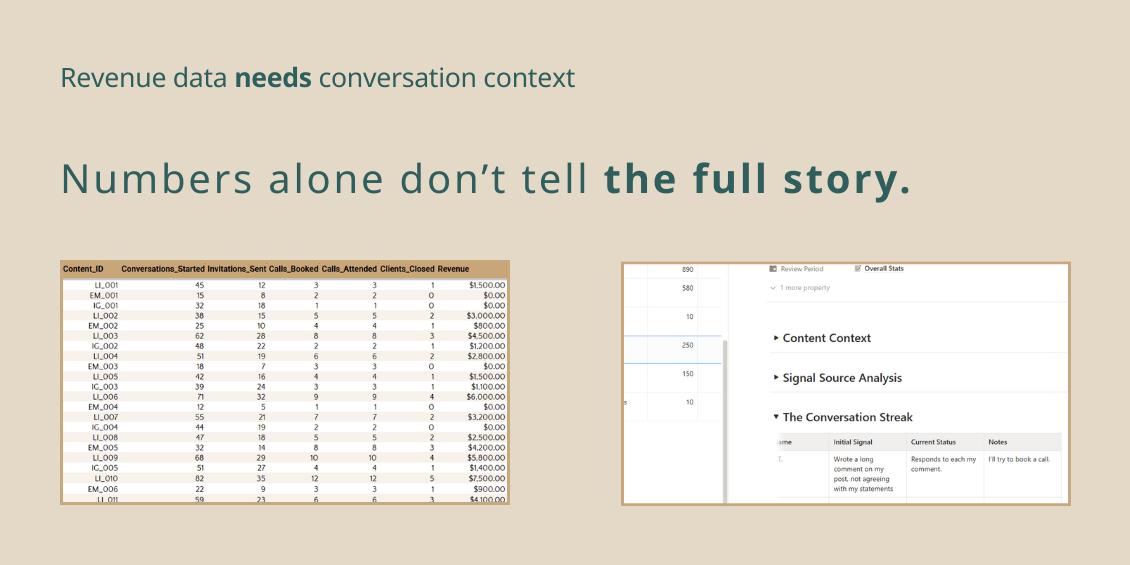
• They track revenue in spreadsheets but lack conversation context.
• They track conversations in Notion but lack real performance metrics.
This system connects both sides:
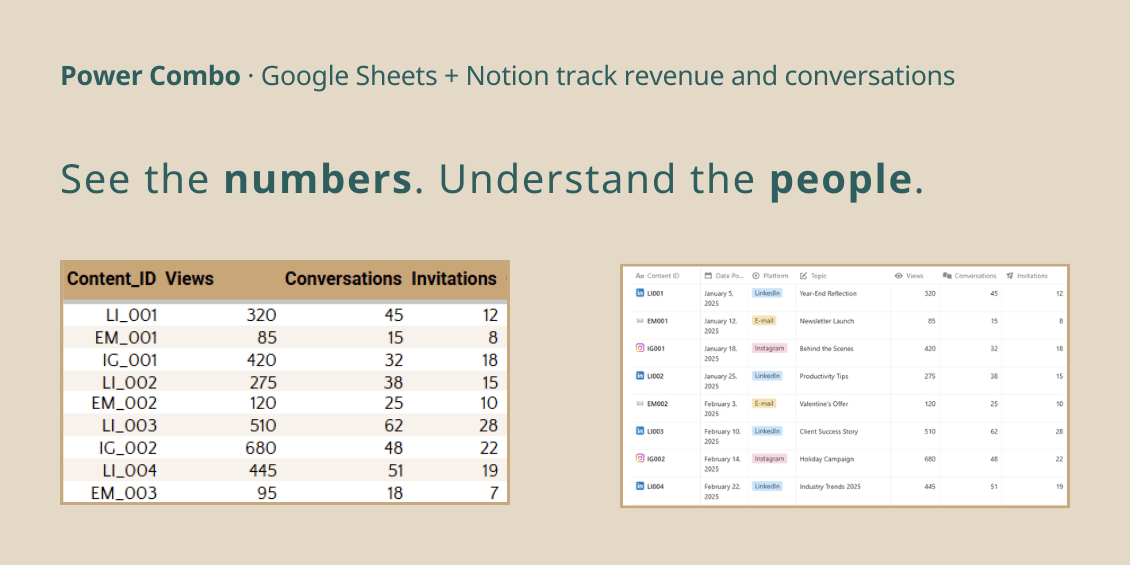
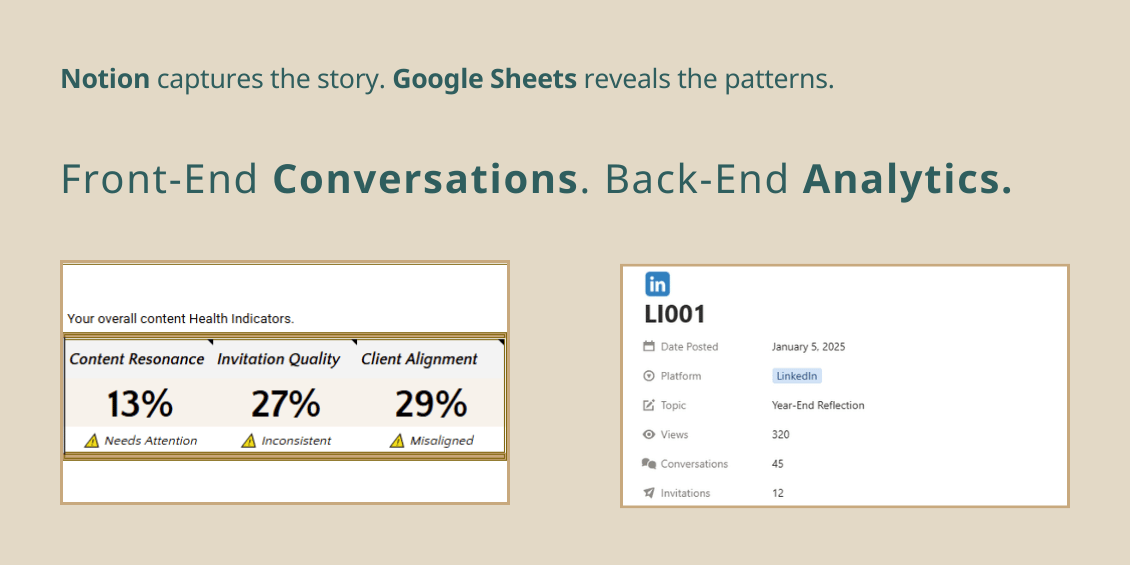
• Front-End Conversations (Notion)
• Back-End Analytics (Google Sheets)
So you can see:
Content → Conversation → Call → Client → Revenue
with both the numbers and the story behind them.
What’s Inside the System
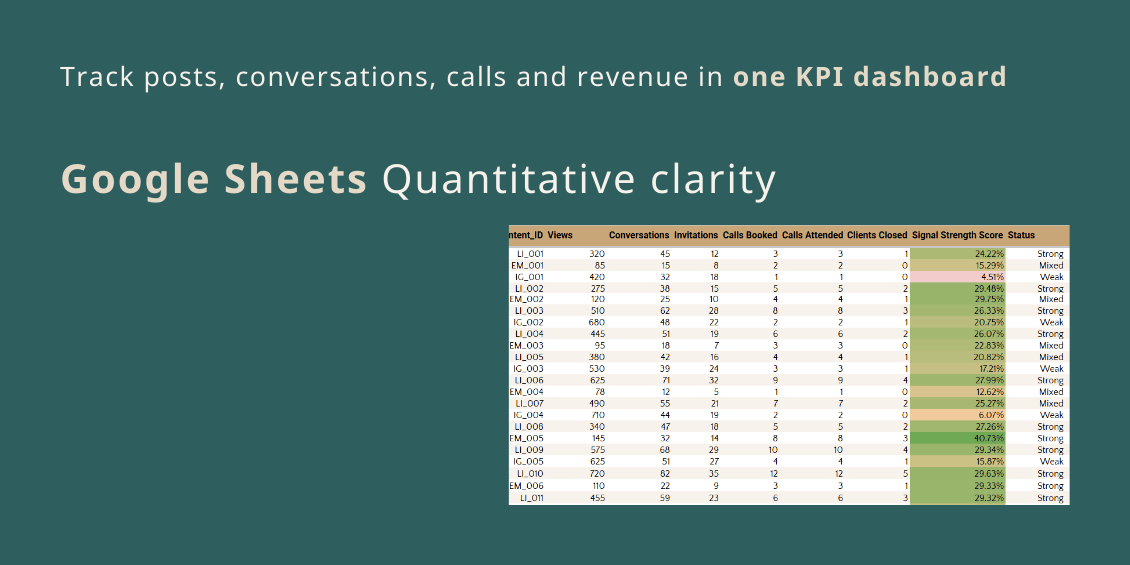
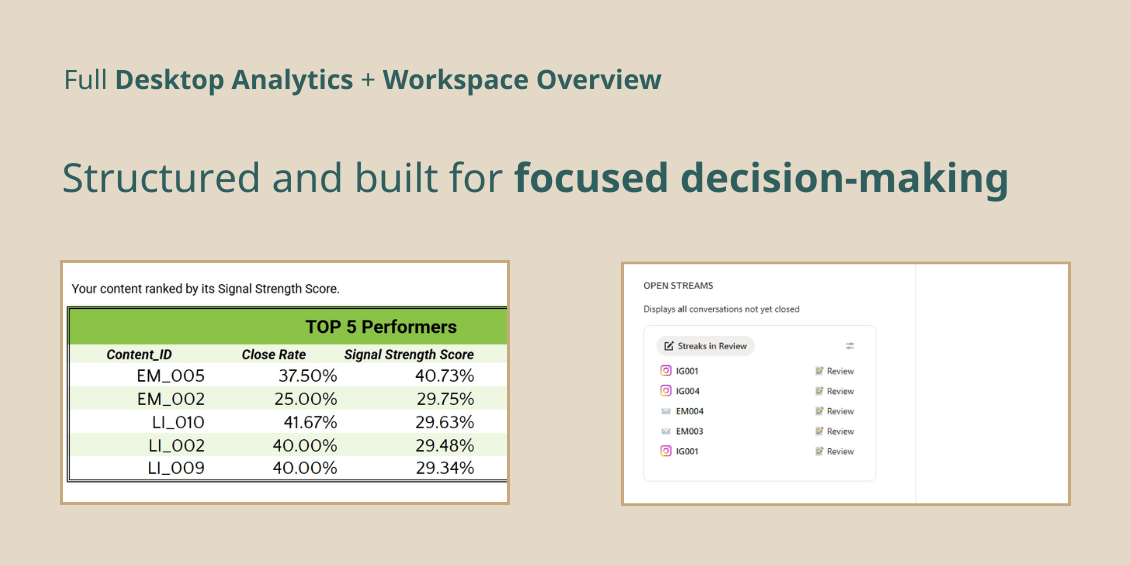
Google Sheets KPI Dashboard (Quantitative Engine)
Track:
• Posts and conversation volume
• Calls booked
• Clients closed
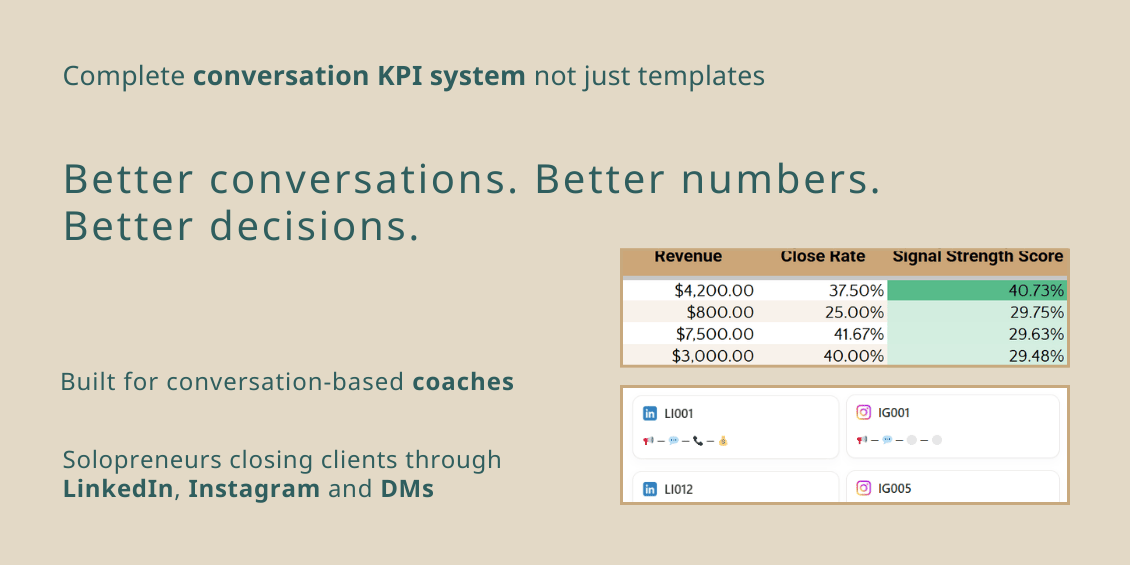
• Revenue generated
• Conversion rates at every stage
• Performance signals across content
This is your analytics layer, clear and structured.
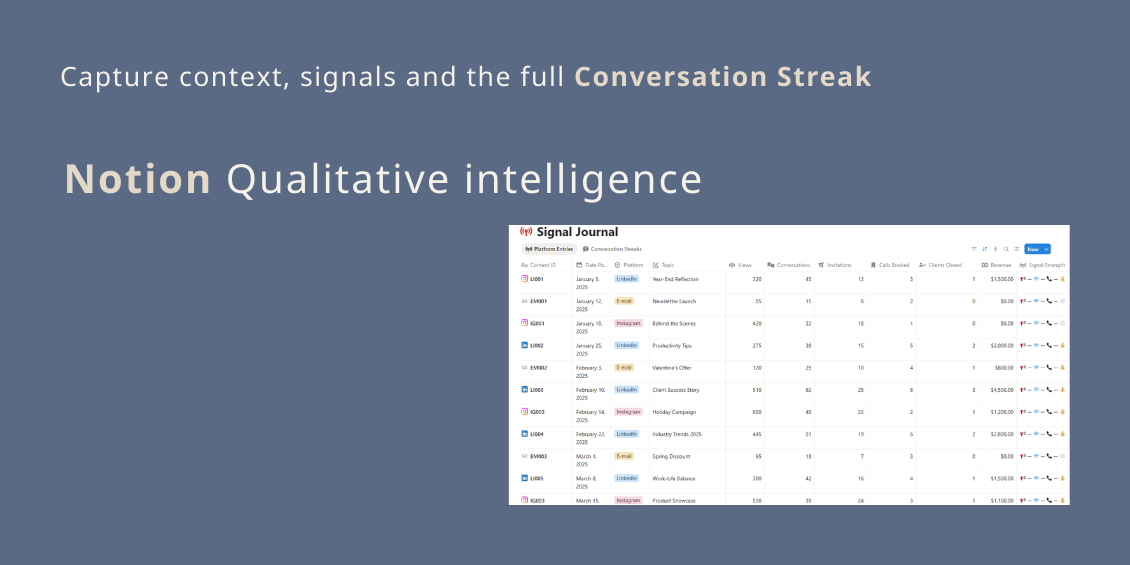
Notion Conversation Tracking System (Qualitative Intelligence)
Capture:
• Full Conversation Streak (Comment → DM → Call → Outcome)
• Objections and turning points
• Client context and notes
• Linked posts and sources
• Client journey tracking
This is your decision-making layer.
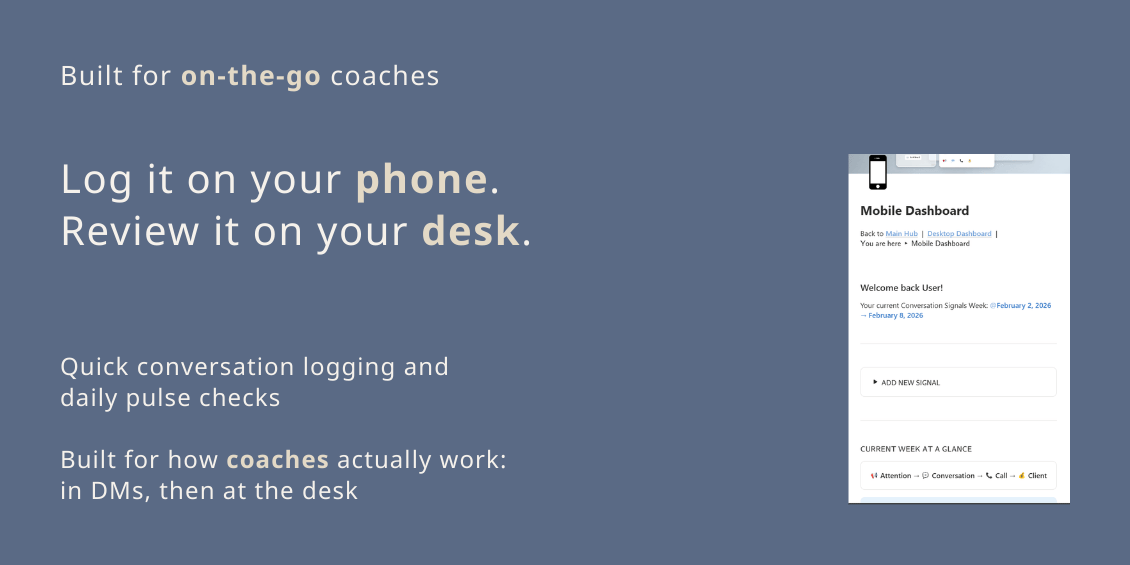
Optimized Mobile Dashboard (Included)
Built for real workflow.
The Notion Mobile Dashboard allows you to:
• Quickly log new conversations
• Update deal stages instantly
• Add notes right after calls
• Perform daily conversation pulse checks
No desktop required and no complex navigation.
Designed for coaches working directly inside DMs. Most systems ignore mobile, this system doesn’t.
How the System Works Together
Notion captures the qualitative data:
• Who is this lead?
• What did they say?
• What objections came up?
Google Sheets reveals the quantitative patterns:
• Which posts generate conversations?
• Which conversations turn into calls?
• Which calls close?
Together, they give you: Clarity without CRM complexity and data insight without automation overload.
Built for Conversation-Based Solopreneurs
This system is ideal for:
• Business coaches
• Career coaches
• Independent Consultants
• Mentors
• High-ticket service providers
Especially if you:
• Sell through DMs
• Close via calls
• Have multiple conversations active
• Want strategic clarity without enterprise tools
What This System Is NOT
This is NOT:
• a CRM replacement
• an automated funnel
• a sales pipeline tool
• a marketing automation system
• a generic productivity template
It is a structured KPI tracking system built in Google Sheets and Notion.
If you want automation, this isn’t for you. If you want data clarity and measurable signals, this is for you.
Why This Is Different from Generic Templates
Most templates are:
• “All-in-one” workspaces
• Designed for teams, not solo operators
• Filled with unused features
This system was built from real product management logic for solopreneurs who only need what drives revenue.
Minimal adjustments with maximum signal clarity and no unnecessary features.
What’s Included
• Google Sheets KPI Dashboard
• Notion Desktop Analytics Dashboard
• Notion Mobile Dashboard
• Conversation Streak Database
• Revenue & Conversion Tracking
• Instruction Guide for both systems
Instant digital download. Duplicate and start immediately.
How You’ll Use It Weekly
• Log conversations in Notion (Desktop or Mobile).
• Track stage progression.
• Record call outcomes.
• Update revenue in Google Sheets.
• Review KPI signals weekly.
10 - 15 minutes per week creates strategic clarity most coaches and solopreneurs never build.
Technical Details
Google Sheets:
• Fully customizable
• Works in browser
• No advanced formulas knowledge required
Notion:
• Fully customizable
• Desktop + Mobile optimized
• No advanced database knowledge required
Requires:
• Google account
• Notion account
• Basic familiarity in working with spreadsheets
Final Note
Better conversations create better clients. Better numbers create better decisions.