
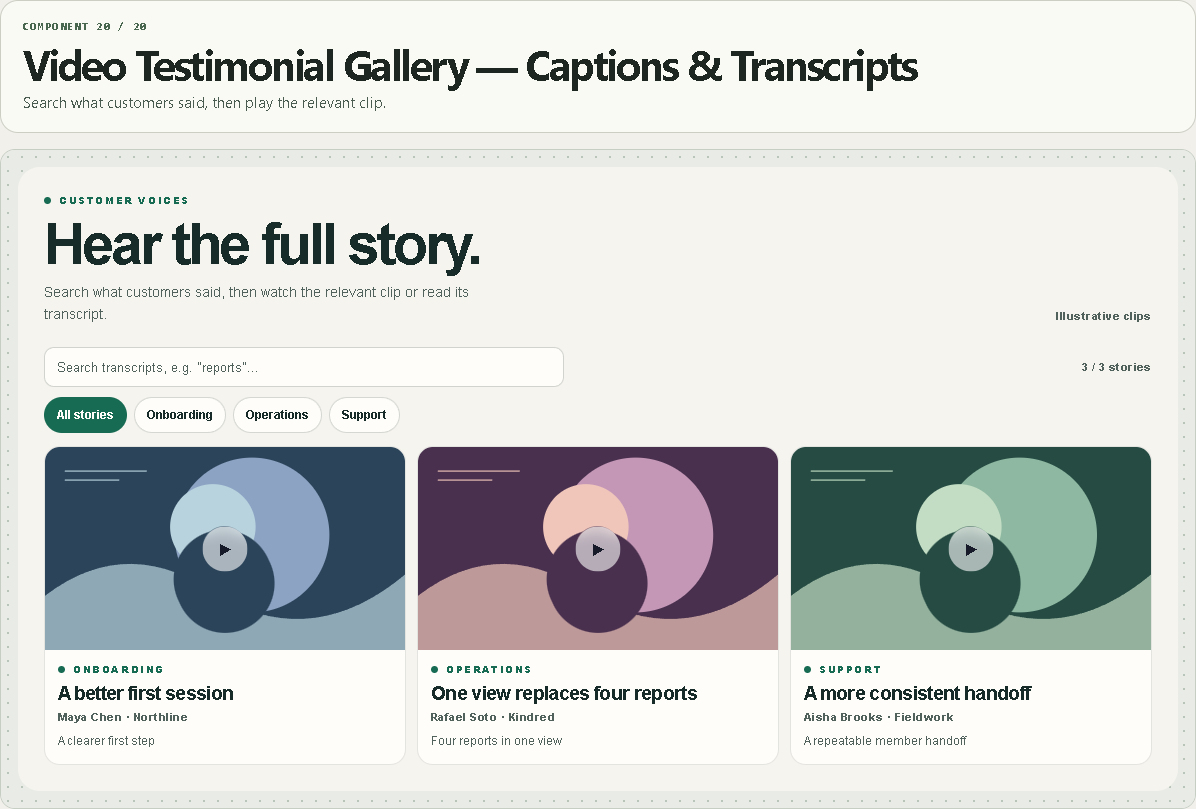
Video Testimonial Gallery — Captions & Transcripts
Search what customers said, then play the relevant clip.
WHAT IT DOES
- Search across transcript text, speaker, outcome and title.
- Filter by topic and browse responsive cards or a list.
- Open posters into a player only on selection.
- Native VTT captions and seekable transcript timestamps for direct files.
WHAT YOU CAN CUSTOMIZE
- Video source, poster, title, speaker, organization, outcome, topic, VTT file and transcript
- Starting category, default caption visibility, layout and search prompt
- Type, palette, radius and spacing
HOW TO SET IT UP
1. Replace the illustrative motion cards with permitted customer videos.
2. Paste a direct MP4/WebM URL or a public YouTube/Vimeo URL.
3. For a direct file, add WebVTT captions and a transcript. Add cues as 0:32 | Spoken text, one per line.
REQUIREMENTS AND LIMITS
- Video and VTT hosts must allow cross-origin reads when served on another domain. Check the published Framer URL.
- YouTube and Vimeo handle their own captions. The component’s timestamp links seek only direct files.
- Sample clips are silent, original motion graphics with demonstration text and captions. No live customer claims.
WHAT'S INCLUDED
- Paste-to-install Framer Component URL
- Standalone Framer code component (.tsx)
- Quick-start instructions and the two example preset configurations
Need help? Reply through your order receipt with the product name and describe what happened.