

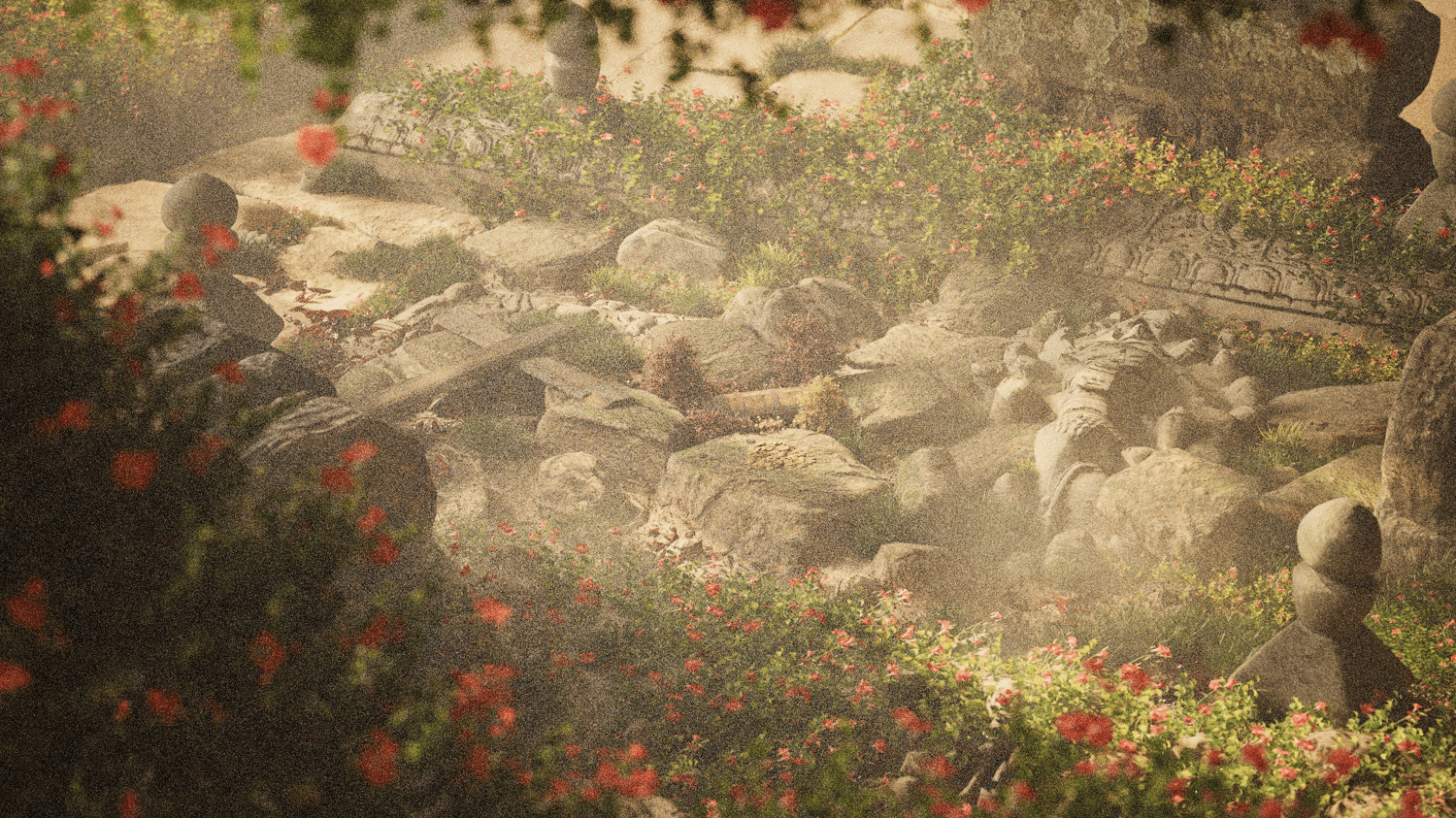


Environment Design Vol. 4.0 | Twinmotion Scene File
The Lost Relic Garden is a cinematic environment scene that captures the tranquillity of nature reclaiming the past. Hidden among stone ruins and blooming flowers lies a collection of forgotten relics overgrown, weathered, and brought back to life through light, texture, and atmosphere.
This scene explores the balance between decay and beauty, using soft natural lighting, grounded materials, and detailed foliage layering to create an environment that feels both peaceful and mysterious. Built entirely in Twinmotion, it’s designed as a learning tool for composition, mood, and storytelling through environmental design.
What You’ll Get:
✔️ Twinmotion (.TM) File – Full scene setup including all lighting, materials, vegetation, and composition
✔️ Raw & Edited Renders – Both the unedited outputs and final post-processed versions for comparison and study
✔️ Camera Setup Shots – Every exact camera angle used for final renders
✔️ Video Setup – Includes my cinematic camera animation with keyframes and timing for studying motion and atmosphere
✔️ Included Assets – Quixel Megascans materials and MaxTree vegetation used throughout the scene
What You Can Learn:
- How to layer vegetation and natural elements for a believable, overgrown aesthetic
- Balancing lighting and colour harmony for atmospheric storytelling
- How to create depth and emotion through environmental composition
- Setting up camera animation and framing for cinematic movement
- Using Quixel and MaxTree assets together for natural realism and texture variety
✔️ Personal and Commercial Use Allowed
If you’re looking to study a high-quality cinematic environment, learn how to build realism through atmosphere and storytelling, or reuse detailed assets in your own projects, The Lost Relic Garden is a complete, production-level reference to work from.
⚠️ Note:
Created using Twinmotion 2025.2. Older versions may not be fully compatible or may not load the scene, materials, or animation correctly. Please ensure you’re using Twinmotion 2025.2 or newer for best results.