
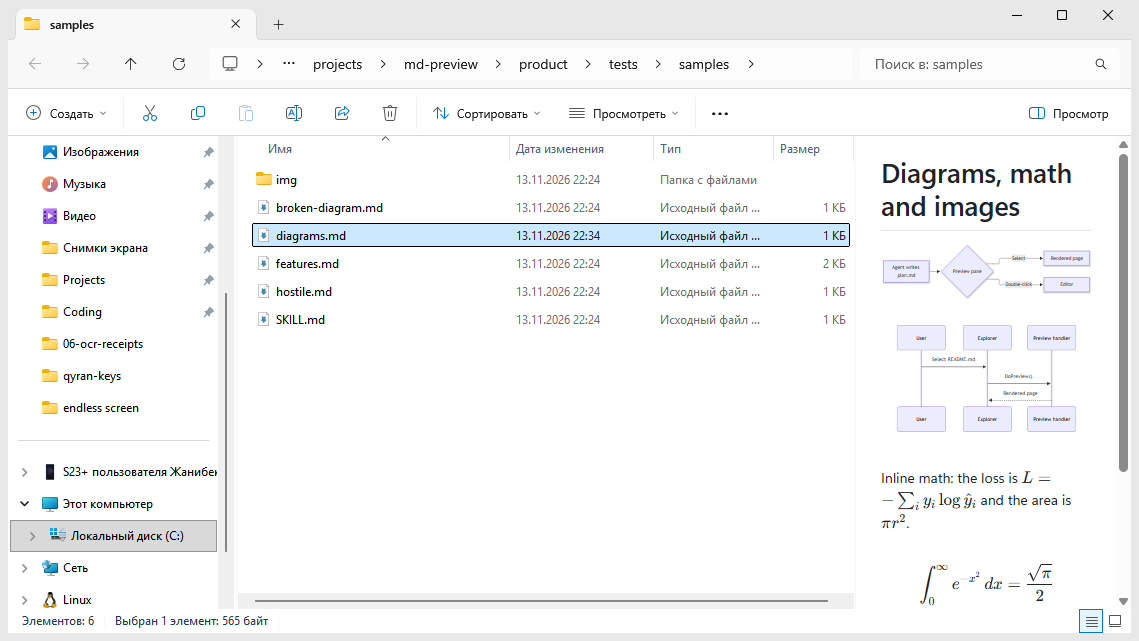
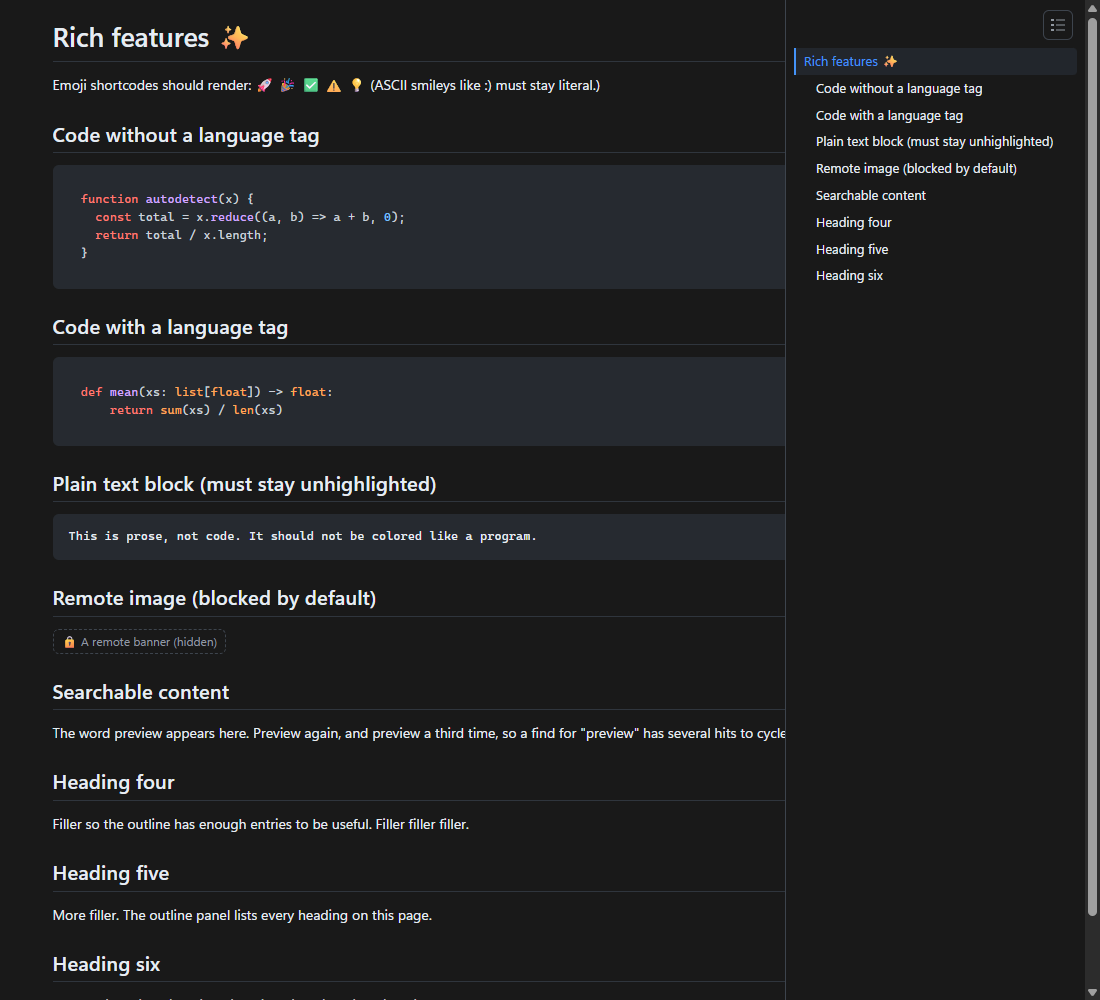
MdPreview — Markdown Preview for Windows Explorer (Mermaid, math, code)
Render Markdown — Mermaid diagrams, math, syntax-highlighted code and more — right in the Windows File Explorer preview pane. Select a .md file, press Alt+P, and read it rendered without opening an editor.
Free and open source (MIT). This page is "pay what you want": download it for $0, or leave a tip to support development if it saves you time.
What it renders that the basic previewers skip:
• Mermaid diagrams (flowcharts, sequence, class, state and more)
• Math with KaTeX (inline and block)
• Code with syntax highlighting and language auto-detection, plus a Copy button
• GitHub-flavored Markdown: tables, task lists, NOTE/WARNING alerts, footnotes, emoji shortcodes
• A floating outline of the headings with scroll-spy, and find-in-page (Ctrl+F)
• Light and dark, following the Windows theme
Private and offline by design: the preview never connects to the internet — strict Content-Security-Policy, no network, scripts inside a .md never run, remote images blocked by default. It also appears in classic desktop Outlook's attachment preview.
Install (no admin rights): download and unzip anywhere, double-click Install.cmd, then in Explorer press Alt+P and select a .md file. It installs per-user under %LOCALAPPDATA% and registers under HKCU — no administrator rights are used, and Uninstall.cmd removes everything.
Requirements: Windows 10 (1903+) or 11. .NET Framework 4.8 is built in; the Microsoft Edge WebView2 Runtime ships with Windows 11 and most Windows 10 (the package installs it per-user if missing).
Source code, issues and updates on GitHub: https://github.com/Zhanibek55/md-preview