



PresenceKeeper — Automatic Presence & Activity Keeper for Windows
On Sale
$5.99
$5.99
Stay active on Teams, Slack & Zoom automatically. No install required.
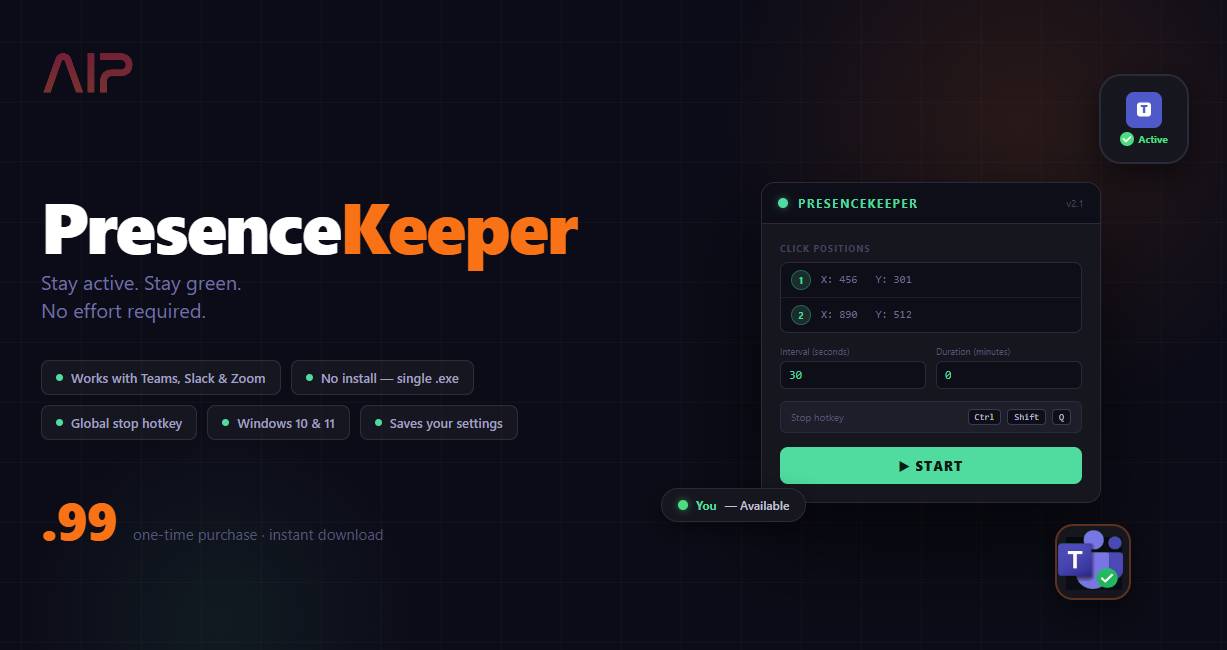
Tired of your status going yellow or showing "Away" the moment you step away from your desk? PresenceKeeper keeps your presence active by automatically moving your mouse between positions you set — so Microsoft Teams, Slack, Zoom, and any other app that watches for activity keeps you green.
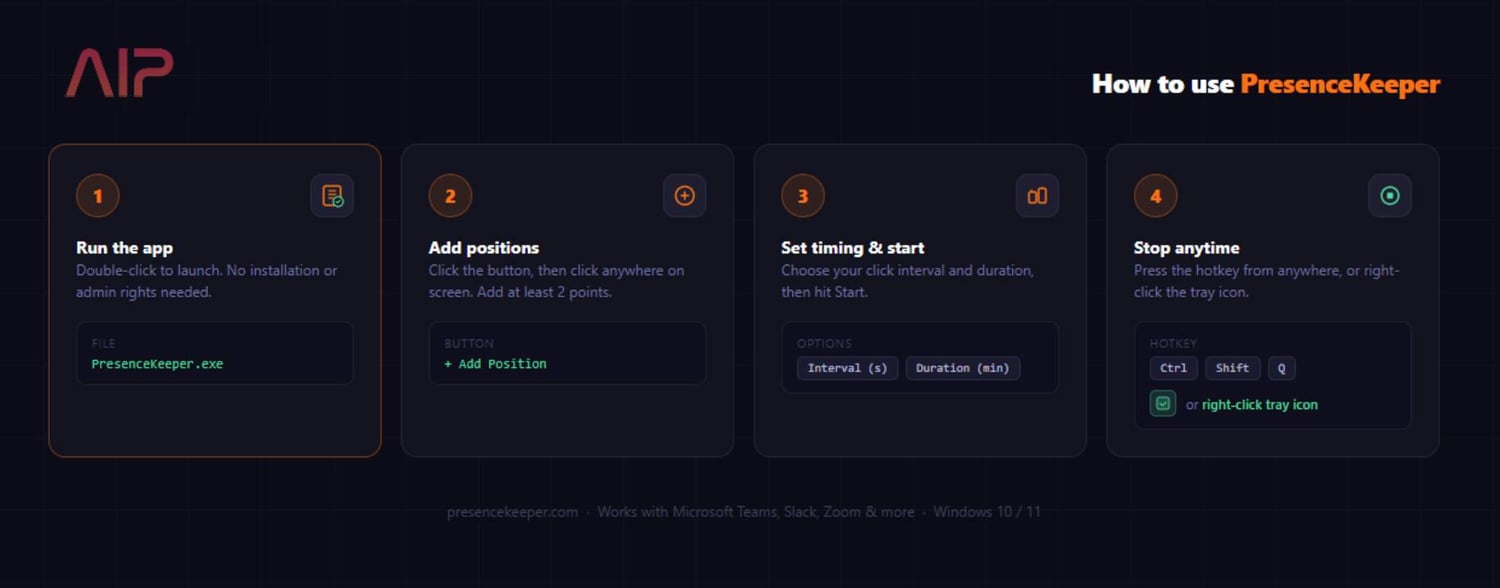
How it works Launch the app, click the positions on your screen you want it to cycle between, set your interval and duration, and hit Start. PresenceKeeper runs silently in your system tray and handles the rest.
Features
- Add as many click positions as you need — not just two
- Set your own click interval (seconds) and run duration (minutes)
- Global stop hotkey: Ctrl+Shift+Q stops it from anywhere, even when minimised
- System tray icon shows remaining time — right-click to stop at any time
- Saves your last configuration automatically so setup is instant next time
- Portable single .exe — no installation, no admin rights required
- Works with Microsoft Teams, Slack, Zoom, Webex, and any presence-aware app
- Compatible with Windows 10 and Windows 11
What's included
- PresenceKeeper.exe — ready to run, no setup needed
Questions? Issues? Contact us through Payhip and we'll get back to you.
Watch it in action: https://www.youtube.com/watch?v=T9hCSf1VKn4