
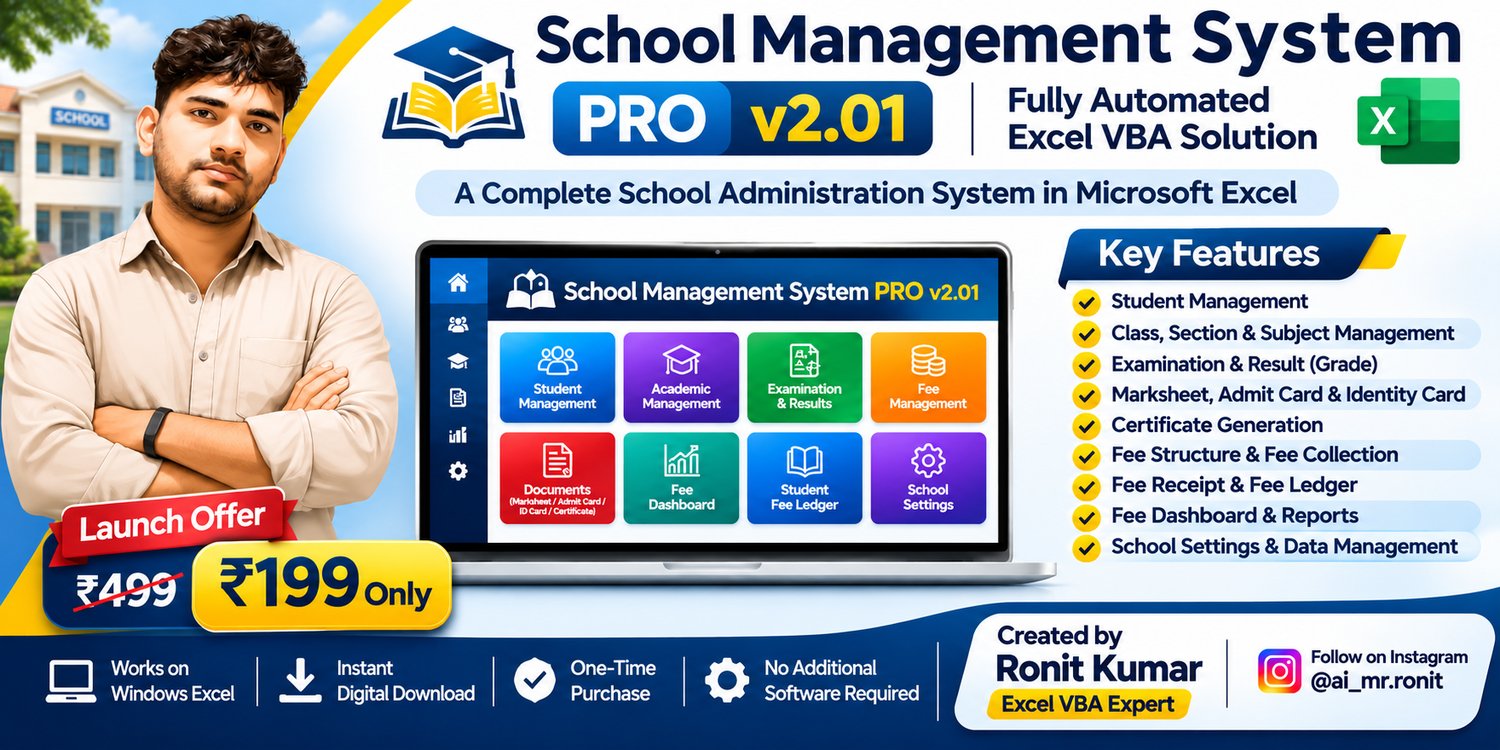
School Management System PRO v2.01 | Fully Automated Excel VBA Software | Student, Exam, Fees & Billing Management
🏫 SCHOOL MANAGEMENT SYSTEM PRO v2.0
Fully Automated Excel VBA-Based School Management System
Smart School Management | Student Records | Academic Management | Examination | Fee Collection | Professional Reports
Manage your school efficiently with School Management System PRO v2.0, a powerful and user-friendly Microsoft Excel VBA-based solution designed for schools, educational institutions and administrators.
This system helps you manage student information, classes, sections, subjects, examinations, marksheets, admit cards, identity cards, certificates, fee payments, receipts, pending fees and student fee ledgers — all from a professional Excel dashboard.
One-Time Purchase | Instant Digital Download | Excel-Based System
⭐ KEY FEATURES
1. Professional School Dashboard
- Easy-to-use Dashboard Interface
- Quick Access to All Management Modules
- Student and Academic Management
- Examination and Document Management
- Fee Management and Reporting
- School Settings and Data Management
- Reset All Data Option
2. School Settings Management
- Update School Name and Address
- Manage School Contact Information
- Upload School Logo and Signature
- Configure School Information
- Display School Details on Supported Documents
3. Academic Management
- Class Management
- Section Management
- Class-wise Subject Management
- Examination Management
- Academic Session Management
- Add, Search, Update and Deactivate Supported Records
4. Student Management
- Add New Student
- Automatic Admission Number Generation
- Student Profile Management
- Search Existing Students
- Edit and Update Student Details
- Student Photo Management
- Parent and Guardian Information
- Class and Section Allocation
- Student Admission Form
5. Examination & Result Management
- Student Marks Entry
- Subject-wise Marks Management
- Automatic Total Marks Calculation
- Automatic Percentage Calculation
- Grade Calculation
- Grade Rules Management
- Professional Student Marksheets
- Examination-wise Student Results
- Marksheet PDF Export
6. Admit Card Management
- Student Selection
- Examination Details
- Examination Date and Centre
- Student Information and Photo
- Admit Card Preview
- PDF Export
7. Student Identity Card Management
- Student-wise Identity Card Generation
- Student Name, Class and Roll Number
- Student Photo
- School Details
- Professional Identity Card Layout
- PDF Export
- WhatsApp Sharing Where Available
8. Student Certificate Management
- Student Certificate Generation
- School Logo and Signature
- Student Information
- Certificate Preview
- Professional Certificate Layout
- PDF Export
9. Advanced Fee Structure Management
- Class-wise Fee Structure
- Multiple Fee Types
- Monthly and Other Supported Fee Frequencies
- Fee Amount Configuration
- Add New Fee Structure
- Search and Update Existing Fees
- Activate or Deactivate Fee Records
10. Fee Payment Management
- Student-wise Fee Collection
- Fee Type and Payment Period Selection
- Payment Amount Entry
- Discount Management
- Automatic Remaining Balance Calculation
- Cash and Other Supported Payment Modes
- Payment Reference Details
- Automatic Receipt Number Generation
- Payment History
11. Fee Receipt Manager
- Search Saved Fee Receipts
- Student-wise Receipt Details
- Payment and Discount Information
- Fee Period Details
- Receipt Preview and Printing
- PDF Export
12. Fee Collection Dashboard
- Total Fee Collection
- Monthly Fee Collection
- Total Payments Recorded
- Monthly Pending Fee Report
- Academic Session Filters
- Class-wise Reporting
- Refresh Reports
- PDF Export
13. Student Fee Ledger Manager
- Student-wise Fee Ledger
- Month-wise Fee Details
- Total Payable Amount
- Paid Amount and Discount
- Remaining Balance Calculation
- Pending Fee Tracking
- Student Payment History
- Refresh Ledger
- Export Ledger and Payment History to PDF
14. PDF & Document Management
- Marksheet PDF
- Admit Card PDF
- Identity Card PDF
- Certificate PDF
- Fee Receipt PDF
- Fee Dashboard PDF
- Student Fee Ledger PDF
- Payment History PDF
💻 SYSTEM REQUIREMENTS
Operating System
- Windows 10 or Windows 11
Microsoft Office
- Microsoft Excel 2016 or Later Recommended
- Microsoft Excel Desktop with VBA Macro Support
- Microsoft 365 Desktop Excel Supported
File Format
- Excel Macro-Enabled Workbook (.xlsm)
Internet Connection
- Required for WhatsApp Sharing Features
Important: This is an Excel VBA-based management system, not a standalone Windows application, cloud-based ERP or mobile application.
Not intended for Excel Online, Android, iPhone or Google Sheets.
🚀 HOW TO INSTALL & USE ON A NEW COMPUTER
Step 1 – Download the File
- Complete your purchase on Payhip.
- Download the School Management System PRO v2.01 file.
- Save the downloaded .xlsm file to your computer.
- Keep a backup copy of the original downloaded file.
Step 2 – Open in Microsoft Excel
- Open Microsoft Excel Desktop.
- Open the downloaded .xlsm workbook.
- If Windows has blocked the downloaded file, right-click it and select Properties → Unblock, if available, after verifying the source.
- Enable Macros only if you trust the workbook and its source.
- Open the School Management Dashboard.
Note: The system requires Excel Desktop with VBA Macro Support. No separate school management application installation is required.
Step 3 – Configure School Settings
- Open School Settings.
- Enter School Name and Address.
- Enter Contact Details.
- Add School Logo and Signature.
- Save the School Settings.
Step 4 – Configure Academic Management
- Add Classes.
- Create Sections.
- Configure Class-wise Subjects.
- Add Examination Types.
- Configure Grade Rules.
- Verify Academic Session Details.
Step 5 – Add Students
- Open Add Student.
- Enter Student and Parent Details.
- Select Class and Section.
- Upload Student Photo.
- Save the Student Record.
- Verify the Admission Number.
Step 6 – Configure Fee Management
- Open Fee Structure Manager.
- Select Class and Fee Type.
- Configure Fee Frequency and Amount.
- Save Fee Structure.
- Open Fee Payments to collect student fees.
- Generate and verify Fee Receipts.
- Monitor Fee Dashboard and Student Fee Ledger.
Your School Management System is now ready for regular use.
🔄 HOW TO TRANSFER THE SYSTEM TO ANOTHER COMPUTER
If you purchase a new computer or want to move your existing school records, follow these steps:
- Save all changes and close the Excel workbook on your old computer.
- Copy the latest .xlsm workbook containing your school records.
- Transfer the file using a USB drive or secure storage.
- Copy any external photo or supporting folders used by your setup.
- Open the workbook using Microsoft Excel Desktop on the new computer.
- Verify Macro Settings for the trusted file.
- Check School Settings, Student Records, Marksheets and Fee Payments.
- Test Student Photos and PDF Export.
Important: Transfer your latest saved workbook, not only the original blank downloaded file.
If your workbook uses external file paths, these may need to be updated on the new computer.
🔐 DATA SAFETY & IMPORTANT INSTRUCTIONS
- Always maintain a backup of your workbook.
- Save your work regularly.
- Do not delete or rename internal system worksheets.
- Do not modify VBA Code without technical knowledge.
- Do not convert the .xlsm file to .xlsx.
- Do not use the Reset All Data option without a backup.
- Avoid using multiple editable copies for live school records.
- Keep student information and payment records secure.
- Verify generated documents before printing or sharing.
🛠️ CUSTOMIZATION & MODIFICATION POLICY
Need additional features or changes to the system?
School Management System PRO v2.01 can be modified and customized according to your specific school or institutional requirements.
Customization may include:
- Additional Student Information Fields
- Custom Marksheet or Certificate Formats
- School-Specific Fee Structures
- Additional Reports and Dashboards
- Custom Document Layouts
- New VBA Features and Automation
- Other Institution-Specific Requirements
Please Note: Customization, modifications and additional feature development are not included in the standard purchase price.
Additional charges will apply depending on the type, scope and complexity of your requirements.
Please contact the developer to discuss your customization needs and receive a quotation.
📦 WHAT YOU WILL RECEIVE
- School Management System PRO v2.01 Excel Macro-Enabled Workbook (.xlsm)
- Built-in School Management Dashboard
- Student, Academic, Examination and Fee Management Features
- Built-in Instructions / User Guide
Digital Product – Instant Download After Purchase
No physical product will be shipped.
⚠️ IMPORTANT BEFORE PURCHASING
Please read carefully:
- This product works with supported Microsoft Excel Desktop versions on Windows.
- This is not standalone school management software.
- Microsoft Excel is not included in the purchase.
- Basic Microsoft Excel knowledge is recommended.
- Internet access may be required for certain sharing features.
- Customization and additional features are chargeable.
- Please verify compatibility with your computer before purchasing.
- This is a downloadable digital product.
📞 SUPPORT & CONTACT
For product-related technical issues, installation assistance or customization inquiries, please contact the developer through the official support channel.
Developed by Ronit Kumar
Excel VBA Expert | Ronit Panji Tips & Tricks
Instagram: @ai_mr.ronit
School Management System PRO v2.01 – Simplifying School Administration with Excel Automation.