

VMIX PTZ CONTROL VIA STREAMDECK AND COMPANION
A simple use of COMPANION to control the VIRTUAL PTZ of camera inputs within vMix
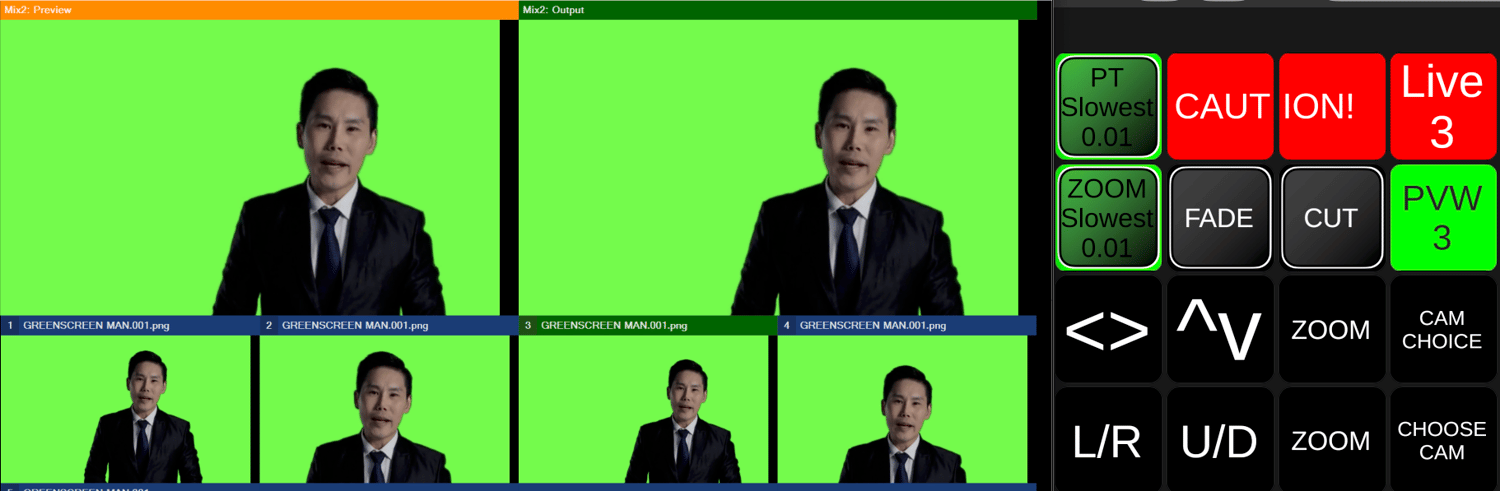
Using the STREAMDECK+ rotary dials to control PAN & TILT POSITION and ZOOM CONTROL as well as selecting the camera you are looking at.
Sends the selected camera to MIX2 so that this can then be used in other scenes as the camera choice.
Visual feedback to inform you if you have selected the camera input that is currently live (RED WARNING!) as the one that is selected for adjusting.
5 x steps of speed for both PAN & TILT and ZOOM (independent)
Uses COMPANION v4.0.3
Uses vMIX CONNECTION v4.0.2
Uses multiple selected vMIX VARIABLE SELECTION in the connection set up
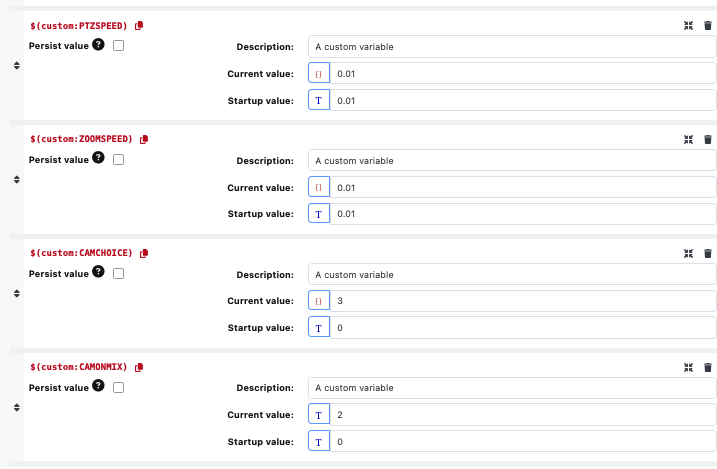
Needs 4 x CUSTOM VARIABLES set up
· PTZSPEED – this controls the speed of PAN and TILT movements – start value 0.01
· ZOOMSPEED – this controls the speed of ZOOM IN and OUT – start value 0.01
· CAMCHOICE – this variable is to choose the camera input that you select for processing – start value 1
· CAMONMIX – this variable is used as a storing variable to remember the current LIVE camera and remember this when cutting or fading to a different camera – start value 1
Although this could be used as a standalone app for camera control, it is meant to be used as part of a larger vMIX workplace. As such, please make sure you are aware of what it is doing behind the scenes before implementing withing your workflow.
Any feedback/comments and criticisms of course always welcome.
Regards
P