
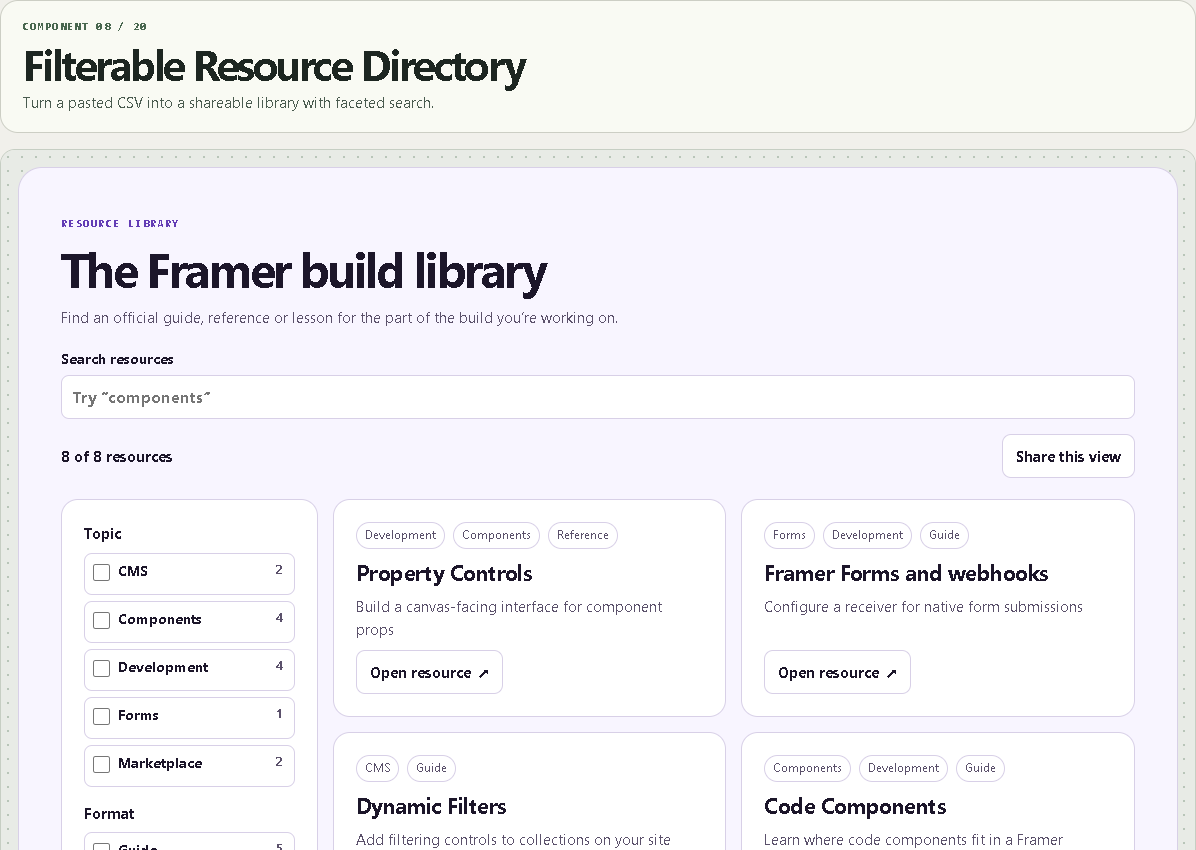
Filterable Resource Directory
Turn a pasted CSV into a shareable library with faceted search.
WHAT IT DOES
- Configurable CSV column mapping and facet order
- Search with multi-select filters and contextual counts
- Responsive cards, native mobile filter dialog and shareable filtered views
WHAT YOU CAN CUSTOMIZE
- CSV data, header mapping and up to four facets
- Search/action labels, share namespace and card columns
- Font, spacing, corners and color palette
HOW TO SET IT UP
1. Paste a comma-separated table with a header. Use column:Label to define a facet and | to separate multiple values in a cell.
2. Set a unique share key per directory on a published page. Share links include the selected filter values and search text in the URL.
3. Configure the search label and columns, then verify the resource links.
REQUIREMENTS AND LIMITS
- Up to 300 CSV rows and 60 distinct options per facet. Search is local. CMS sync is outside this component.
- Shared URLs may be stored in browser history or analytics. Use public catalog data and avoid sensitive terms.
WHAT'S INCLUDED
- Paste-to-install Framer Component URL
- Standalone Framer code component (.tsx)
- Quick-start instructions and the two example preset configurations
Need help? Reply through your order receipt with the product name and describe what happened.