

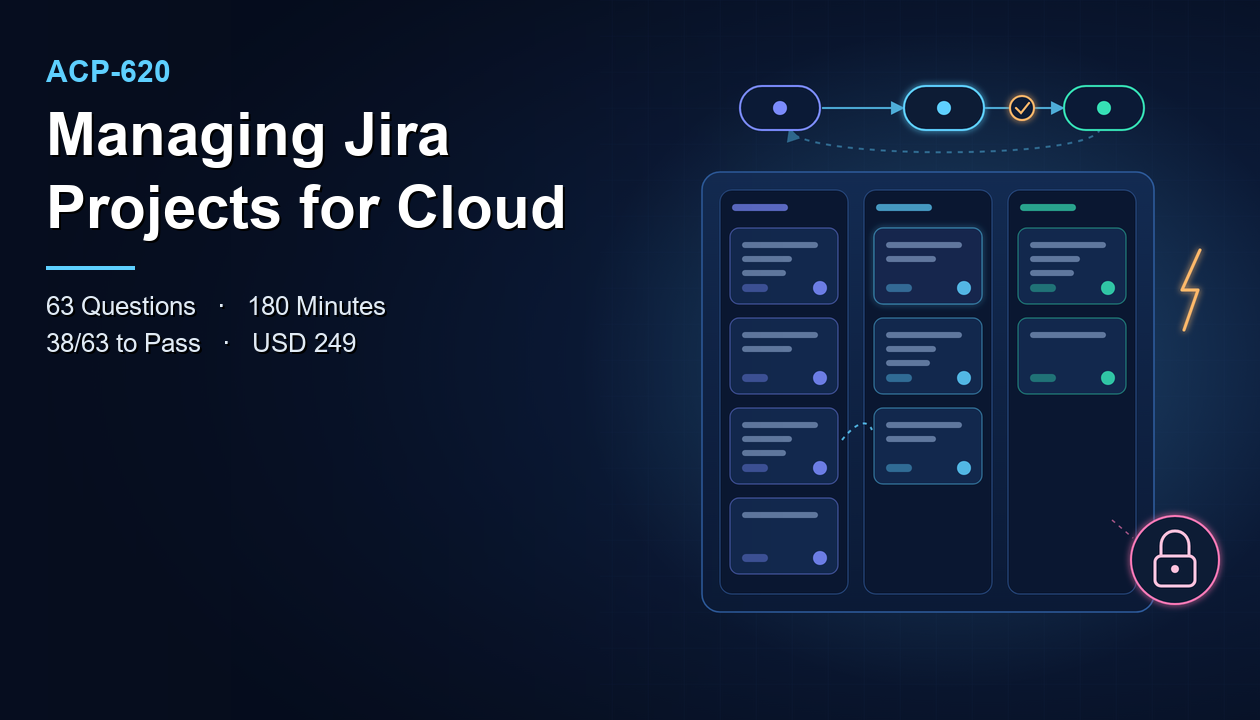
The most common assumption about ACP-620 goes like this: "I use Jira every day, so a Jira exam should be straightforward." It is an understandable belief, and it is the one that catches the most candidates out. Using Jira and managing a Jira project are different jobs. A daily user creates issues, moves cards across a board, and runs searches. A project manager in the Jira sense decides what those issues look like, which workflow they follow, who can see and change them, what happens automatically when they move, and how the board is built around them.
The Atlassian Managing Jira Projects for Cloud exam, code ACP-620, tests the second job. That is the gap this article keeps returning to: the distance between what people expect from a "Jira exam" and what this one actually asks. Closing that gap is most of the preparation.
Every exam fact below comes from the published exam details: 63 questions, 180 minutes, a passing score of 38 out of 63, and a USD 249 fee. Where those details say nothing, on prerequisites or retake rules for example, this article does not guess. It points you to Atlassian's official certification page instead.
What Is the Atlassian Managing Jira Projects for Cloud (ACP-620) Certification?
ACP-620 is the exam for the Atlassian Certified Professional - Managing Jira Projects for Cloud credential, in Atlassian's Jira certification category. As the name says, it is about managing Jira projects, and specifically in Jira Cloud. It is aimed at the people who shape how a project works for everyone else: project administrators, team leads who own their team's setup, Scrum masters and delivery managers who configure boards, and Jira specialists who support several teams.
The exam sits at a practical level. It is not about administering an entire Jira site, and it is not about simply using Jira. It covers the space in between: configuring a project so that it fits the way a team actually works, and changing that configuration safely as the team's needs change.
The myth, stated precisely
The misconception is not that daily Jira use is worthless. It clearly helps. The misconception is that familiarity with the screens a user sees equals understanding of the configuration behind them. A user sees a "Status" field and a set of transition buttons. A project manager knows that those buttons come from a workflow, that the workflow is associated with particular issue types, and that changing it affects every issue of those types in the project. A user sees that some fields appear on the create screen and others do not. A project manager knows why, and knows where to change it.
The exam lives almost entirely in that "why" and "where." Candidates who have only used Jira often recognise every term in a question and still pick the wrong answer, because the question is about configuration consequences they have never had to think about.
The Cloud part matters too
The exam is specifically about Jira Cloud. Candidates with experience of self-managed Jira sometimes carry over habits and menu locations that do not match the Cloud product. Cloud also has its own project models and features. If most of your experience is on another deployment, treat the Cloud differences as a study topic in their own right rather than assuming your knowledge transfers directly.
ACP-620 Exam Overview and Details
These are the published facts for the exam:
- Exam name: Atlassian Managing Jira Projects for Cloud
- Exam code: ACP-620
- Certification: Atlassian Certified Professional - Managing Jira Projects for Cloud
- Number of questions: 63
- Duration: 180 minutes
- Passing score: 38 / 63
- Exam fee: USD 249
- Scheduling: through Atlassian's Certmetrics portal
Here is what those numbers imply in practice, and where the myth shows up in them.
Three hours for sixty-three questions
One hundred and eighty minutes for sixty-three questions averages just under three minutes per question. That is a long time per item. A generous time allowance is usually a signal about how the questions are meant to be read: carefully, with attention to the details of a described situation, rather than as quick recall.
This is the first place the "I use it every day" assumption breaks down. A user-level candidate expects to recognise the answer at a glance. A well-prepared candidate expects to read the scenario, work out which configuration element is involved, consider what changing it would affect, and only then choose. Use the time. If you finish with an hour to spare, that is usually a sign you moved too quickly, not that the exam was easy. Go back through flagged questions and reread the ones where two answers looked plausible.
Three hours is also long enough for concentration to matter. Plan to take the exam when you are fresh, and practise working for long stretches under timed conditions so that the final third of the exam gets the same care as the first.
Passing with 38 of 63
The passing score is published as 38 out of 63. Put simply, you need 38 correct answers across the 63 questions. That leaves room for mistakes, but not for whole weak areas. If one part of the syllabus is a blind spot and it carries a meaningful share of questions, the margin disappears quickly.
It is also where the myth is most expensive. A candidate who relies on user familiarity tends to do well on questions that look like everyday use and poorly on configuration questions, which are the substance of the exam. That profile can land just short of 38 even for someone who uses Jira confidently every day.
The fee and scheduling
The exam fee is USD 249, and you schedule through Atlassian's Certmetrics portal. That is enough money that a speculative "let's see how it goes" attempt is poor value. For rescheduling, cancellation, and retake terms, check Atlassian's official certification page and the scheduling portal directly, because those policies are not part of the exam details summarised here.
Key Topics and Syllabus for ACP-620
The ACP-620 syllabus on CertFun is the authority on the exam's topics and how they are weighted. Read it before you plan anything. The sections below do not replace it or invent a breakdown of its weightings. They describe the kind of configuration understanding a Jira Cloud project manager needs, with the "user versus manager" gap called out in each area, so you can see where your experience helps and where it does not.
Project types and project setup
Everything starts with the project itself. Jira Cloud offers different project models, and the choice between them shapes almost everything that follows: who can change the configuration, whether configuration is shared with other projects, and how much flexibility a team has on its own.
The user view: "we have a project, and it has a board." The manager view: "this project uses a particular model, so its configuration is either shared with other projects or owned by the team, and that decides who should change it and what else a change will affect." Expect questions that describe a team's situation and ask which setup fits, or what the consequence of a change will be. Practise explaining, for each project model, who controls its configuration and what the trade-off is between flexibility and consistency.
Issue types, fields, and screens
Issues are the core of Jira, and managing a project means deciding what an issue looks like. That covers which issue types a project offers, which fields each type carries, which fields appear when an issue is created, edited, or viewed, and which fields are required.
This is a classic myth trap. Users experience fields as simply "there" or "not there." A manager knows that field visibility and requirement are controlled by configuration that can differ between issue types, and between creating and editing. A typical question describes a symptom, such as a field that appears when viewing an issue but not when creating one, or a required field that blocks a transition, and asks where the cause lies. The right answer comes from understanding how the configuration layers fit together, not from remembering what the screen looked like last week.
Workflows
Workflows define the statuses an issue moves through and the transitions between them. They also carry rules: conditions that decide who can take a transition, validators that check information before it is allowed, and post-functions or equivalent actions that happen automatically afterwards.
The user sees buttons. The manager sees a workflow associated with specific issue types, where every rule has a consequence. Why can one person move an issue to "Done" but another cannot? Why does a transition fail with a message about a missing field? What happens to existing issues when a status is removed from a workflow? Questions in this area reward candidates who have actually edited workflows and watched the effects, because the consequences of workflow changes are exactly what the exam probes.
A worked example shows the gap clearly. A team asks that nobody can close a bug without recording how it was resolved. The user-level answer is "remind people to fill in the field." The manager-level answer has several parts: make sure the field is on the screen shown during the closing transition, add a rule to that transition that checks the field has a value, and confirm the workflow is associated with the bug issue type in that project. Then think about side effects: does anyone else's process use the same workflow, and will existing open bugs be affected? That chain of reasoning, from request to configuration to consequence, is the shape of a typical ACP-620 question.
Boards, backlogs, and agile configuration
Boards are where most teams live, and configuring them well is central to managing a project. That includes choosing between Scrum-style and Kanban-style working, mapping statuses to board columns, setting the filter that decides which issues appear, managing the backlog, and using sprints, estimation, and swimlanes.
The myth here is that a board is the project. In fact, a board is a view driven by a filter and a column mapping, and several boards can show the same issues in different ways. A classic scenario: issues are "missing" from a board. A user assumes they were deleted. A manager checks the board's filter and whether the issues' statuses are mapped to a column. Knowing that difference is worth several questions.
Agile configuration also carries decisions that users never see. Which estimation method does the board use, and what feeds the reports that depend on it? What happens to incomplete issues when a sprint closes? When should a team use a Kanban board with a limit on work in progress instead of sprints? Each of these is a small design choice that changes how the team works and what its reports show, and each is a natural subject for a scenario question.
Permissions, roles, and notifications
Who can see a project, create issues, edit them, transition them, or administer the project is controlled by permissions, usually expressed through project roles. Notifications decide who hears about what. Getting these right is one of the most important parts of managing a project, and getting them wrong is one of the most common sources of support requests.
Users experience permissions only as "I can" or "I can't." Managers need to understand how access is granted, the difference between adding someone to a role and changing the scheme that gives the role its permissions, and how to diagnose why someone cannot do something. Expect scenarios such as "a contractor can see issues they should not see" or "a team member cannot move an issue," where the answer depends on working through the permission model step by step.
Take the contractor case. A user-level instinct is to remove the contractor from the project. A manager asks a sequence of questions instead. Which permission lets someone browse the project? Which role or group grants it here? Is the contractor in that role directly, or through a group that also contains employees? Would changing the scheme affect other projects that share it? And if only some issues should be hidden, is project-level access the right tool at all, or is issue-level restriction the better fit? Working through those questions in order, rather than jumping to the most obvious fix, is exactly what the exam rewards.
Automation, search, and reporting
Managing a project also means reducing manual work and giving people visibility. Automation rules can transition issues, assign them, update fields, or send notifications when something happens. Search, including Jira's query language, lets you define exactly which issues you mean, and saved filters feed boards, dashboards, and reports.
The user runs a saved search. The manager writes the query behind it, knows how it interacts with board filters and permissions, and builds automation that is useful without creating confusing side effects. Questions here often ask which query or rule achieves a stated goal, or why a rule did not behave as expected.
ACP-620 Preparation Guide
The route below is built to close the gap between using Jira and managing it. It assumes you have access to Jira Cloud, which is close to essential for this exam.
Step 1: Test the myth against yourself
Start by checking which side of the gap you are on. Go through the syllabus topic by topic and, for each one, ask two questions. Could you configure this from scratch in a test project? Could you explain what else would change if you modified it? If you can use a feature but cannot answer both questions, mark it as a gap.
Most daily Jira users find their gaps cluster in the same places: screens and field configuration, workflow rules, permission schemes, and the relationship between filters and boards. That is not a criticism. Those areas are usually configured once by someone else and then never touched by the people who use them. It is simply where your study time needs to go.
Step 2: Use the official preparation resources
Atlassian provides Managing Jira Projects for Cloud certification prep resources through Atlassian Community learning. Make them your primary study source, because they are built for this certification and reflect the current Cloud product.
Work through them in an order that follows the configuration layers: project models first, then issue types, fields, and screens, then workflows, then boards, then permissions and notifications, then automation and search. Each layer depends on the ones before it. Understanding screens makes workflow validators easier to follow, and understanding workflows makes board column mapping make sense.
Step 3: Build a sandbox project and change everything
This is the step that defeats the myth most effectively. Create a test project in a Jira Cloud site where you are allowed to experiment, and configure it deliberately. Add issue types and fields. Make a field required on creation and see what happens. Edit a workflow, add a condition that limits a transition to one role, and log in as a user without that role. Build a board, change its filter, and watch issues appear and disappear. Adjust permissions and confirm who can and cannot see issues. Write an automation rule and trigger it.
Then break things on purpose and fix them. Remove a status that issues are currently in and see how Jira handles it. Map a status to no column and look for the "missing" issues. Each deliberate break teaches you a consequence the exam is likely to ask about, and seeing it happen fixes it in memory far better than reading.
A practical checklist helps keep the sandbox work systematic. For each syllabus area, aim to have done three things: configured it from nothing, changed it after issues already existed, and explained the result to yourself in writing. If you work through the whole syllabus that way, you will have met most of the situations the exam describes, and you will recognise them as problems you have already solved rather than as unfamiliar trivia.
Step 4: Practise scenarios at exam pace
Once your sandbox work is done, move to timed practice. The real exam gives you just under three minutes per question, so practise reading scenarios carefully rather than racing. For each question, name the configuration element involved before you look at the options. That habit protects you from answers that sound right because they use familiar Jira vocabulary.
Review every miss and classify it: a knowledge gap, a misread scenario, or a "user answer" to a "manager question," meaning you chose what a user would see rather than what configuration would cause. The third category is the myth in action. Every instance is worth tracing back to your sandbox and reproducing.
Step 5: Book when configuration questions feel routine
The target is 38 out of 63, but aim well above it in practice. Book through Certmetrics when configuration scenarios feel routine, not merely familiar. In the final week, revisit your gap list from Step 1, run one full timed session to rehearse three hours of concentration, and rest the day before.
Benefits and Career Scope of the ACP-620 Certification
The credential is valuable precisely because of the myth. Plenty of people use Jira. Far fewer can show that they know how to configure a project well, and those are the people teams depend on.
It marks you as the person who can fix Jira
In most organisations, a small number of people understand why Jira behaves the way it does, and everyone else sends them requests. The certification makes that competence visible. It tells a manager or employer that you can set up projects, adjust workflows, sort out permission problems, and build boards that reflect how a team really works.
It supports delivery and team-lead roles
For Scrum masters, delivery managers, and team leads, owning the team's Jira configuration is increasingly part of the role. The certification supports that responsibility: designing a workflow that matches the team's process, building boards and filters that give stakeholders the right view, and using automation to remove repetitive admin work.
It is a foundation for broader Atlassian work
The work this certification supports includes project administration across teams, onboarding new teams onto Jira Cloud, cleaning up inconsistent configuration, supporting migrations of project setups into Cloud, and acting as the go-to Jira specialist in a department. For the current structure of Atlassian's certification paths beyond this credential, see the official certification pages.
Practice Test and Preparation Resources
Keep your resources few and current. Jira Cloud changes regularly, so outdated material is a real risk.
Official resources
- Official Managing Jira Projects for Cloud certification page: the authority on the certification's current details and policies, including anything not covered here such as prerequisites and retake terms.
- Atlassian's certification PDF: the document Atlassian publishes alongside the certification page. Read it together with the syllabus.
- Certification prep resources: the Atlassian Community learning resources linked in the Preparation Guide above.
- Atlassian's official sample material: official practice material from Atlassian University, useful for seeing Atlassian's own question style.
- Certmetrics: Atlassian's portal for scheduling the exam.
Sample questions and practice tests
Alongside the official material, work through the ACP-620 sample questions on CertFun. They are especially useful for spotting "user answers": options that describe what a user would see rather than what configuration would cause.
Use practice tests after your sandbox work, not instead of it. A practice test tells you where you stand. The sandbox is where you fix what it finds. Taken together, and reviewed carefully, they are the most reliable signal that you are ready to book.
Conclusion
ACP-620 tests whether you can manage a Jira Cloud project, not whether you can use one. It covers project models, issue types and fields, screens, workflows, boards, permissions, notifications, automation, and search, always from the point of view of the person who configures them. The exam gives you 63 questions in 180 minutes, requires 38 correct answers to pass, and costs USD 249.
The belief that daily use is enough is the main thing standing between many capable Jira users and a pass. The fix is practical: find out where your knowledge stops at the user's screen, study the official prep resources in the order configuration is layered, build and deliberately break a sandbox project, and practise scenarios until you instinctively ask "what configuration causes this?" before you look at the options.
Prepared that way, you will pass the exam, and more usefully, you will understand why Jira behaves the way it does for everyone who relies on it.
FAQs
How many questions are on ACP-620, and how long is the exam?
The exam has 63 questions and a duration of 180 minutes, which averages just under three minutes per question.
What score do I need to pass ACP-620?
The passing score is 38 out of 63.
How much does the ACP-620 exam cost?
The exam fee is USD 249. Confirm the amount when you schedule through Atlassian's Certmetrics portal.
Where do I schedule the exam?
You schedule ACP-620 through Atlassian's Certmetrics portal.
Is ACP-620 about Jira Cloud or self-managed Jira?
It is about Jira Cloud, as the exam name, Managing Jira Projects for Cloud, states.
Is daily Jira use enough preparation?
Usually not on its own. The exam focuses on configuring projects, so hands-on practice with project configuration in a Jira Cloud sandbox is the best complement to daily use.
Are there prerequisites for this certification?
The exam details summarised here do not list a prerequisite. Check Atlassian's official certification page for current requirements before you book.
Where can I find the full list of exam topics?
The ACP-620 syllabus on CertFun is the authority on the exam's topics and weightings. Use it to plan your study and to check coverage before you book.