
By: Creatify Co
Let me be honest with you. For a long time, my posting routine looked like this: open the app, stare at the screen, wonder, "What should I post today?", scroll for twenty minutes, then post nothing at all.
If that sounds familiar, this one is for you.
The problem wasn't a lack of ideas
I had ideas. They were just scattered. A few in my notes app, some on sticky notes, and a couple floating around in my head at 2 a.m. When it was time to actually post, I couldn't find any of them.
What I really needed wasn't more motivation. I needed one simple place to put everything: ideas, captions, hashtags, Pinterest pins, and the results. So I made it.
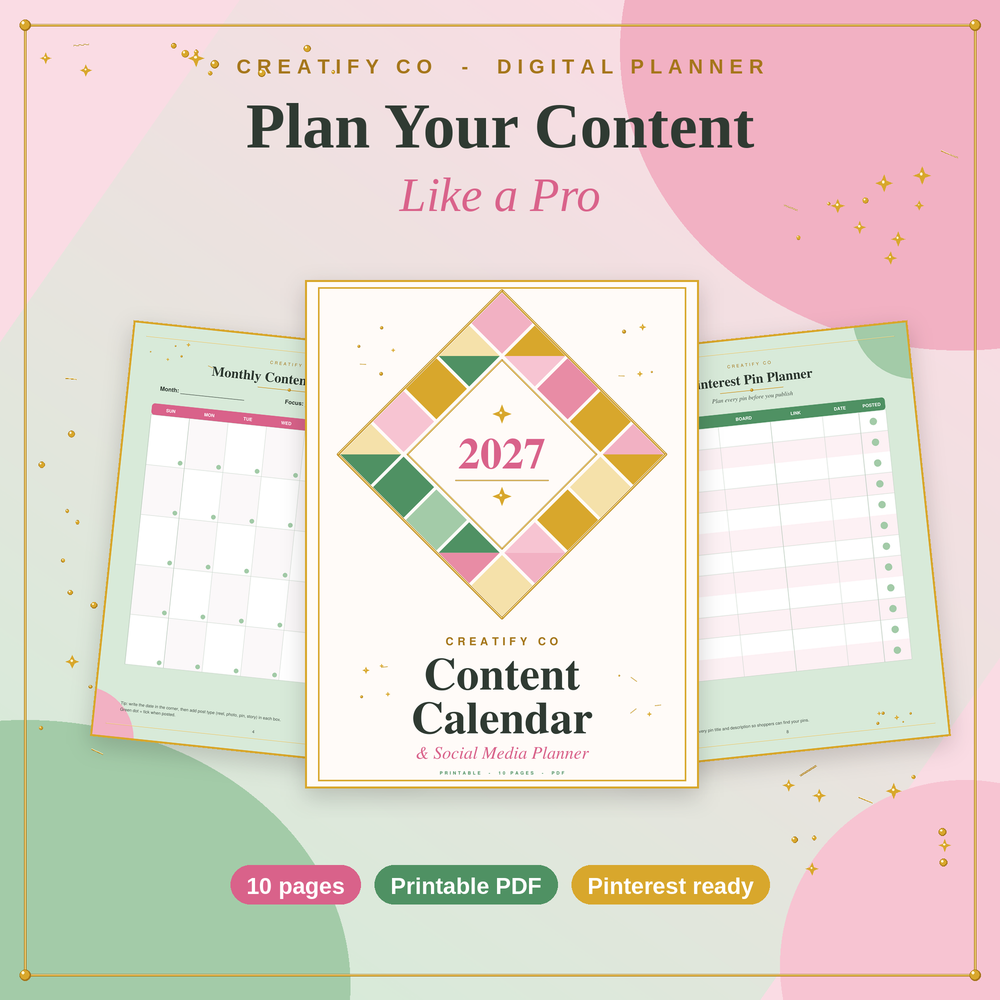
Meet the Content Calendar & Social Media Planner
It's a printable 10-page PDF in soft pink, sage green, and gold, because if I'm going to look at a planner every week, it might as well be pretty.
Here's how I use each page:
Brand & Audience Snapshot. Before anything else, I write down who I'm helping and what my three main content themes are. It keeps me from posting random things that don't fit.
Monthly Content Calendar. I fill in my post dates for the whole month in one sitting. Seeing it all at a glance makes the month feel so much lighter.
Weekly Posting Planner. This is where the month turns into real days. For each day, I note the platform, the type of post, the caption idea, and the time.
Content Ideas Bank. Four boxes, six ideas each: tips, behind-the-scenes, products, and stories. When I feel stuck, I just look here.
Caption & Hashtag Bank. I save my best captions and hashtag sets so posting takes minutes, not an hour.
Pinterest Pin Planner. For every pin, I plan the title, the board, the link, and the date. Planning pins ahead made Pinterest feel less overwhelming.
Monthly Analytics Tracker. A few simple numbers each week, like saves, clicks and sales, so I can see what's actually working.
Monthly Reflection. At the end of the month, I write my wins, what I learned and my top three goals for next month. This little page keeps me going.
How to plan your whole month in one sitting
This is the routine I follow. Grab a coffee and give yourself about an hour.
- Start with your brand page. Write down your ideal customer and your three content themes.
- Fill your Content Ideas Bank. Aim for six ideas in each box. Don't judge them, just write.
- Mark your post dates on the monthly calendar. Pick the days you can realistically post, not the days you wish you could.
- Break the month into weeks. Copy each post into your weekly planner with the platform, caption idea, and time.
- Write your captions and hashtags in one go. Save the best ones in your Caption & Hashtag Bank.
- Plan your Pinterest pins. Give each one a title, a board, and a date.
- Post and tick it off. The little green dot is surprisingly satisfying.
That's it. No fancy apps, no pressure to be perfect.
Who is this planner for?
It's made for small shop owners, digital product sellers, side hustlers, work-from-home moms and anyone who wants a calmer, more consistent posting routine. The pages are undated, so you can start in any month and use it again and again.
Print it or use it on a tablet
You can print it at home as many times as you need, or open the PDF on your tablet and write with a stylus. Whatever feels easiest for you.
Final thought
You don't need to post every day or have a huge following. You just need a plan you can actually follow. Small, consistent posts really do build a big shop.
If you'd like to try the planner, you can find the Content Calendar & Social Media Planner
in my Creatify Co shop. Print a few pages, grab your coffee, and plan your first month today. You've got this!