
Published by Moussa Studio · Beginner guide · moussa studio · payhip.com/moussastudio
Most entrepreneurs and YouTubers are running their entire workflow from memory.
Video ideas live in their head — or buried in a voice memo from three weeks ago. Tasks exist somewhere between a sticky note, a text thread, and a vague mental reminder. Goals are written down once in January and never looked at again.
It feels manageable. Until it doesn't.
Until you sit down to work and have no idea where to start. Until you realise you've been busy for weeks but can't point to what actually moved forward. Until your YouTube channel goes quiet for a month because you had no system holding you accountable.
The problem isn't motivation. It's the absence of a real system.
And in 2026, the tool most serious creators and entrepreneurs are using to build that system is Notion.
So — what is Notion, exactly?
Notion is a free, all-in-one workspace where you can manage everything related to your work: your tasks, your content calendar, your ideas, your goals, your notes, your projects, and your analytics — all in one place.
It is not a note-taking app. It is not a task manager. It is not a spreadsheet tool. It is all of these things at once, built into a single flexible workspace that you can shape around your workflow.
Think of it like this: if Google Docs is a notebook and Trello is a corkboard and Evernote is a filing cabinet — Notion is the room that holds all three, already organised and connected.
You open one tab in the morning. Everything you need is there.
Why creators and entrepreneurs keep choosing Notion
There are dozens of productivity tools available in 2026. Notion stands out for a specific reason: it adapts to you, rather than asking you to adapt to it.
Most productivity apps are built around a single workflow. Trello is a Kanban board. Asana is a project manager. Google Calendar is a calendar. Each one does its thing well — but you still end up juggling four or five tools just to run one business or one YouTube channel.
Notion is different. It gives you databases, calendars, Kanban boards, rich text pages, and linked views — and lets you combine them into whatever system makes sense for your brain and your work.
For entrepreneurs, this means being able to manage client projects, weekly tasks, quarterly goals, and business notes in one connected workspace — without paying for five separate subscriptions.
For YouTubers, this means running your entire channel — from the first spark of a video idea to the final published upload — inside a single system that keeps you consistent, organised, and growing.
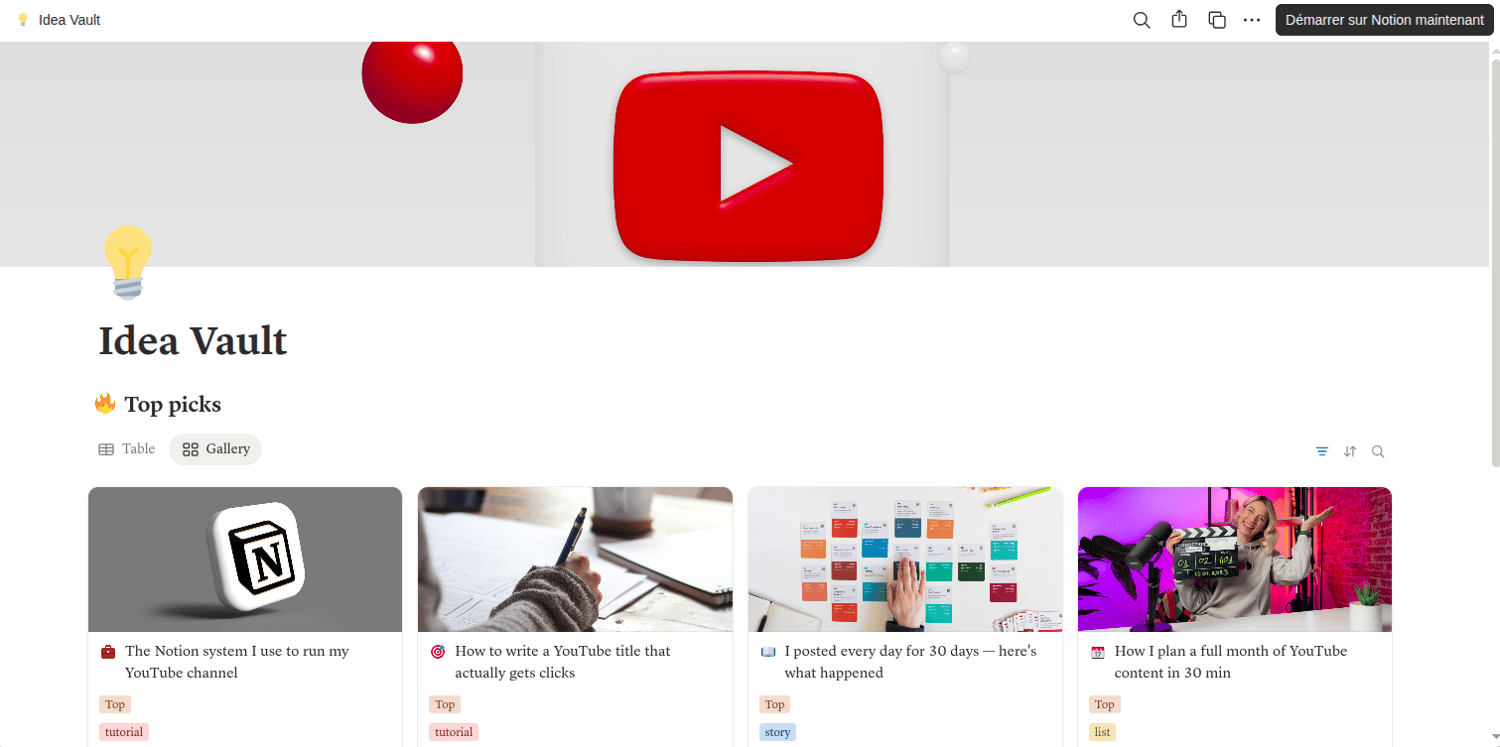
What a Notion workspace looks like for a YouTuber
Imagine opening Notion on a Monday morning and seeing, at a glance:
- The three videos currently in production and exactly where each one stands
- Your content calendar for the next four weeks, with publish dates already set
- Your idea vault — 20 video concepts captured, tagged, and ready to pull from
- Last month's analytics, with your growth rate calculated automatically
That is not a fantasy. That is what a well-built Notion workspace delivers. And it replaces what most YouTubers currently manage across YouTube Studio, a notes app, a calendar, a to-do list, and their own memory.
The YouTube Content OS — available at Moussa Studio — is built to give YouTubers exactly this setup, ready to use in ten minutes. But even if you build it yourself from scratch, Notion is the tool that makes it possible.
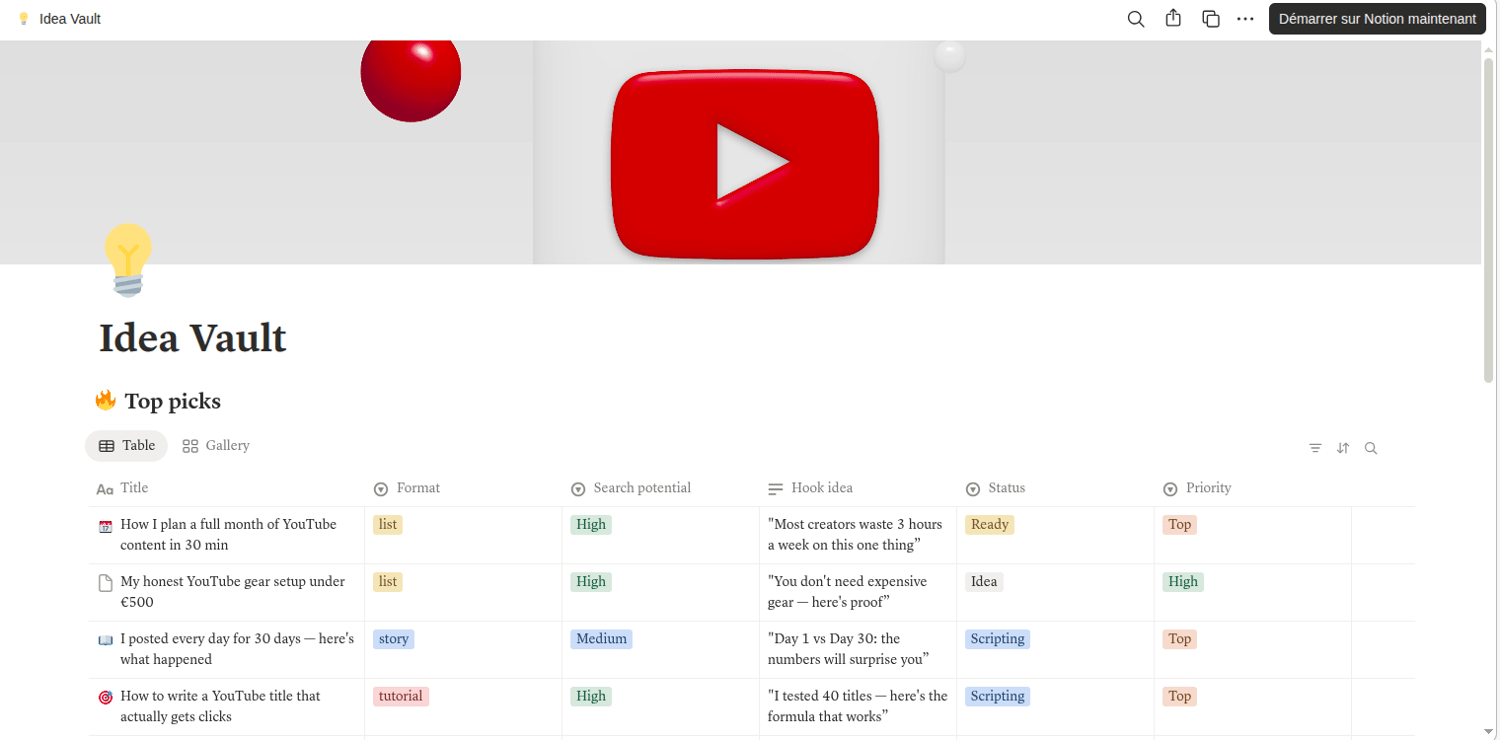
What a Notion workspace looks like for an entrepreneur
For entrepreneurs, the value of Notion is slightly different — but equally significant.
Instead of video ideas and production pipelines, you are managing projects, clients, goals, and decisions. And the challenge is the same: these things currently live across too many places, or worse, entirely in your head.
A Notion business workspace typically includes:
A goals page where your quarterly targets sit alongside monthly milestones and a weekly check-in habit. You stop setting goals you never look at again.
A projects board where every active initiative has a status, a next action, and a deadline. You stop wondering what you should be working on — the board tells you.
A weekly review template that you fill out every Friday in five minutes. What moved forward. What stalled. What needs attention next week. Over time this becomes your most valuable productivity habit.
A quick capture inbox where every idea, task, or thought lands immediately — so nothing lives in your head longer than it needs to.
These are not complicated systems. They are simple, connected pages inside one workspace. And the difference they make to a solo entrepreneur's clarity and momentum is significant.
The honest barrier — and how to remove it
Notion has one genuine limitation: starting from scratch is time-consuming.
The flexibility that makes Notion so powerful also means that a blank Notion workspace is, well, blank. You have to decide what pages to create, how to structure your databases, which views to set up, and how everything connects.
For most people, this is where the motivation runs out. They open Notion, stare at an empty page, and go back to their notes app.
This is exactly why Notion templates exist — and why Moussa Studio builds them.
A good Notion template removes the setup entirely. You click duplicate, the workspace appears fully built, and you start filling it with your actual work within minutes. The structure is already there. The databases are connected. The views are configured. All that's left is using it.
Where to start — even if you've never opened Notion before
If you are completely new to Notion, here is the simplest possible starting point:
Step one — Create a free account at notion.so. The free plan is genuinely powerful and more than enough for most creators and entrepreneurs. https://affiliate.notion.so/6yf6hgbv4c52
Step two — Start with one use case. Do not try to move your entire life into Notion on the first day. Pick one thing — your content calendar, your task list, or your idea vault — and build that first.
Step three — Or skip the building entirely and start with a template.
If you are a YouTuber, the free YouTube Growth Tracker from Moussa Studio is a no-risk starting point. It takes five minutes to set up, and it will immediately give you a cleaner picture of your channel's growth than anything you are currently using. Download it free at payhip.com/b/Gpgrz.
If you are ready for a complete YouTube workflow system, the YouTube Content OS gives you everything — Idea Vault, Production Pipeline, Channel HQ, and Analytics Dashboard — for €12, with lifetime access and free future updates. Get it at payhip.com/b/ekW5i.
And if you are an entrepreneur, follow Moussa Studio at payhip.com/moussastudio — entrepreneur-focused productivity templates are currently in development, built around the workflows described in this article.
Comments ()