
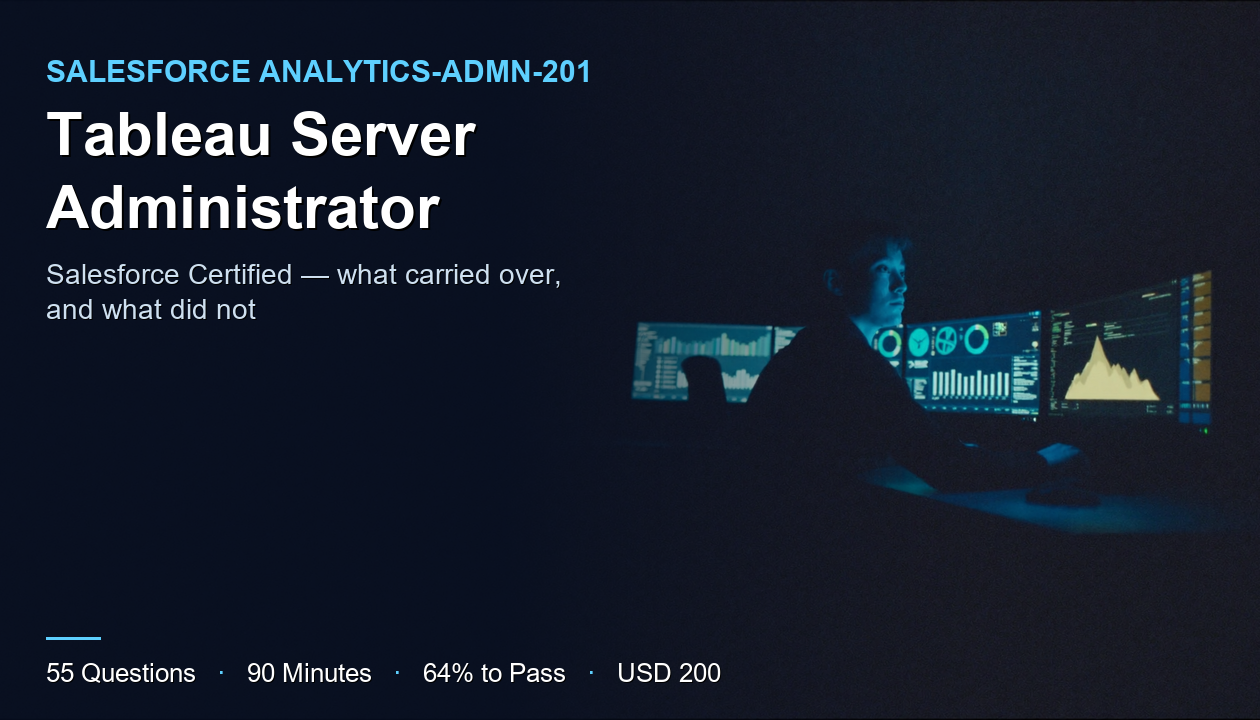
The exam code tells you something has moved. Analytics-Admn-201 certifies you on Tableau Server, but the credential it earns is the Salesforce Certified Tableau Server Administrator, the registration runs through Salesforce's Trailhead Academy, and Pearson VUE lists it among Salesforce exams. The product is Tableau. The certification programme around it is Salesforce's.
If you have been around Tableau for a while, you will notice the traces of the older arrangement too. Some of the practice material for this exam still carries names like Tableau Server Associate and the code SCA-C01. Names drift more slowly than programmes do, and that mismatch is exactly the sort of thing that confuses candidates who are trying to work out which material applies to the exam they are actually booking.
The useful question in a transition like this is always the same: what carries over, and what does not? The branding, the registration path, and the code have changed. The job has not. Keeping a Tableau Server deployment installed correctly, secured sensibly, performing acceptably, and recoverable when something breaks is the same work it was before the Salesforce name appeared on the certificate — and that work is what the exam examines.
This article keeps returning to that split. It covers what the credential certifies, what the attempt costs, the competence the named training points at, how to prepare, and — because it matters more than usual here — how to avoid preparing from material written for a credential that no longer carries the same name.
What Is the Salesforce Certified Tableau Server Administrator?
Analytics-Admn-201 is the exam behind the Salesforce Certified Tableau Server Administrator credential. It certifies that you can run Tableau Server as a platform — not that you can build excellent dashboards on it, but that the environment those dashboards live on is installed, configured, secured, monitored, and maintained properly.
That distinction is the first thing worth getting straight, because Tableau's reputation is built on the authoring side. Most people who know Tableau know it as the tool that turns data into visual analysis. The Server administrator is the person who makes that work possible for everyone else: who can sign in, what they can see, where content is published, how data stays fresh, and what happens when a thousand people open the same workbook on a Monday morning.
The exam data lists the product version as 2022.3. That version marker belongs on the "what does not carry over" side of the ledger. Specific screens, specific setting names, and specific defaults change between releases, and the exam is written against a particular one. The concepts underneath — how Server is structured, how permissions combine, how extracts are refreshed, why a deployment slows down — move far less. Prepare the concepts thoroughly and check the version-specific details against the documentation for the release the exam names.
The Salesforce framing carries a practical implication as well. The official exam guide lives on Trailhead, registration runs through Trailhead Academy, and scheduling goes through Pearson VUE's Salesforce listing. If you were used to Tableau's own certification pages, those are no longer where the authoritative information is. Look for anything about this exam in the Salesforce places first.
The person the credential describes is the one called when Tableau Server is slow, when a new department needs access, when an extract has silently stopped refreshing, or when an upgrade is due. The name on the certificate changed. That person's job did not.
Exam Overview and Details
What the exam data records about the attempt:
- Exam code: Analytics-Admn-201
- Questions: 55
- Duration: 90 minutes
- Passing score: 64%
- Registration fee: USD 200
- Retake fee: USD 100
- Product version: 2022.3
- Scheduling: through Pearson VUE's Salesforce exams
Fifty-five questions in 90 minutes gives you a little under one minute 38 seconds each. That is a brisk pace. It leaves room to recognise a situation and apply what you know, and very little room to reason your way from first principles through a scenario about an environment you have never operated. Candidates who have administered a real Server feel this pace differently from those who have only studied one.
At 64%, you need 36 correct out of 55, which leaves a margin of 19. That is reasonable, but it is less protective than it looks, because administration knowledge is lumpy. People know thoroughly the parts of Server their own deployment exercised and know little about the rest. If yours never used a multi-node topology or never needed a restore, those questions will not cost you one mark each — they will cost you most of a topic, and a single untouched area can use up the whole margin.
The fee structure is the unusual part of this row, and it is worth reading carefully. Registration is USD 200 and a retake is USD 100. That makes a failed first attempt cost USD 300 in total, not USD 400 — the second try is discounted. It would be easy to read that as permission to treat the first attempt as a practice run. It is a poor trade. A retake at half price is still USD 100 and still weeks of delay, and the information a failed attempt gives you is much less specific than what an honest practice exam gives you for a fraction of the cost.
The exam data records the retake fee but not the rules around retaking — how soon, how often, or any other conditions — and it records nothing about prerequisites or how long the credential remains current. Those answers belong to Salesforce's official pages, and this article will not guess at them. The official exam guide on Trailhead is the place to check.
Key Topics and Syllabus
The authority on the official objectives and their weightings is the Analytics-Admn-201 exam syllabus, read alongside Salesforce's own exam guide. Use those for the formal breakdown. What follows describes the competence a Tableau Server administrator needs, organised around the work rather than around invented section names.
Installation, Topology, and Sizing
Salesforce names Server Administration training for this exam, and the first thing that training has to establish is how Tableau Server is put together.
Server is not a single program. It is a set of cooperating processes, each responsible for part of the work — handling sign-ins, rendering views, running extract refreshes, storing content, coordinating the whole. On a small deployment they all share one machine. As demand grows, they can be distributed across several, and deciding which processes go where, and how many of each, is the architectural heart of the job.
Expect questions that describe constraints — user numbers, extract volume, refresh windows, availability requirements — and ask which arrangement fits. This is a concept that carries over cleanly across versions. The exact tools you use to reconfigure a topology may change between releases; the reasoning about why a busy refresh schedule and an interactive user load compete for the same resources does not.
Users, Sites, and Permissions
Access control is the area where a rough understanding does the most damage.
Tableau Server organises access in layers. Sites partition a single Server into separate spaces. Projects organise content inside a site. Groups collect users so that permissions can be managed in bulk. Permissions then combine across all of those levels, and the characteristic administrative error is not setting one permission wrongly — it is failing to predict how several correct-looking permissions combine into access nobody intended.
It helps to keep two questions separate that are easy to blur together. The first is who someone is — how Server establishes a user's identity when they sign in, and where that identity comes from. The second is what that person may do once identified. The first is authentication and the second is authorisation, and a surprising number of access problems come from fixing the wrong one: adjusting permissions to solve what is actually an identity problem, or the reverse. An administrator who can tell immediately which layer a complaint belongs to resolves it in minutes rather than an afternoon.
The exam cares whether you can answer a question like "given this arrangement, what can this user actually do with this workbook?" and get it right when the honest answer is more permissive than it first appears. Build that skill deliberately. It transfers completely from one release to the next, and it is the difference between an administrator who is trusted with sensitive data and one who is not.
Data Sources, Extracts, and Refresh
Most of what users experience as "Tableau Server is broken" is actually "the data is stale", which makes this the area where administration meets the business most visibly.
Workbooks connect to data either live or through extracts, and extracts have to be refreshed on a schedule. Those refreshes consume Server resources, they depend on credentials and connectivity that can change underneath them, and they fail in ways that are not always loud. An extract that stopped refreshing last Tuesday still renders. It just renders last Tuesday's numbers, and nobody notices until a decision has been made from them.
The exam's interest is operational: scheduling refreshes so they do not collide with each other or with interactive use, understanding what happens when one fails, and knowing where to look to find out. The inclusion of Desktop I: Fundamentals in the named training is a useful clue here. You cannot administer the data path well without understanding how authors build on it, which is why an authoring course sits on a Server administration exam's reading list.
Monitoring and Performance
The skill that separates good administrators from adequate ones is diagnosis — starting from a complaint and arriving at a cause without trying everything.
Tableau Server records a great deal about its own behaviour: how long views take to load, which background tasks ran and how they went, how busy each process is. Knowing that this information exists is table stakes. Knowing which part of it answers which question is the competence. "Dashboards are slow" might mean an overloaded rendering process, a badly designed workbook, a refresh competing for resources, or a slow data source, and each implies a completely different fix.
One distinction deserves particular care: whether a slow view is a Server problem or a content problem. Adding capacity to a Server that is struggling because one workbook runs an enormous query on every load buys very little, while redesigning that workbook can fix the complaint outright. Administrators who reach for hardware first spend money on symptoms. Being able to show which of the two you are dealing with, from the evidence Server records, is exactly the judgment this area is testing.
Prepare by practising the reasoning rather than memorising locations. For a given symptom, what would you check first, and what would each possible finding eliminate? That structure is what diagnostic questions follow, and it survives version changes intact.
Backup, Restore, and Upgrades
Finally, the part of administration that looks like housekeeping right up to the day it becomes the only thing that matters.
An administrator must know what Server needs in order to be rebuilt — content, configuration, and the settings that are easy to forget until a restore is attempted without them — and how to take and verify backups of it. Upgrades belong in the same area, and they are especially relevant to this exam's framing: moving from one release to another is a transition in miniature, where the question is exactly which things carry over automatically and which have to be carried across by hand.
The underlying test is simple to state. If this Server disappeared right now, could you bring it back, and do you have everything you would need to do so?
Preparation Guide
The plan below assumes you can get access to a Tableau Server environment you are allowed to break. If you cannot, arranging that comes first — administration does not survive being learned only from reading.
Check Your Material Matches the Exam You Are Booking
Given everything above about names shifting, start here.
Read the official exam guide on Trailhead and note the exam code, the credential name, and the product version it states. Then check every piece of study material you plan to use against those three facts. Material written under an older name or for an older release is not worthless — much of the conceptual content carries over — but you need to know which parts to trust and which to verify, and you cannot know that without first establishing what the exam actually targets.
This is fifteen minutes of work, and it prevents the most avoidable failure available on this exam: preparing thoroughly for a slightly different one.
Take the Named Training in Order
The exam data names two courses:
- Desktop I: Fundamentals — the authoring foundation, so you understand what you are administering on behalf of
- Server Administration through Trailhead Academy — the core of the exam
If you already author in Tableau regularly, you can move quickly through the first. If you do not, do not skip it. A surprising amount of Server administration is about the consequences of how content is built — why one workbook is slow and another is not, why an extract is large, why a data source needs particular credentials — and those questions are much easier to reason about once you have built the things yourself.
Audit Your Real Experience, Honestly
Take the syllabus and mark each item as done in production, done in a lab, or only read about.
Administrators are especially vulnerable to overestimating coverage, because years of genuine experience can still leave whole areas untouched. If your organisation ran a single-node Server, you may never have planned a topology. If nothing ever failed badly, you may never have performed a restore. The exam does not care what your deployment happened to need. Everything in the "only read about" column is where your 19-question margin will go, and knowing that list is what lets you spend preparation time where it pays.
Break a Server on Purpose, Then Rehearse Against the Clock
In a lab environment, create the problems deliberately. Set permissions that grant more than intended and work out how you would detect it. Break the credentials behind a scheduled extract and trace the failure. Load the Server until something slows, then find what slowed and why. Take a backup and actually restore it somewhere, because a backup you have never restored is a hope rather than a plan.
Each exercise builds the link between symptom and cause that the exam tests, and you cannot build that link by reading. Once it is in place, switch to full-length timed practice. One minute 38 seconds per question needs rehearsing, because the cost of a scenario question rises as a paper goes on, and you need to know how your judgment holds up at question fifty rather than finding out during the attempt.
Benefits and Career Scope
The clearest benefit of this credential is that it makes an otherwise invisible competence visible. When Tableau Server is administered well, nothing happens: content is available, data is current, access is right, and nobody thinks about the platform at all. That is the goal, and it is almost impossible to demonstrate in a conversation. A certification gives it a form other people can assess.
The Salesforce framing adds to that value rather than diluting it. For organisations that run Tableau alongside other Salesforce products, a credential issued under the same programme as their other Salesforce certifications is immediately legible — it sits in the same system they already use to understand what their people are qualified to do.
In practice, the credential tends to change which decisions you are involved in. Planning a deployment, reviewing an access model before sensitive data is published, advising on whether Server can take on a new department, and deciding how to approach an upgrade are consequential choices, and they go to people who are trusted with the platform. That is a meaningfully different position from receiving the tickets those decisions generate.
There is also a continuity benefit for the organisation. Server administration knowledge often lives with one or two people and has never been checked against an external standard. A recognised credential establishes that standard, which makes the knowledge easier to document, share, and hire against when those people move on.
The honest limit is that certification evidences knowledge rather than the judgment that comes from running a real Server through real incidents. The exam data contains no salary information, and this article will not invent any. What the credential does reliably is get you considered for the work that builds that judgment.
Practice Test and Preparation Resources
Your primary references are the two named courses and Salesforce's official pages — the Trailhead Academy certification page and the exam guide linked earlier. Anything about policy, eligibility, retake rules, or currency should come from those rather than from any third-party article, this one included.
The exam data records no official sample-questions file for Analytics-Admn-201, which means there is no free vendor question set to calibrate against. That matters on a brisk exam, because the phrasing of a scenario question carries much of its difficulty, and knowing the material is not the same as knowing how it will be asked about.
That is the gap practice material fills — with one caution that follows directly from this exam's history. AnalyticsExam's practice products for this area are listed as the Tableau Server Associate (SCA-C01) Premium Practice Exam and the Tableau Server Certified Associate Premium Practice Exam, at USD 41.30. Those names differ from the current exam code and credential name, so check them against the syllabus before relying on them for Analytics-Admn-201 specifically. The concepts overlap substantially; the confirmation is still yours to make. You can work through the Analytics-Admn-201 sample questions first to see the format.
Whatever you practise with, use it diagnostically. For each wrong answer, name the specific thing you misunderstood; for each right answer you were unsure of, do the same, because a lucky guess over a real gap is a failure that the score hides. Tag mistakes by area as well, so a pattern — permissions, say, or refresh behaviour — shows up while there is still time to fix it.
Book when your practice results sit clear of 64% across several attempts covering different parts of the syllabus. One good score only tells you that one paper asked about your strengths. And remember the fee arithmetic: the USD 100 retake is a cost you can avoid, not a safety net to plan around.
Conclusion
Analytics-Admn-201 is a Tableau Server administration exam issued under Salesforce's certification programme, and most of the good decisions about preparing for it come from separating what that change touched from what it did not.
The name, the code, the registration path, and the place the official information lives have all moved to Salesforce. The product version is pinned at 2022.3, so version-specific detail needs checking against the right documentation. Everything else — topology and sizing, layered permissions, extract refresh behaviour, diagnosis, backup and restore — is the same administration work it has always been, and that is where the preparation hours should go.
Confirm your material matches the exam you are booking, take the named courses with Desktop fundamentals first, audit your real experience honestly, break a lab Server until diagnosis becomes reflexive, and rehearse full papers until the pace stops being the obstacle. Do that, and the USD 100 retake fee stays a line in the exam data rather than a charge on your card.
FAQs
How many questions are on Analytics-Admn-201, and how long do I get?
Fifty-five questions in 90 minutes, which is a little under one minute 38 seconds per question. The pace rewards recognising situations you have handled, not deriving answers from scratch.
What score do I need to pass?
64%, which is 36 correct out of 55 and a margin of 19. That margin absorbs uneven knowledge but not a whole area you have never worked with.
How much does the exam cost?
The registration fee is USD 200 and the retake fee is USD 100. The exam data records only the fees, not any conditions attached to retaking — check the official Salesforce exam guide for those.
Is this a Tableau certification or a Salesforce certification?
Both, in effect. It certifies Tableau Server administration, but the credential is the Salesforce Certified Tableau Server Administrator, the exam guide is on Trailhead, and registration runs through Salesforce's programme.
Which product version does the exam target?
The exam data lists version 2022.3. Concepts carry over well between releases, but check version-specific details — screens, setting names, defaults — against documentation for that release.
What training is recommended?
Two courses are named: Desktop I: Fundamentals, for the authoring foundation, and Server Administration through Trailhead Academy, which is the core of the exam. Take the Desktop course first if you do not already author regularly.
Why is some practice material named Tableau Server Associate or SCA-C01?
Those names differ from the current exam code and credential name. Check any material with an older name against the Analytics-Admn-201 syllabus before relying on it; much of the conceptual content overlaps, but the confirmation should come from the syllabus.
Are there prerequisites, and how long does the credential remain valid?
The exam data records neither, so this article states neither. Take those answers from Salesforce's official certification pages rather than from third-party summaries.