
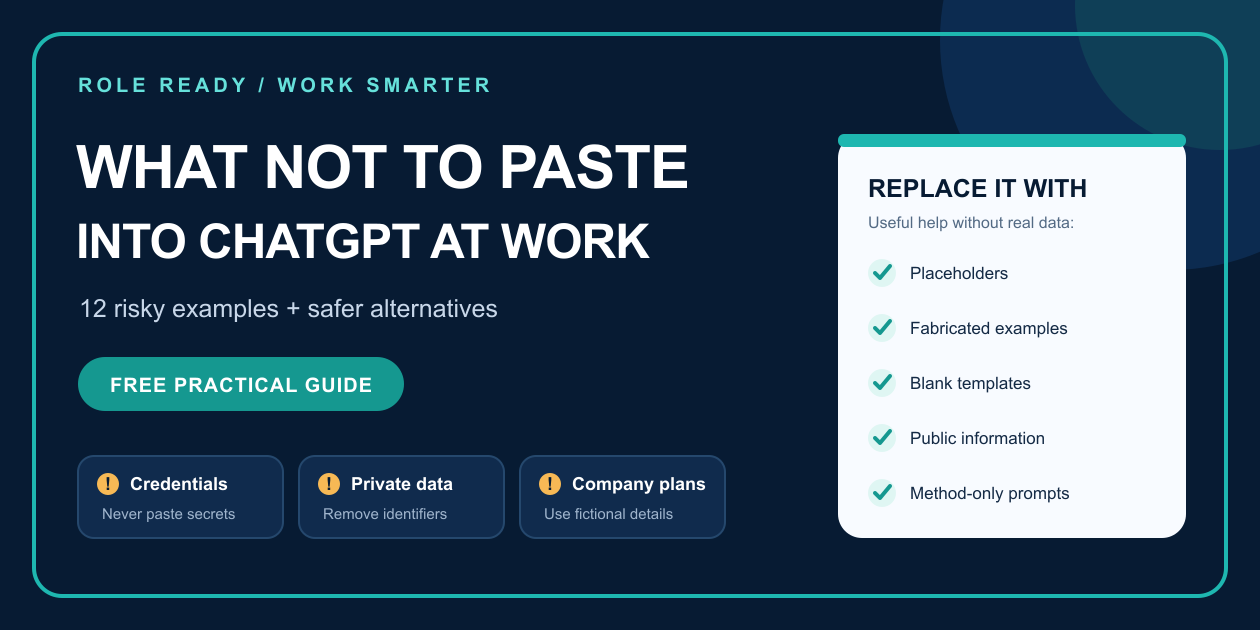
ChatGPT and other AI assistants can help with writing, planning, analysis, and problem solving. The risk begins when a useful task is mixed with information that should stay inside your employer's approved systems.
Quick answer: Do not paste passwords, personal records, confidential business information, legal material, private communications, source code, security details, or any other nonpublic work data into an AI tool unless your employer has specifically approved both the tool and the task. Ask for a method, template, checklist, or fictional example instead.
Your employer's current policy always comes first. Product privacy settings, paid plans, and model-training controls do not replace company approval, access rules, contracts, or professional obligations.
1. Passwords, access tokens, and authentication details
Never paste passwords, API keys, session tokens, private keys, recovery codes, or authentication screenshots into an AI prompt. Treat them like credentials, because that is exactly what they are.
Safer alternative: Ask for a generic troubleshooting checklist that uses placeholders such as `[SERVICE]`, `[ERROR MESSAGE]`, and `[AUTHENTICATION METHOD]`. Enter real credentials only in the approved system that needs them.
2. Customer or employee personal information
Names, addresses, phone numbers, dates of birth, account numbers, government identifiers, personnel records, and detailed customer histories can expose real people.
Removing a name may not be enough. A rare job title, unusual incident, exact date, or distinctive combination of facts may still identify the person.
Safer alternative: Use a fabricated example or neutral labels such as `[CUSTOMER]`, `[EMPLOYEE]`, `[DATE]`, and `[ISSUE TYPE]`.
3. Nonpublic financial information
Do not paste unreleased revenue, forecasts, margins, payroll figures, banking details, internal budgets, or transaction data into an unapproved tool.
Safer alternative: Ask for a blank analysis template or use invented numbers that preserve the shape of the problem without revealing the real figures.
4. Contracts and legal correspondence
Contracts, settlement discussions, legal advice, regulatory responses, and privileged communications may carry confidentiality or professional obligations that a general-purpose AI tool cannot evaluate for you.
Safer alternative: Ask for a generic contract-review checklist or a list of questions to discuss with the appropriate legal or compliance contact. Do not ask AI to replace professional review.
5. Confidential emails and meeting notes
A private email thread or meeting transcript may contain names, decisions, complaints, strategy, commitments, or sensitive context that is easy to overlook when copying the whole document.
Safer alternative: Describe the communication goal without pasting the message. For example: “Create a calm response structure for a customer who is frustrated about a delayed order. Use placeholders for dates and the proposed resolution.”
6. Proprietary source code and technical architecture
Source code, internal repositories, network diagrams, database schemas, system prompts, and architecture documents may reveal intellectual property or security-sensitive details.
Safer alternative: Reproduce the technical pattern with a tiny fabricated example. Ask about the language feature, error class, or design principle rather than uploading the real system.
7. Security incidents and vulnerability details
Logs, exploit steps, unpatched vulnerabilities, endpoint details, access paths, and incident timelines can make a security problem worse if they leave approved channels.
Safer alternative: Use your employer's incident-response process. If AI is approved for security work, use only the sanctioned environment and the minimum data required. Otherwise, ask for a generic incident checklist with fictional details.
8. Medical, benefits, or accommodation information
Employee health information, leave requests, disability details, insurance records, and accommodation discussions involve highly sensitive personal context.
Safer alternative: Ask for a neutral meeting agenda, blank request template, or list of general questions without describing the real person or condition.
9. Unreleased strategy, pricing, or product plans
Roadmaps, launch dates, acquisition ideas, bid strategies, pricing changes, and competitive plans can be commercially sensitive even when they do not contain personal data.
Safer alternative: Ask for a generic decision framework using fictional products, markets, dates, and numbers.
10. Identifiable disputes or performance problems
Customer complaints, employee discipline, vendor disputes, and performance-review notes can remain identifiable after obvious names are removed.
Safer alternative: Separate the pattern from the case. Ask for a fair documentation structure or conversation checklist using an invented scenario.
11. Entire files “just in case”
Uploading a full document, spreadsheet, mailbox export, or folder often shares far more information than the task requires. Hidden tabs, comments, metadata, and unrelated records may travel with the file.
Safer alternative: State the question first. Then create the smallest fictional sample that reproduces the issue, or ask for a blank template you can apply privately.
12. Connected-tool access without a clear boundary
Giving an AI access to email, cloud storage, browsers, calendars, code repositories, or business systems can turn a drafting task into an action-taking task. Untrusted content may also contain prompt injections that try to redirect the system.
Safer alternative: Grant the minimum approved access, keep consequential actions behind human review, and confirm the exact destination before anything is sent, edited, shared, or deleted.
A reusable five-step replacement method
When a work task contains sensitive context:
1. Stop: Do not paste the original material automatically.
2. Label: Identify personal, confidential, proprietary, credential, legal, or security-sensitive details.
3. Abstract: Replace real details with placeholders or fabricated examples.
4. Ask: Request a method, checklist, structure, questions, or first-draft framework.
5. Reapply and verify: Add real facts later in an approved environment and review every output yourself.
Frequently asked questions
Is company data safe if I delete the person's name?
Not automatically. Exact dates, amounts, roles, locations, incidents, and combinations of facts can still reveal the person or organization. Fabricated examples and placeholders are safer starting points than lightly edited real material.
Can I use a paid AI plan for confidential work?
Only when your employer has approved the product, account type, configuration, and task. A paid plan may offer stronger controls, but it does not replace company policy or your confidentiality obligations.
What are safe things to ask an AI assistant at work?
Low-data starting tasks include blank templates, generic checklists, neutral email structures, meeting agendas, questions to ask, formula explanations, fictional practice examples, and quality-review criteria.
Keep the checklist beside you
The Safe AI at Work: Employee Quickstart Kit includes a green/yellow/red data guide, a five-question Safe to Paste check, 30 workplace prompts, fact-review reminders, a printable Safe Task Worksheet, and an AI Wins Tracker.
Get the $19 Safe AI at Work Employee Quickstart KitView the $19 downloadable kit
No live call or subscription is required. This is practical productivity education, not legal advice, a cybersecurity assessment, a compliance audit, or employer authorization.
Further reading
• OpenAI business data privacy, security, and compliance
https://openai.com/business-data/
• Microsoft safety tips for using AI at work
https://support.microsoft.com/en-us/security/safety-tips-for-using-ai-at-work
• OWASP LLM Prompt Injection Prevention Cheat Sheet
https://cheatsheetseries.owasp.org/cheatsheets/LLM_Prompt_Injection_Prevention_Cheat_Sheet.html
• NIST Generative AI Profile
https://nvlpubs.nist.gov/nistpubs/ai/NIST.AI.600-1.pdf
Free starter checklist: Download Safe to Paste — a three-page workplace AI checklist.Try the free interactive Safe to Paste check.