

HOW TO SAVE YOUR E-BOOKS TO YOUR DEVICES
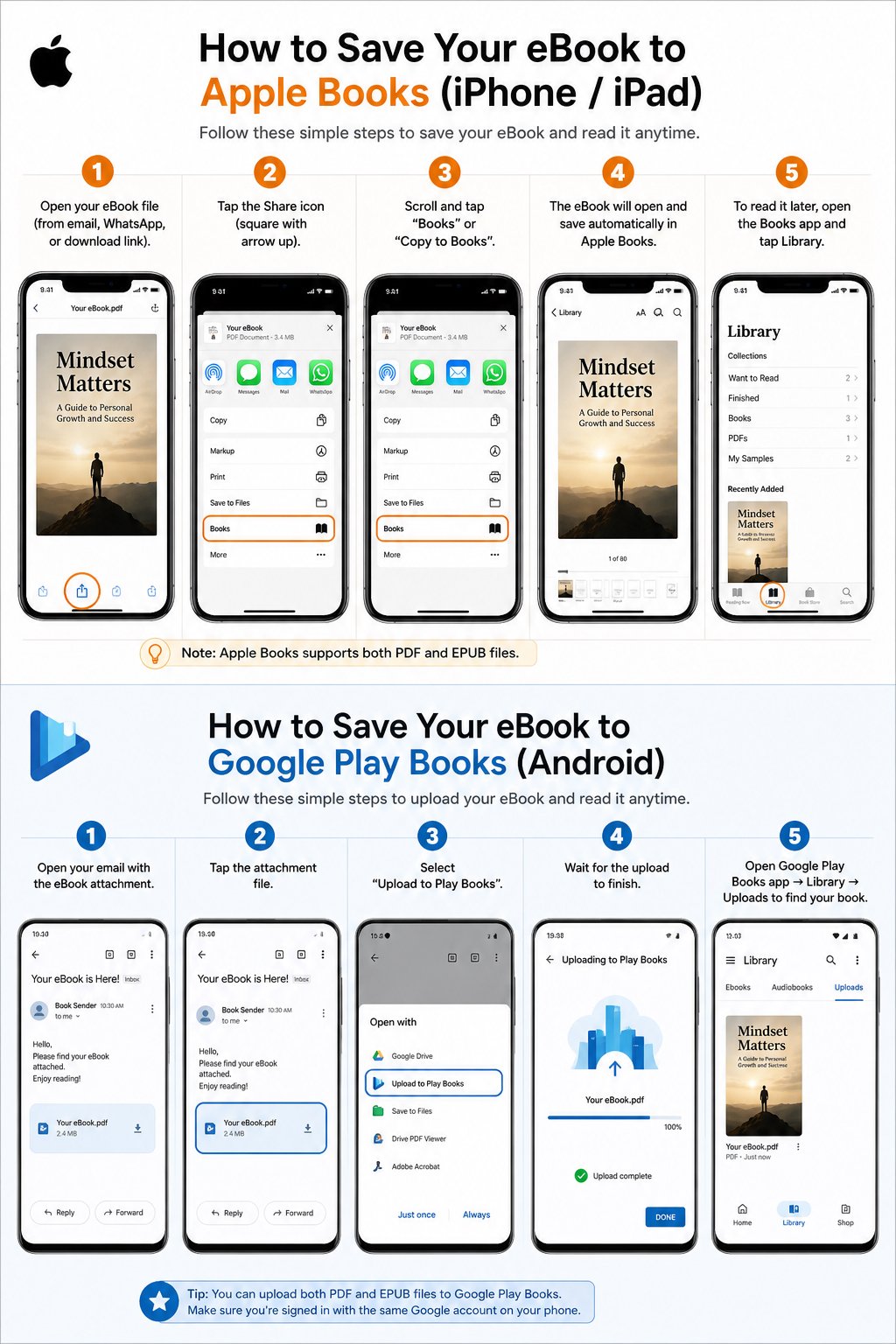
IPHONE/IPAD – SAVE TO APPLE BOOKS
- Open your eBook file (from WhatsApp, email, or link)
- Tap the Share icon (square with arrow up)
- Scroll and tap “Books” or “Copy to Books”
- The book opens and saves automatically
- Find it later in Library inside Apple Books
ANDROID - SAVE TO GOOGLE PLAY BOOKS
- Open your email with the eBook attachment
- Tap the file
- Select “Upload to Play Books”
- Wait for upload to finish
- Open Google Play Books app → Library → Uploads