


Understanding NCAA Recruiting Rules: A Step‑by‑Step Guide for Athletes and Coaches
Picture this: you've just nailed a game‑changing play, the crowd is buzzing, and you start hearing whispers about college scouts showing up at the next practice.
But the excitement can turn into anxiety the moment you realize you have to follow a maze of NCAA recruiting rules that most high‑school athletes barely notice until it’s too late.
In our experience, the biggest mistake is assuming the rules are simple or that a coach can just call you whenever they want. The reality is a tightly regulated calendar, specific contact windows, and strict limits on what you can receive.
So, what does that mean for you? It means you need to know when a coach can email, call, or even text you, and when they must wait. It also means understanding the difference between official visits, unofficial visits, and campus tours – each with its own set of dos and don’ts.
Imagine you’re a senior quarterback and a college coach wants to see your highlight reel. Under NCAA recruiting rules, they can only send that material during an official contact period, and they have to keep a written record of every interaction.
And if you’re a parent, you might wonder whether it’s okay to schedule a campus visit on your own. The rules allow you to travel at any time, but if the coach pays for the trip or arranges it, that becomes an official visit with scholarship implications.
Here’s what I mean: every time a coach sends a text, that text counts toward the total number of contacts they’re allowed in that window. Exceeding the limit can lead to penalties for the program, and you could lose a scholarship offer.
Think about it this way – the recruiting calendar is like a school timetable. There are periods for “talk,” “watch,” and “visit,” and you need to be in the right seat at the right time.
Now, you might be asking, “How can I keep track of all these dates and limits?” Platforms like CoachDPrep CORE GPT make it easier by flagging upcoming contact windows and reminding you what’s permissible.
Bottom line: mastering NCAA recruiting rules isn’t just about avoiding trouble; it’s about leveraging the system so you can showcase your talent at the right moments and keep the scholarship conversation moving forward.
Ready to take the next step? Let’s dive into the details of each recruiting period and see how you can stay ahead of the curve.
CoachDPrep Navigation:
Navigating NCAA recruiting rules can feel like solving a maze, but knowing the contact windows, official vs unofficial visits, and scholarship limits lets you stay ahead and keep offers alive.
Use tools like CoachDPrep CORE GPT to track dates, flag prohibited contacts, and turn every permitted interaction into a showcase for your talent.
Table of Contents
- Step 1: Understand Eligibility Requirements
- Step 2: Learn Contact Periods and Communication Rules
- Step 3: Navigate Recruiting Calendars and Deadlines
- Step 4: Compliance for Coaches and Institutions
- Step 5: Common Violations and Penalties – Comparison Table
- Conclusion
- FAQ
Step 1: Understand Eligibility Requirements
Okay, picture this: you just got that call from a coach who seems genuinely excited about you, but the timing feels off. You wonder, “Am I even allowed to talk to them right now?” That moment of doubt is exactly why we start with eligibility. If you miss a window, the whole conversation could be deemed a violation, and suddenly you’re stuck waiting weeks for the next chance.
First off, the NCAA splits the recruiting calendar into three main periods: Contact Periods, Evaluation Periods, and Quiet Periods. Each has its own rules about who can initiate contact, how many contacts are permitted, and what kind of communication is okay.
Contact Periods – The Green Light
During a Contact Period, coaches can reach out to you directly—phone calls, texts, emails, even social media DMs. The key is that the coach initiates the contact; you can respond, but you can’t start the conversation. This is the only time you’ll see a flood of messages, so keep a log. Platforms like CoachDPrep CORE GPT can automatically capture those interactions and flag when you’re approaching the limit.
Tip: Set up a simple spreadsheet or use the app’s built‑in tracker. Write down the date, method, and brief note of the content. When you see the count getting close to the NCAA‑set ceiling, you’ll know it’s time to pause.
Evaluation Periods – The Watchful Eye
In Evaluation Periods, coaches can watch you play—either in person or via video—but they can’t initiate direct contact. If a coach sends you a highlight reel, that’s a red flag. You can still respond if the coach first reaches out, but you can’t start the dialogue yourself.
Imagine you’re at a regional tournament and a scout sits in the stands. They can take notes, but they can’t slide you a text saying, “Hey, let’s talk.” If they do, that’s a violation. This is where the “watch” mindset really helps you stay compliant.
Quiet Periods – The Time to Focus on the Game
Quiet Periods are the strictest. No contact at all—neither coach nor athlete—unless it’s a face‑to‑face meeting that the athlete initiated before the period began. Think of it as a study hall for recruiting: you’re back to focusing on school, practice, and your performance.
During these weeks, you might feel the pressure to answer that lingering text. The best move? Politely remind the coach you’ll be happy to reconnect when the next window opens. This not only keeps you within the rules but also shows you respect the process.
So, how do you keep track of all these shifting windows? The NCAA releases an official recruiting calendar each year—download it, print it, pin it on your locker. Then, feed those dates into your planning tool. When a window opens, you’ll get a reminder; when it closes, the tool will mute any outgoing prompts.
Watching the video above can help you visualize the calendar and see real examples of what counts as a contact versus a watch. It’s one thing to read the rules; it’s another to see them in action.
Here’s a quick checklist you can run through every time a new period starts:
- Confirm the period type (Contact, Evaluation, Quiet).
- Update your tracking tool with the start and end dates.
- Review any pending communications—pause any outbound messages if you’re in a Quiet Period.
- Set a reminder for the next window so you’re ready to engage the moment it opens.
Remember, the goal isn’t just to avoid penalties; it’s to use the allowed windows strategically. When you know exactly when you can talk, you can plan your outreach to align with big game highlights, academic achievements, or new highlight reels you’ve just uploaded.
And don’t forget—while the NCAA rules are the backbone, every sport and division can have slight variations. Double‑check the specific guidelines for your sport’s governing body, whether it’s football, basketball, or a niche sport.
Bottom line: master the calendar, log every interaction, and stay patient during the quiet stretches. When the next Contact Period arrives, you’ll be ready to showcase your best self without a single rule violation.
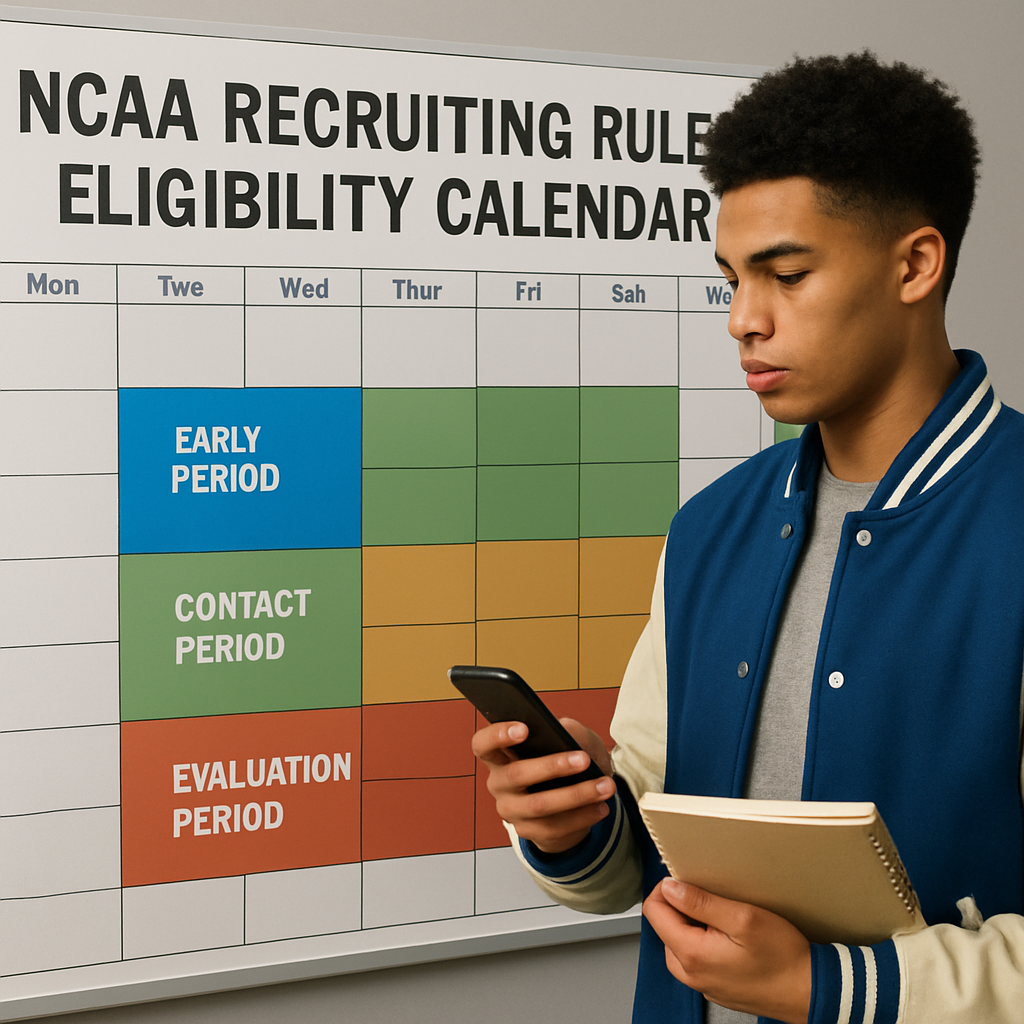
Step 2: Learn Contact Periods and Communication Rules
Okay, you’ve got your eligibility paperwork in order, now it’s time to get real about the calendar. Think of contact periods like the playbook’s timeout slots – you can only call a play when the whistle’s blown.
First, let’s break down the three main windows most sports use:
Early‑Contact Period
This is the “pre‑season” window, usually from early May until the first day of your senior year’s regular season. Coaches can reach out via email, phone, or text, but every interaction must be logged. If you’re a junior quarterback, this is when a scout might ask for a highlight reel. Remember, each text counts toward the total contact limit for that sport.
Official‑Contact Period
Once the regular season kicks off, the official‑contact period opens. It’s the busiest time – think of it like the game’s third quarter. Coaches can visit campus, host official visits, and schedule in‑person meetings. The NCAA caps the number of contacts per week (often 5 for most Division I sports), so you’ll see a flurry of emails and calls. This is also when scholarship offers become formal.
Post‑Season / Quiet Period
After the season ends, there’s a “quiet” phase where coaches can’t initiate contact, but you’re free to reach out. It’s the perfect time to send thank‑you notes, ask follow‑up questions, or request a campus tour on your own.
So, what should you actually do with all these dates?
Step‑by‑Step Tracker Setup
- Grab a simple spreadsheet or use a tool like CoachDPrep CORE GPT to create columns for Date, Coach Name, Sport, Contact Method, and Summary.
- Enter every email, text, call, or in‑person meeting as soon as it happens. Include a one‑sentence note about what was discussed.
- Set conditional formatting to flag when you’ve hit the weekly contact limit (e.g., turn the row red).
- Review the sheet every Sunday to make sure you’re staying within the rules.
Here’s a quick real‑world example: Maya (a senior soccer player) logged a text from a Division I coach on June 12 requesting a video. She added the note, “Coach asked for 2‑minute highlight reel, offered to send official visit info.” Two weeks later, the same coach called, and Maya’s sheet highlighted that she’d already hit the 5‑contact limit for that week, so she politely asked to continue via email. By staying organized, she avoided an accidental violation and kept the scholarship conversation alive.
Another scenario: Jake, a high‑school baseball pitcher, thought he could text a coach anytime. He didn’t realize the early‑contact period closed on August 1. His text on August 3 was technically a violation, and the coach had to retract the offer. Jake learned the hard way that a simple calendar reminder could have saved him a whole season’s worth of disappointment.Tip: sync your phone’s calendar with the NCAA recruiting calendar PDF (the official source) – the NCAA publishes sport‑specific calendars each year. You can find the master list on the NCAA site. Import those dates into Google Calendar and set alerts two days before each window opens.
Now, let’s talk about communication etiquette. Coaches love concise, respectful messages. Here’s a quick script you can tweak:
Hey Coach [LastName], thanks for reaching out. I’ve attached my latest highlight reel and would love to discuss how I can contribute to [Team Name] this fall. When’s a good time for a quick call?
Notice the gratitude, the specific request, and the invitation for the next step. It keeps the interaction professional and within the contact limit.
If you ever feel unsure whether a contact is allowed, pause and check the calendar. When in doubt, ask the coach politely: “I want to make sure we’re following NCAA rules – is this okay to discuss now?” Most coaches appreciate the diligence.
And remember, every piece of communication you keep – even a quick “Got your email, will review later” – adds to your record. That’s why a dedicated tracker is non‑negotiable.
Finally, for a deeper dive on how to turn these windows into a winning recruitment strategy, check out our guide How To Get Recruited. It walks you through timing, messaging, and leveraging tools to stay compliant while making the most of each contact period.
Step 3: Navigate Recruiting Calendars and Deadlines
Alright, you’ve got the eligibility basics down and you know when coaches can reach out. The next puzzle piece is the calendar – the timeline that decides when a call is legal and when it’s a rule violation. Understanding the NCAA recruiting rules calendar is like having a playbook; you’ll know exactly when to make a move and when to hold back.
What the calendar actually looks like
Each sport gets its own set of windows – an early‑contact period, an official‑contact period, a quiet period, and sometimes a post‑season “dead‑ball” stretch. The dates shift slightly every year, but the pattern stays the same: a preseason window, a regular‑season window, and an off‑season window.
Imagine you’re a senior soccer player. Your early‑contact window opens the first week of May and closes the day before your senior season kicks off. If a coach emails you on May 2, that’s perfectly fine. If they wait until June 15, they’re breaking the rule because the window shut down on May 31.
Step‑by‑step: Build your personal recruiting calendar
1. Grab the official PDF
Head to the NCAA site and download the sport‑specific calendar PDF. Save it to a folder you can access from any device. It’s the single source of truth – no guesswork.
2. Import dates into your phone
Open the PDF, locate the start and end dates for each window, then create recurring events in Google Calendar or Apple Calendar. Color‑code them: green for “you can receive contact,” red for “coach‑initiated contact prohibited,” and orange for “both sides can communicate but with limits.”
3. Set alerts two days before each window
When the alert pops, take a minute to review what’s allowed. Do you need to send a highlight reel? Can you schedule a campus tour? The alert is your cue to act, not to panic.
4. Sync with a tracking tool
Platforms like CoachDPrep CORE GPT let you attach a calendar feed directly to your contact tracker. Every time you log a call or email, the tool automatically checks whether you’re inside a permitted window and flags any potential violations.
Practical tips for staying ahead
Does it ever feel like you’re waiting for a green light that never comes? Try these tricks:
- Keep a “ready‑to‑send” folder with your latest highlight reel, academic résumé, and a short intro email. When the early‑contact window opens, you can hit send in seconds.
- Mark the quiet period as “research time.” Use those weeks to watch game film, polish your stats, and write thank‑you notes to coaches who already reached out.
- Ask your parents to double‑check any unexpected contact. A quick “Is this within the current window?” question can save you from an accidental breach.
Here’s a quick scenario: Maya’s early‑contact window ends on August 31. On September 2, she receives a text from a coach asking for a campus visit. Because the official‑contact period doesn’t start until September 15, she politely replies, “I appreciate the interest, but I can’t discuss visits until the official window opens.” The coach respects the rule, and Maya stays eligible.
What to do when the calendar changes
Every year the NCAA releases an updated PDF, and sometimes they shift a window by a week or two. Set a reminder for the first Monday of June to check the site for the new file. If you’re using a tracking platform, most will auto‑import the fresh dates – just confirm the import and you’re good.
Finally, treat the calendar like a game schedule. Miss a deadline and you lose a “play,” but you can always prepare for the next one. By mapping the dates, syncing alerts, and logging every interaction, you turn the NCAA recruiting rules from a maze into a clear path toward the scholarship you’ve been working for.
Step 4: Compliance for Coaches and Institutions
Ever felt like the NCAA recruiting rules are a moving target that only the compliance departments seem to master? You’re not alone. Coaches and institutions bear the brunt of the rule‑book, and a single slip can cost a program millions or shut down a recruiting class.
Here’s what we’ve learned from real cases: Tennessee’s football staff ran a paid unofficial‑visit scheme that added up to more than 200 infractions and roughly $60,000 in impermissible benefits. The fallout included hefty fines and a loss of credibility. That story is a cautionary tale you can read in detail on the NCAA’s site.
Why a compliance culture matters
Compliance isn’t just a checklist; it’s a mindset. The NCAA’s enforcement guidelines stress three pillars: promotion of a compliance culture, robust oversight, and documented policies. When those pillars are missing, schools risk “lack of institutional control” charges that can trigger sanctions far beyond the original infraction.
In practice, that means every coach, recruiting coordinator, and even the athletic director must know who can do what, when, and how to document it.
Step‑by‑step compliance playbook
1. Build a written policy library
Start with a master policy that spells out the NCAA recruiting rules for your sport, the contact limits, and the distinction between official and unofficial visits. Store the document in a shared drive that’s accessible to every staff member.
2. Assign a compliance champion
Designate one person—often the director of compliance—to own the calendar, approve any off‑cycle contacts, and run quarterly trainings. This role should have direct reporting lines to the athletic director to avoid “lack of oversight.”
3. Use a tracking tool that flags violations
Platforms like CoachDPrep CORE GPT can automatically cross‑reference each logged interaction against the official calendar and alert you when you’re hitting a weekly contact limit. The tool also creates an audit‑ready log for the NCAA.
4. Conduct monthly audit drills
Every month, pull the contact log for the past four weeks and compare it to the calendar. Look for any red flags—extra texts, unapproved hotel stays, or cash payments. If you spot a discrepancy, correct it immediately and note the corrective action.
5. Train the whole staff, not just coaches
Include academic advisors, strength‑and‑conditioning coaches, and even volunteer boosters in a brief 30‑minute session that covers the most common pitfalls: paying for meals on unofficial visits, providing cash to families, and failing to report contacts.
Does that sound like a lot? Think about it this way: a single violation can erase an entire recruiting cycle, so the upfront time saves far more later.
Real‑world compliance checkpoints
- Hotel nights: Only allowed on official visits. If a prospect requests a room before the official window, politely explain the rule and offer a nearby off‑campus hotel they can cover.
- Meal limits: NCAA caps meals on unofficial visits at $25 per person. Keep receipts and log the amount in your tracker.
- Cash gifts: Absolutely prohibited. Any cash given to a prospect’s family, even “help with a down‑payment,” is a Level I violation (see Tennessee case).
- Dead periods: During pandemic‑style dead periods, no in‑person contact is allowed at all. If you must communicate, do it via email and keep it strictly informational.
How to respond to a potential violation
If a coach realizes they may have crossed a line, the first move is self‑reporting. The NCAA’s enforcement guidelines note that self‑reporting can soften penalties and even avoid postseason bans. Draft a concise report: what happened, when, who was involved, and the corrective steps you’ve taken.
Then, involve your compliance champion to run a root‑cause analysis. Did a staff member misunderstand the calendar? Was there a gap in training? Fix the gap before the next window opens.
Key metrics to monitor
Track these numbers each season so you can spot trends before they become problems:
- Number of contacts per week vs. allowed limit.
- Total unofficial‑visit expenses.
- Incidents of self‑reported violations.
- Compliance training attendance rate.
When you see a spike in any of those, it’s a signal to tighten controls.
Bottom line: compliance isn’t a one‑time form you fill out; it’s a continuous cycle of policy, education, monitoring, and quick correction. By treating the NCAA recruiting rules like a playbook—assigning roles, running drills, and reviewing film after each game—you’ll keep your program on the right side of the rulebook and, more importantly, protect your athletes’ opportunities.
Step 5: Common Violations and Penalties – Comparison Table
Ever wonder why a single extra text message can snowball into a postseason ban? That’s the reality of the NCAA recruiting rules – they’re unforgiving when you cross the line, but they’re also predictable if you know the patterns.
Below we break down the most frequent missteps you’ll hear about from coaches, parents, and compliance officers. For each, we show the typical penalty and a quick tip you can use right now to dodge it.
Typical violation categories
1. Contact limit overage. The rule caps the number of phone calls, texts, or emails a coach can make in a given week. One extra text during the early‑contact period is enough to trigger a Level I violation.
2. Improper benefits. Anything that looks like a cash gift, a paid hotel stay outside an official visit, or a “free” meal that exceeds the NCAA’s $25 cap is a red flag.
3. Unregistered or unofficial visits. If a prospect shows up on campus without the visit being logged in the NCAA’s system, the school can be hit with a Level II sanction.
4. Failure to self‑report. When a staff member spots a breach and doesn’t file a self‑report, the NCAA can double the penalty – sometimes adding scholarship reductions on top of the original sanction.
Does any of that sound familiar? Maybe you’ve seen a coach scramble to hide a text, or a parent wonder why a “courtesy” dinner felt awkward. The good news is you can keep a clean record with a few disciplined habits.
Quick‑action checklist
- Log every interaction within 24 hours – date, method, and a one‑sentence note.
- Set an alert in your calendar for the weekly contact limit; when you hit the threshold, pause outreach.
- Use a budgeting spreadsheet for meals and travel; any amount above $25 per prospect per visit should be flagged.
- If you suspect a violation, draft a short self‑report now rather than waiting for the compliance office.
In our experience, teams that treat the log like a game‑day playbook never get caught off‑guard. Platforms like CoachDPrep CORE GPT make it easier to flag a potential breach the moment you enter it.
Comparison table
Violation TypeTypical PenaltyMitigation TipContact limit exceedanceLevel I – warning, possible reduction of recruiting visitsTrack weekly contacts; set automatic alerts when you reach 80 % of the limit.Improper benefits (cash, unapproved travel)Level II – scholarship loss, recruiting restrictions for 1‑2 seasonsPre‑approve all expenses in writing; keep receipts and compare to NCAA caps.Unregistered unofficial visitLevel II – postseason ban for up to 1 year, recruiting dead‑ball periodLog every campus stop in the NCAA portal within 48 hours; confirm with compliance.Failure to self‑reportLevel III – double penalties, possible “lack of institutional control” chargeAdopt a policy: any suspected breach must be reported within 24 hours.
Take a minute to scan the table. Which row feels most vulnerable in your current workflow? If you answered “contact limit” or “improper benefits,” start by building a simple Google Sheet that automatically tallies contacts and expense totals. You’ll see the numbers before they become a violation.
Finally, remember that the NCAA’s enforcement guidelines treat repeat offenders harshly. One isolated slip might earn a warning, but two similar breaches in consecutive years can push the penalty from Level I to Level II. That’s why a proactive, documented approach is your safest bet.
So, what’s the next step? Grab the comparison table, paste it into your compliance notebook, and set up the first alert today. Once you’ve got the habit, the NCAA recruiting rules will feel less like a minefield and more like a playbook you can master.
Conclusion
We’ve walked through every piece of the NCAA recruiting rules puzzle—from eligibility basics to contact windows, calendar hacks, and compliance playbooks. If any part felt overwhelming, remember it’s just a series of small habits you can build one day at a time.
The biggest takeaways? First, lock down your core‑course credits and the 10/7 rule before the first contact. Second, map every contact period in a calendar you actually check. Third, log each email, text, or call the moment it happens, and flag when you hit the weekly limit. And finally, give your compliance process a dedicated champion who reviews the log each month.
So, what’s your next move? Imagine opening your inbox next week and seeing a clean, color‑coded sheet that tells you exactly how many contacts you’ve used and what’s left.
Set up a simple spreadsheet today—or let a platform like CoachDPrep CORE GPT do the heavy lifting with automatic alerts and audit‑ready reports. In just a few minutes you’ll have a living playbook that keeps you inside the rules and ahead of the competition.
Stay proactive, stay documented, and keep your focus on the field—not on paperwork. When you’re ready to turn this plan into reality, head over to our site for a quick demo and see how the right tool can make the NCAA recruiting rules feel like a game you already know how to win.
FAQ
What exactly are the NCAA recruiting rules I need to watch for?
The NCAA recruiting rules are the set of limits and timelines that govern when and how coaches can contact you. They cover everything from the early‑contact window in May to the official‑contact period during the season, weekly contact caps, and what counts as an official versus unofficial visit. Knowing each window helps you stay eligible and avoid accidental violations.
How many contacts can a coach make in a week?
In most Division I sports, a coach can make up‑to 5 contacts per week during an official‑contact period. A “contact” includes calls, texts, emails, or in‑person meetings. Once you hit the limit, any extra outreach could be flagged as a Level I violation. The safest move is to log every interaction right away and set an alert when you’re approaching the cap.
Can I initiate contact with a coach during a quiet period?
Yes—during a quiet period you’re free to reach out, but coaches can’t initiate contact. It’s a perfect time to send a thank‑you note, ask a follow‑up question, or share an updated highlight reel. Just keep a copy of your email; it shows you stayed within the rules and demonstrates professionalism to the coaching staff.
What counts as an official visit, and why does it matter?
An official visit is any trip the school pays for—travel, lodging, meals, or a campus tour. The NCAA caps the number of official visits a prospect can take (usually three). Because these visits count toward scholarship limits, you want to schedule them strategically, making sure each one aligns with a program that’s serious about offering you a spot.
How should I document my communications to stay compliant?
Start a simple spreadsheet with columns for date, coach name, sport, contact method, and a one‑sentence summary. Enter each email, text, or call within 24 hours. Highlight rows that push you close to the weekly limit, and review the log every Sunday. A tidy record protects you if a question ever comes up during an eligibility audit.
What happens if a coach accidentally breaks a rule?
If a coach oversteps, the NCAA expects the school to self‑report the violation. In most cases the penalty is a warning or a reduction in future contacts, but repeat offenses can lead to scholarship reductions or even postseason bans. As a prospect, you can politely point out the rule—most coaches appreciate the reminder and will correct the mistake.
Do I need a special tool to keep track of all these dates?
You don’t have to buy anything fancy, but a dedicated tracker saves you headaches. A basic Google Sheet works, or you can use a platform like CoachDPrep CORE GPT, which syncs with the official NCAA calendar and flags any contact that would exceed the weekly limit. The extra automation means you spend less time worrying about compliance and more time focusing on your game.
Ready to Stop Being Overlooked?
If you’re serious about playing at the next level, it’s time to stop guessing and start presenting yourself with intent.
CoachDPrep CORE GPT was built for athletes who want clarity, honest evaluation, and a real plan—not hype or false promises.
This is your opportunity to take control of your recruiting journey, understand where you truly fit, and make your message impossible to ignore.
Don’t wait for someone to “find” you.
Start now. Move from invisible to visible with CoachDPrep CORE GPT.
👉 Get started today at: GET CORE GPT NOW!
By Coach Anzevino & the CoachDPrep CORE GPT Team.
Invisible to Visible!
