
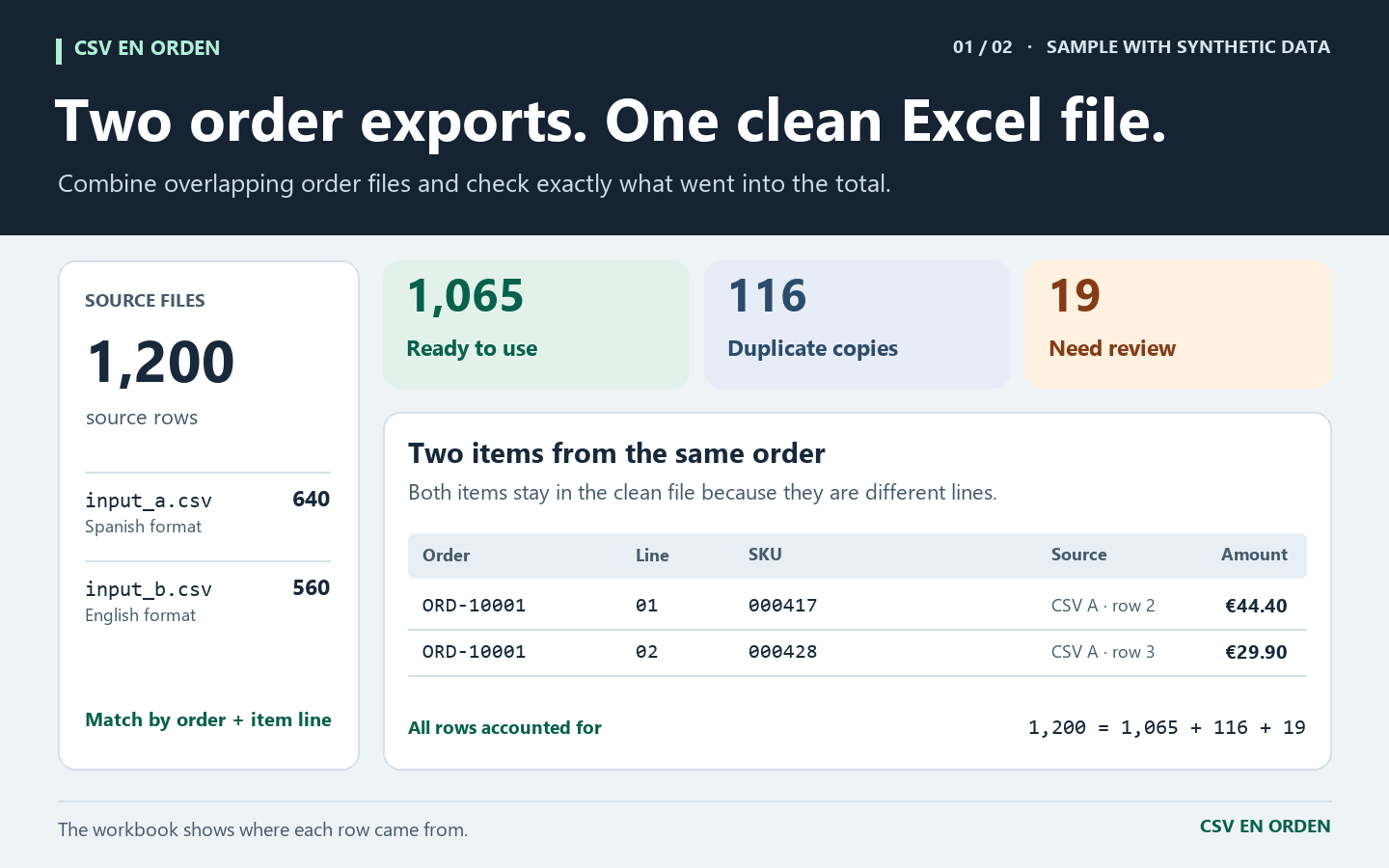
If you export orders for November 1–7 and again for November 5–12, the dates overlap. Rows can repeat across files, and one order can legitimately take up several rows. If you append both exports and sum the amount column, you can overstate sales.
1. Check what one row represents
Find out whether a row is an order or an item within an order. Shopify, for example, puts additional line items on separate rows and leaves some fields blank on those rows. Check the Shopify guide to order exports for the fields your export contains.
2. Decide which columns identify the same item
For exports that have a stable line ID, compare store, order ID and line ID together. Keep IDs as text so that a value such as 000417 keeps its leading zeros. Row numbers help you trace a change back to its source. They don’t identify the same item across files. A SKU can also legitimately appear more than once in one order. If there’s no reliable way to identify the item, flag the candidates for review.
3. Separate duplicate copies from disagreements
In this fictional demo, order ORD-10367 line 01 appears in both files as €21.90 after standardizing the amount. Keep one copy and record where the other came from. Order ORD-10377 line 01 shows €43.80 in the first file and €48.80 in the second. Keep both source rows for review and exclude the disputed amount from the clean total until you confirm the correct figure.
4. Reconcile the result before using it
The demo started with 1,200 rows. The result accounts for all of them: 1,065 ready to use, 116 duplicate copies logged, and 19 rows to review. Before summing the cleaned column, check that its amounts are line amounts in the same currency. An order total repeated on every line is a different calculation.
If you have two exports and want the cleaned Excel file plus a record of duplicate and disputed rows, check whether your files fit the €20 pilot. You can start with a small sample with customer details removed.