The new cut has the right clips. The research is in yesterday's sheet.
Your latest archive list arrives in a different order. A shot has gone, another has returned, and the producer's notes still live beside the old rows. Copying the notes by row position can attach the right instruction to the wrong asset.
Keep two separate records: a permanent asset master for the research, and a current-cut list for what is used now. Match them by a stable asset ID.
Start with one row per asset
This workflow is for asset-level logs. If a timeline export contains several appearances of the same clip, resolve those occurrences before using it here. A filename alone may also be ambiguous: two different sources can both contain a file called interview_01.mov.
Keep IDs unchanged across versions, including case and leading zeros. Import the ID column as text in your spreadsheet. Both files should use the same ID-column name. Keep an untouched copy of each incoming list.
A three-asset example
These are fictional records. They are the small example used to test Cut Log Carryover, not a client case study.
ARC-001, station exterior: still in the cut. Its note, "Confirm spelling of photographer", should follow its ID even if the row moves.
ARC-002, harbour aerial: removed from this cut. Keep "Keep source email with archive" in the master, ready if the asset returns.
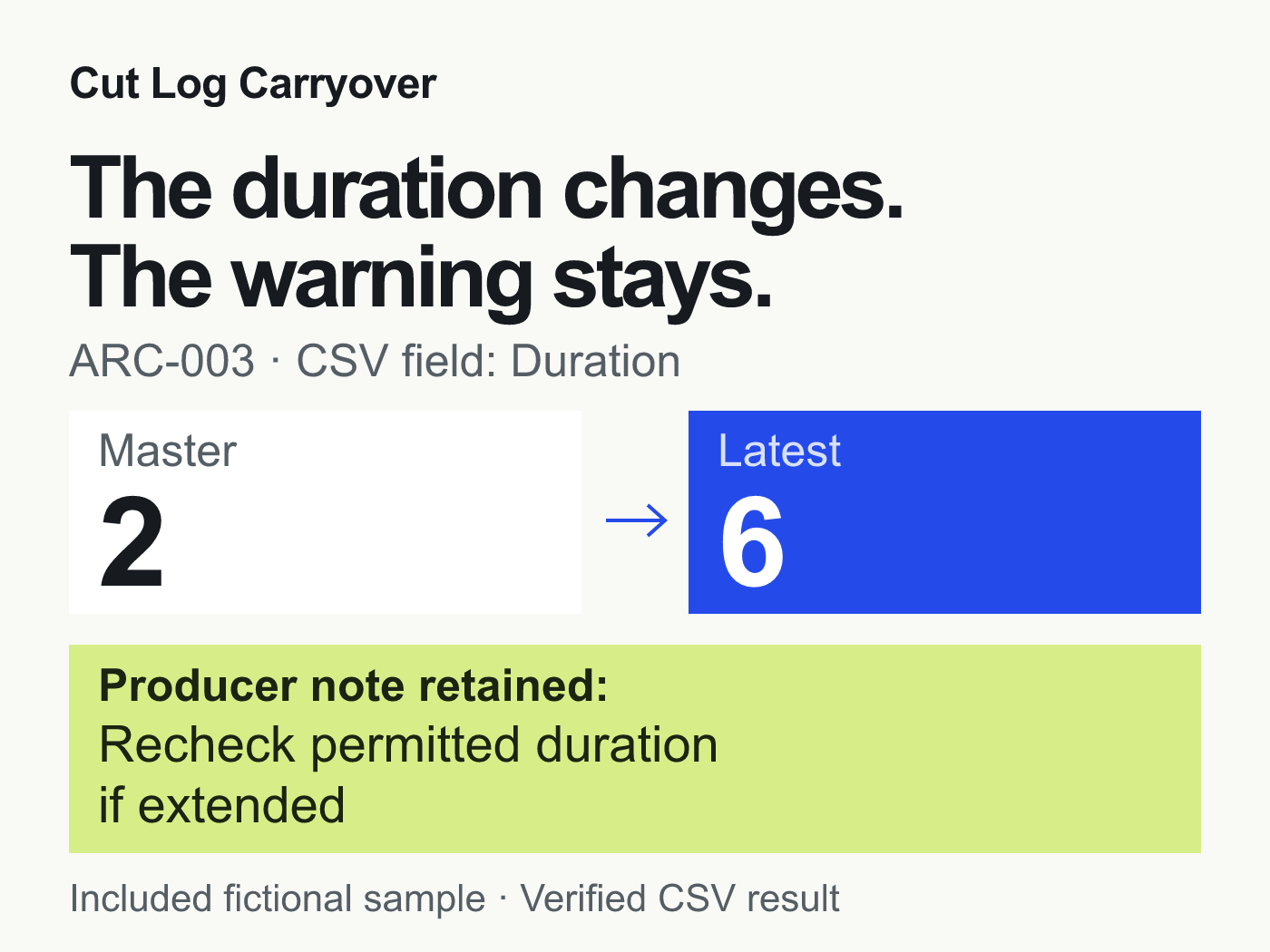
ARC-003, street market: still present, but the recorded duration changes from 2 to 6. Retain "Recheck permitted duration if extended" and flag the duration change.
ARC-004, railway platform: newly added. Its research fields should start blank, not inherit notes from the row it replaced.
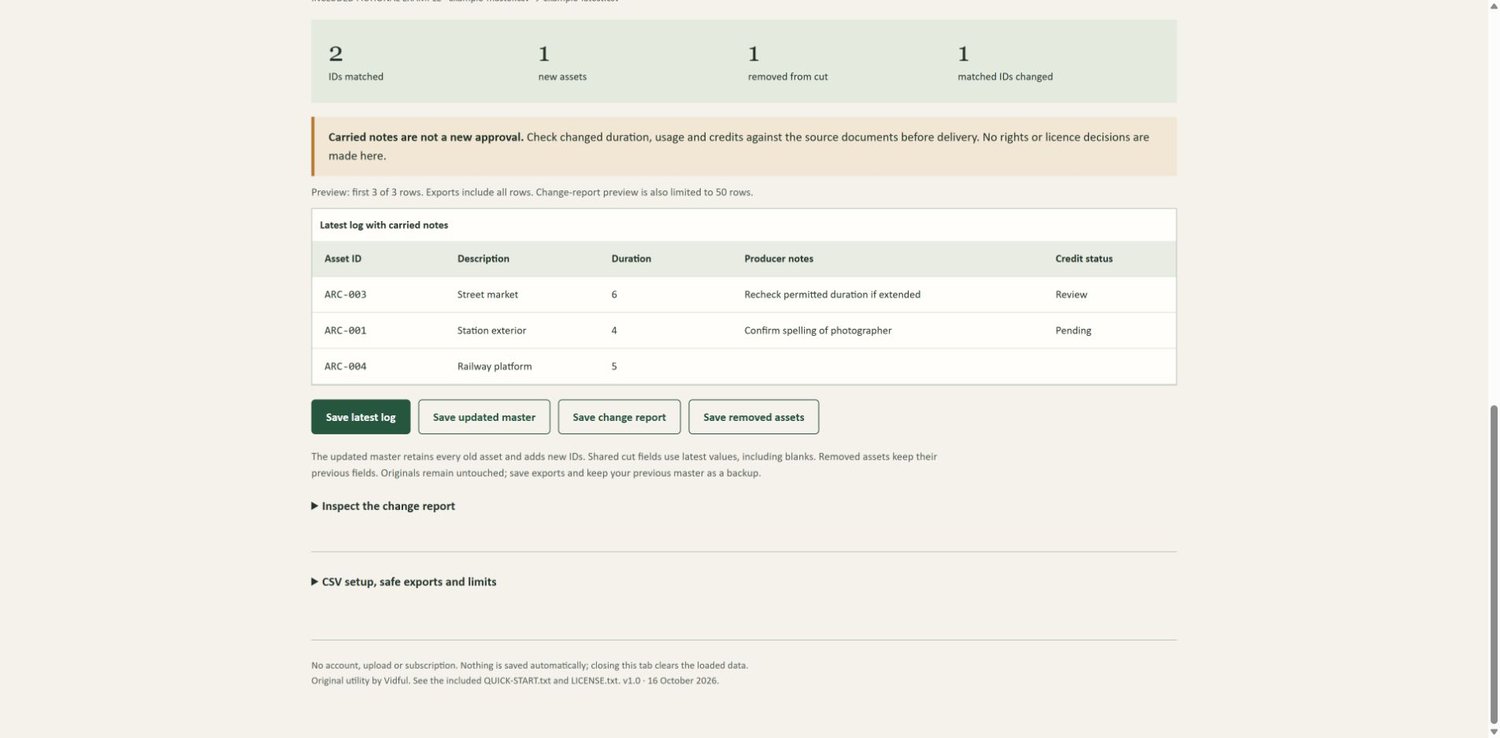
The expected comparison is two matched IDs, one new ID, one removed ID and one matched asset with a changed field. Carrying the old note does not approve the new usage. Check the underlying source or licence documents.
You can do this in your existing spreadsheet
Keep manual research fields in the permanent master. Decide which fields are notes and which belong to the latest cut export.
Check that IDs are populated and unique in each input. Resolve duplicates before joining the sheets.
Use an exact-ID lookup or a join to bring the chosen note fields into the latest list. Do not match by row number. If your spreadsheet ignores letter case, first check that no IDs differ only by case.
Identify new and removed IDs separately. Add new IDs to the master; keep removed IDs in the master instead of deleting their research.
Compare the shared cut fields. Preserve deliberate new values, including blanks, and review changes before handing the log over.
Save the current-cut output and the updated master separately. Use the updated master when the next list arrives.
If your existing lookup or Power Query workflow is reliable, keep it. You do not need to buy another tool just to join two tables.
When a small dedicated tool is useful
Cut Log Carryover packages those checks into a local HTML utility. Select two CSV files, choose the ID and note columns, then export the latest list with notes, the updated master, the change report and the removed assets.
It stops on duplicate or missing IDs. Selected manual columns must be absent from the latest input, so it cannot silently overwrite a second set of notes. It processes the files on your device and makes no network requests.
It does not import XML, EDL or XLSX, combine repeated clip appearances, preserve thumbnails, calculate timecodes or decide whether footage is cleared. Maximum input size: 5 MB, 10,000 rows and 100 columns per file.
The supplied examples, duplicate-ID rejection and all four exported CSVs were checked in desktop Chrome on Windows using a local web address. Direct opening of the HTML file, macOS and other browsers have not been tested. These are technical checks, not measured time savings or independent customer results.
See Cut Log Carryover and the exact requirements. The price is €12 plus applicable tax, paid once. The product page contains real interface images and the package details.
ARC-003 in the included fictional sample: the supplied Duration field changes from 2 to 6, while the producer note carries forward. The tool compares the values as supplied; it does not calculate or convert time units.