

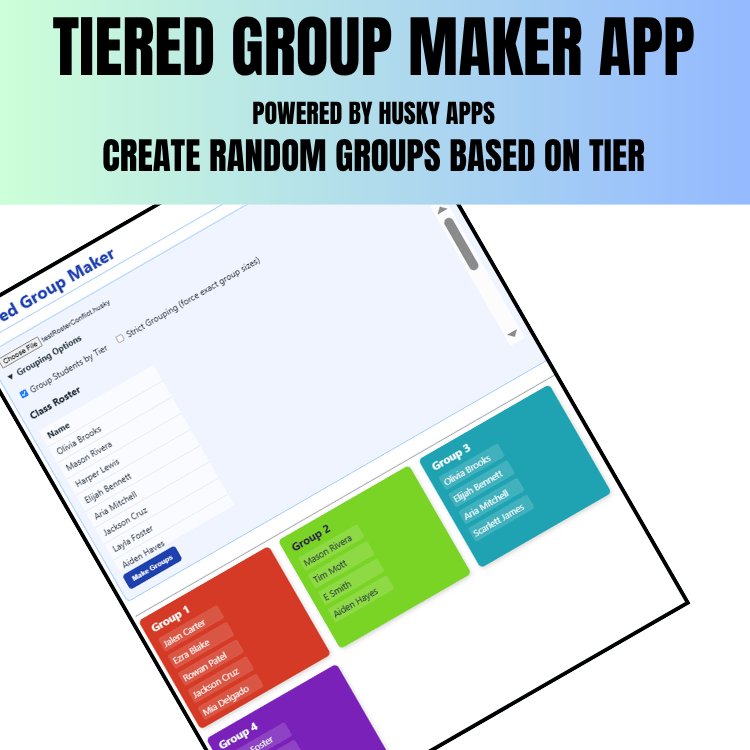
Why Grouping Students Feels Impossible
Ever felt the stress of balancing group dynamics every time you enter a room? I have. Over the years, I tried strategies like:
- Writing names on index cards
- Listing pairings in a spreadsheet
- Using online randomizers that broke when my Wi-Fi did
And every time I ended up with mismatched teams, repeated groupings, or students who just… didn’t work well together.
There had to be a better way.
Introducing Group Maker (from the Husky App Pack)
Enter Group Maker – one of several lightweight, offline-friendly tools in the Husky App Pack. It’s a browser-based HTML file that:
- Works without internet
- Lets you flag conflict pairs
- Allows tier-based grouping
- Reads from your .husky roster file
In less than a minute, you can generate well-balanced groups—and completely skip the groans.
How I Use Group Maker in Three Simple Steps
- Prep your roster using the FREE Universal Builder
Load your .husky file with student names, avatars, and optional "conflicts" or “Tier 2.”
2.Set your group parameters
Choose the number of groups, maximum group size—and it automatically avoids conflict pairs and
balances tiers.
3.Generate in one click
Click “Make Groups” and instantly get randomized groups you can tweak and export.
Why It’s a Game-Changer for Teachers
- No-WiFi required — everything runs locally, browser-only.
- Respects student dynamics — avoid pairing problems automatically.
- Reset whenever you want — hit refresh to get new grouping options.
- Reuses your roster — no re-entry needed from other tools.
Want to Try It?
You can get the free demo or download the full Husky App Pack, including Group Maker and other tools, at Payhip or Teachers Pay Teachers:
This simple tool eliminated 10 minutes of my prep time daily—and my students spend less time waiting to get started.
Next Steps You Can Take
- Play with flagging: Mark pairs that don’t work and let Group Maker avoid them.
- Try tier mixing: Put strong and support students together for peer help.
- Spin repeat-free groups: Great when you switch up partners for new topics.
Final Take
Use this when you need robust but flexible groups—and zero Wi-Fi dependency. Give it a try and let me know how it worked (or didn’t). I’m always refining based on real classroom stories.
Try it at: Tiered Group Maker
Also Try: Digital Spinner
Want help setting up tier flags? Need a walkthrough video? Just message me and I’ll send it along! HowlinHuskyllc@gmail.com