
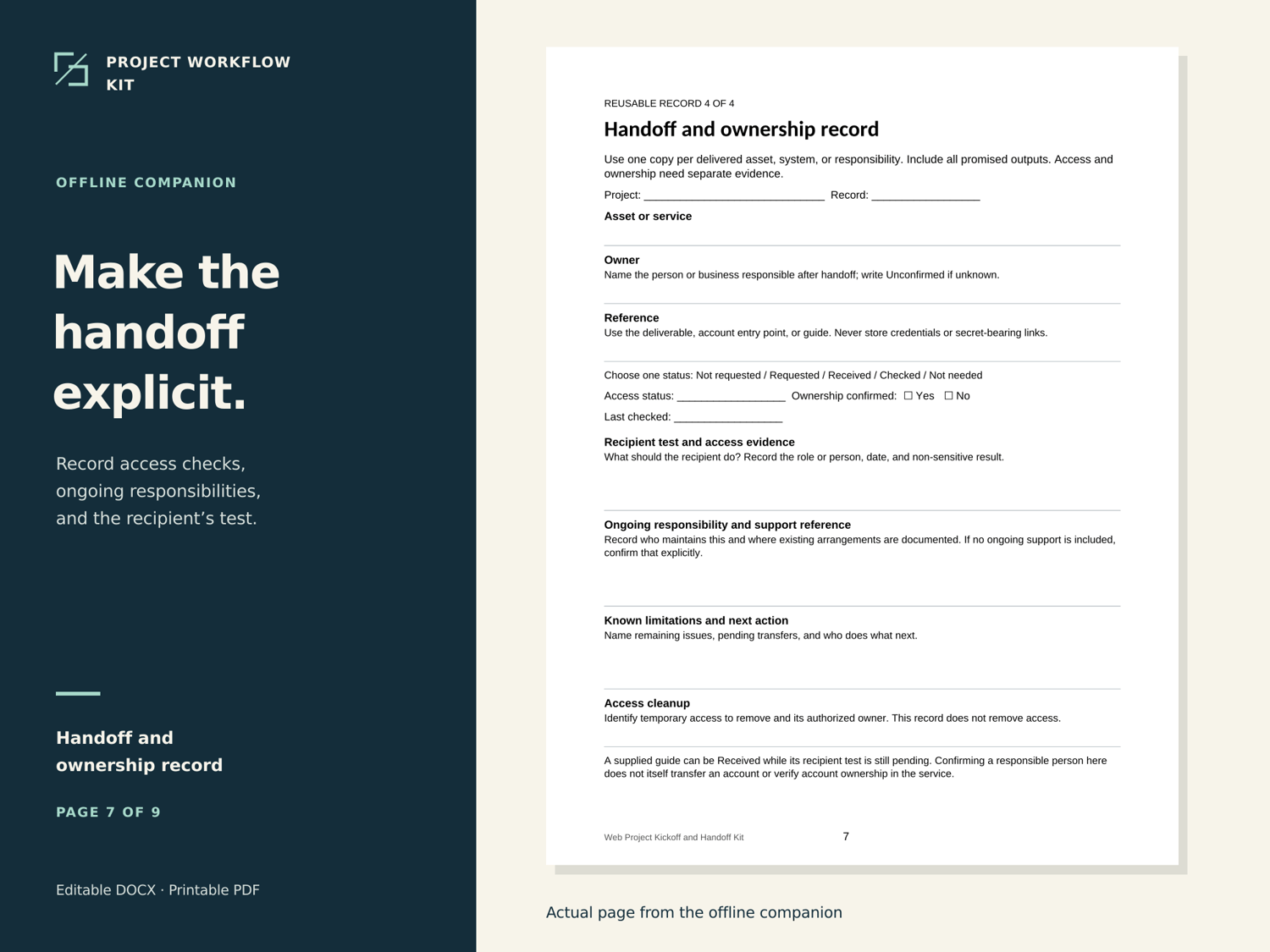
A website handoff has several moving parts: the finished work, the client's ability to use it, their acceptance of the work, and responsibility for keeping it running. Recording each separately gives both sides a clearer view of what is complete and what still needs attention.
For solo web designers and IT freelancers, the following checklist can live in a simple project document. Work through it against your agreed scope. Keep the details practical: an item, a named person, evidence, and the next action.
1. List exactly what you delivered
Start with the promised outputs. Include the website pages, agreed source files, content exports, and guides that belong in this project. Leave excluded work clearly identified.
[ ] Give each deliverable a clear name and current revision or date.
[ ] Record its location and intended recipient.
[ ] Check that the delivery folder contains the promised files.
[ ] Mark anything missing or deferred, with an owner and next step.
A folder called "Final files" offers little context on its own. "Three website pages, revision 4, plus the editing guide" is more useful. Include only relevant project material when sharing the record with the client.
2. Check whether the client can use it
Have the intended recipient test their own access, or use an authorized test account. Choose a small exercise that matches what they will actually do after handoff.
[ ] Ask the recipient to open the right file, site, or project.
[ ] Check whether their role allows the agreed task.
[ ] Try a safe exercise, such as changing and previewing a draft heading.
[ ] Record who tested, when, what happened, and any remaining gap.
Keep "invitation sent," "invitation received," and "access checked" distinct. A successful test should describe an observed result. Avoid signing in as the client.
Never put passwords, domain transfer codes, card data, API keys, or secret-bearing links in the workbook. Record a safe account entry point and a non-sensitive result instead.
3. Record what was reviewed and accepted
Bring together the review evidence for the specific version being handed over. Use the approval process already agreed with the client.
[ ] Name the reviewer and the exact revision reviewed.
[ ] List the checks performed, such as navigation, form behavior, or download links.
[ ] Keep unresolved issues and untested conditions visible.
[ ] Reference the client's acceptance where it exists; mark it pending where it does not.
Keep practical testing, client acceptance, and permission to launch as separate entries. Record explicit instructions and dates rather than treating silence or a checked box as approval. This is a project record; contractual acceptance stays in your existing agreement and approval process.
4. Confirm ongoing ownership and support
Ask who takes responsibility for each system after handoff. Then confirm what account control they actually have. Treat an unknown owner as an open question.
[ ] Confirm the person or business responsible for the domain and its renewal.
[ ] Confirm who controls the relevant domain, hosting, and website accounts.
[ ] Name the person responsible for content changes, maintenance, and service renewals.
[ ] Reference the existing support arrangement, including its scope and contact route, or confirm that ongoing support is not included.
Record renewal dates only after checking them in the relevant account or receiving confirmation from its owner. List pending transfers and any temporary access that an authorized person still needs to remove. These are things to confirm through the appropriate service and agreed process; this checklist does not perform technical transfers or provide legal advice.
5. Finish with an open-items list
For each unfinished item, write: what remains, why it matters, who will act, and the agreed date if there is one. Leave unconfirmed dates clearly labeled. Share the current summary through your normal client channel and keep the record updated as evidence arrives.
Fictional mini-example
Imagine a fictional designer handing a three-page website to a fictional repair shop. The files and editing guide are delivered. The shop owner has accepted revision 4 through the agreed review process and successfully changed a draft heading.
Domain renewal responsibility is still unconfirmed, however, because the account was originally set up by someone else. The record can show delivery, access, and acceptance as complete while keeping that ownership question open. The next action is for the shop owner to confirm account control and renewal responsibility with the account holder. The designer records the result when it is verified.
An editable workbook for the same process
The Web Project Kickoff & Handoff Kit includes a nine-page editable DOCX and printable PDF, with project worksheets, review and handoff records, and fictional examples. Make a working copy for each project and update it manually as the work progresses. The kit contains offline files; it includes no Notion template or automated reminders.
View the Web Project Kickoff & Handoff Kit for USD 19, one-time, with applicable tax shown at checkout: https://payhip.com/b/EcyKO