Your Cart
Loading

Skip the YEARS of Trial & Error. MASTER Canva in Days.

Your shortcut to stunning designs, a thriving freelance business, or consistent branded content without the overwhelming learning curve.

14

In-Depth Modules (Beginner to Advanced)

60+

Pages of Actionable Strategies & Checklists

1hr

From Overwhelm to Confidence

Design Confidence

Canva AI Tools

Get Paid

Design Confidence ★ Canva AI Tools ★ Get Paid ★

You're STUCK in the Design Loop

Spending HOURS on single designs

Clicking through Canva features, getting lost, starting over when it should take 15 minutes.

Your designs DON'T LOOK professional

You follow trends but can't figure out why yours don't convert or stand out from the noise.

You're leaving MONEY on the table

Freelance clients go elsewhere. Template shops sit unpromoted. Content underperforms.

Generic guides DON'T SHOW the real system

Most Canva tutorials just show you where buttons are, not how to build a business with them.

The PROBLEM isn't Canva, it's that you're learning BACKWARDS.

You're starting with features instead of finishing with strategy. You know *what* to click, but not *why*. You can make something, but not something that sells, converts, or builds your brand.


What if someone showed you exactly how to think like a professional designer, not in theory, but in step-by-step action?

Your COMPLETE Roadmap to Canva Mastery

01 - Getting Started Right

Strategic account setup, dashboard navigation, and the mental shift from hobbyist to designer.

02 - The Editor Deep Dive

Every tool. Every shortcut. How to move faster and solve problems without Googling.

03 - Design Foundations

Color theory, typography, spacing, hierarchy, the invisible rules that make designs work.

04 - Templates, Elements & Assets

How to customize (not just use) templates. Finding and organizing assets like a pro.

05 - 25 Hidden Gems & Beginner Tips

The features nobody talks about that save you 10+ hours per week.

06 - Copy Style & Style Match

Making text + design work together. The psychology of readable, beautiful typography.

07 - Brand Kit & Identity

Building a cohesive brand system so every design feels *yours* instantly recognizable.

08 - Advanced Photo & Video Editing

Professional-level editing, effects, and storytelling without leaving Canva.

09 - Platform-Specific Strategies

Why Instagram Reels need different design than YouTube thumbnails. Exactly how to adjust.

10 - Canva AI Tools

Magic Write, Dream Lab & emerging AI features. When to use them. When not to.

11 - Hidden Power Tools

The advanced features that separate designers from tool-clickers.

12 - Trending Canva Apps

Integrations that multiply your output and expand what Canva can do.

13 - Collaboration & Client Workflows

Systems for freelancers: feedback loops, versioning, delivery that clients love.

14 - Building a Canva Business

Pricing, positioning, template shops, productizing services. Turn skill into income.

This Works for THREE Types of People

  • Small Business Owners

    You need consistent branded content and graphics without hiring a designer or paying for freelancers every time.


    • Save $2K+ yearly on design costs
    • Create branded assets in minutes
    • Build customer trust through cohesive visuals
    • Do it yourself, on your timeline
  • Aspiring Freelancers/Beginners

    You want to offer design services, build a template shop, or scale income without years of design school.


    • Land first paying clients faster
    • Create & sell templates for passive income
    • Price confidently (know what you're worth)
    • Build a service business in weeks, not years
  • Content Creators

    You create for Instagram, YouTube, TikTok, or your newsletter and you want designs that actually perform.


    • Design faster (spend time creating, not designing)
    • Thumbnails, carousels, Reels that convert
    • Stand out in crowded feeds with cohesive branding
    • Grow faster with professional-grade visuals

Your ACTUAL Transformation

  • BEFORE

    • Stuck on templates or copying other people's designs
    • Every design takes 2-3 hours (it should take 20 min)
    • Designs look nice but don't convert or perform
    • Can't explain design choices to clients
    • Afraid to raise prices or offer design services
    • Recreating the wheel every single time
    • No business system just design chaos
  • AFTER

    • Create original, on-brand designs confidently
    • Stunning designs in 15-30 minutes (every time)
    • Designs that actually convert & drive results
    • Explain strategy behind every design choice
    • Price like a professional (because you are one)
    • Proven systems & templates you can repeat
    • A real business built on design skills + strategy

Your INVESTMENT - $17

ONE coffee. ONE meal. LESS than you'd spend on a freelancer for a single design.

INSTANT ACCESS to everything. NO monthly fees. NO subscriptions. NO upsells.

From People Who've Actually USED THIS

Artboard 1

I went from never opening Canva to landing my first three design clients in one month. The business modules alone are worth it, she actually teaches you how to get paid.

— Courtney Tal***

Artboard 1

As a small business owner, I was paying $300/month for a designer to post graphics. Now I do it in 20 minutes. This single course paid for itself in week one.

— Jordan Ros***

Artboard 1

The module on platform-specific design was a game-changer. My Reels started getting 3x more views once I understood how to design differently for each platform. Highly recommend.

— Aliyah Arb***

You Deserve a SHORTCUT

You don't need years of design school. You don't need to figure this out alone. You need a BLUEPRINT someone who's already done it, who gets your specific goals, and who's going to show you exactly how to go from "I can barely use Canva" to "I'm a designer" in days, not years.


I genuinely cannot let you keep struggling in Canva when the fix takes like an hour to learn.


Canva Mastery Crash Course
On Sale
$17.00
$17.00
Added to cart

★ You're not bad at design. You just never learned it properly. ★

Right now you're stuck in the loop: watch a tutorial, forget it in a week, open Canva, stare at a blank canvas, panic, grab a template, tweak two things, hope it looks "professional enough." You know Canva can do more. You just don't know how.

This crash course is how you get out of that loop — for good.


★ Here's exactly who this is for:

You're a total beginner in Canva, or you've been using it for a while but still feel like you're guessing. You want to actually understand design not just click around and hope, so you can:

  • Make content that looks like you hired a designer, not like every other template on Pinterest
  • Stop panicking every time you open a blank canvas
  • Actually understand why something looks good, not just copy it and pray
  • Build real skills you can eventually turn into freelance work, a template shop, or a design side hustle


If that's you, keep reading.


★ The outcome you're actually paying for:

Not "how to click buttons in Canva." You'll walk away being able to open Canva and design — with a plan, with confidence, without Googling "how to align things in Canva" for the 47th time.


By the end, you'll be able to:

  • Build a design from scratch that looks intentional and on-brand
  • Set up your own brand kit so everything you make looks consistent
  • Use Canva's AI tools like someone who actually knows what they're doing
  • Start offering design as a service or sell your own templates, if you want to take it that far


That's the whole point of this guide. Everything inside is built toward that outcome.


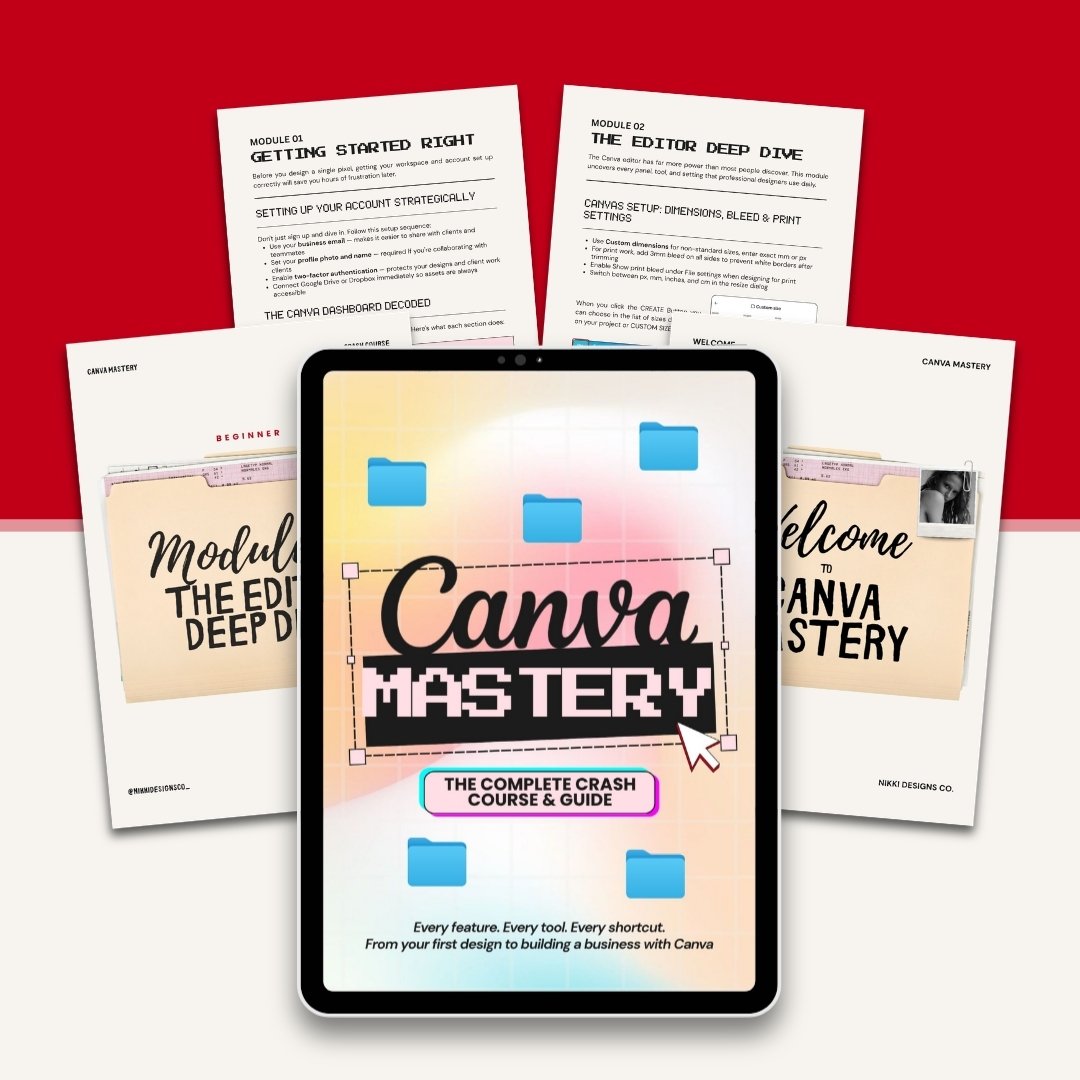
✦ 14 modules. Zero filler. Built to take you from "I don't get it" to "I got this":


Beginner — build the foundation

  • Module 1: Getting Started Right — account setup, dashboard walkthrough, Free vs Pro, shortcuts that save real hours
  • Module 2: The Editor Deep Dive — layers, canvas setup, guides, alignment, version control
  • Module 3: Design Foundations — color theory, typography, layout composition — the actual "why it looks good" stuff
  • Module 4: Templates, Elements & Assets — how to customize templates so yours doesn't look like everyone else's
  • Module 5: 25 Hidden Gems — features most users never even find


Intermediate — start designing like you know what you're doing

  • Module 6: Copy Style & Style Match — instant visual consistency across everything
  • Module 7: Brand Kit & Brand Identity — build your Style Guide, manage multiple client brands
  • Module 8: Advanced Photo & Video Editing — full toolkit, animations, auto-captions, beat sync, exports
  • Module 9: Platform-Specific Design — right dimensions and approach for every platform, print, and digital products
  • Module 10: Canva AI Tools — Magic Write, Magic Edit, Magic Eraser, Magic Expand, Dream Lab, Background Remover, Translate, with real use cases


Advanced — turn the skill into something bigger

  • Module 11: Hidden Power Tools — Docs, Websites, Whiteboards, Presentations, Bulk Create
  • Module 12: Trending Canva Apps — Mockups, LottieFiles, Flourish, TypeGradient, PatternedAI, Soundraw, Brandfetch, and more
  • Module 13: Collaboration & Client Workflows — sharing, real-time collab, comment loops, approvals
  • Module 14: Building a Canva Business — design services, template shops on Etsy or Gumroad, Canva Creator, and what you can (and can't) legally sell


★ The simple version:

If you're tired of guessing, redoing designs you're not happy with, or sitting on the idea of going further with design but not knowing where to start, this is what gets you unstuck.


One guide. Learn it once. Use it forever.


FAQs

Do I need Canva Pro? Nope. Both Free and Pro are covered throughout, and it always tells you which features need a paid plan. You can get massive value on the free version alone.

What format is this? A designed PDF ebook, structured like a course, written like a guide. Read it at your own pace, on any device, whenever you need it.

When do I get it? The second your payment goes through. You'll get a PDF with your download link immediately.


IMPORTANT: Because this is a digital product with instant access, all sales are final. No refunds once the download link has been delivered.
You will get a PDF (63KB) file