

The following code lets you upload one or more files from your computer directly into a Google Colab notebook:

How it works
1. Import the file-upload tool

This imports Colab’s files module, which provides functions for uploading and downloading files in Google Colab.
2. Open the upload window
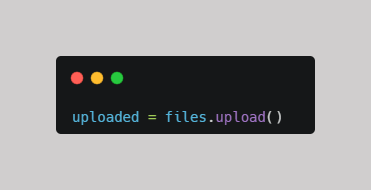
When this line runs, Colab displays a Choose Files button. You can select one or more files from your computer.
The uploaded file(s) are stored in the uploaded variable as a dictionary.
For example, if you select a PDF, Colab uploads it to the notebook environment and stores its information in the uploaded variable.
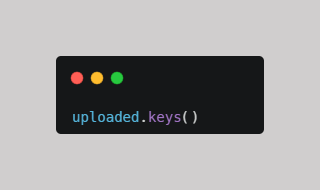
3. Check the filename(s)
Complete Example

Open the notebook
Open the Google Colab notebook for this PDF mini-guide and run the code as you follow along.
Practice with a Free PDF for Google Colab
Ready to try it yourself? Download the free PDF practice file and follow these steps:
- Download the PDF directly to your computer.
- Open the Google Colab notebook here and run the code.
- Select the downloaded PDF when the file browser opens.
Get the Free PDF Practice File →
What's Next? Open Your First PDF in Google Colab
Want to learn how to open your first PDF in Google Colab?
Check out this mini-guide: Open Your First PDF with PyMuPDF.
Comments ()