



GTM Wizard
─────────────────────────────
GTM Wizard — Toggles, Sliders & Material Swaps in Clicks, Not Hours
─────────────────────────────
Simple Slider — Listen Technology
Create any slider you can think of with one click.
✦ Hue shift
✦ Saturation
✦ Brightness
✦ Emission
✦ Matcap
✦ Shading
✦ Metallic sheen
✦ Any Poiyomi slider — if it exists on a slider, GTM can animate it
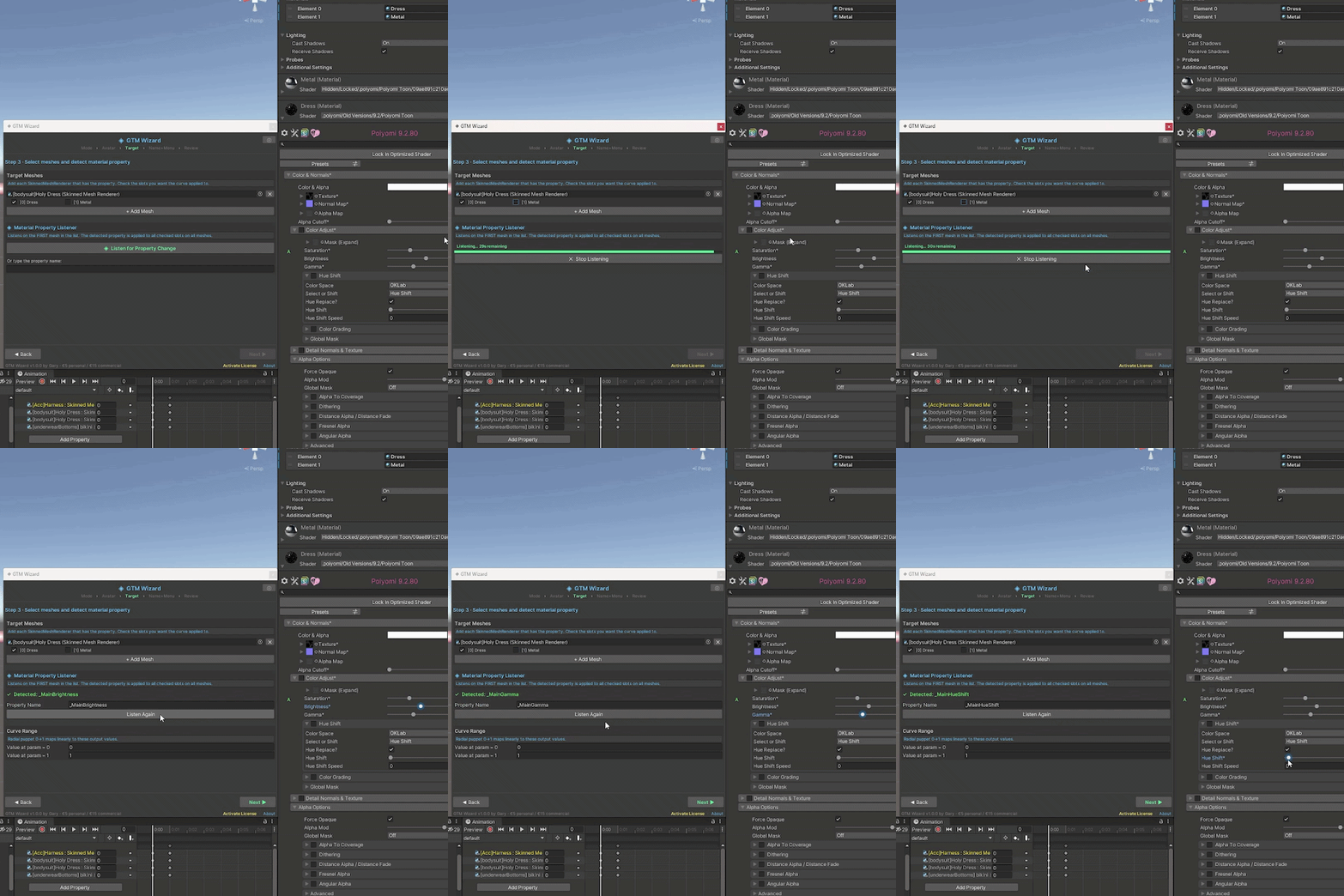
How it works: Select your mesh, click Listen, then touch whatever slider you want to animate. GTM captures it automatically. Name it, place it in a menu, done.
─────────────────────────────
Material Swap Slider
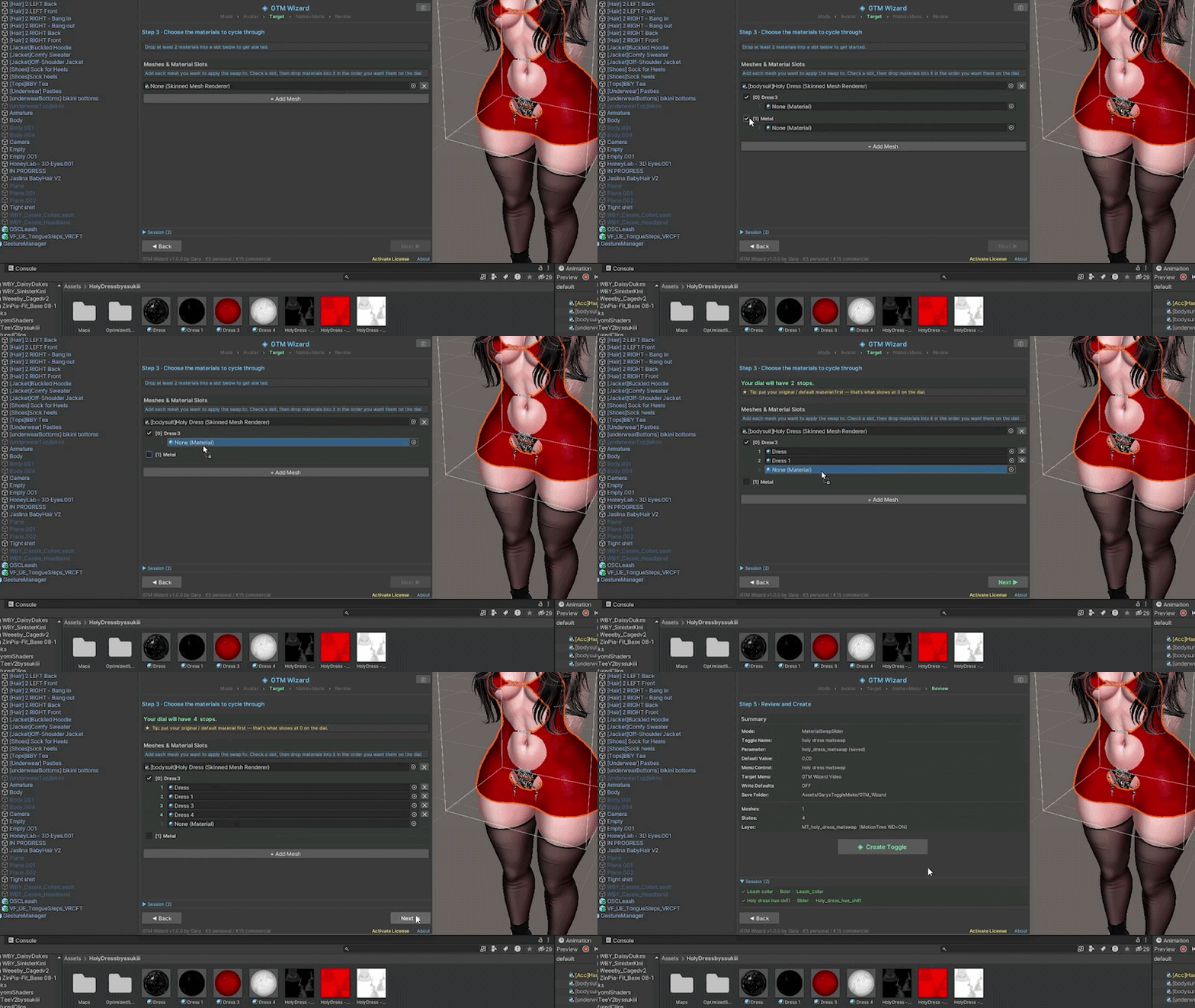
Create full material swap sliders in under 20 seconds. Tested.
✦ Cycle through different outfit colors
✦ Swap textures on a dial (leather → fabric → lace)
✦ Full style changes with one radial menu control
✦ Drop your materials in, click create — that's it
─────────────────────────────
Bool Toggle
Show or hide any part of your avatar with a simple on/off switch.
✦ Clothing
✦ Accessories
✦ Wings, tails, ears
✦ Jewelry, props
✦ Multiple objects per toggle
✦ Set default on or off
─────────────────────────────
Every mode auto-creates:
✦ FX layer
✦ VRC parameter (synced or local)
✦ Menu control
✦ Animation clips
Name it and place it in any submenu — one click. Same 5-step wizard every time: Mode → Avatar → Target → Name+Menu → Review.
─────────────────────────────
User review (:
What GTM Wizard Does
Create any slider you can think of. Hue shift, saturation, brightness, emission, matcap, shading — anything that exists on a slider in Poiyomi is possible with GTM's Listen technology. Select the mesh, click Listen, touch whatever slider you want to animate, and it's captured. Name it, place it in a menu with one click, done.
Create material swaps in under 20 seconds. Drop in the materials you've made, hit create, and GTM builds the full slider — FX layer, parameter, menu entry, all of it. Tested and timed.
Create simple toggles. Show or hide any part of your avatar with an on/off switch. Wings, accessories, clothing — drag the object in, name it, done.
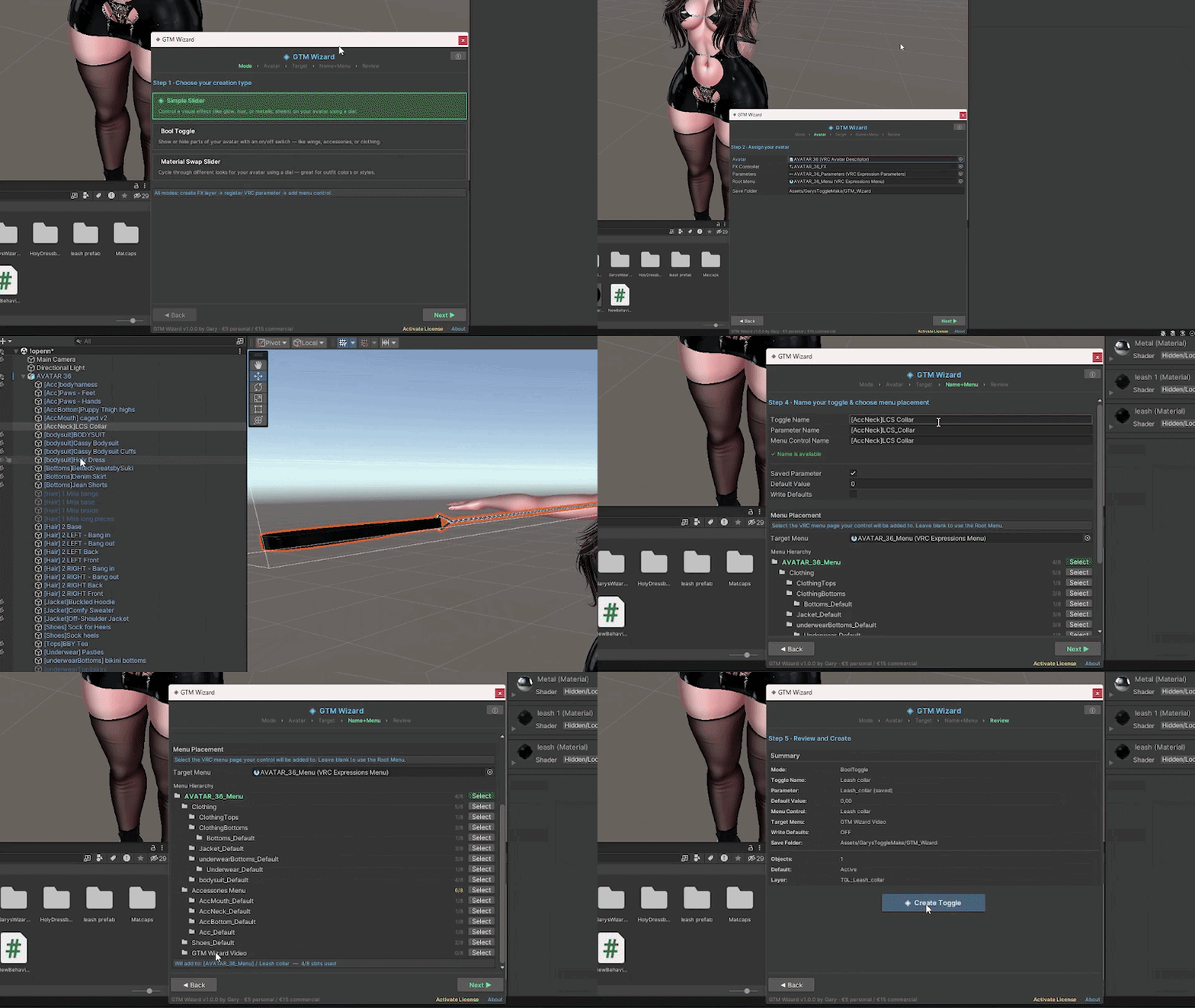
Every mode follows the same 5-step wizard: choose your type → assign your avatar → set your target → name it and pick a menu → review and create. One window, one workflow, every time.
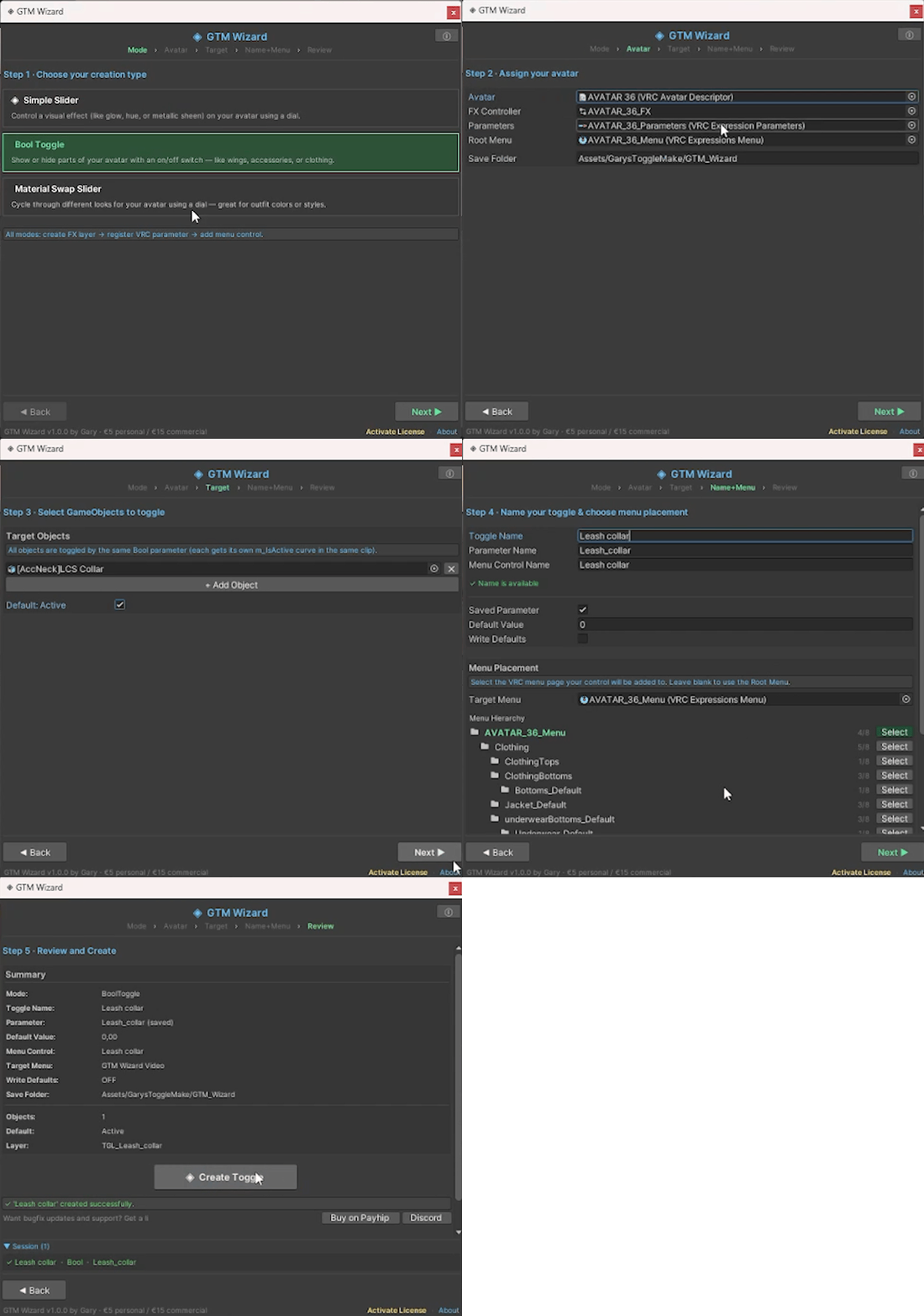
Getting Started
- Import the .unitypackage
- Menu bar → Tools → Gary's Toggle Make
- Pick your type, follow the wizard, and click Create
No coding required. No Blender required. No shader knowledge required. The wizard guides you through every step.
What's Included
✦ GTM_Wizard.unitypackage
✦ Built-in step-by-step wizard
✦ Free updates — all future versions included
✦ Discord support
€5 Personal / €15 Commercial
Made by Garyasparagus
TOS
You are not allowed to keep the tool in the avatars package uppon release.
This is a paid tool you are required to have a bought copy.