

Operation Timeline Chart (Gantt Chart) in MS Excel
On Sale
PHP68.00
PHP68.00
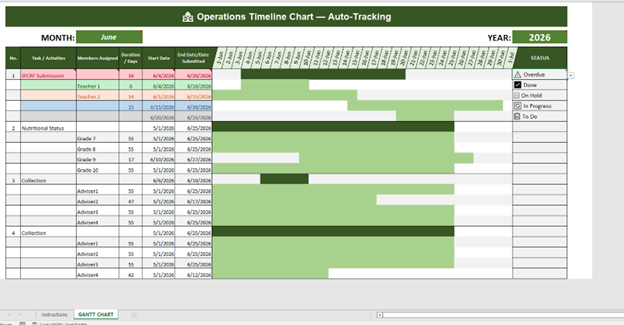
📊 Operations Timeline Chart (Excel Gantt Template)
Stay on top of projects, deadlines, and team responsibilities with this automated Gantt chart template. Designed for clarity and efficiency, it’s a versatile tool for businesses, organizations, and individuals who need structured timeline management.
✨ Key Features
- Auto-filled dates — Select a month and let the chart populate instantly.
- Task & sub-task tracking — Assign members, set start/end dates, and watch durations calculate automatically.
- Status icons — Use ✅ Done, 🔄 In Progress, 📋 To Do, ⚠️ Overdue, ⏸ On Hold for quick visual updates.
- Remarks column — Add notes like “Completed early” or “Pending approval” for better documentation.
- Expandable rows — Insert new tasks easily without breaking formulas.
🚀 Benefits
- Simplifies project planning and monitoring across months.
- Provides a visual timeline for tasks and milestones.
- Enhances accountability with member assignments and progress tracking.
- Saves time by reducing manual data entry and avoiding formula errors.
📦 What You’ll Get
- Excel file (.xlsx) with a ready-to-use Gantt chart.
- Built-in dropdowns for months and status icons.
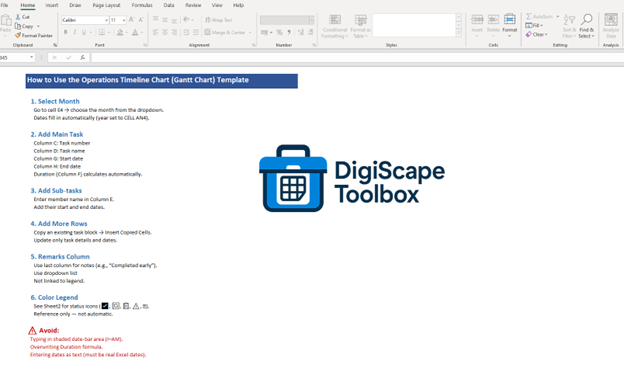
- Clear instructions are included inside the file for easy setup.
💡 Ideal for project managers, business owners, teams, and freelancers who need a reliable, professional timeline tracker that works seamlessly in Excel.