
Revenue System Readiness & Forecast Hand-Off Checklist: Revenue Forecast Readiness and Hand-Off Checklist Spreadsheet
Full description
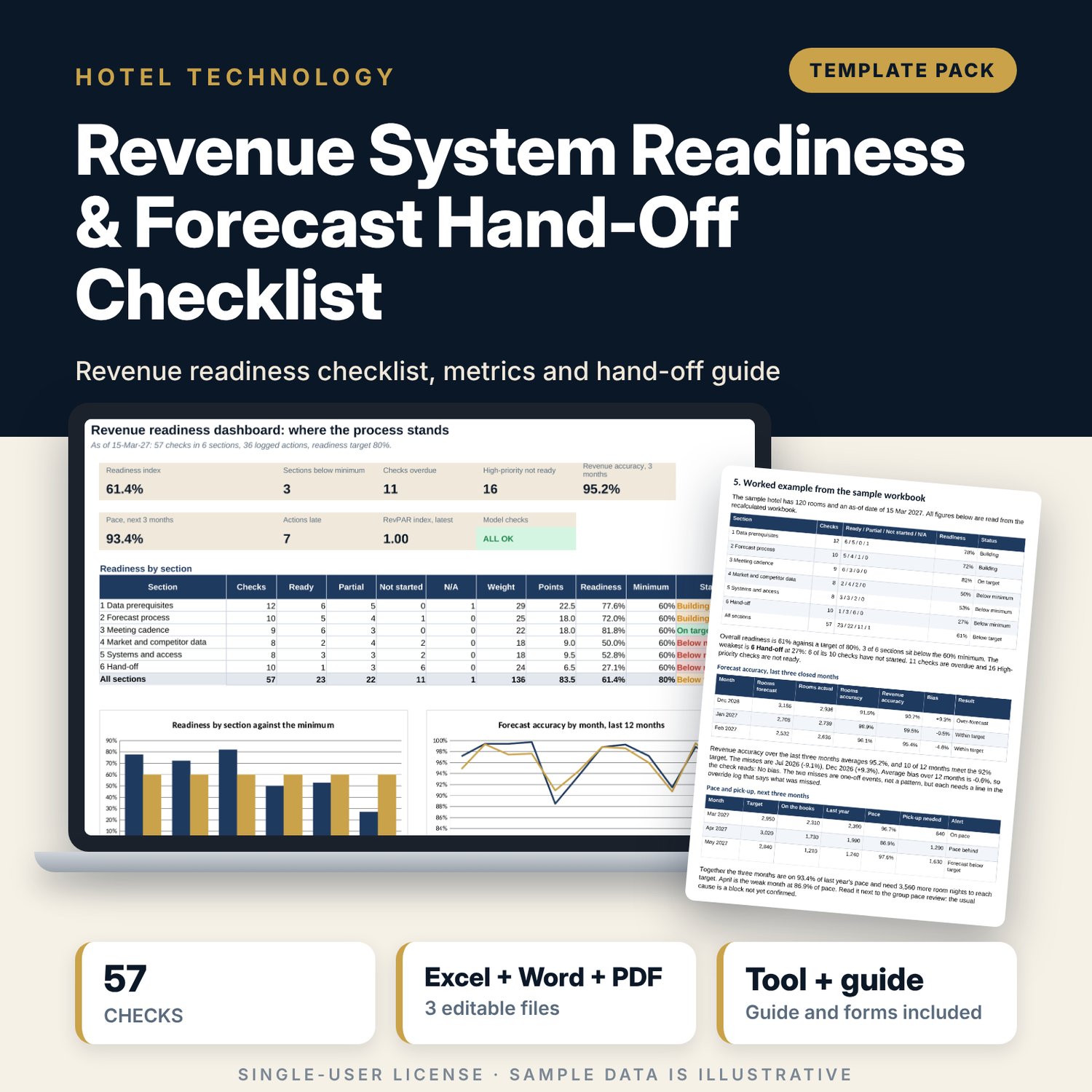
For revenue managers, general managers and finance leads who want the forecast to run on sound data and a fixed rhythm, and who need to hand it over without losing the method. The workbook scores 57 checks in 6 sections (data prerequisites, forecast process, meeting cadence, market and competitor data, systems and access, hand-off) with priority weights and status points, then logs actions and decisions with date-quality flags. It calculates forecast accuracy, bias, pace, pick-up needed, segment achievement and the index against the competitive set. A 9-page guide adds eight data tests, the monthly forecast calendar, the meeting standard and hand-off forms.
What is inside
- Revenue_Readiness_Checklist.xlsx: 7 tabs, 620 formulas, 2 native charts, 16 drop-down and input rules
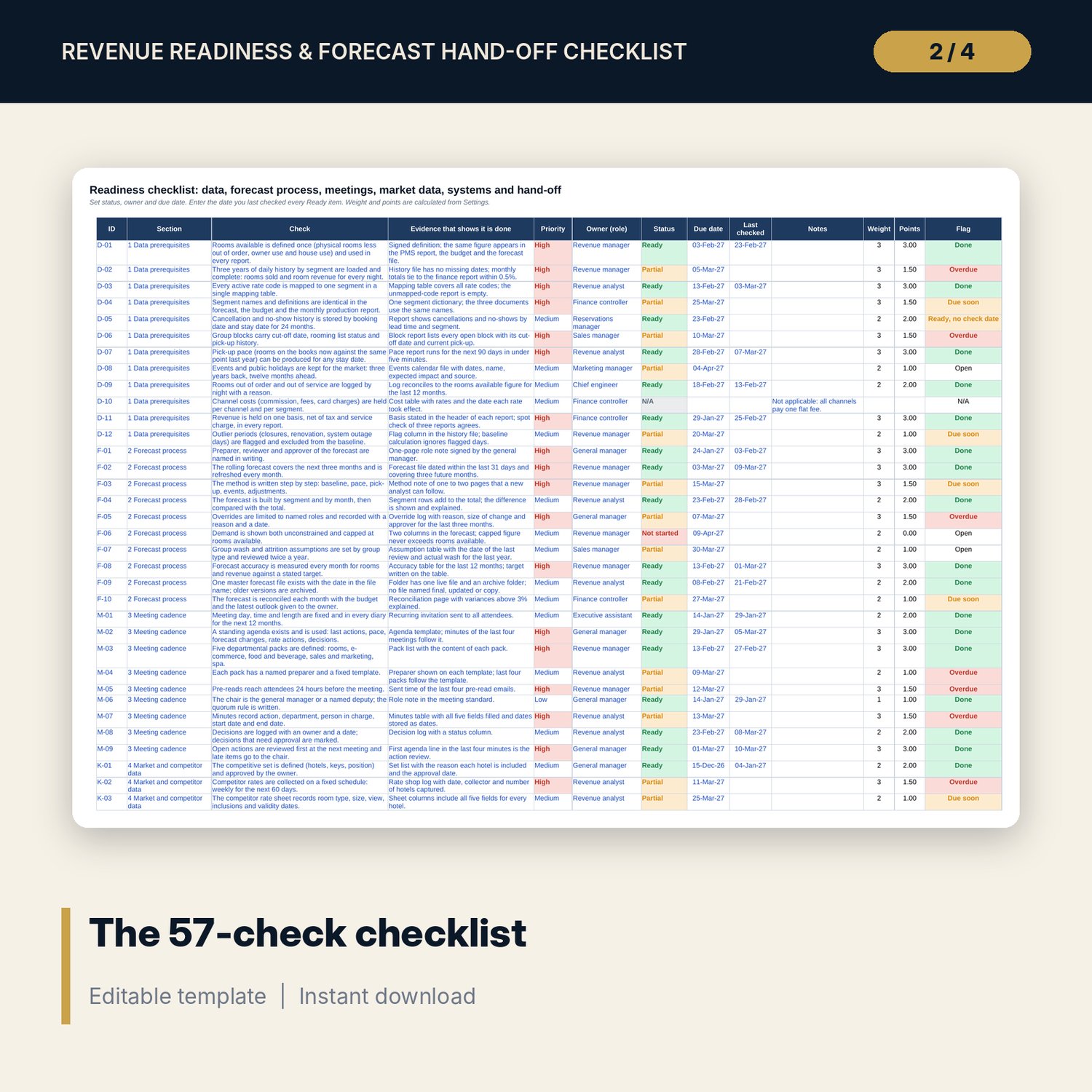
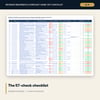
- Checklist: 57 checks in 6 sections with priority, owner, status, due date, check date and an automatic flag (Overdue, Due soon, Done, No owner)
- Actions Log: 36 sample actions, decisions and overrides, room for 24 more, flags for dates stored as text, end before start and late items
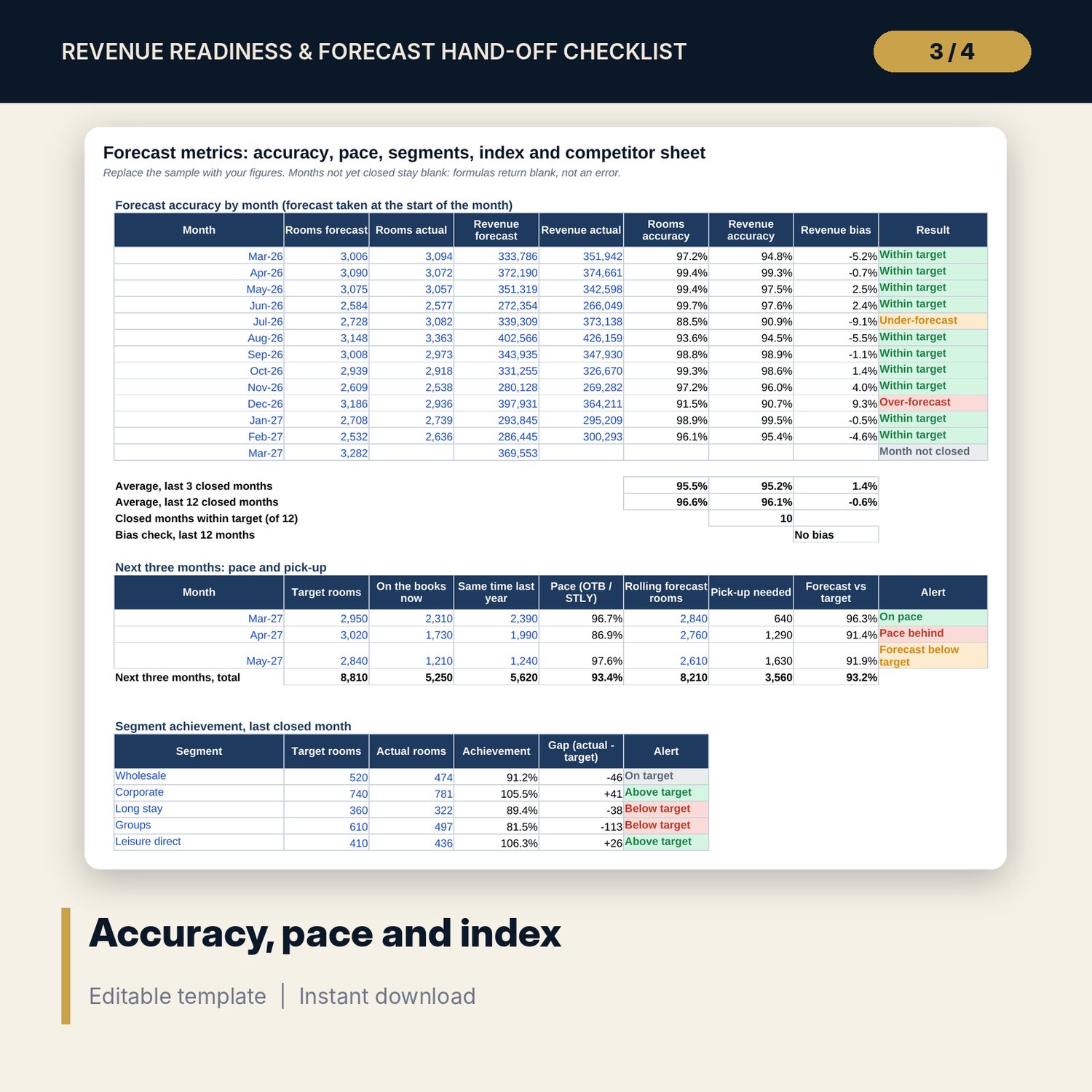
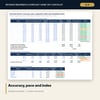
- Forecast Metrics: 13 months of accuracy and bias, a 3-month pace and pick-up table, 6 segments, a 6-month index table and a 6-hotel competitor sheet check
- Settings: 8-meeting cadence standard, thresholds, status points and priority weights
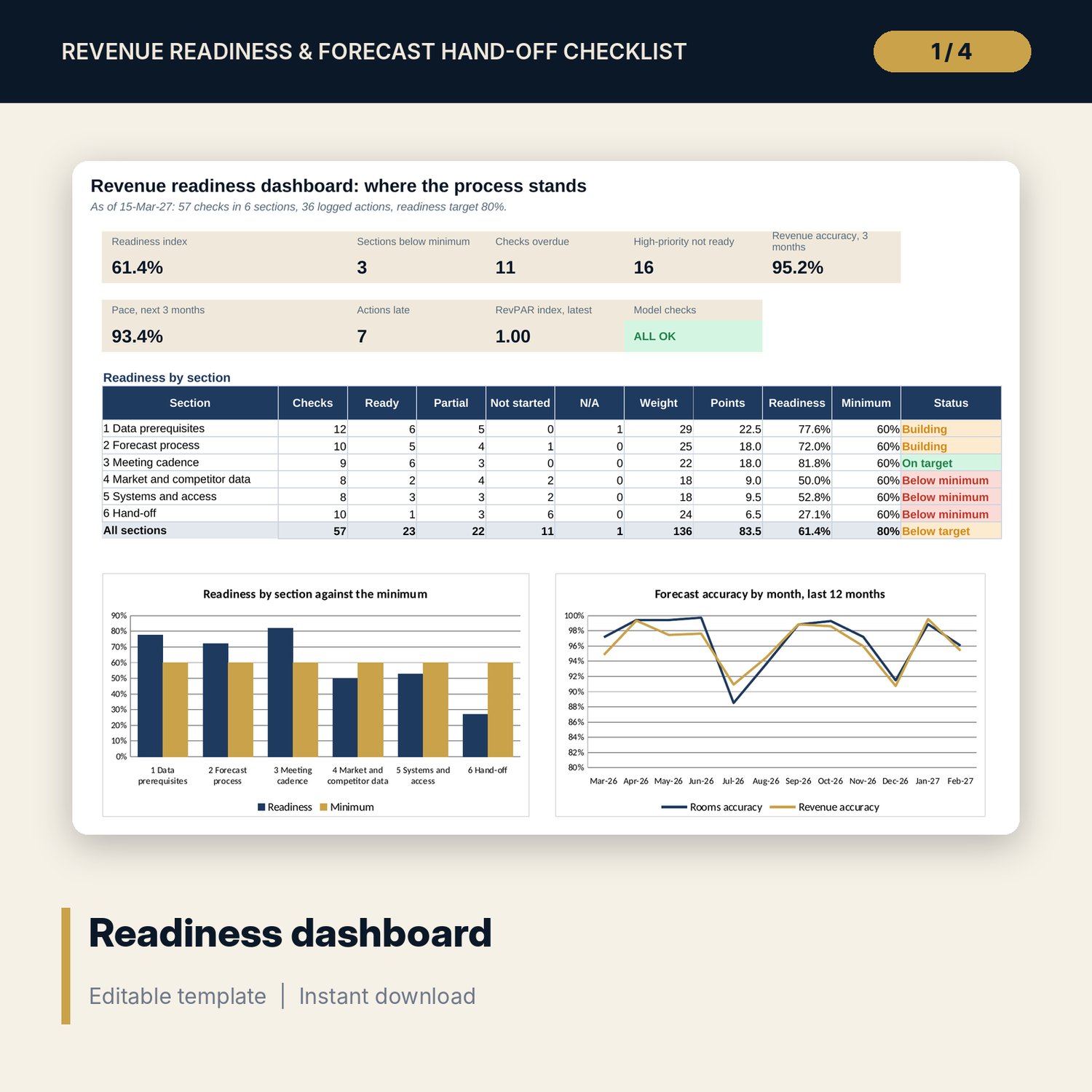
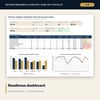
- Dashboard: 8 tiles, a check tile, a section readiness table and 2 charts; 7 integrity checks
- Revenue_Forecast_Handoff_Guide.docx and Revenue_Forecast_Handoff_Guide.pdf: 9 pages with data tests, forecast calendar, meeting agenda, pack contents, hand-off timeline and forms
- README.txt and LICENSE-and-Terms.txt
How it works
- Enter the as-of date, your targets and thresholds on Settings.
- Set the status, owner, due date and check date for each of the checks.
- Log the actions and decisions from the revenue meeting; fix any row the flag column marks.
- Enter forecast, actuals, pace, segment and competitor figures on Forecast Metrics.
- Read the Dashboard, work on the weakest section first, and use the guide for the hand-off forms.
Details
- Formats: 1 Excel workbook (.xlsx), 1 guide in Word (.docx) and PDF, English
- Software: Excel 2016 or later, or LibreOffice Calc 7 or later
- No macros, no external links, no data tables, no array formulas
- 3 files plus README and license; instant digital download
Good to know
- Sample data is illustrative. Replace it with your own figures.
- The files are planning tools, not financial or legal advice. Verify local requirements and your own reporting rules.
- Targets, weights and thresholds are your own policy; the sample values are a starting point.
- Single-user license. Do not redistribute.
FAQ
Who should own the checklist?
The revenue manager keeps it day to day. The general manager reviews it at the monthly forecast review and signs the hand-off form.
Can I change the weights and the score for Partial?
Yes. Priority weights and status points are inputs on Settings, and all scores recalculate.
Does it forecast for me?
No. It tests whether your data, process and meetings are ready, and it measures your own forecast: accuracy, bias, pace and pick-up.
What is the hand-off section for?
It lists what to complete when a revenue manager leaves or covers: method note, open decisions, access, a parallel run and check-ins.
Do I need macros or add-ins?
No. Every result is a standard worksheet formula.