






Speedramp Plugin
On Sale
€132.00
(25% off)
€99.00
Join 200+ Editors who trust the Speedramp Plugin
⚡ SpeedRamp Plugin V2 — For DaVinci Resolve
Create cinematic speed ramps in 5 seconds.
No keyframes. No Fusion. Just drag, drop, done.
✅ 12 pro-built ramp curves
✅ Fully customizable
✅ Works in Free & Studio version
✅ Lifetime updates included
Save time. Impress clients. Edit faster.
Check out the Tutorial to see how it works
© CarVinci Resolve — All rights reserved
Do not resell or share. Use the original link if you want to share.
“Why the hell is Speedramping still so annoying in 2025?”
⚡ You want to speedramp faster?
⚡ You want to deliver more?
⚡ You want a drag & drop workflow — not keyframe hell?
⚡ You want to be fast — not stuck repeating the same tedious steps?
BUT...
DaVinci's Speedramping tools just feel like a beta feature from 2010 that never got finished
Even in DaVinci Resolve 20, it’s one of the most frustrating workflows in modern editing.
💡 So I built the solution I wish I had years ago:
🎉 Speedramp Plugin
One Click. Clean Ramps. Zero Keyframes.
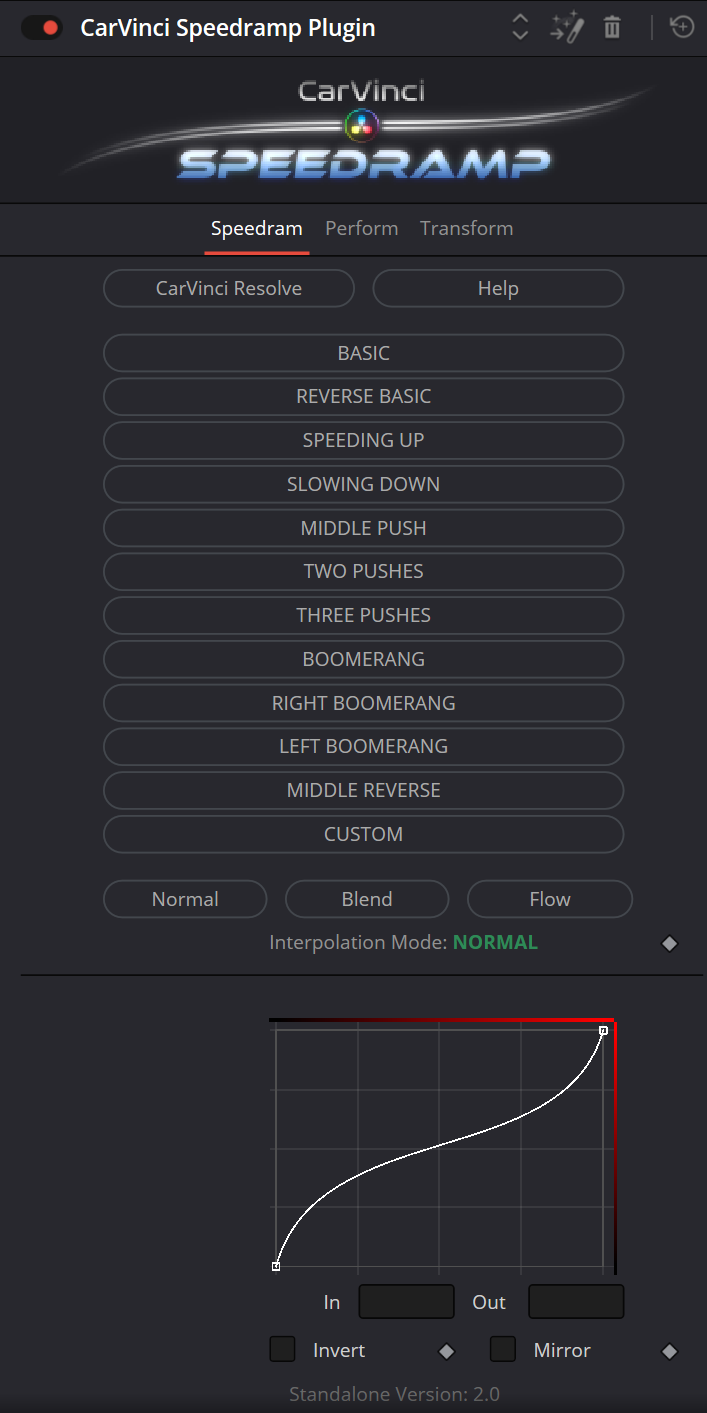
- 12 Speedramp Presets
- Apply with One-click (No keyframes)
- Unlimited Customization (Fully adjustable curves)
- Less Repetitive Work: Automate the tedious parts, so you can create more.
- Save Time, Stay Creative, Maximize Efficiency, Make Editing Feel Like Play
👇 See this?
You’re wasting minutes on something that should take seconds.
That adds up — fast
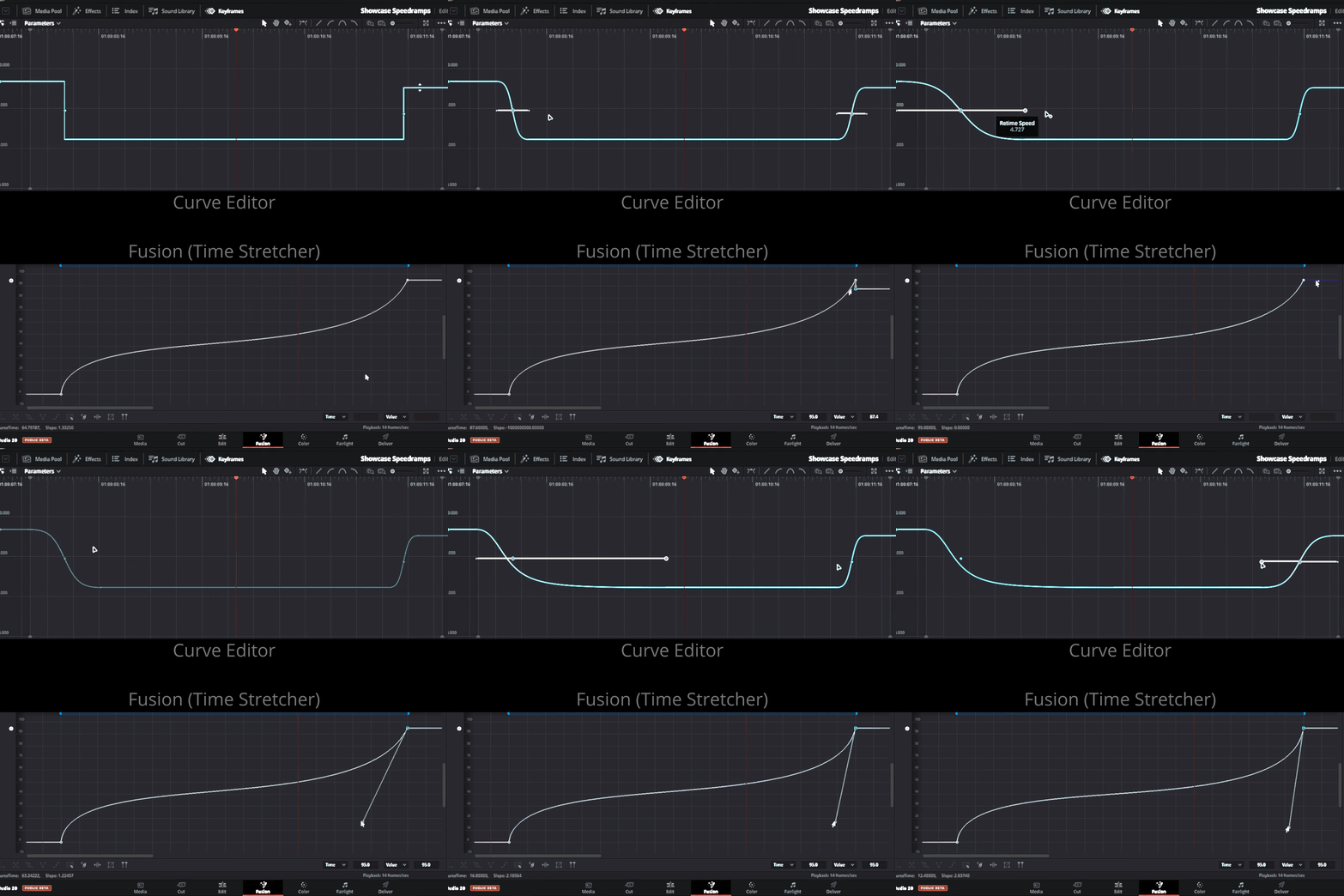
❌ KEYFRAMING SLOWS YOU DOWN
"Every curve, built from scratch — again and again."
It’s repetitive, time-wasting, and kills your flow.
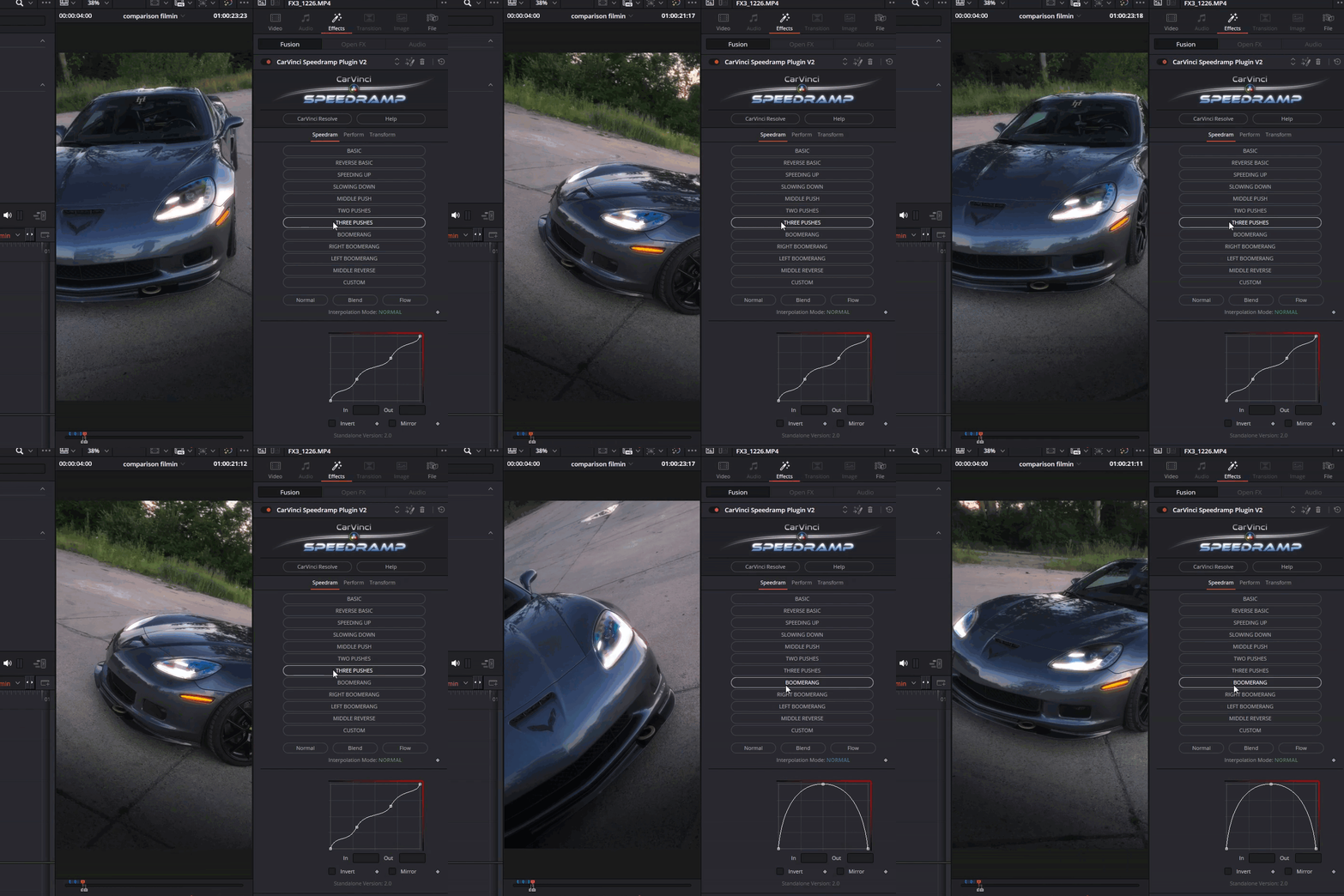
✅ SPEEDRAMP PLUGIN FIXES IT
"One click — not a hundred tweaks."
- No manual keyframes.
- 12 ready-to-go cinematic ramps.
Drop it in. Choose a Speedramp. Done.
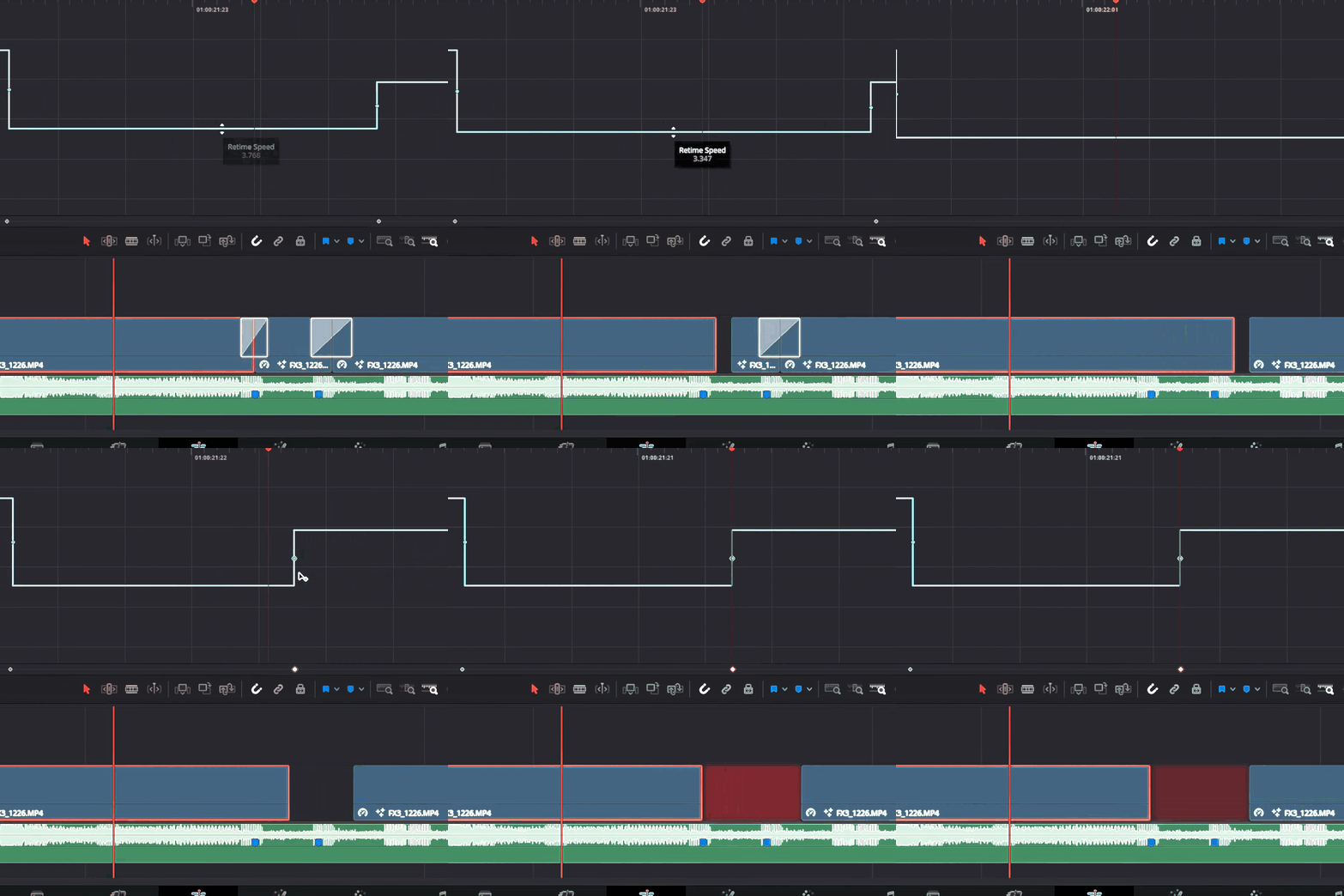
❌ Speed Changes Break Your Timeline
- You tweak a speed, clip shortens or stretches, and everything downstream breaks.
- Clips get overwritten, Transitions disapear. Audio desyncs...
It’s like editing on quicksand.
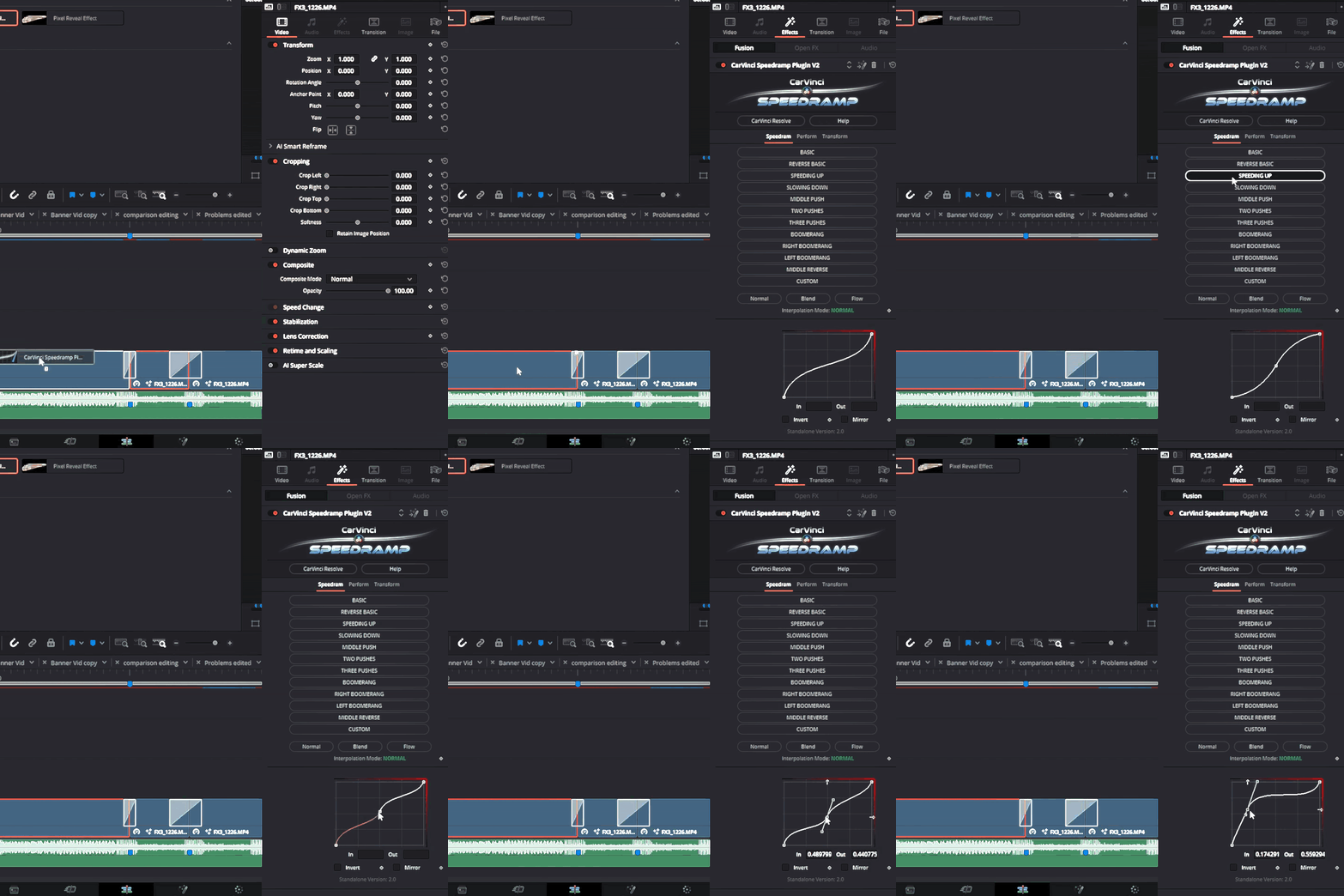
✅ Speedramp Plugin Solves It:
- Clip duration is locked — no auto-stretching or trimming
- No ripple effects — your timeline stays in sync
- Full content plays from start to end — just remapped in time
- Precise control — adjust speed without breaking your edit
Speed changes with zero chaos.
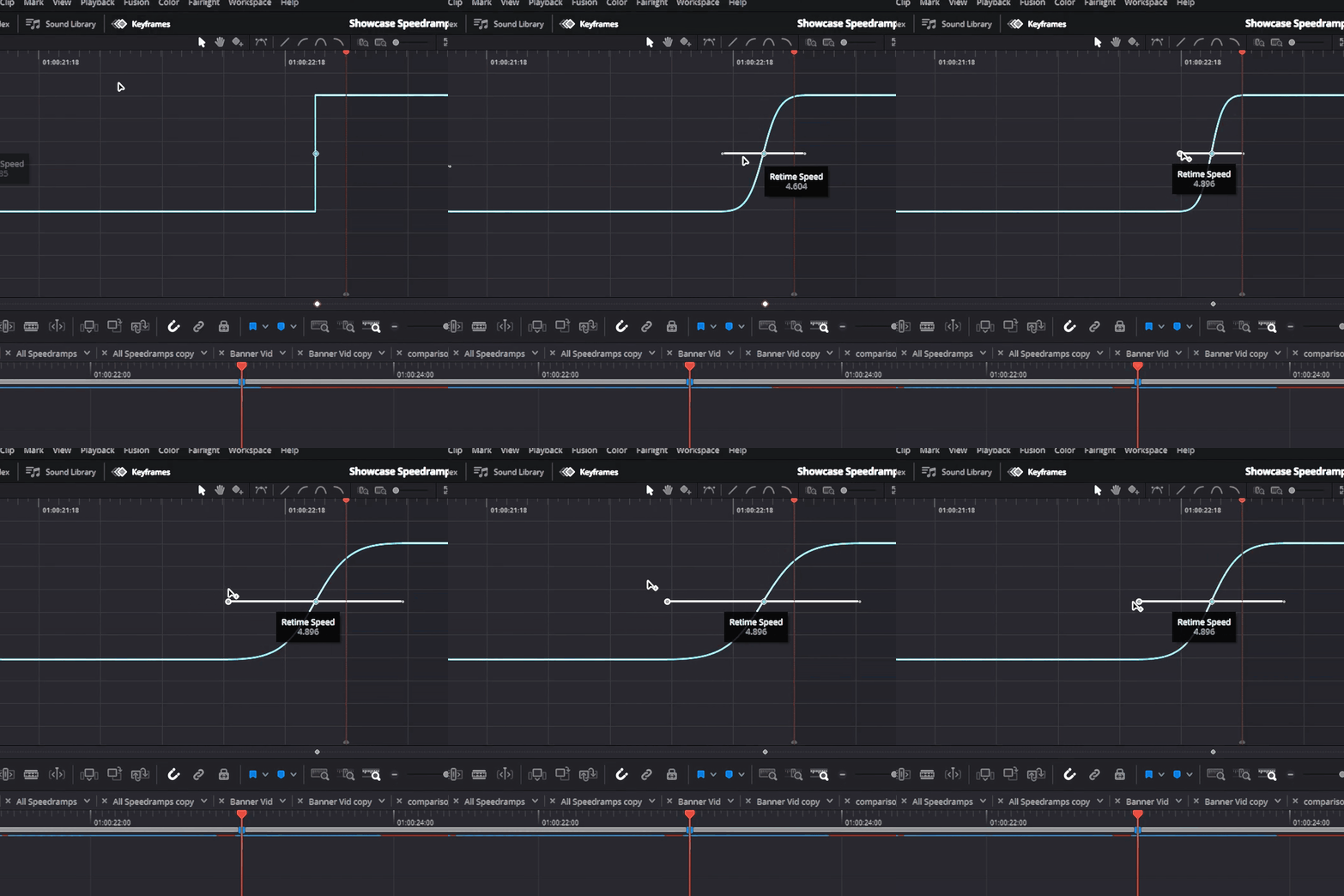
❌ You Can’t Control the Ramps
- The Edit Page Curve Editor limits your control
- You can’t fully shape the ramp — only bend DaVinci’s default curve
- Smooth speed transitions require manual keyframe smoothing — every time
It kills flow, wastes time, and still doesn’t feel precise
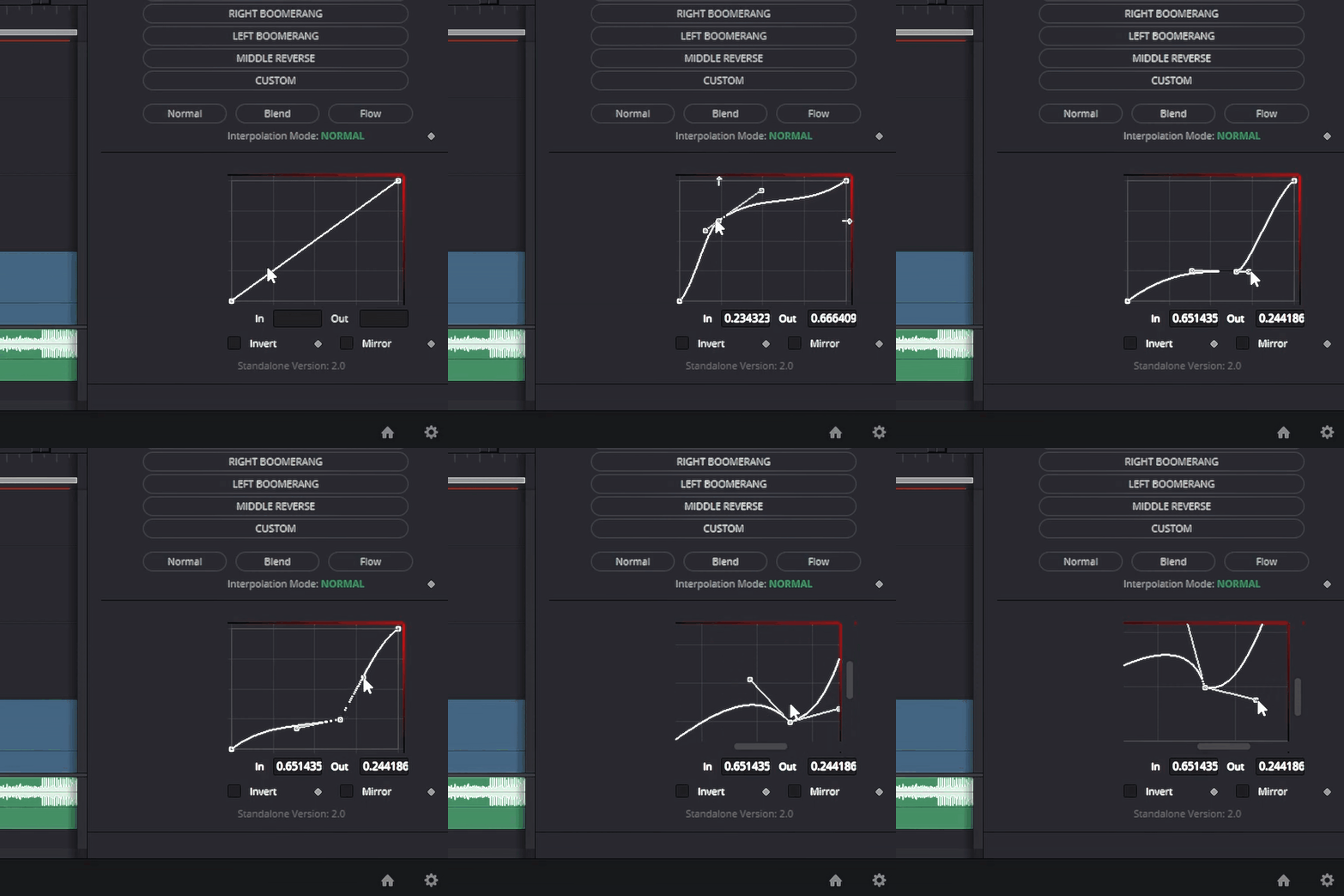
✅ Speedramp Plugin Solves It:
- Full curve control on every preset
- Add, drag, and fine-tune points with intuitive graph controls
- Complete freedom over easing — shape the ramp exactly how you want
- Keyframes are auto-smoothed on apply
- Zoom in/out on the curve editor for pixel-perfect control
It's smooth by default — and flexible by design.
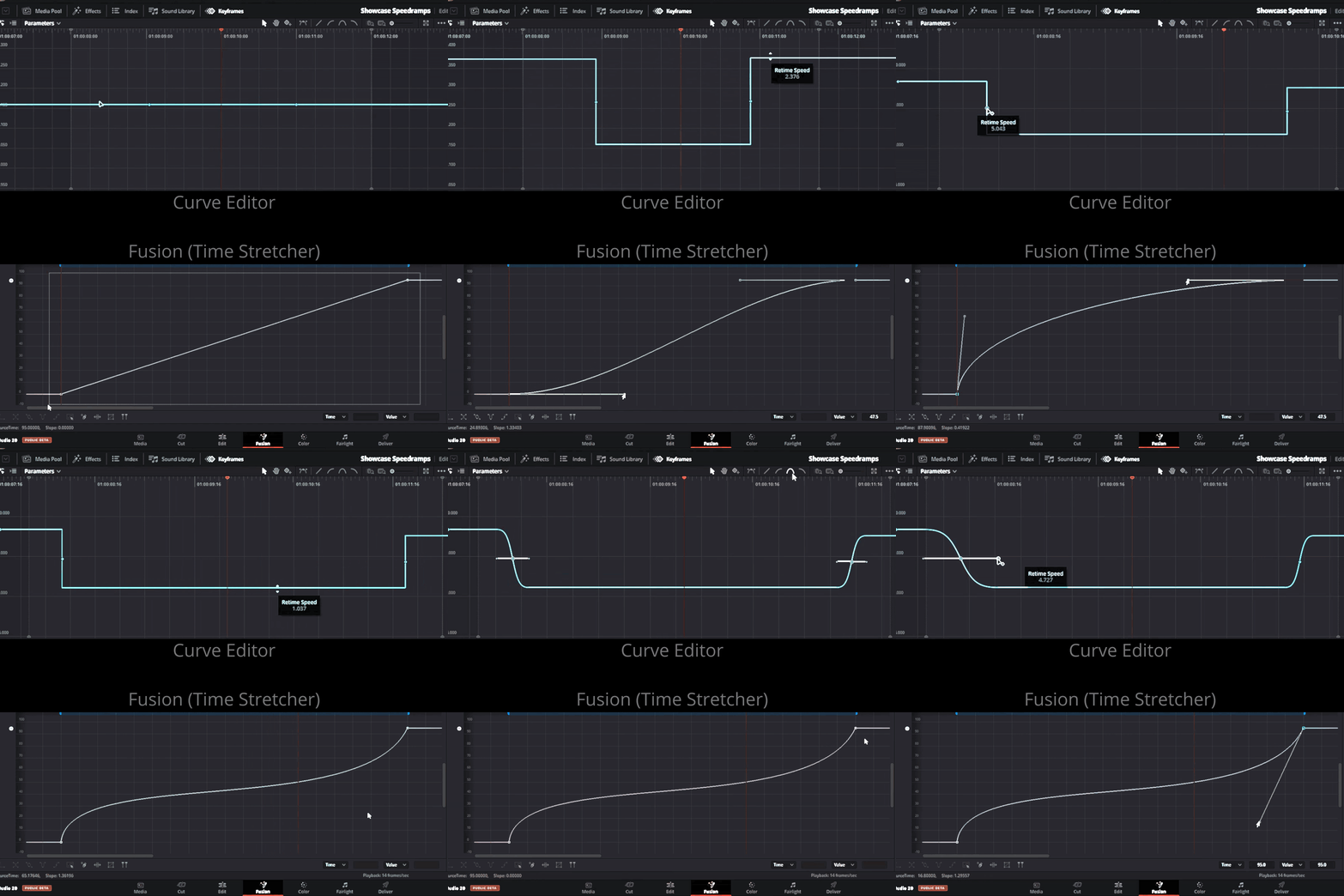
❌ Repetition Kills Creativity
- Building the same ramps, over and over.
- Same steps. Same tweaks. Every. Single. Time.
- Creative energy gets drained doing robotic work
You’re not a human macro.
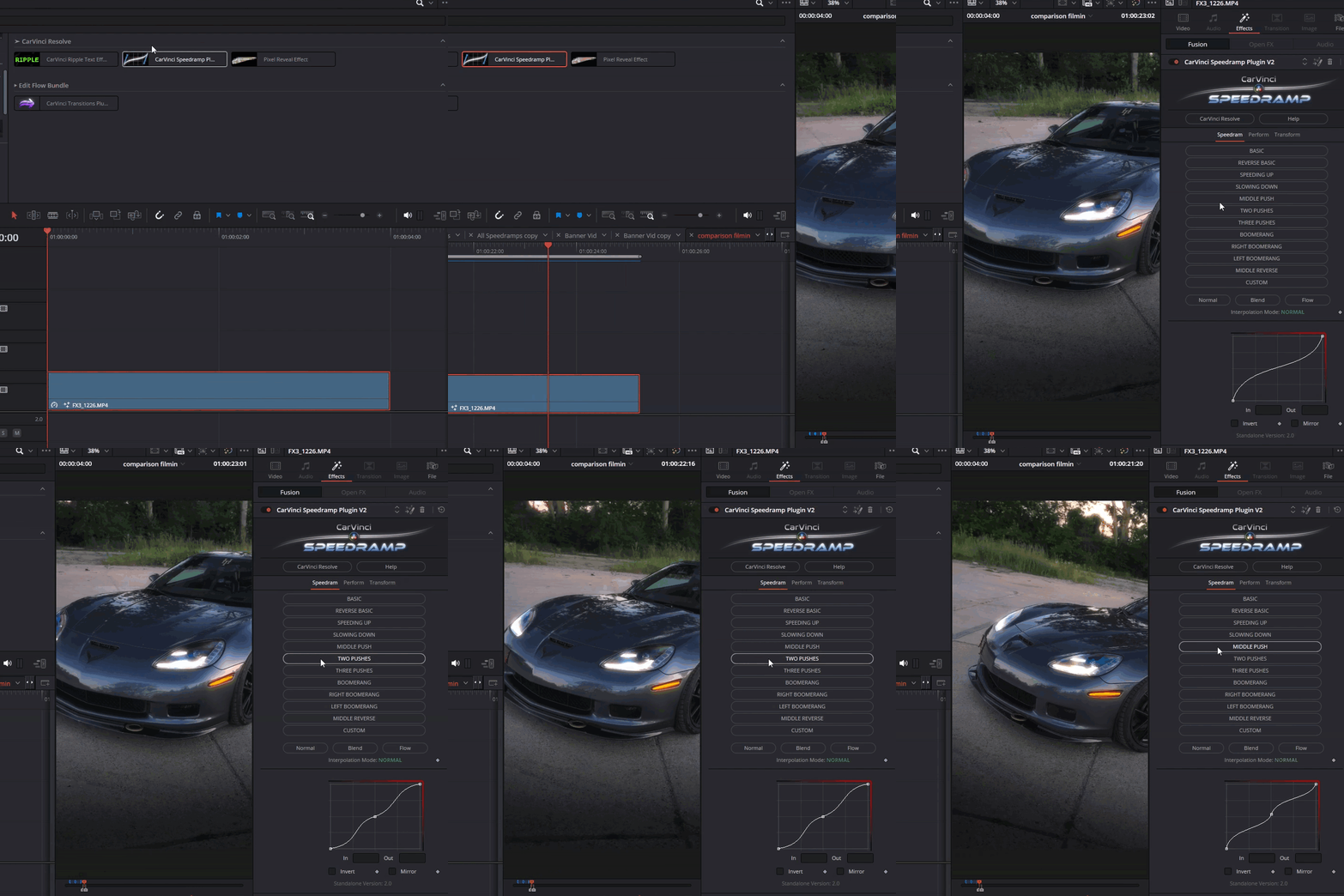
✅ Speedramp Plugin Solves It:
- 12 drag & drop Speedramps — ready in one click.
- Fast Workflow. keeps pace high and focus sharp.
- Instant results — skip the setup and jump straight to creativity.
- Persistent Preset Memory — switch between Ramps without losing your curve edits.
- Consistent looks — for fast-paced and branded edits.
Cut the setup time — boost creativity and save hours.
It’s Not Just a Plugin — It’s a Time Machine
“With the Speedramp Plugin, you’re not just saving minutes — you’re buying your hours back.”
That’s exactly what these pro editors did — and they didn’t regret it!
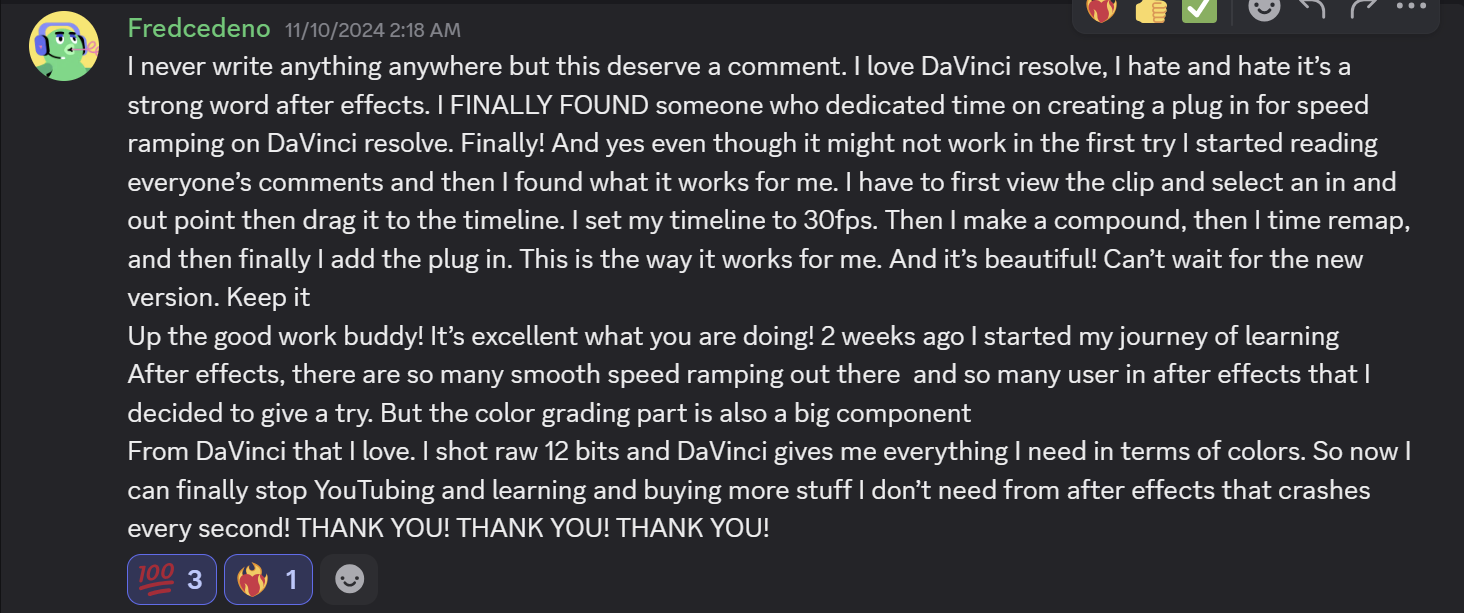


Customer Reviews
FAQs
-
The plugin is compatible with both the free and Studio versions of DaVinci Resolve.
-
Yes, you get lifetime access to updates when you purchase the plugin.
-
just double click the plugin file (DRFX) and it will install automatically. No scripting, no setup, no stress.
After that you will find the Plugin in your Effects.
-
If your PC meets DaVinci Resolve's minimum requirements, the plugin should run smoothly. However, depending on the interpolation mode, it can be processing-intensive (see Speedramp Plugin controls explained). For better playback performance, you can enable render cache and half-quality playback.
-
Yes — you're fully allowed to use the results in any personal or commercial work.
BUT don't resell, share, or redistribute the plugin itself.
-
-
yes - it Works with All Framerates
-
V2 brings massive upgrades across the board:
- ✨ New Cinematic Speedramp Presets
- 🧩 Custom Graph Editing — total control over your ramp curve
- ✂️ Precise Clip Cutting — no auto-stretching or speed glitches
- 🎞️ Works with All Framerates (even tricky ones)
- 🌀 3 Interpolation Modes — cleaner motion, ghosting fixed
- 🔁 Improved Invert & Mirror — keeps your settings when switching presets
- ⚙️ New Performance Tab — for smoother editing on heavy timelines
- 🎯 Transform Tab — adjust clips directly, skip the Inspector
- 🖱️ Graph Navigation Tools — zoom, pan, and reset easier than ever
It's not just an update — it's a full evolution built for speed, control, and flexibility.
You Might Also Like



On Sale
Transitions Plugin
€75.00
€100.00
€75.00
On Sale


On Sale
Shakes Plugin
€25.00
€50.00
€25.00
On Sale