Paycheck Budget Planner 2027: Bills, Savings Goals and Monthly Budget in One Sheet
On Sale
$9.00
$9.00
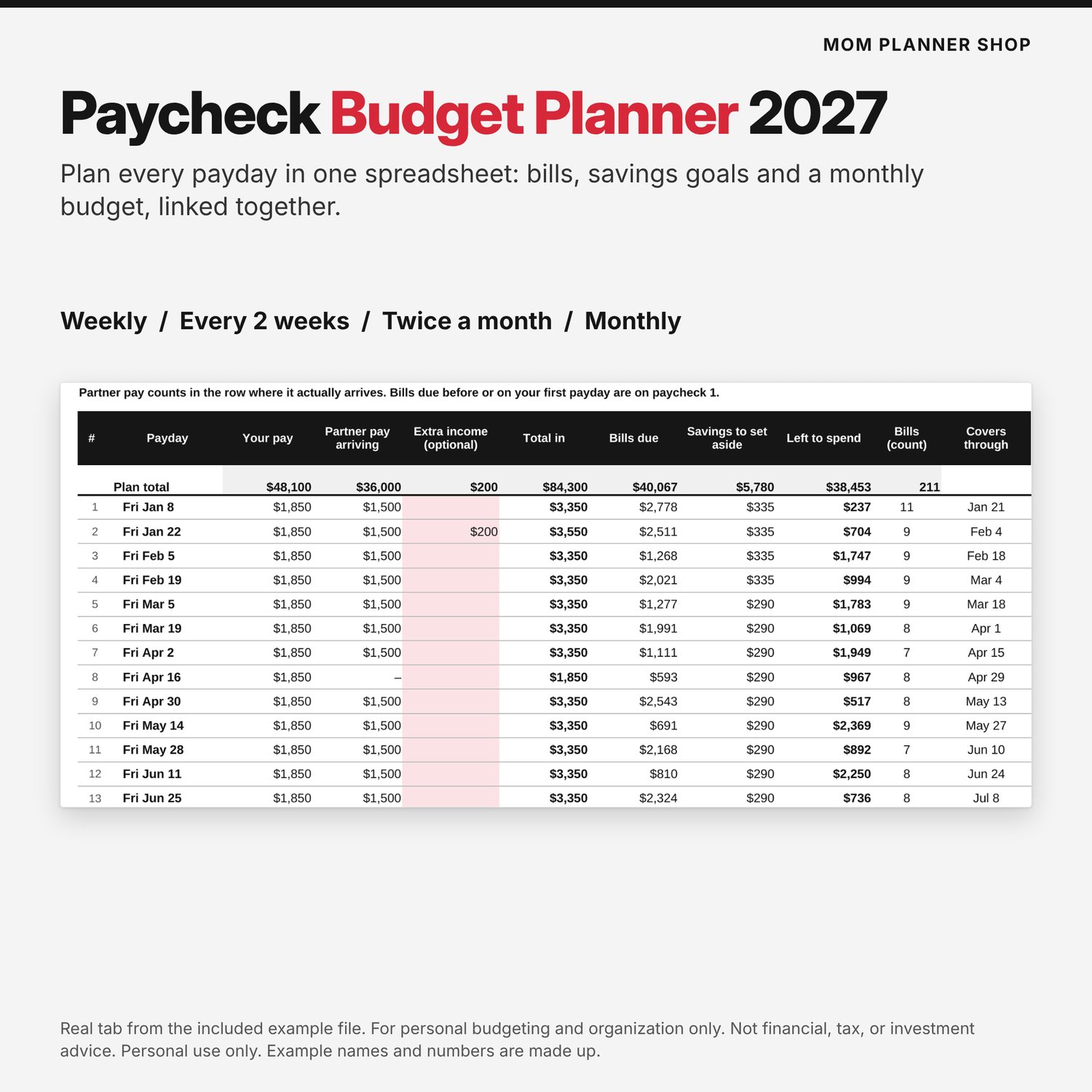
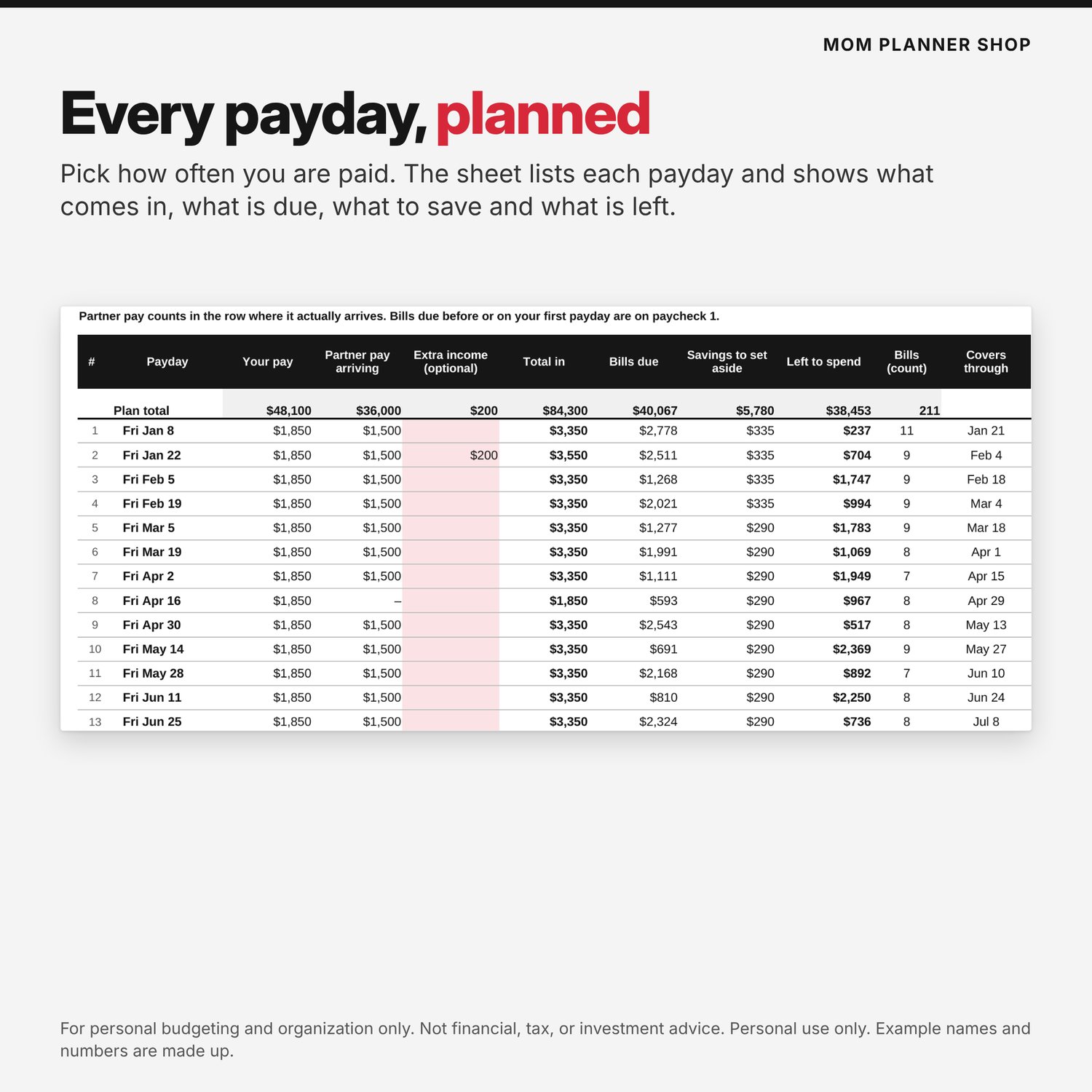
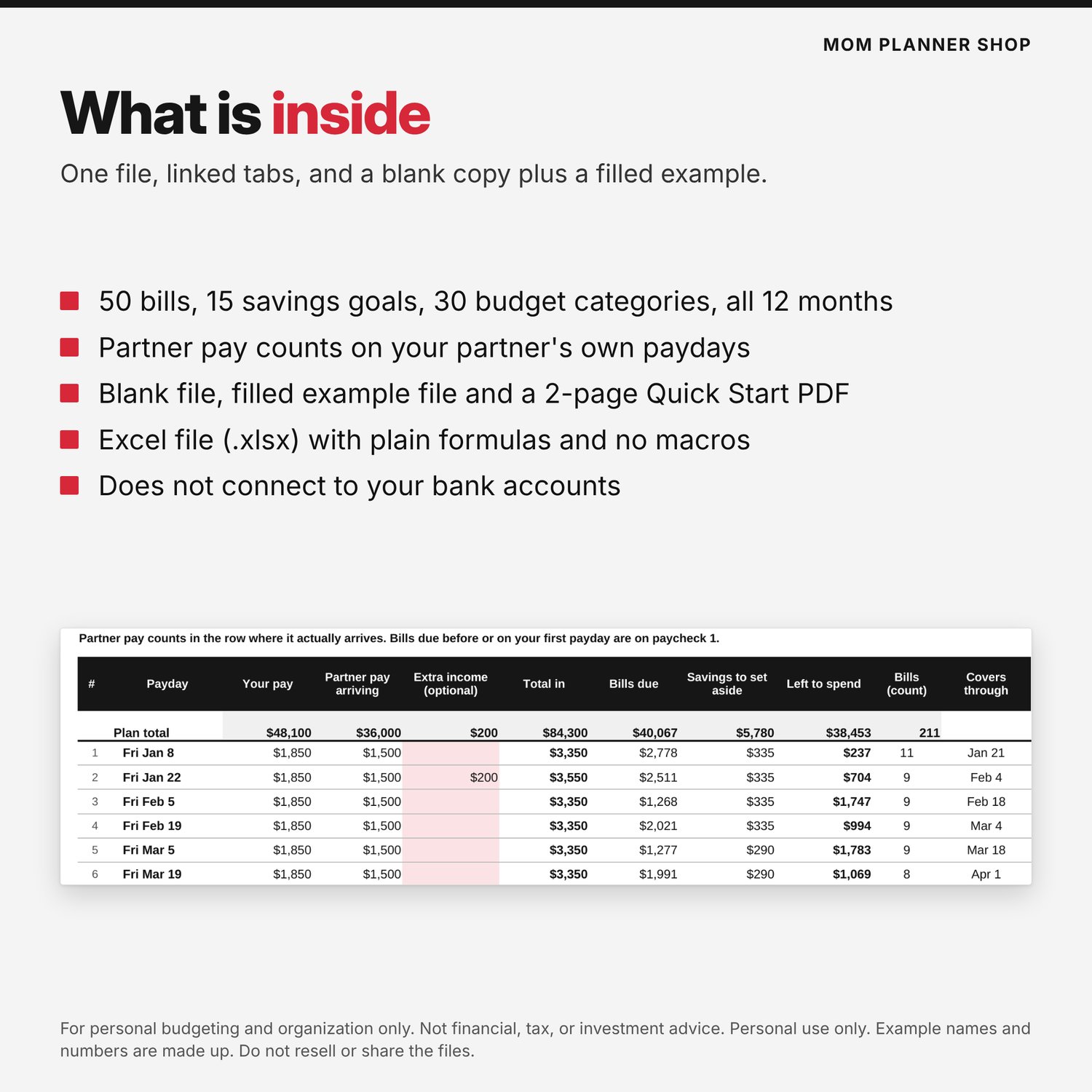
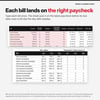
Plan every 2027 paycheck in one spreadsheet. Pick weekly, every 2 weeks, twice a month or monthly pay, and the sheet shows what each payday covers: bills due, savings to set aside, and what is left to spend.
Your bills, savings goals (sometimes called sinking funds) and monthly budget are linked, so you type each thing once. Add your partner's pay too: it counts on their own paydays, even if they are paid on a different schedule than you.
What's inside
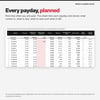
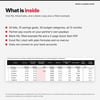
- Paycheck Plan tab: every 2027 payday with income, bills due, savings to set aside and left to spend
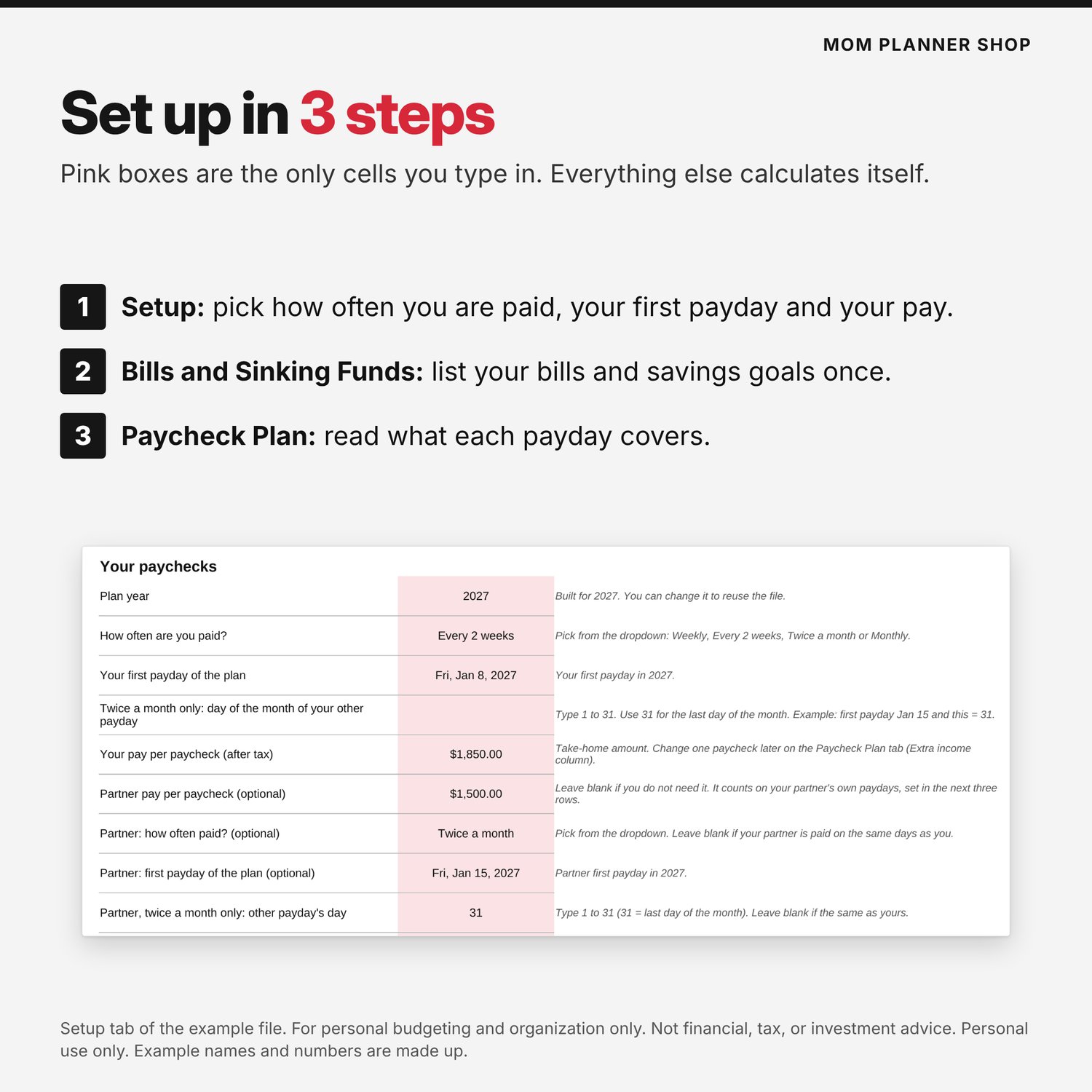
- Setup tab: your pay frequency (weekly, every 2 weeks, twice a month, monthly), first payday and pay, plus an optional partner pay and partner pay schedule
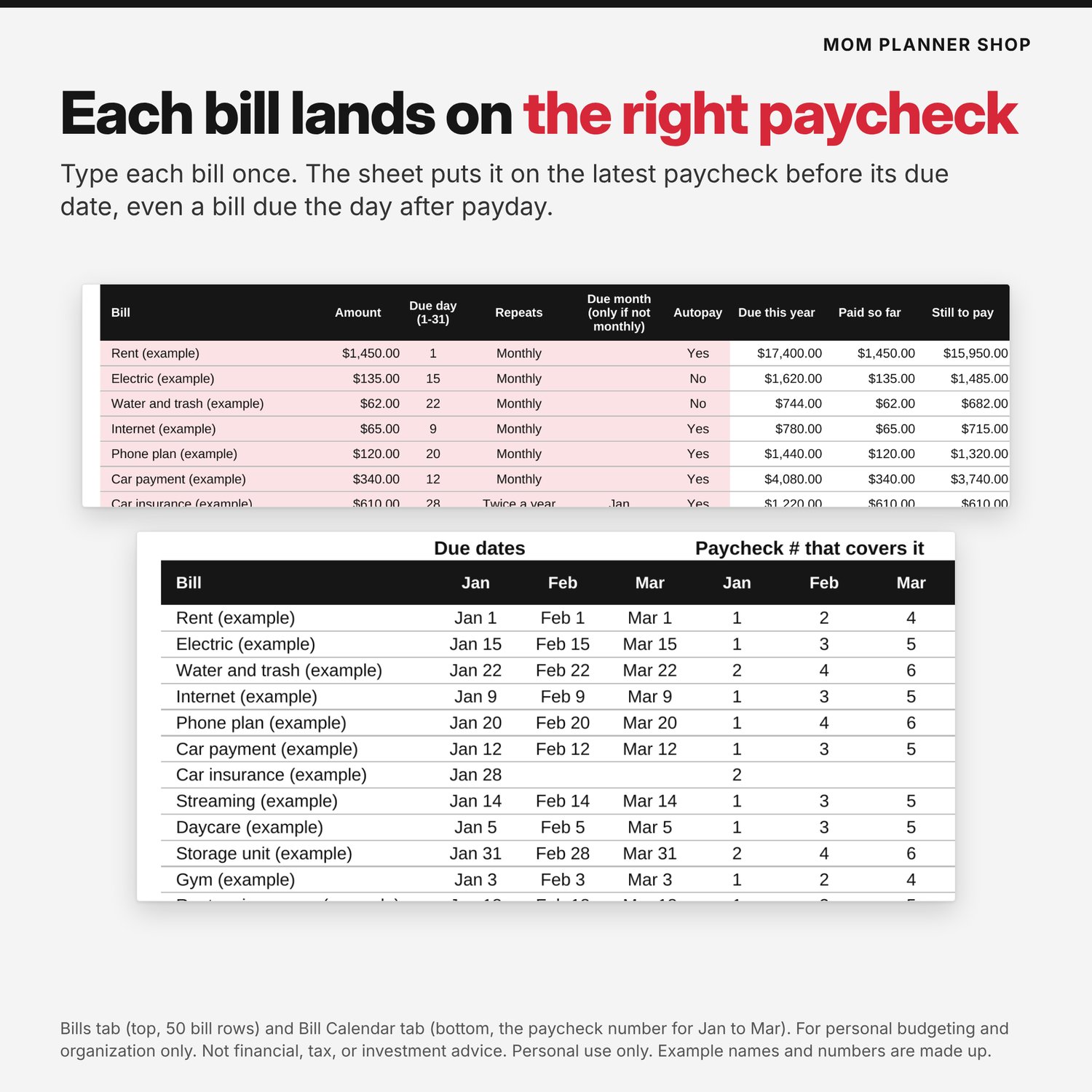
- Bills tab: 50 bills, repeating monthly, every 2 months, quarterly, twice a year or yearly, with paid boxes for all 12 months
- Bill Calendar tab: every due date and the paycheck number that covers it
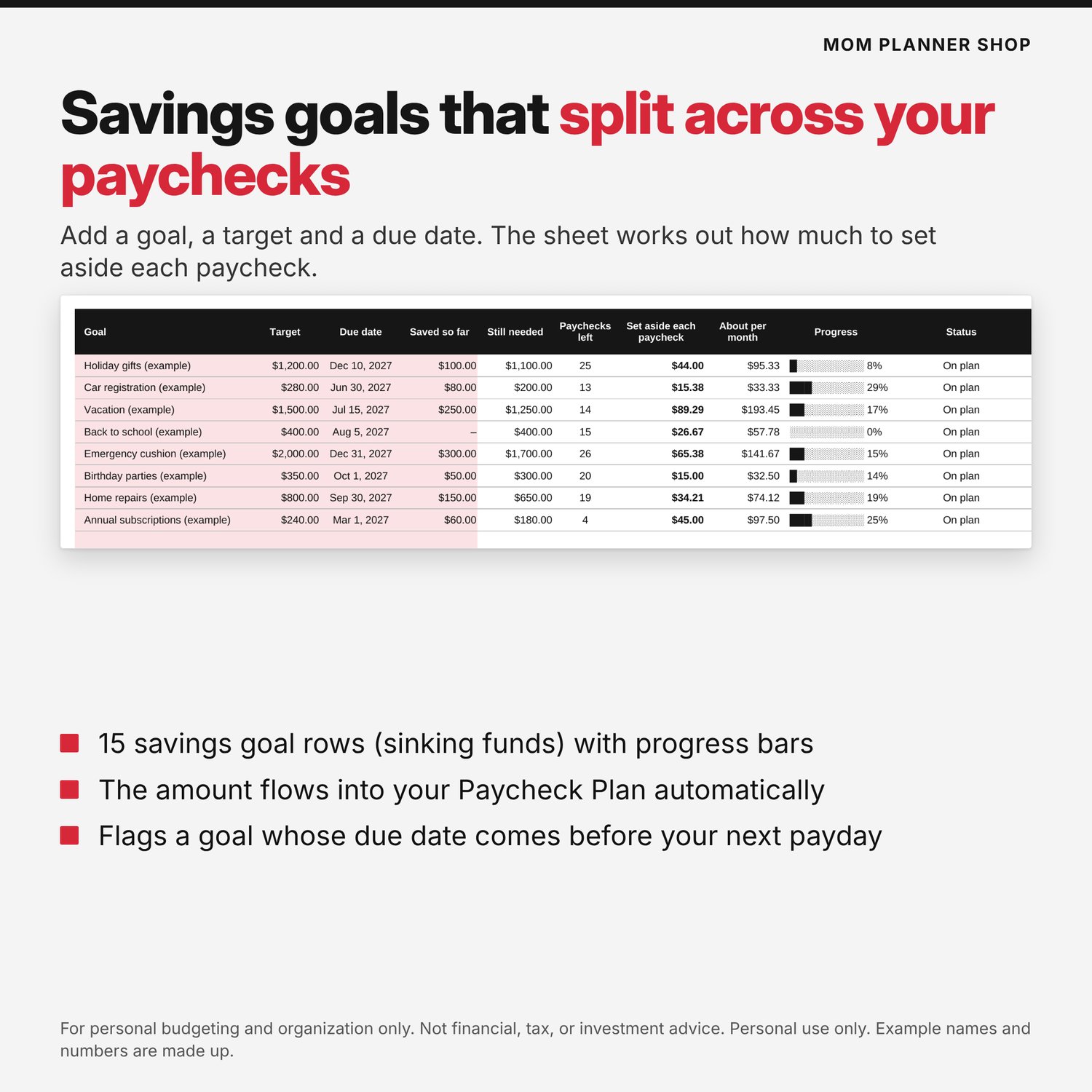
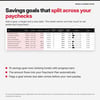
- Sinking Funds tab (savings goals): 15 goals with a due date; the amount per paycheck is worked out for you
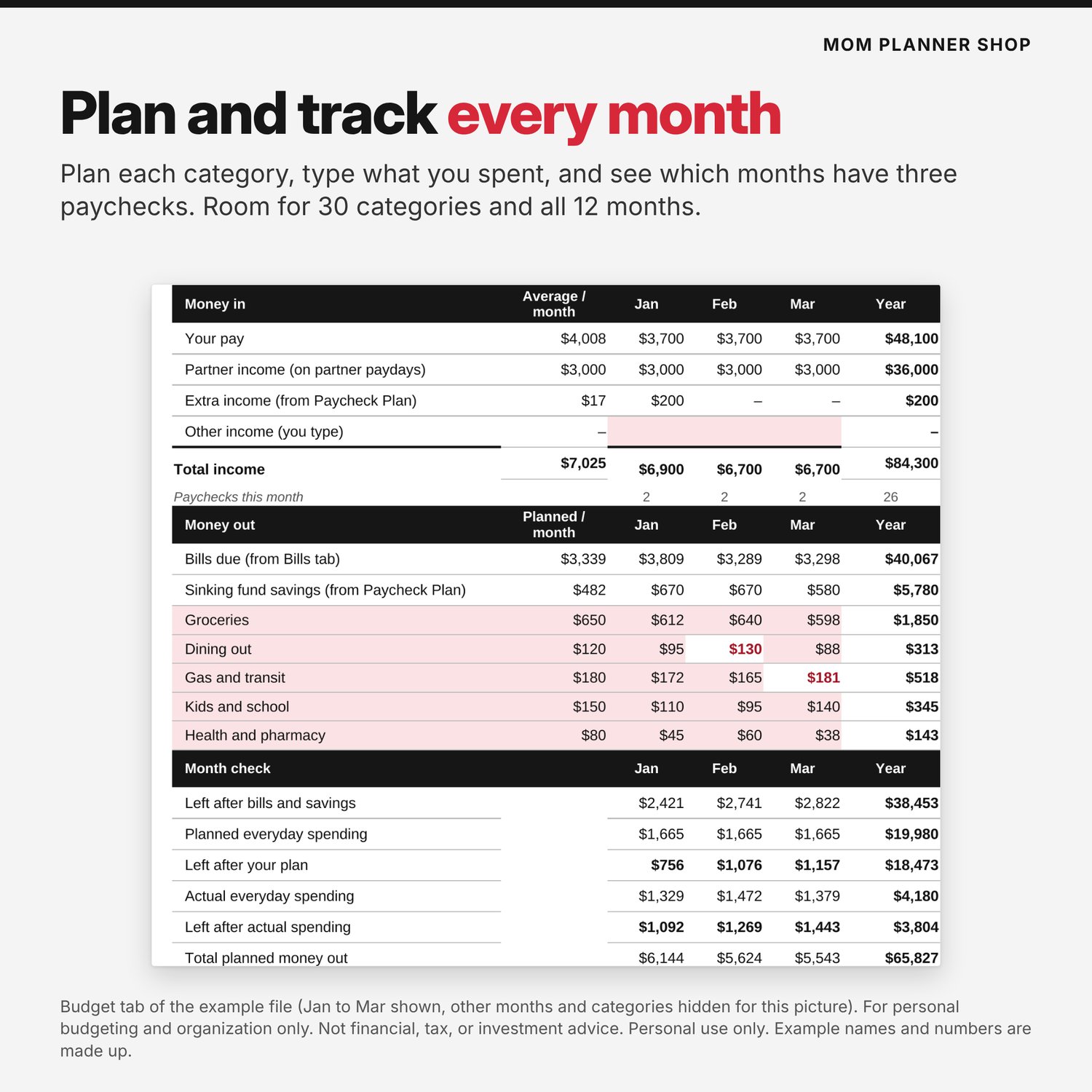
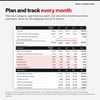
- Budget tab: 30 categories across all 12 months, with a count of paychecks per month (spot the 3-paycheck months)
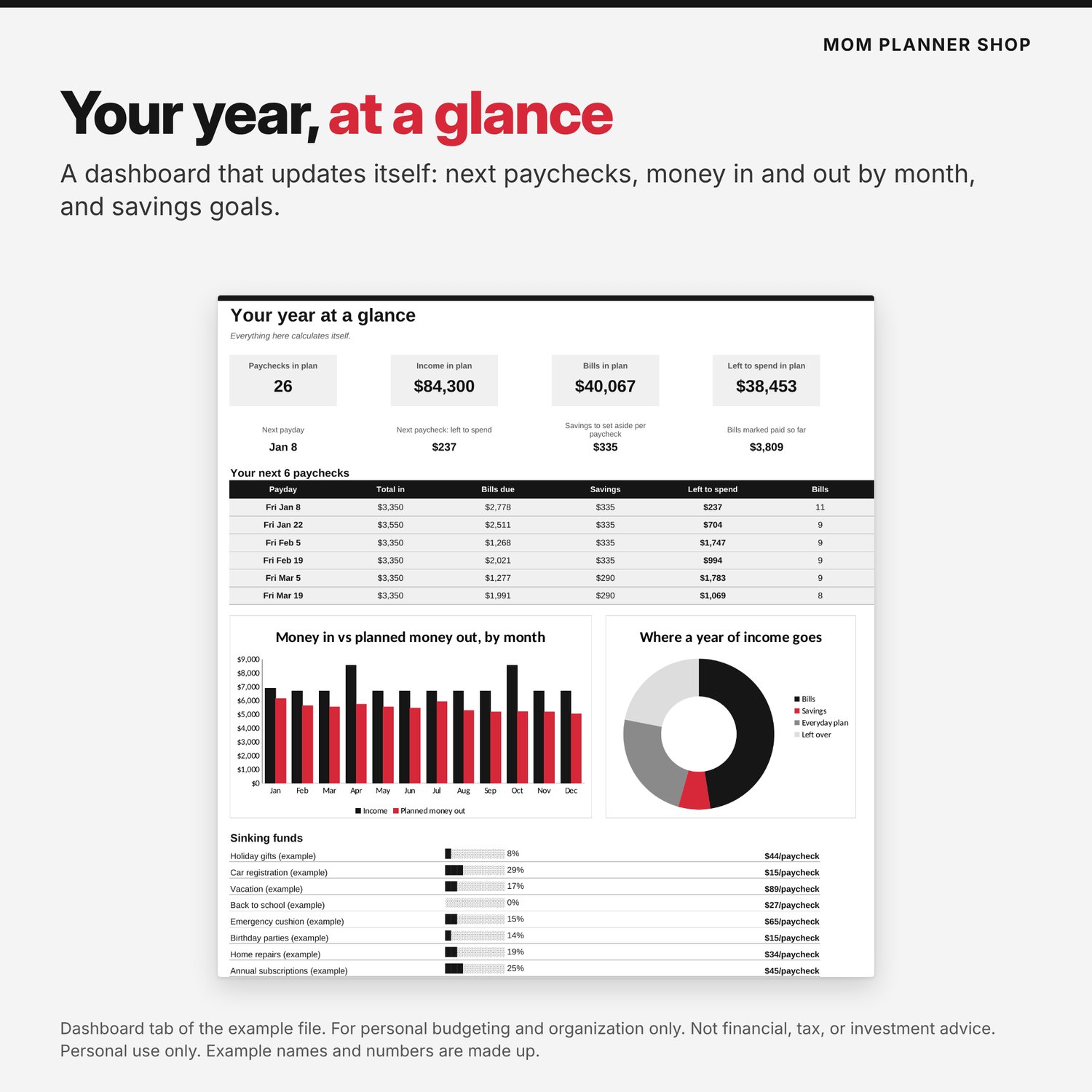
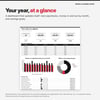
- Dashboard tab: next paychecks, monthly money in vs out, where the year's income goes, savings goal progress
- Start Here tab and a 2-page Quick Start PDF
- Two files: a blank workbook and a filled example workbook (all names and numbers are made up)
How it works
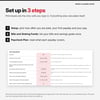
- Open Setup. Pick how often you are paid, type your first payday and your pay. Add a partner's pay and schedule if you want.
- List your bills and savings goals once (pink boxes are the only cells you type in).
- Open Paycheck Plan and see what each payday covers.
Compatibility
- Spreadsheet file (.xlsx), tested in Google Sheets. It uses standard formulas and should open in Excel, but it has not been tested in every Excel version.
- Google Sheets: upload the file to Google Drive and open it with Google Sheets. It uses standard formulas (SUMIFS, INDEX, MATCH, IF, DATE, EDATE) with no macros or add-ins. Charts may look a little different in other apps.
- Apple Numbers: you can open the file, but Numbers does not support every Excel feature. Google Sheets is the tested way to use it.
- Sheets are locked except the pink input cells (no password; Excel: Review > Unprotect Sheet).
- This is a digital download. Nothing is shipped. It does not connect to your bank accounts.
Please read
For personal budgeting and organization only. Not financial, tax, or investment advice. It does not guarantee any result.
Personal use only. Do not resell or share the files.
Not affiliated with any bank or app. Screenshots show the included example file with made-up names and numbers.