
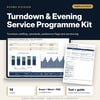
Turndown & Evening Service Programme Kit: Evening Turndown Staffing Planner and Service Standards
Full description
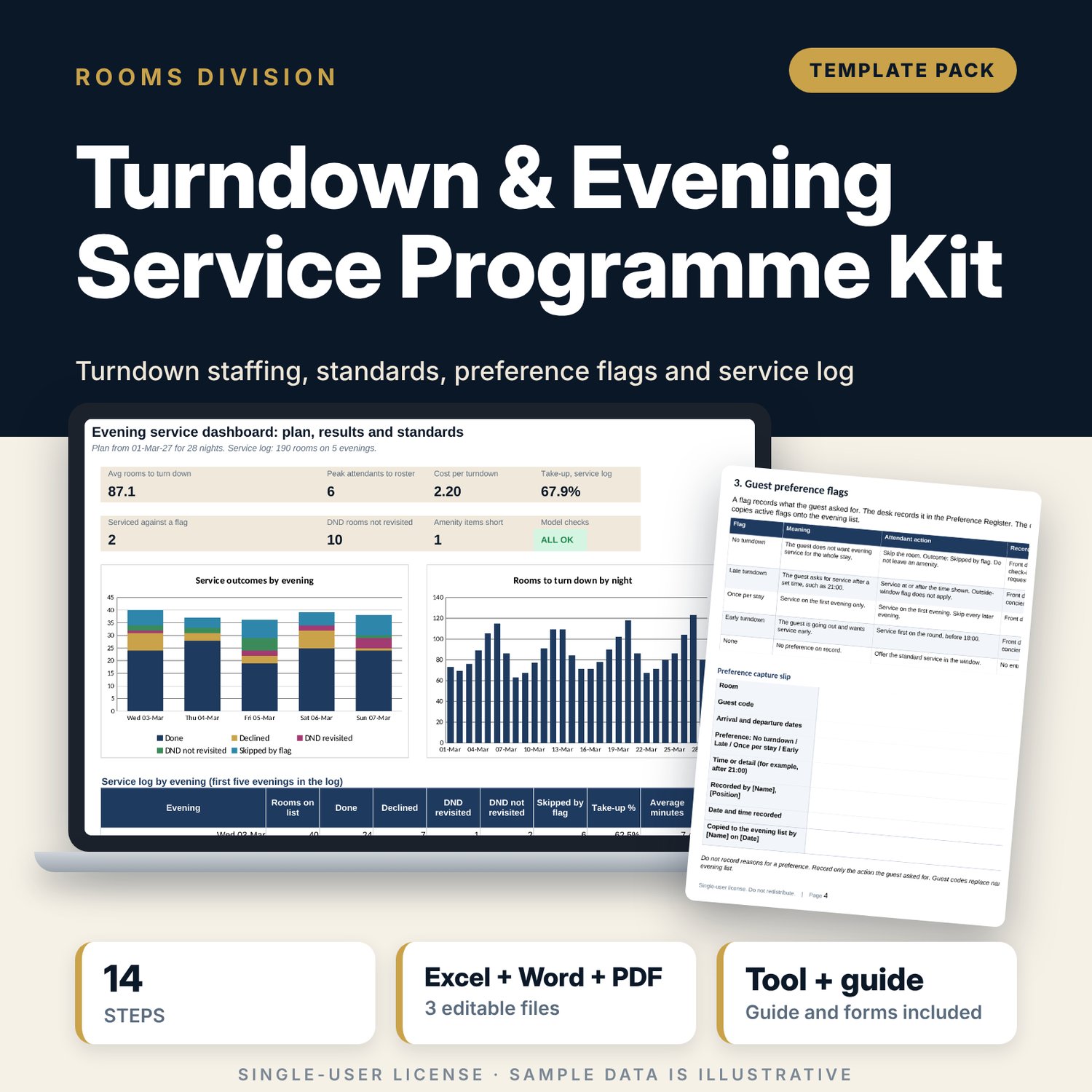
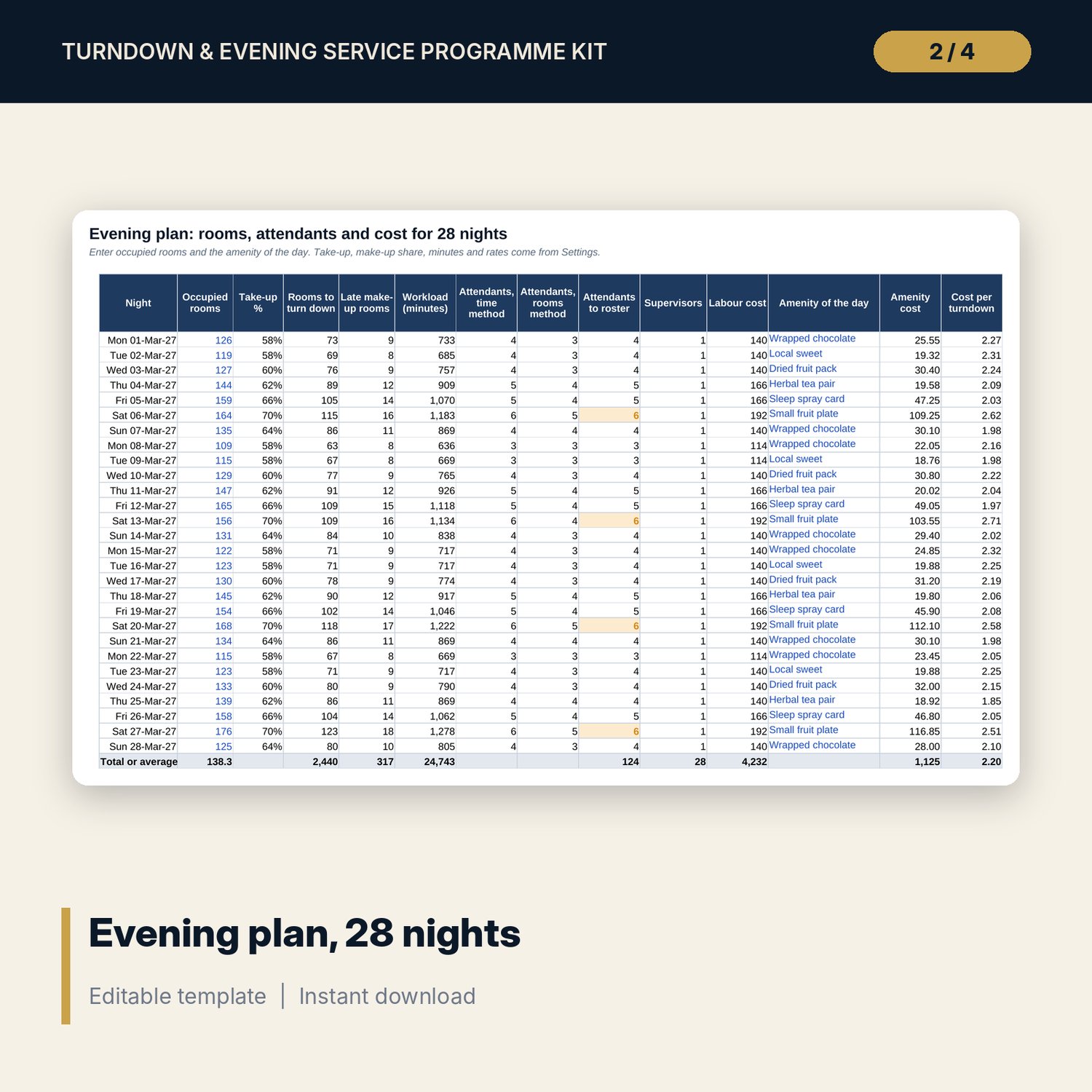
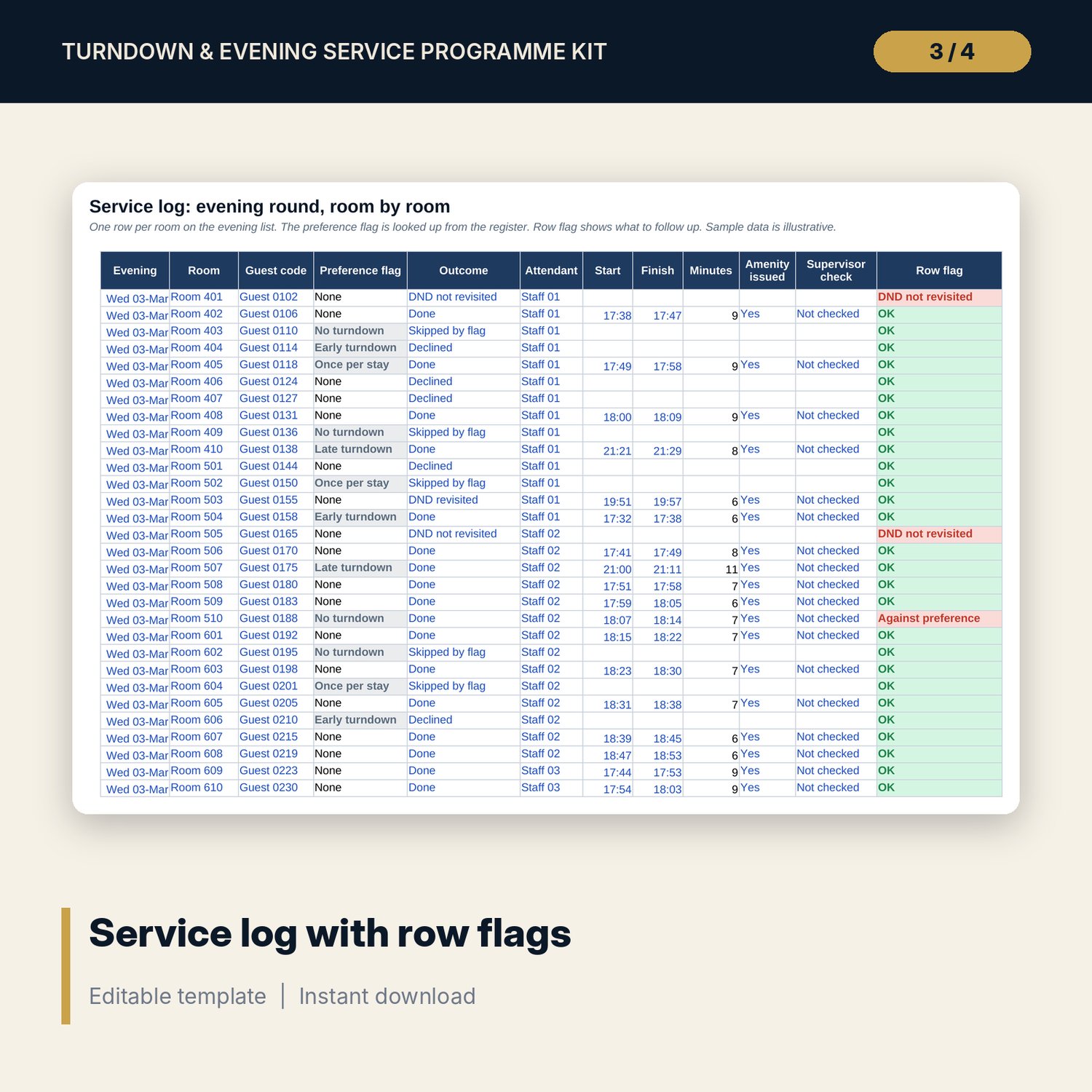
For executive housekeepers, rooms division managers and evening supervisors who run a turndown or evening service. The workbook plans 28 nights: rooms to turn down from occupied rooms and take-up by weekday, attendants by a time method and a rooms method, supervisors, labour and amenity cost, and cost per turndown. It holds a 14-step standard whose timed steps add up to the minutes per room, an amenity programme with stock and shortfall, a preference register for no turndown, late, once per stay and early service, and a service log of 190 sample rooms over 5 evenings with automatic row flags. The Word pack gives you the programme standard, the checklist with supervisor checks, preference capture slip, amenity card and request form, staffing method with a worked example, shift sheet and supervisor check form.
What is inside
- Turndown_Evening_Service_Planner.xlsx: 7 tabs, 1,186 formulas, 2 native charts, 19 drop-down and input rules
- Settings: 14-step standard with minutes, take-up and late make-up by weekday, 6 amenity items with stock, shortfall and drop-down lists
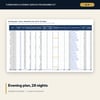
- Evening Plan: 28 nights, 14 columns, two staffing methods, supervisors, labour cost, amenity cost and cost per turndown
- Preference Register: 40 sample preferences plus 14 spare rows
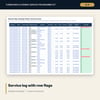
- Service Log: 190 sample rows plus 40 spare rows, with 8 row flags
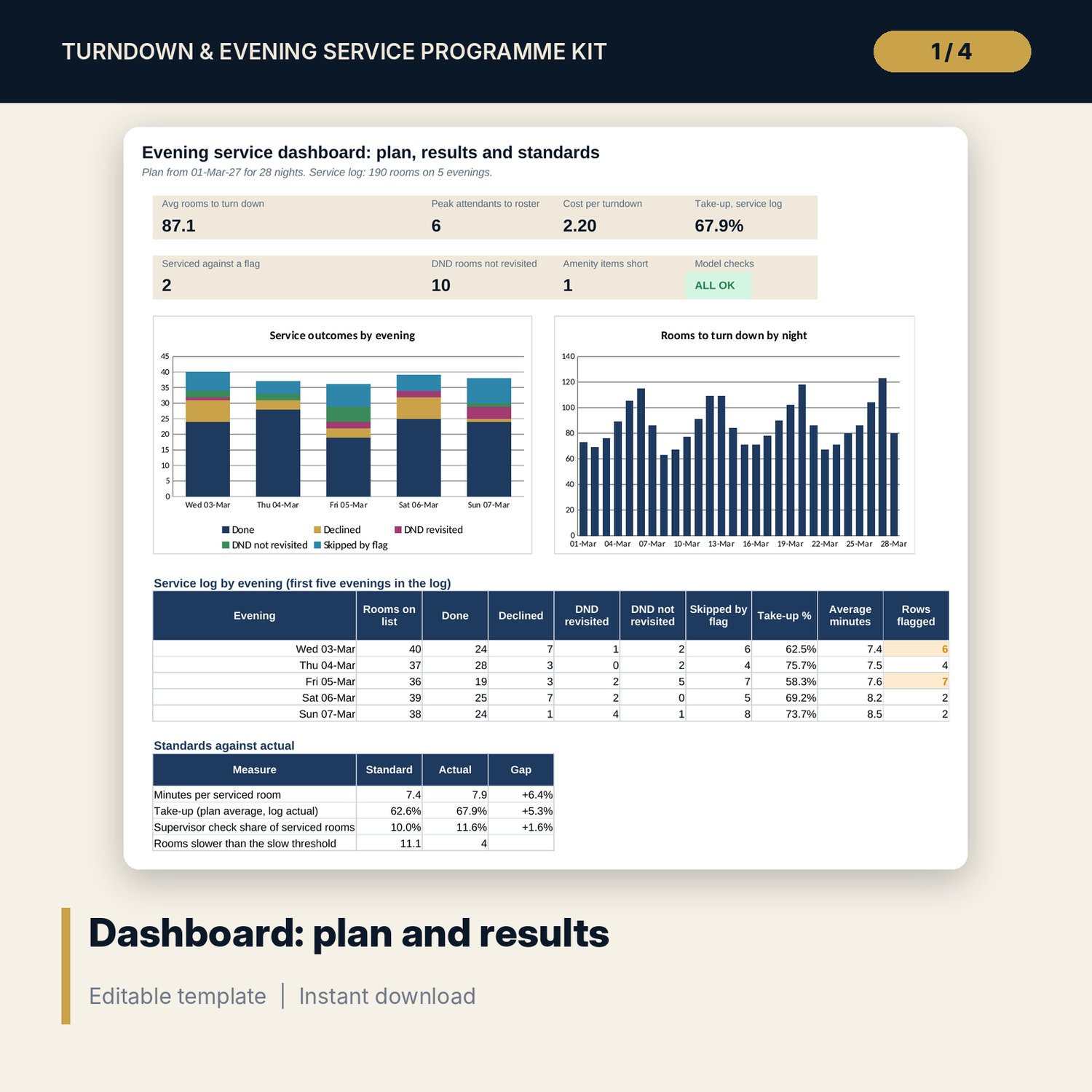
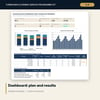
- Dashboard: 7 KPI tiles, a check tile, results by evening, standards against actual and 2 charts; 8 integrity checks on the Checks tab
- Turndown_Evening_Service_Standards_and_Forms.docx and PDF: 8 pages with the standard, 14-step checklist, flag table, forms, worked example and briefing card
- README.txt and LICENSE-and-Terms.txt
How it works
- Enter rooms, service window, shift hours, rates and take-up by weekday on Settings.
- Enter occupied rooms and the amenity of the day on Evening Plan to see attendants and cost per turndown.
- Record guest preferences and each evening round on Preference Register and Service Log.
- Read the Dashboard weekly and follow up every flagged row.
Details
- Formats: 1 Excel workbook (.xlsx), 1 standards and forms pack in Word (.docx) and PDF, English
- Software: Excel 2016 or later, or LibreOffice Calc 7 or later
- No macros, no external links, no data tables, no array formulas
- 3 files plus README and license; instant digital download
Good to know
- Sample data is illustrative. Replace it with your own figures.
- Take-up, minutes per step, labour rates and shift rules are inputs. Verify local labour and guest privacy requirements.
- The files are management tools, not legal advice.
- Single-user license. Do not redistribute.
FAQ
How are attendants calculated?
Two ways: workload minutes divided by productive hours, and rooms to turn down divided by rooms per attendant. The plan rosters the larger result.
Where do minutes per room come from?
From the timed steps of the 14-step standard on Settings. Edit a step and the plan updates.
What do the preference flags do?
The register flags no turndown, late, once per stay and early service. The service log looks up each guest code and flags a room serviced against a preference.
Can I use it for a different service window or shift length?
Yes. The window, paid hours, productive hours and rates are inputs on Settings.
Do I need macros?
No. Every result is a standard worksheet formula.