Ebook Canva Template
Your first product is one long blog post, presented well. Here are the 40 pages to present it in.
You've got a post that gets read every week. You know it could be a product. What stops you is the blank Canva page and the feeling that a homemade PDF will look homemade. This is 40 finished, editorial pages that make your words look like they cost money. It even comes filled in with a real mini-ebook, "Turn One Blog Post Into Your First Product," so the template teaches you how to write yours while you design it.
What's inside
- 40 pages at US Letter, editable in free Canva, plus a printable PDF
- 3 cover options: classic framed, magazine style, full photo
- Copyright and licence page, welcome letter, about the author, table of contents, how to use this ebook
- 4 chapter openers, each a different style, so your chapters don't all look the same
- Body layouts: single column with drop cap, two column, pull quote, sidebar tip box, numbered steps, photo page, callout box, three-card page
- Tool pages: checklist, before and after table, outline worksheet, recipe card, comparison table, 7-day timeline, big-number stats page, case study
- Quote page, takeaways, action plan, bonus list, FAQ, glossary, resources, testimonial page, "your next step" offer page, about and contact, back cover
- Sample content on every page: a short, real how-to ebook in my voice that shows you what to write where
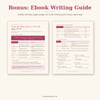
- Ebook Writing Guide (2-page PDF): the outline formula for turning one post into 20 to 40 pages, a page budget, $7 to $27 pricing and Canva export tips
- Start Here guide with the Canva link, setup steps and licence
Who it's for
- Bloggers who want their first digital product and already have a post that gets steady traffic
- Coaches who want a lead magnet ebook or a paid guide that looks like the price they charge
- Anyone who's been "about to make an ebook" for a year and keeps opening a blank page
- Moms with a day job who need to finish this in a weekend, not a month
Not for you if you want 200 pages of filler layouts. This is one way to do it: 40 pages, in the order a first ebook needs them.
How to use it
- Open the template link in Canva and click "Use template." Swap the colors and fonts with your Brand Kit.
- Outline your ebook with the Writing Guide, then replace the sample text page by page. Drag your photos into the "Your photo" frames. Delete the pages you don't need.
- Download as PDF Standard, test the links, and sell it from your blog post, your sales page and your emails.
FAQ
Do I need Canva Pro?
No. The free plan opens and edits everything, and downloading as a PDF is free. Pro only matters if you want to upload your own fonts.
Can I use it for more than one ebook?
Yes. Make as many ebooks as you like for your own business, paid or free. You just can't resell the template itself.
Is the sample text mine to keep?
It's there to show you what goes where. Replace it with your own words before you publish. Don't sell my sample text as your ebook.
Is it A4?
It's US Letter. Print "fit to page" on A4, or use Canva's Resize (Pro). The margins are generous, so nothing gets cut.