

Complete Payday Command Centre | Notion + Excel + Google Sheets + GoodNotes Money System
SHORT DESCRIPTION
One payday system. Every format. Use it your way.
The Complete Payday Command Centre gives you a simple 20-minute routine for organizing your paycheck before the money starts disappearing.
Get the complete system in Notion, Excel, Google Sheets-compatible spreadsheet, GoodNotes and printable PDF.
Organize your bills. Plan your savings. Build your buffer. Track upcoming expenses. And finally know what's actually safe to spend.
FULL DESCRIPTION
Your paycheck arrived. Now what?
For a moment, your bank account looks good.
Then life starts happening.
Bills come out.
Groceries happen.
Subscriptions hit.
You remember something you forgot to pay.
A few purchases don't seem like much...
And suddenly you're asking:
“Where did my paycheck go?”
The Complete Payday Command Centre gives your paycheck instructions before life starts spending it for you.
And because everybody manages money differently, you don't have to force yourself into one format.
Use Notion. Use Excel. Use Google Sheets. Write in GoodNotes. Print it.
The system stays the same. You choose how you use it.
💰 THE 20-MINUTE PAYDAY SYSTEM
Every time you get paid, open your Payday Command Centre and follow the routine:
Paycheck → Bills → Savings → Buffer → Spending
You'll know what's already spoken for, what's being protected for later and — most importantly —
what's genuinely safe to spend.
No complicated budgeting.
No trying to remember everything.
No wondering what to do first.
EVERYTHING YOU GET
🖥️ NOTION PAYDAY COMMAND CENTRE
Prefer an organized digital workspace?
Use your Notion Command Centre to work through payday in one central place.
Your Notion edition includes the guided payday system and can be duplicated into your own Notion workspace.
📊 EXCEL PAYDAY COMMAND CENTRE
Prefer spreadsheets and automatic calculations?
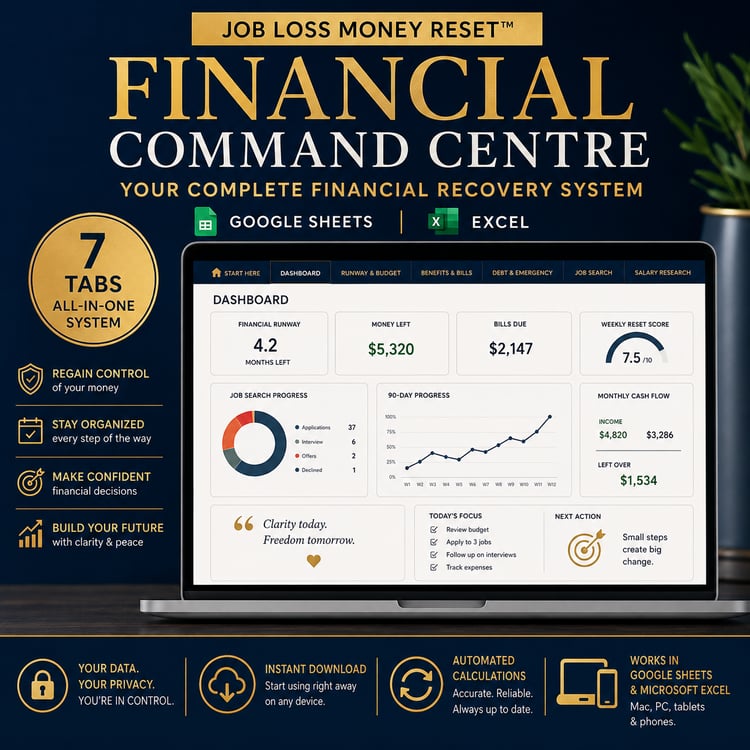
The Excel edition gives you a structured financial dashboard for tracking your payday numbers.
See your income, bills, savings, buffer and spending in one place.
☁️ GOOGLE SHEETS COMPATIBLE
Want your spreadsheet online?
Upload the included Excel workbook into Google Sheets and manage your system from your browser.
No separate Google Sheets file is required.
✍️ GOODNOTES PAYDAY COMMAND CENTRE
Prefer writing things down on your tablet?
Import the digital planner PDF into GoodNotes and work through your payday routine by hand.
🖨️ PRINTABLE PAYDAY PLANNER
Prefer pen and paper?
Print the planner pages and create your own physical Payday Command Centre.
INSIDE THE SYSTEM
No matter which format you prefer, the Complete Payday Command Centre is designed around the same practical payday priorities:
✓ Payday Snapshot
✓ 10-Step Payday Routine
✓ Bills & Essential Expenses
✓ Subscription Audit
✓ Savings Planning
✓ Payday Buffer Fund
✓ Upcoming Expenses
✓ Safe-to-Spend Number
✓ Guilt-Free Spending
✓ Payday Review & Progress Tracking
⭐ THE NUMBER THAT CHANGES PAYDAY
Your bank account might say:
$2,000
But that doesn't necessarily mean you have $2,000 available to spend.
Some of it belongs to bills.
Some belongs to savings.
Some needs to cover expenses that haven't arrived yet.
Some belongs in your buffer.
The Payday Command Centre helps you work toward the number that matters:
YOUR SAFE-TO-SPEND NUMBER.
That's the money you can actually use after your priorities are protected.
CHOOSE YOUR WAY
Love Notion?
Use Notion.
Love spreadsheets?
Use Excel.
Prefer Google Sheets?
Upload the spreadsheet.
Love writing on your tablet?
Use GoodNotes.
Prefer paper?
Print it.
Or mix and match.
You might use the spreadsheet for calculations and GoodNotes for your payday routine.
You don't have to adapt yourself to your money system.
Your money system can adapt to you.
THIS IS FOR YOU IF...
✓ Payday feels good — until you start spending
✓ You regularly wonder where your paycheck went
✓ Bills or subscriptions sometimes catch you by surprise
✓ You want to save but struggle to do it consistently
✓ You forget upcoming expenses
✓ You want to create a financial buffer
✓ Traditional budgeting feels complicated
✓ You want to know exactly what you can safely spend
✓ You've bought money planners before but stopped using them
✓ You want a routine simple enough to repeat every payday
WHY BUY THE COMPLETE EDITION?
You could choose one format.
But maybe you love spreadsheets today and decide you'd rather use GoodNotes next month.
Maybe you want Notion on your laptop but a printable planner beside you on payday.
Maybe you'd like the spreadsheet to handle the numbers while you use the planner to think through your decisions.
With the Complete Edition, you don't have to choose.
You get the entire Payday Command Centre system.
💎 BUNDLE VALUE
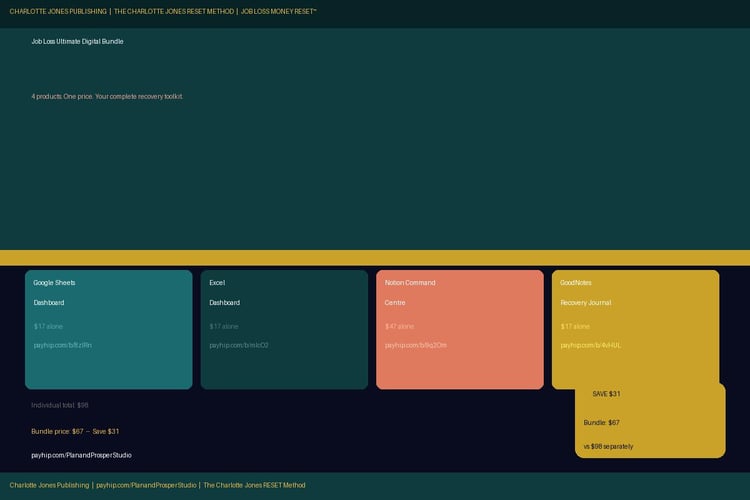
Notion Edition — $34
Spreadsheet + GoodNotes Edition — $39
Purchased separately: $73
Complete Payday Command Centre: $59
You save $14.
HOW YOU'LL RECEIVE IT
After purchase, download:
1. Payday Command Centre — Excel / Google Sheets-compatible workbook
2. Payday Command Centre — GoodNotes / Printable PDF
3. Payday Command Centre — Notion Access PDF
The Notion access PDF contains the link and instructions for duplicating the template into the customer's own workspace. Your current delivery file confirms that workflow.
YOUR NEXT PAYDAY CAN FEEL DIFFERENT.
Imagine getting paid and already knowing:
What needs to be paid.
What you're saving.
What's protecting you from surprises.
What's coming up next.
And...
what you can actually spend.
No guessing.
No scrambling.
No asking three days later:
“Where did my paycheck go?”
Give your paycheck a plan before life gives it one.
Get the Complete Payday Command Centre and start with your next paycheck.
Complete Payday Command Centre
The 20-Minute Payday Money System That Tells Every Dollar Where to Go
By Plan & Prosper Studio
IMPORTANT
This is a digital product. No physical item will be shipped.
Microsoft Excel, Google Sheets, Notion and GoodNotes are third-party applications and are not included with your purchase. The PDF can also be printed for personal use.