




Farmers Market Booth Planner for Bakers
Stop guessing how much to bake for market day. See what sells, what's left over, and which markets are actually worth the booth fee.
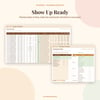
The Farmers Market Booth Planner is a spreadsheet for home and cottage bakers who sell at farmers markets, night markets and craft fairs. Log what you brought and what sold after each market. The sheet works out sell-through, leftovers and profit after the booth fee, then suggests how much of each item to bake for your next market, based on past sales, the weather and your batch sizes.
WHAT'S INCLUDED
- Farmers Market Booth Planner, SAMPLE version (6 months of example markets and sales)
- Farmers Market Booth Planner, BLANK version
- Easy instructions PDF (Excel + Google Sheets)
Tabs:
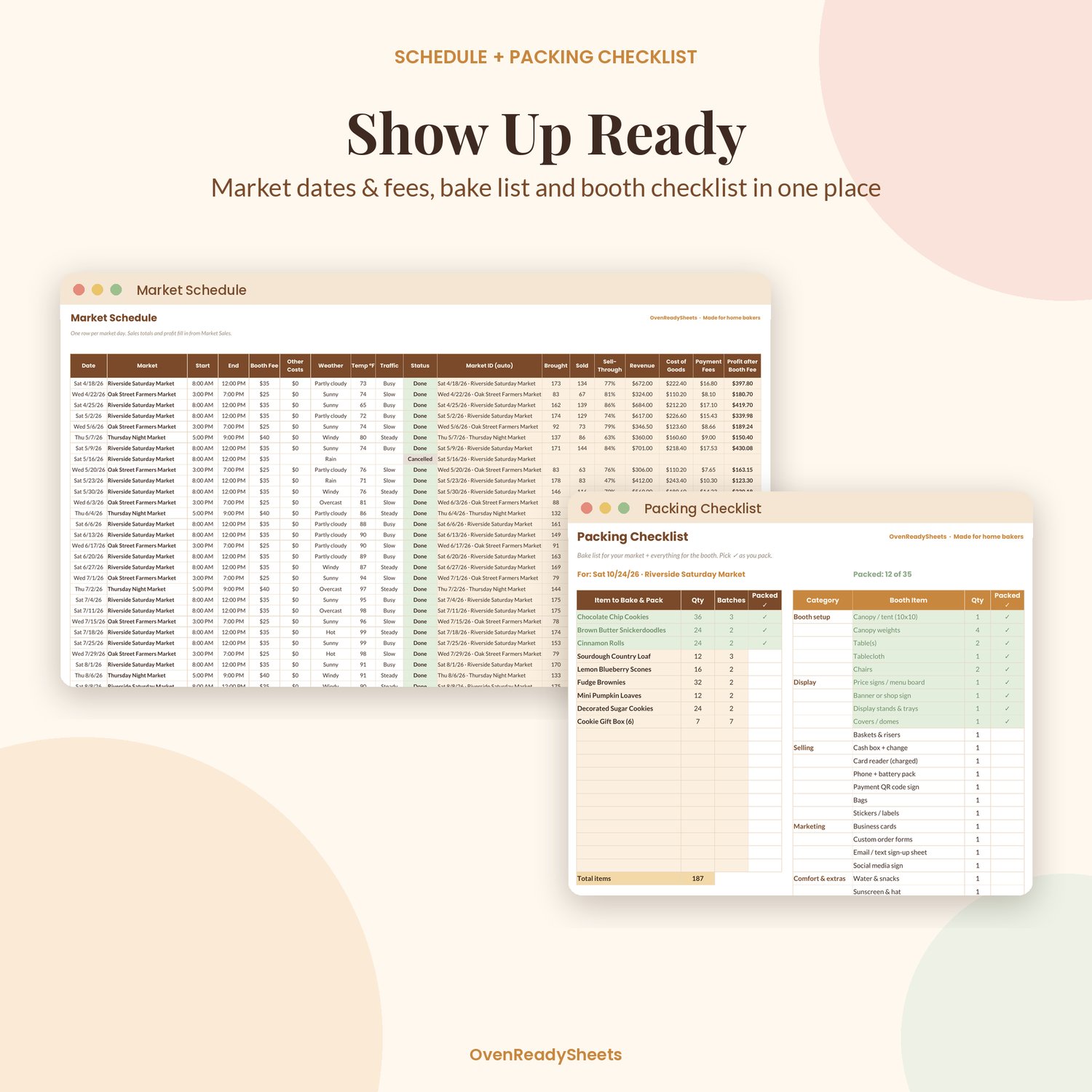
- MARKET SCHEDULE: market dates, times, booth fee (fills in automatically), other costs, weather, traffic and notes. Brought, sold, sell-through, revenue, cost of goods, payment fees, profit after booth fee and profit per hour calculate for you.
- MARKET SALES: one row per item per market. Brought, sold, leftovers, sell-through %, sold-out flag, revenue and profit.
- BAKE PLANNER: pick your next market and the weather forecast. Get a suggested quantity for every item (average sold × weather × buffer, with a bump for items that often sell out, rounded up to your batch size). Type your own number to override. See expected revenue, cost to bake and expected profit.
- PACKING CHECKLIST: your bake list for that market plus a booth checklist (canopy, display, selling gear, marketing, extras) with ✓ boxes
- MARKET REPORT: pick any market to see revenue, profit after booth fee, sell-through by item, "bring more / bring fewer" tips and a brought vs. sold chart
- SEASON SUMMARY: compare markets (avg revenue, avg profit, profit per hour) and items (sell-through, sold-out rate, revenue) with charts
- SETTINGS + START HERE: your menu (price, cost per item, batch size), markets, weather factors and step-by-step instructions
Works in Google Sheets and Excel (Google Sheets is free; Excel 2016+ or Microsoft 365).
HOW DELIVERY WORKS
- Instant download: right after checkout you get a download link on screen and by email.
- You receive one ZIP file. Double-click it (Mac or Windows) to unzip the files.
- Excel: open the .xlsx file. Google Sheets: go to sheets.google.com > File > Import > Upload and choose the .xlsx (step-by-step in the instructions PDF).
- Open the SAMPLE file to see how it works, then fill in the BLANK file with your own details.
- This is a digital product. Nothing will be shipped.
GOOD TO KNOW
- A computer is recommended for setup. The Google Sheets mobile app works for quick updates.
- Sample names, numbers and prices are fictional examples.
- Suggested quantities are estimates based on your own past sales. You know your market best.
- Not affiliated with Google or Microsoft.
- For personal or single-business use. Please don't resell or share the files.
- Because this is a digital download, we can't offer returns. If a file won't open or a formula isn't working, contact us and we'll fix it or send a replacement.
- Designed with the help of AI tools; formulas tested by OvenReadySheets.
Pairs perfectly with our Recipe Cost Calculator, or save with the Home Bakery Business Kit (all 6 tools).