Event Budget Spreadsheet and Fundraiser Profit Tracker
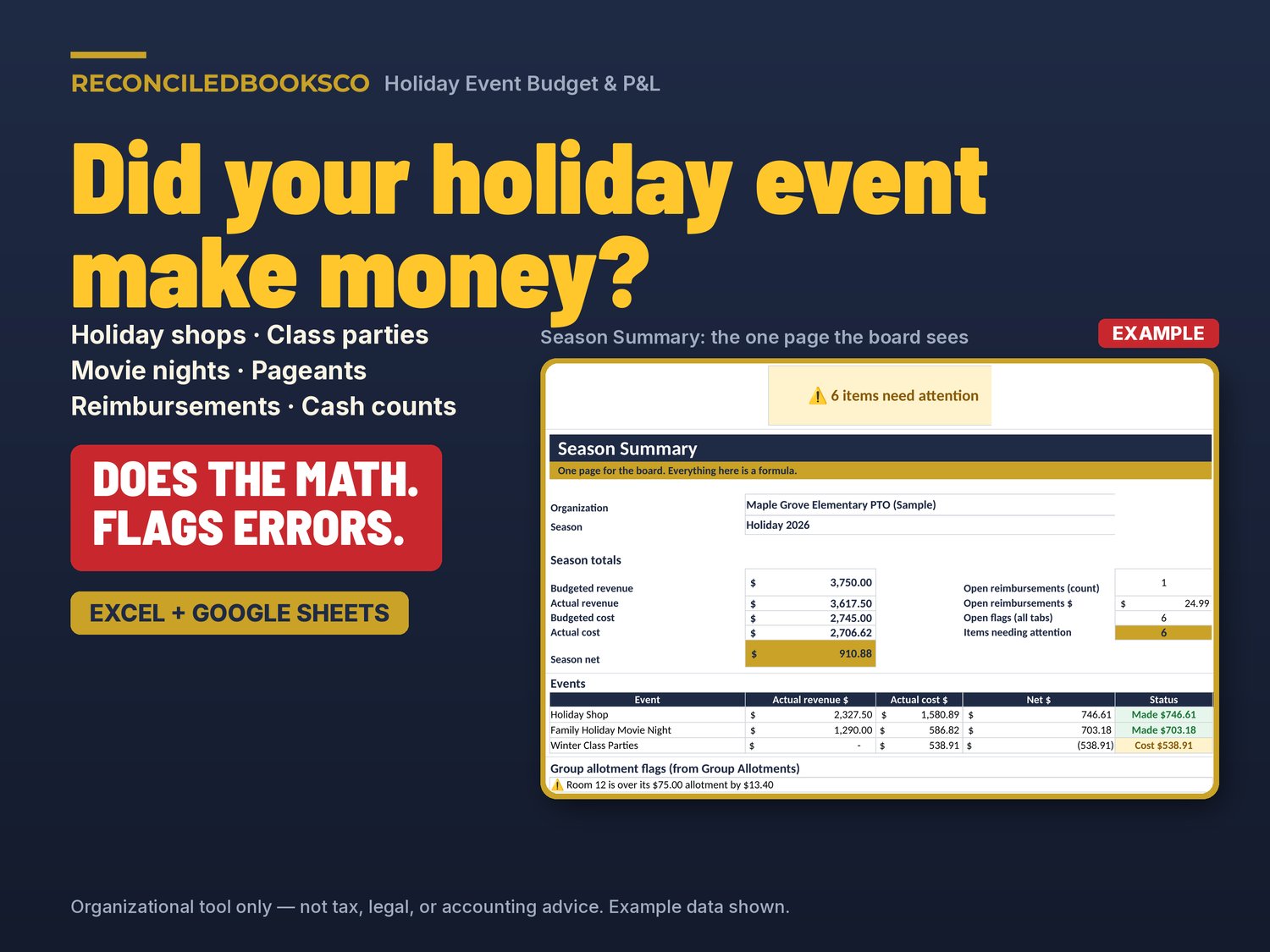
The holiday shop is closed, the class parties are over, the movie night is swept up, and now you have a shoebox of receipts from volunteers who used their own cards. One has no receipt. One person approved their own reimbursement. The door cash was counted twice and the totals don't match. And the board wants to know one thing: did each event make money or lose money?
This Holiday Event Budget & P&L spreadsheet answers that question. Set a budget for each event, log every volunteer purchase and reimbursement, count the cash box with two people, watch classroom or team allotments, and hand the board one page that shows what each event made or cost, and what it came to per attendee. Built for holiday shops, class parties, movie nights, Christmas pageants, holiday dinners and winter fundraisers.
DOES THE MATH. FLAGS ERRORS.
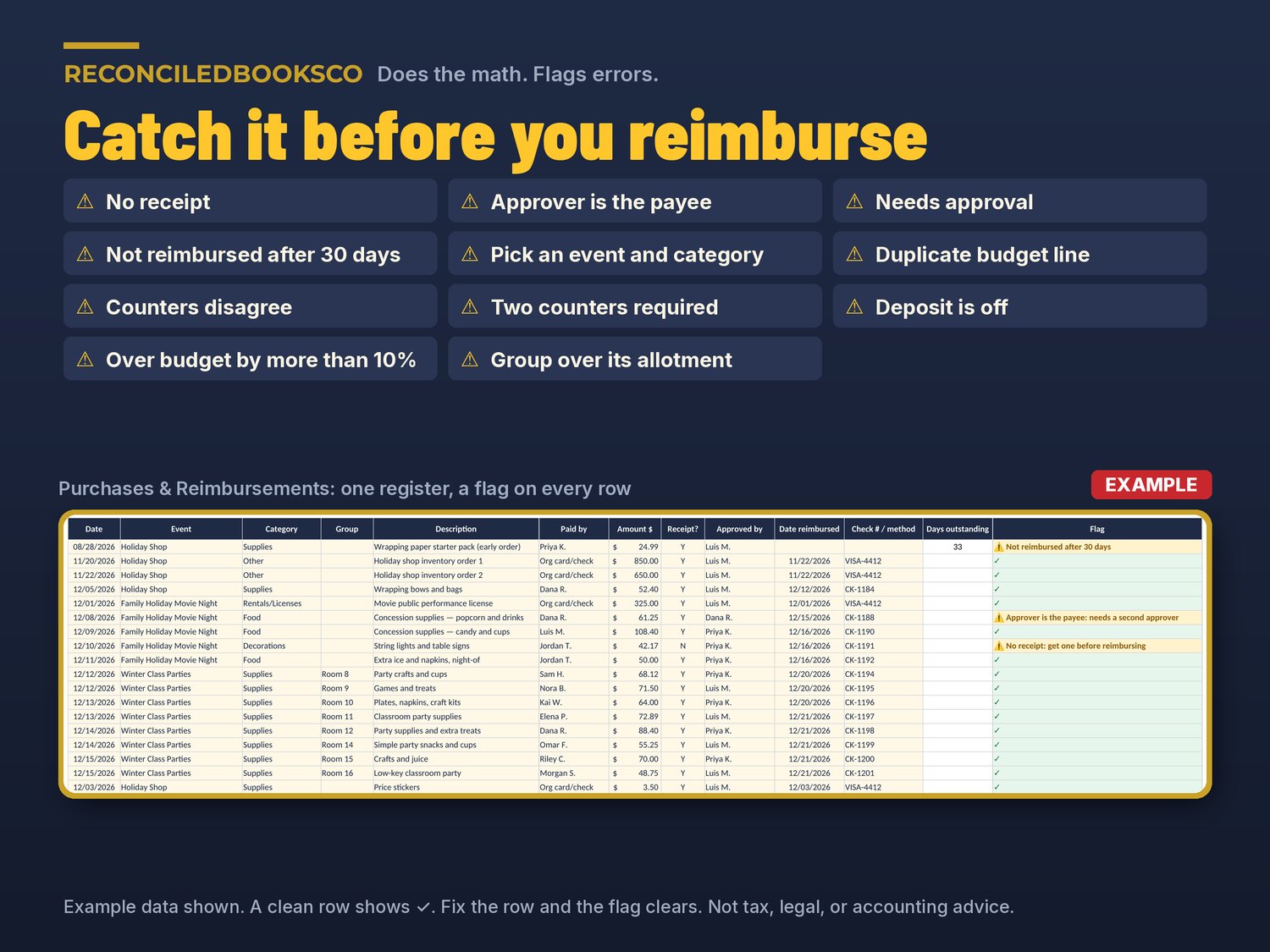
Most event budget templates are a blank table. This workbook does the math and tells you what to fix before you write a check, make a deposit or walk into the board meeting:
• No receipt: get one before reimbursing
• Approver is the payee: needs a second approver
• Needs approval (a volunteer purchase with no approver)
• Not reimbursed after 30 days (you set the deadline)
• Pick an event and category from the list
• Duplicate budget line (so actuals are not counted twice)
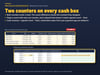
• Counters disagree by $X: recount before depositing
• Two counters required
• Deposit is off by $X: check the deposit slip
• Over budget by more than 10%
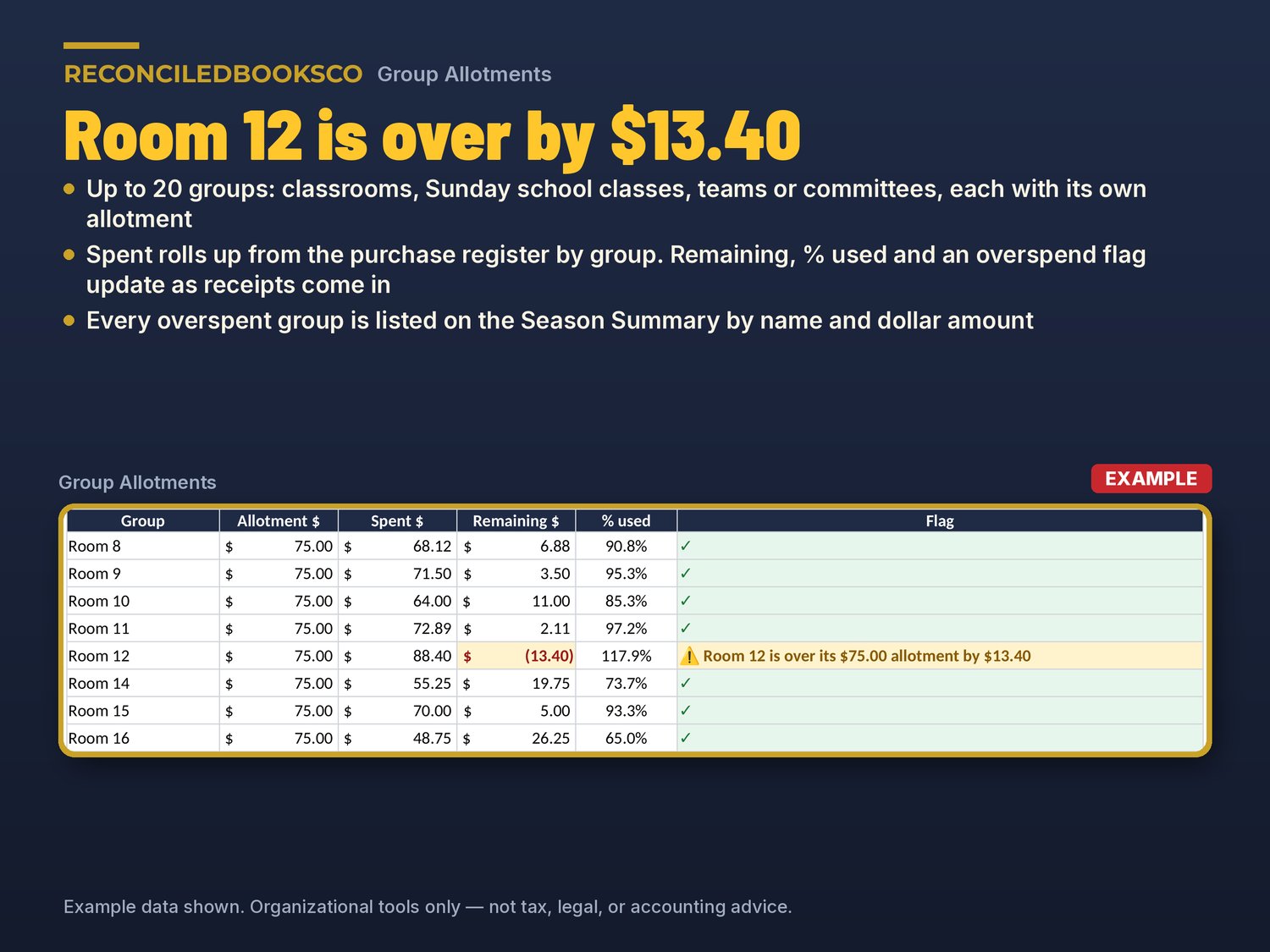
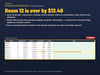
• A group over its allotment, by name and dollar amount (for example "Room 12 is over its $75.00 allotment by $13.40")
Each flag is highlighted, a clean row shows ✓, and the flag clears as soon as you fix the row.
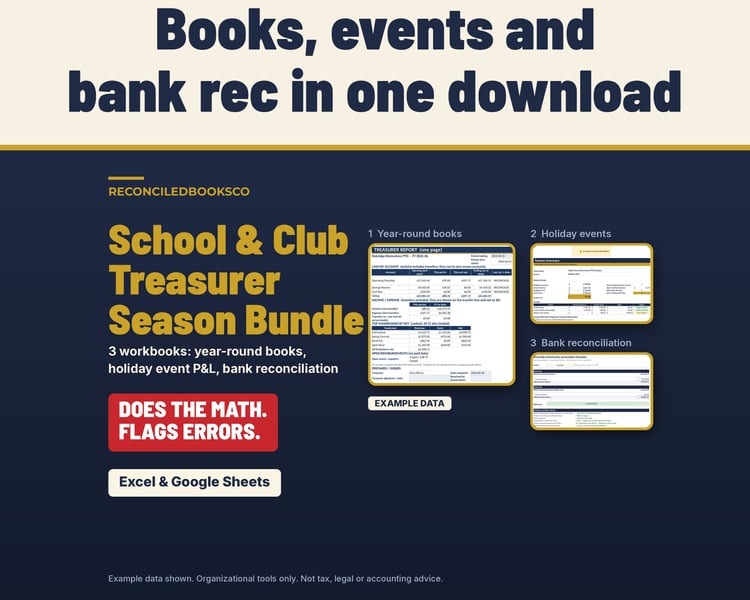
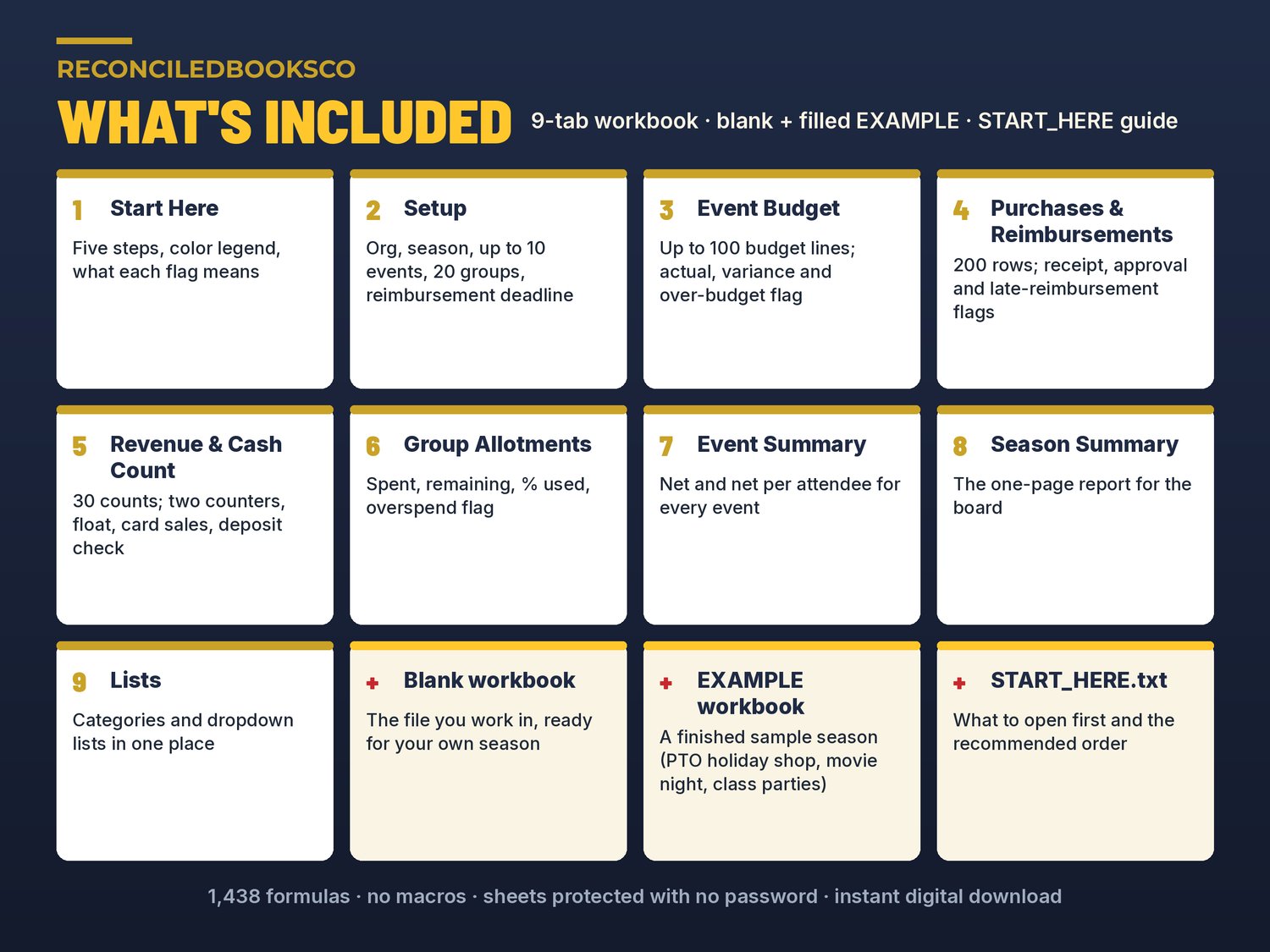
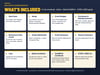
WHAT'S INCLUDED (2 Excel files + a start-here guide)
• Holiday_Event_Budget_PL.xlsx: the blank 9-tab workbook you work in
• Holiday_Event_Budget_PL_EXAMPLE.xlsx: a finished sample season for a fictional elementary school parent group (a three-day Holiday Shop, a Family Holiday Movie Night and Winter Class Parties), so you can see every tab filled in and every kind of flag in action
• START_HERE.txt: what to open first and the recommended order
THE 9 TABS
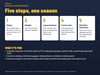
• Start Here: five steps, a color legend and what each flag means, in plain English
• Setup: organization, season, up to 10 events with expected and actual attendance, your reimbursement deadline and up to 20 groups with their allotments
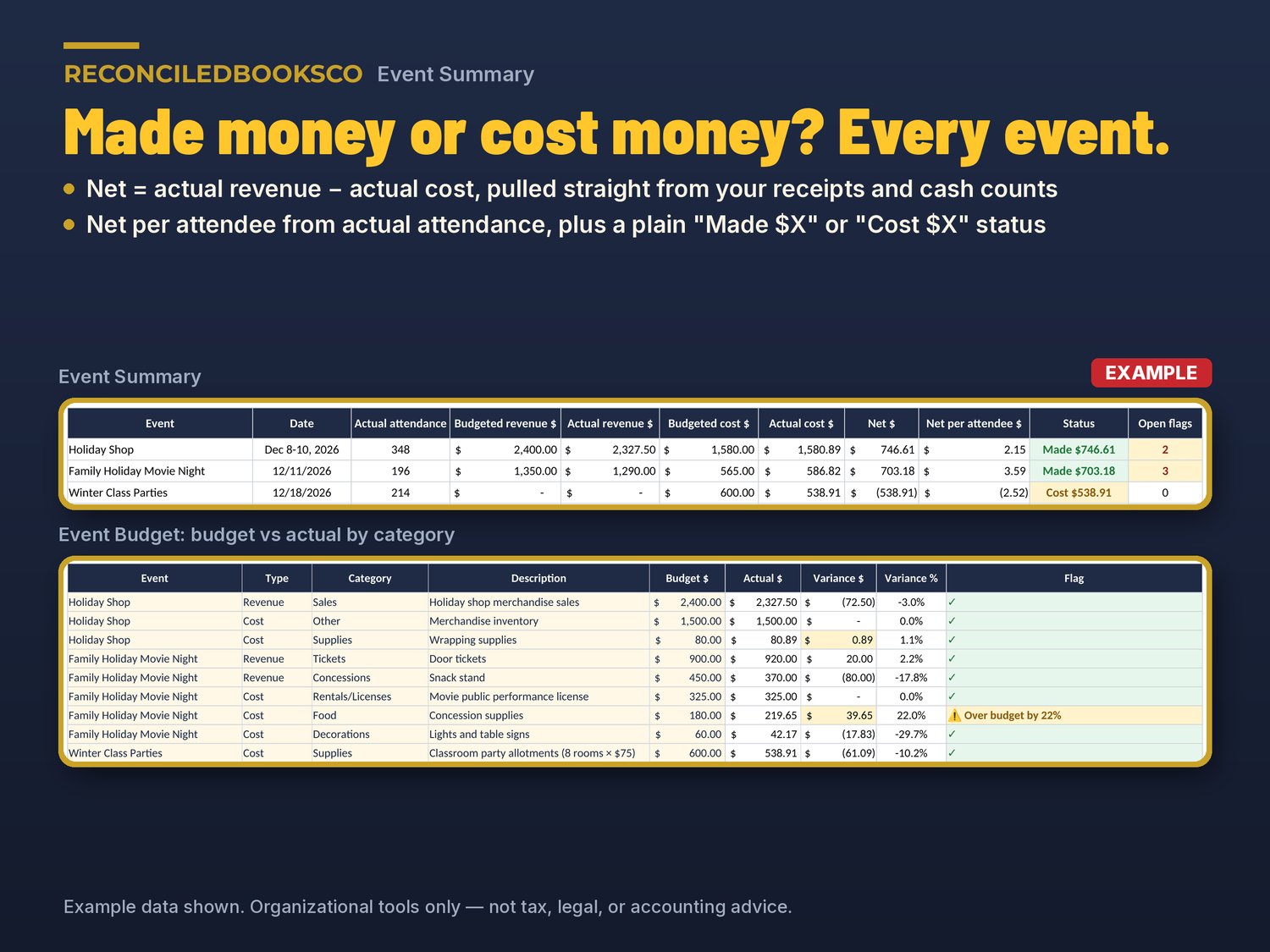
• Event Budget: up to 100 budget lines by event, revenue or cost and category; actual, variance $ and variance % fill in from your receipts and cash counts
• Purchases & Reimbursements: up to 200 purchases with who paid, receipt Y/N, who approved, date reimbursed and check # or method; days outstanding and a flag on every row
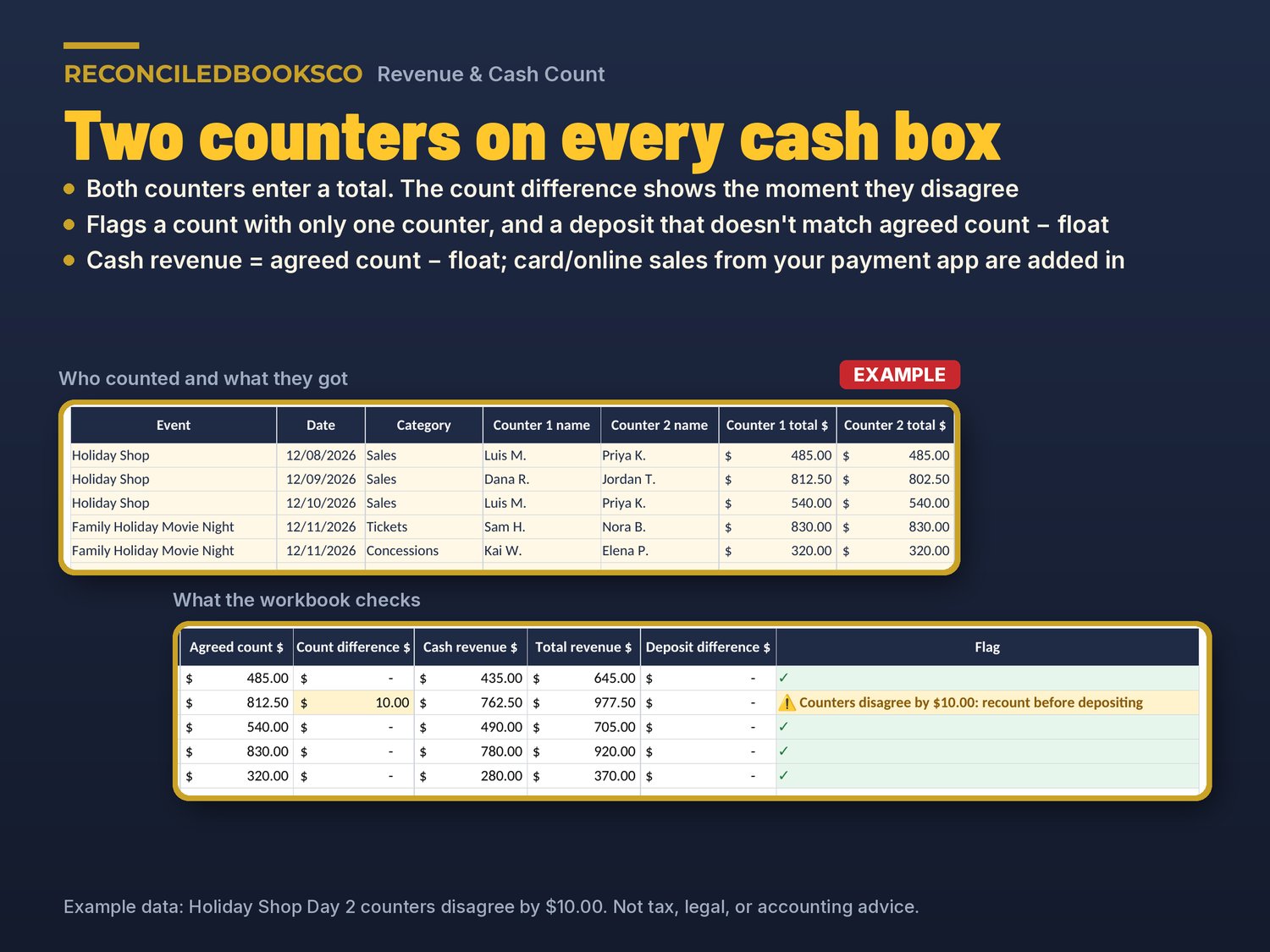
• Revenue & Cash Count: up to 30 counts with two counters, the starting float, card/online sales from your payment app and the deposit; shows the count difference, cash revenue, total revenue and deposit difference
• Group Allotments: classrooms, Sunday school classes, teams or committees; spent, remaining, % used and an overspend flag
• Event Summary: budgeted and actual revenue and cost, net, net per attendee, a "Made $X" or "Cost $X" status and open flags for each event
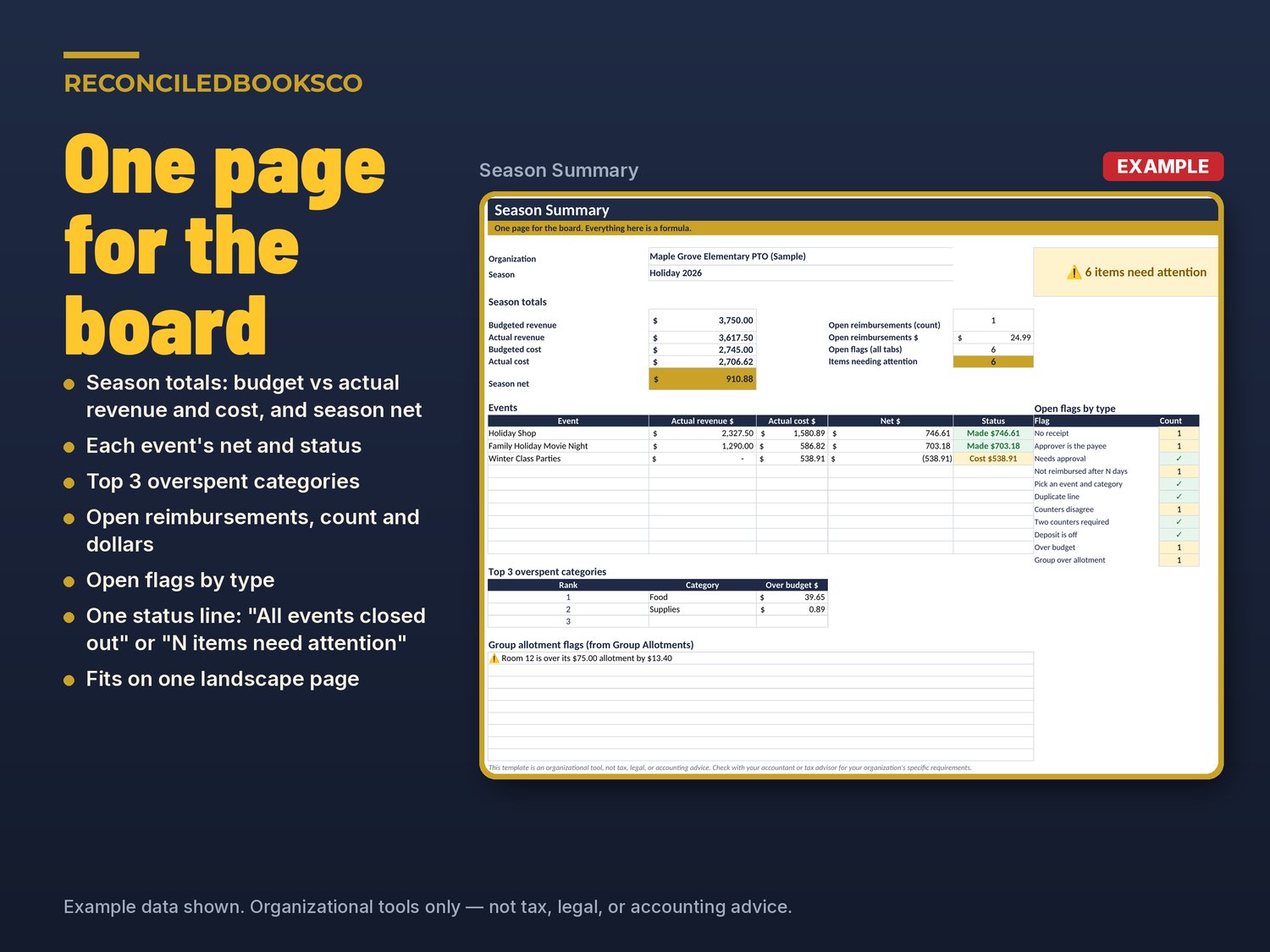
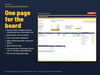
• Season Summary: the one-page report for the board: season totals, each event's net, the top 3 overspent categories, open reimbursements (count and $), open flags by type, and one status line: "✓ All events closed out" or "⚠ N items need attention"
• Lists: the categories and dropdown lists, in one place
HOW IT WORKS
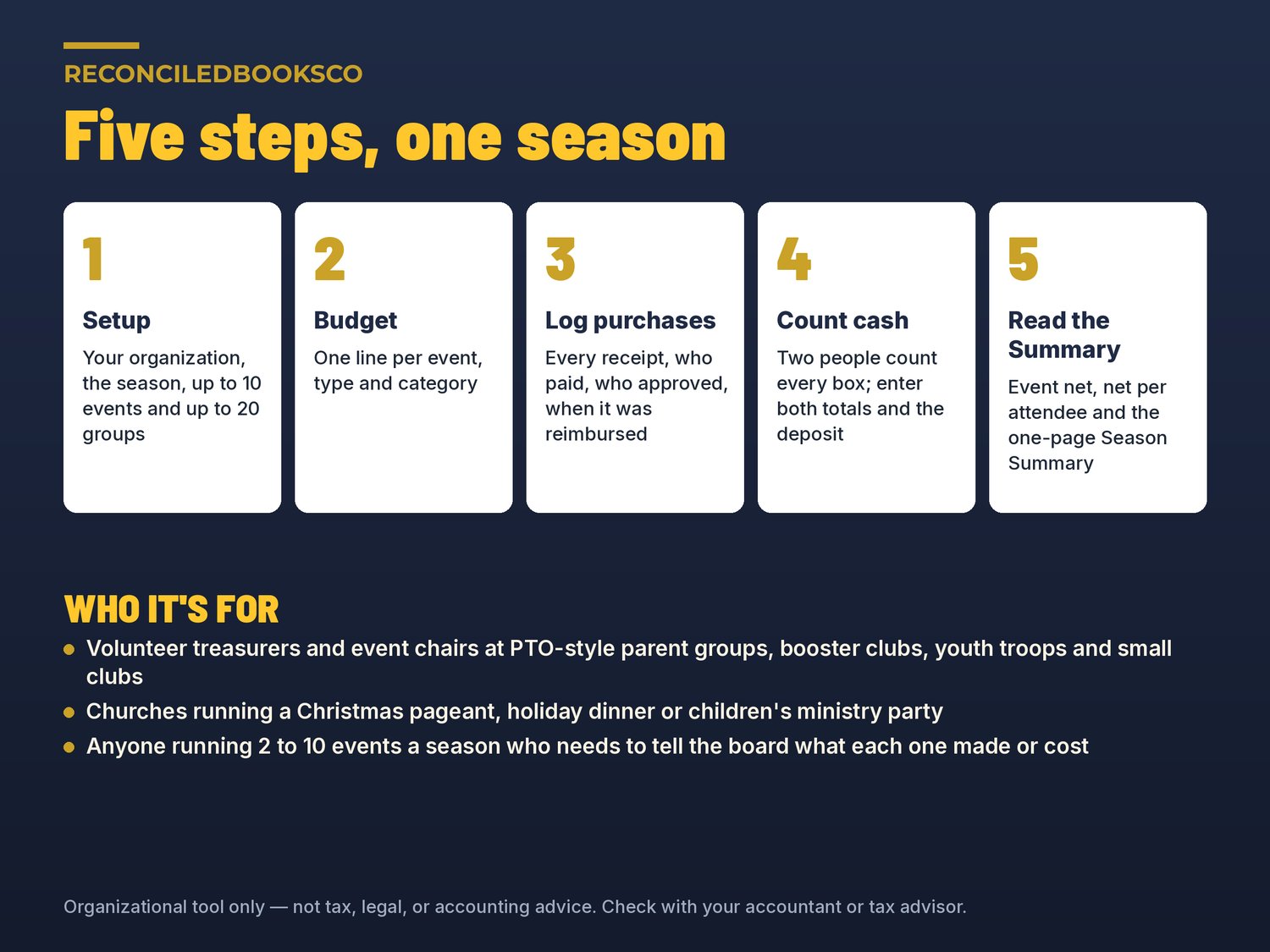
1. Setup: enter your organization, season, events and groups.
2. Budget: add a line for each event, type and category.
3. Log purchases: every receipt goes on the register. Fix the flags before you reimburse.
4. Count cash: two people count every box and enter both totals and the deposit.
5. Read the Summary: Event Summary for each event's net, Season Summary for the board.
9 tabs · 1,438 formulas · no macros · sheets protected with no password, so you can unlock and adjust · prints on US Letter, landscape, and the Season Summary fits on one page.
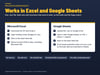
WORKS IN EXCEL AND GOOGLE SHEETS
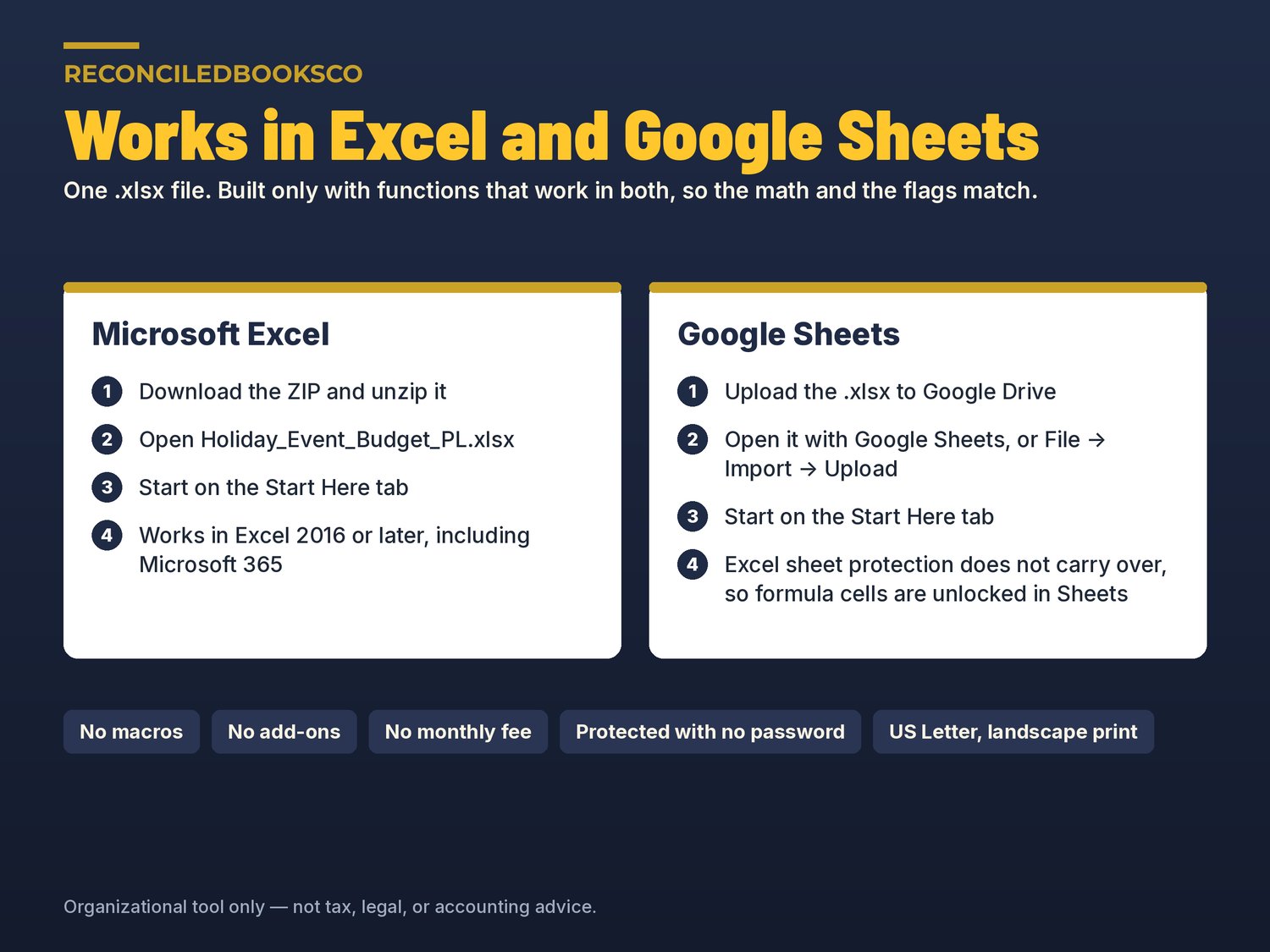
Excel: download the ZIP, open the .xlsx and start on the Start Here tab (Excel 2016 or later, including Microsoft 365).
Google Sheets: upload the .xlsx to Google Drive and open it with Google Sheets, or use File → Import → Upload. The workbook uses only functions that work in both programs. (Sheets does not carry over Excel's sheet protection, so formula cells are unlocked there.)
Keep the EXAMPLE file as a filled reference; work in the blank file.
WHO THIS IS FOR
treasurers and event chairs at PTO-style parent groups, booster clubs, youth troops and packs, and school and community clubs, plus churches running a Christmas pageant, holiday dinner or children's ministry party. It fits anyone running 2 to 10 events a season who uses Excel or Google Sheets at a basic level and isn't an accountant.
RELATED LISTINGS IN OUR SHOP
INSTANT DOWNLOAD · DIGITAL ONLY · FINAL SALE
This is a digital product. No physical item will be shipped. Files are available immediately after purchase. Because of the nature of digital downloads, all sales are final (see shop policies for detail). If a file won't open, message us within 48 hours and we'll fix it or send it again. One purchase covers one organization; please don't resell or share the files.
DISCLAIMER
This template is an organizational tool, not tax, legal, or accounting advice. Check with your accountant or tax advisor for your organization's specific requirements. Not approved or endorsed by any school, school district, church, denomination, national organization or regulator. The sample organization, people and numbers in the EXAMPLE file are fictional.
Built by ReconciledBooksCo, a small shop run by an experienced accountant.
Shop: ReconciledBooksCo