
Hotel Fixed Asset Register & Depreciation Schedule: Hotel Fixed Asset Register Excel with Depreciation Schedule and Book vs Tax
Full description
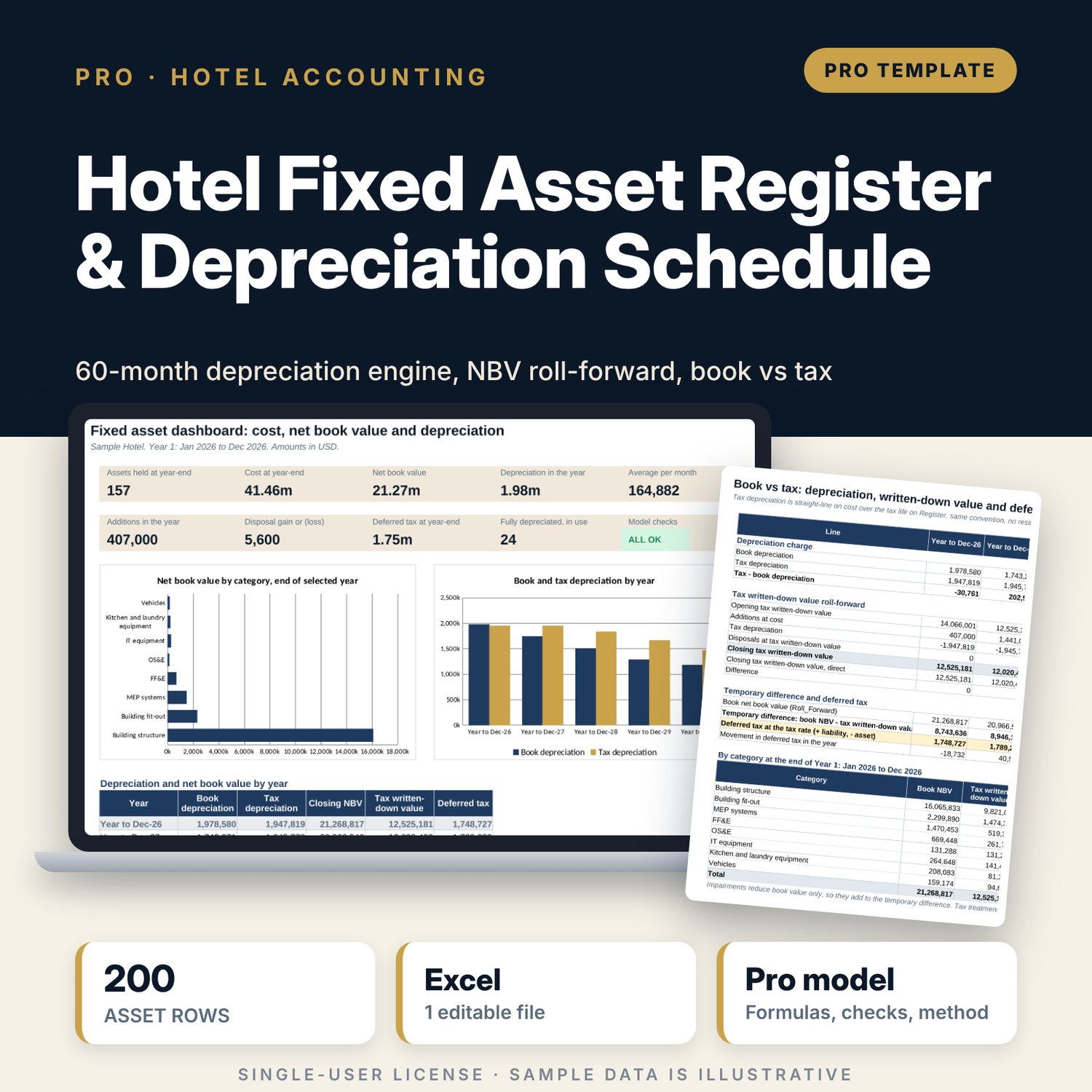
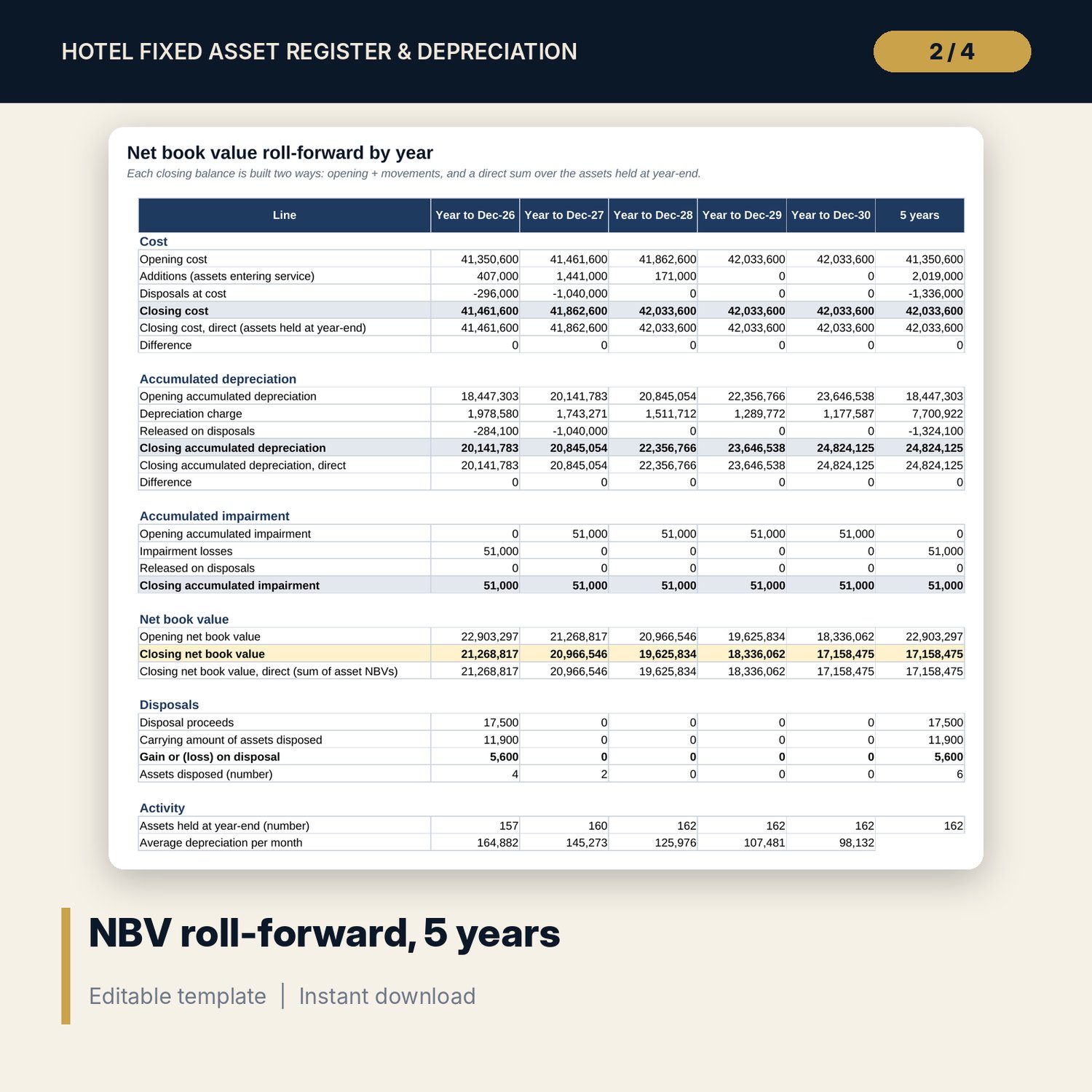
For financial controllers, chief accountants, chief engineers and auditors who keep a hotel's fixed assets. Record each component (building structure, fit-out, MEP systems, FF&E, OS&E, IT, kitchen and laundry equipment, vehicles) with its cost, in-service date, residual value, useful life and method. The engine calculates every month of a 5-year schedule in closed form from the asset's age: straight-line, declining balance with an editable factor, or units of production from monthly km, cycles or hours. Disposals give a gain or loss; impairments scale the remaining charges. The roll-forward builds cost, accumulated depreciation, impairment and net book value by year two independent ways, and a straight-line tax schedule on an editable tax life gives the temporary difference and deferred tax.
Save with a bundle: this workbook is also in the Hotel Finance & Investment Pro Bundle, 25 workbooks for $59 instead of $329. All 100 Pro workbooks are in the Pro Library for $119, and all 241 templates and workbooks are in the Ultimate Hospitality Library for $149.
What is inside
- Hotel_Fixed_Asset_Register_Depreciation.xlsx: 12 tabs, 23,685 formulas, 3 native charts, 13 drop-down and input rules
- Register: 200 asset rows (168 sample assets in 8 categories: 22 on declining balance, 12 on units of production, 6 disposals, 3 impairments), an input test and a status per row
- Usage: monthly units for up to 20 units-of-production assets over 60 months
- Dep_Engine: 60 monthly columns per asset with every helper step visible, annual totals and tax helpers
- Roll_Forward: cost, accumulated depreciation, impairment and NBV for 5 years, each closing balance checked against a direct sum
- Categories: summary by category for the selected year and a list of disposals with gain or loss
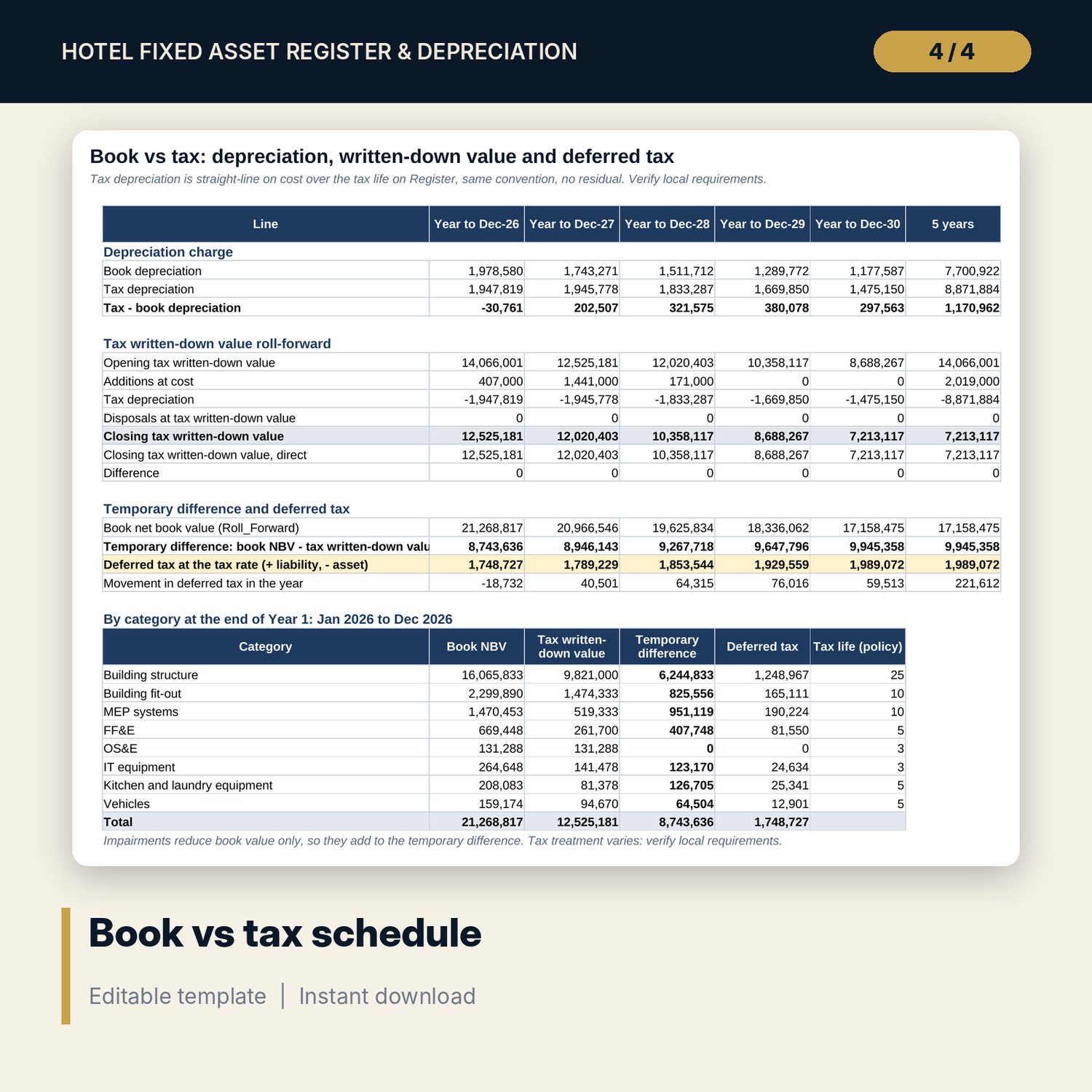
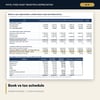
- Book_vs_Tax: tax depreciation, tax written-down value roll-forward, temporary difference and deferred tax
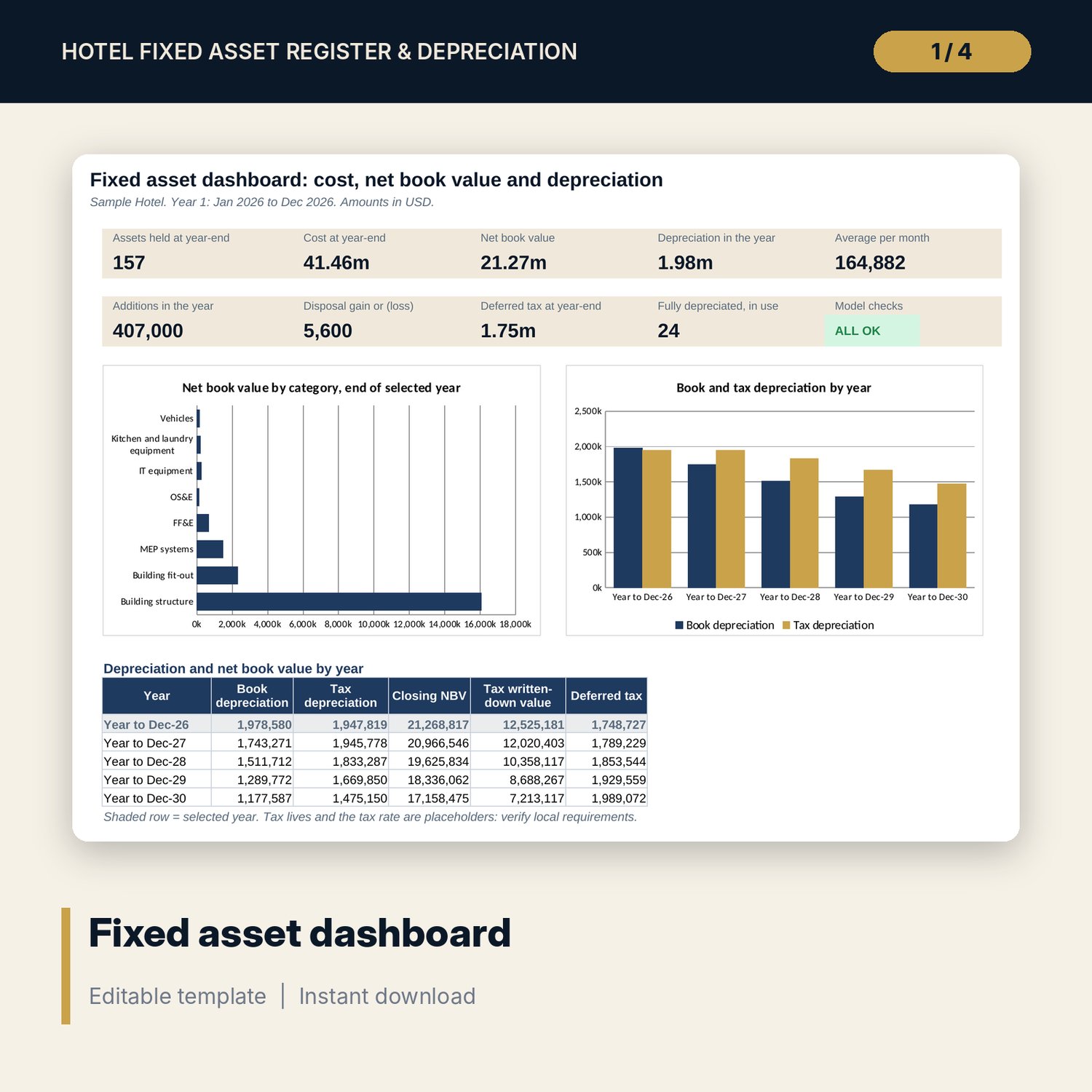
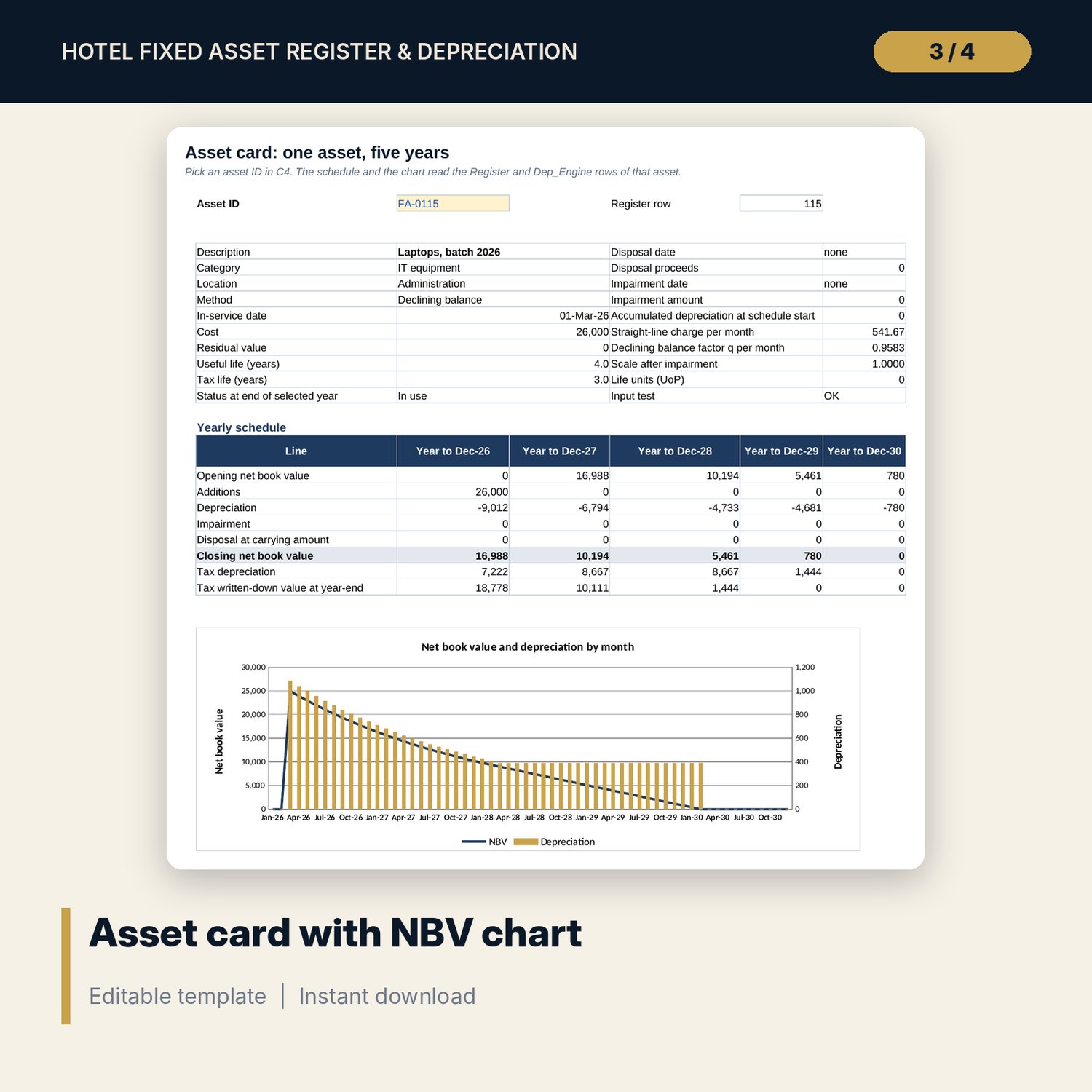
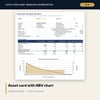
- Asset_Card: one-page view of any asset with a net book value chart; Dashboard on one printed page
- 13 integrity checks and a Method tab with 15 documented calculations
- README.txt and LICENSE-and-Terms.txt
How it works
- Set the schedule start month, convention, declining balance factor and policy lives on Settings.
- Enter one row per asset component on Register; add monthly units on Usage for vehicles and laundry machines.
- Record disposals and impairments on Register as they happen.
- Pick the year on Settings and read Roll_Forward, Categories, Book_vs_Tax and Dashboard.
- Post the depreciation journal after Checks shows ALL OK.
Details
- Format: one .xlsx workbook, English
- Software: Excel 2016 or later, or LibreOffice Calc 7 or later
- No macros, no external links, no array formulas
- Instant digital download
Good to know
- Sample data is illustrative. Replace it with your own register.
- Not accounting or tax advice. Tax lives, the tax rate and the capitalisation threshold are placeholders: verify local requirements with your adviser.
- The engine covers 60 months from the start month you set. Roll it forward by changing the start month and the opening register.
- Single-user license. Do not redistribute.
FAQ
Which depreciation methods are supported?
Straight-line, declining balance with an editable factor (2.0 = double declining) and units of production from monthly usage.
How are assets bought before the schedule start handled?
The engine calculates accumulated depreciation up to the start month from the in-service date, so opening balances are ready.
What happens when I record an impairment?
The impairment reduces book value in its month, and the remaining charges are scaled down so the asset still ends at its residual value.
Can I use different tax lives?
Yes. Each asset has its own tax life; the policy table sets the default. The Book_vs_Tax tab shows the temporary difference and deferred tax.
Does it need macros or add-ins?
No. Every result is a standard worksheet formula.