
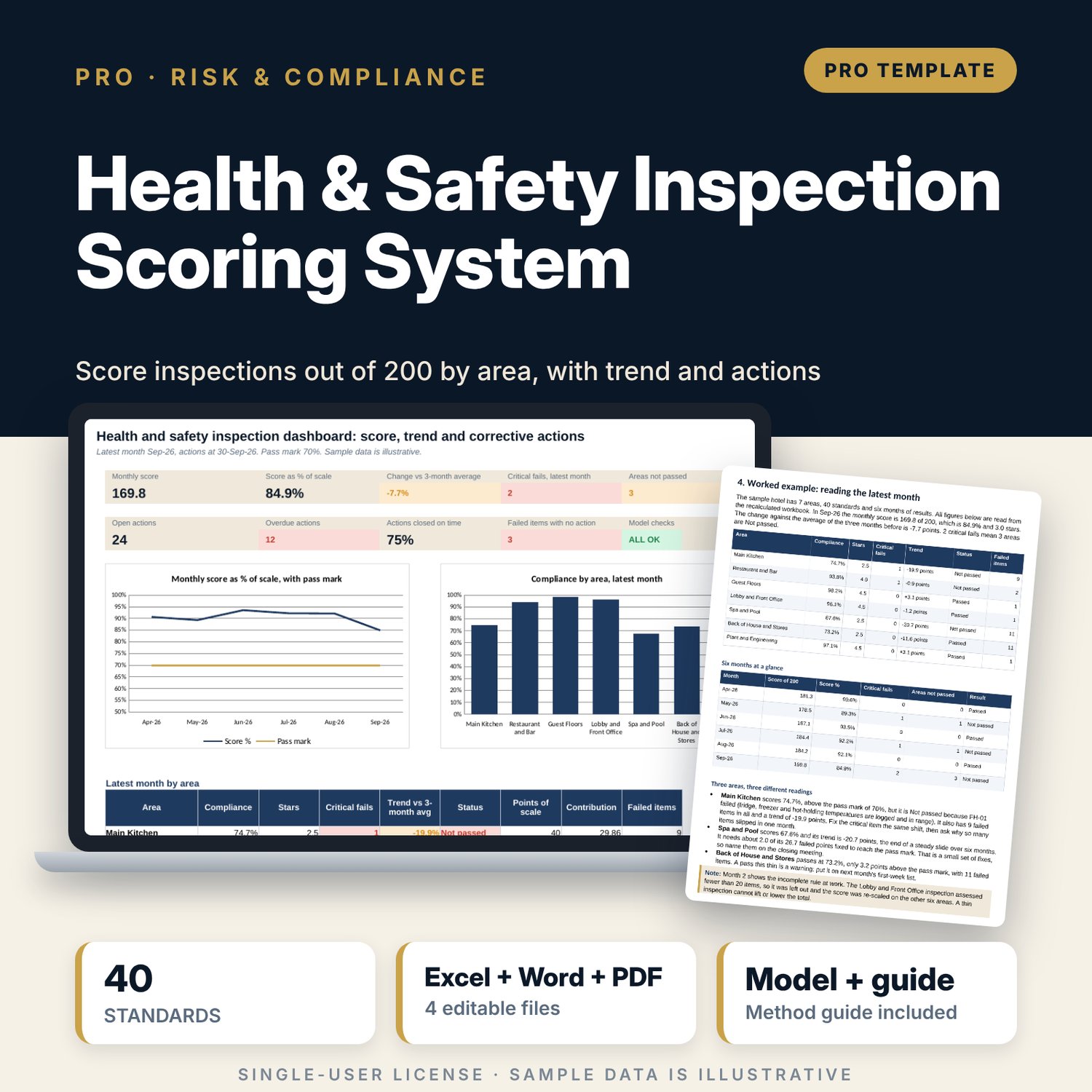
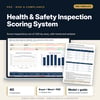
Health & Safety Inspection Scoring System: Monthly 200-Point Inspection Scorecard, Trend and Corrective Action Tracker
Full description
For hotel general managers, safety officers, engineers and department heads who inspect their areas every month and want one score they can trust. The workbook holds 40 weighted standards in six sections. Each result is Pass, Fail or N/A, N/A is left out of the maths, and any critical fail forces Not passed whatever the percentage. Area compliance rolls into a monthly score out of 200, with stars, a trend against the three months before, and a flag for inspections that were too thin to count. Every failed item gets a corrective action whose priority, owner and due date are calculated, and the dashboard shows what is overdue and which failed items have no action. Two what-if grids show how far each area is from the pass mark. A companion form scores one area live and exports the rows for the workbook, and a 10-page guide covers the routine, the weights and the forms.
What is inside
- Health_Safety_Inspection_Scoring_System.xlsx: 11 tabs, 16,727 formulas, 2 native charts, 17 drop-down and input rules
- Standards: 40 weighted requirements in 6 sections, 8 critical, with item points and a fail rate from the log
- Inspection Log: 1,680 sample results (7 areas x 6 months x 40 standards) plus 280 spare rows
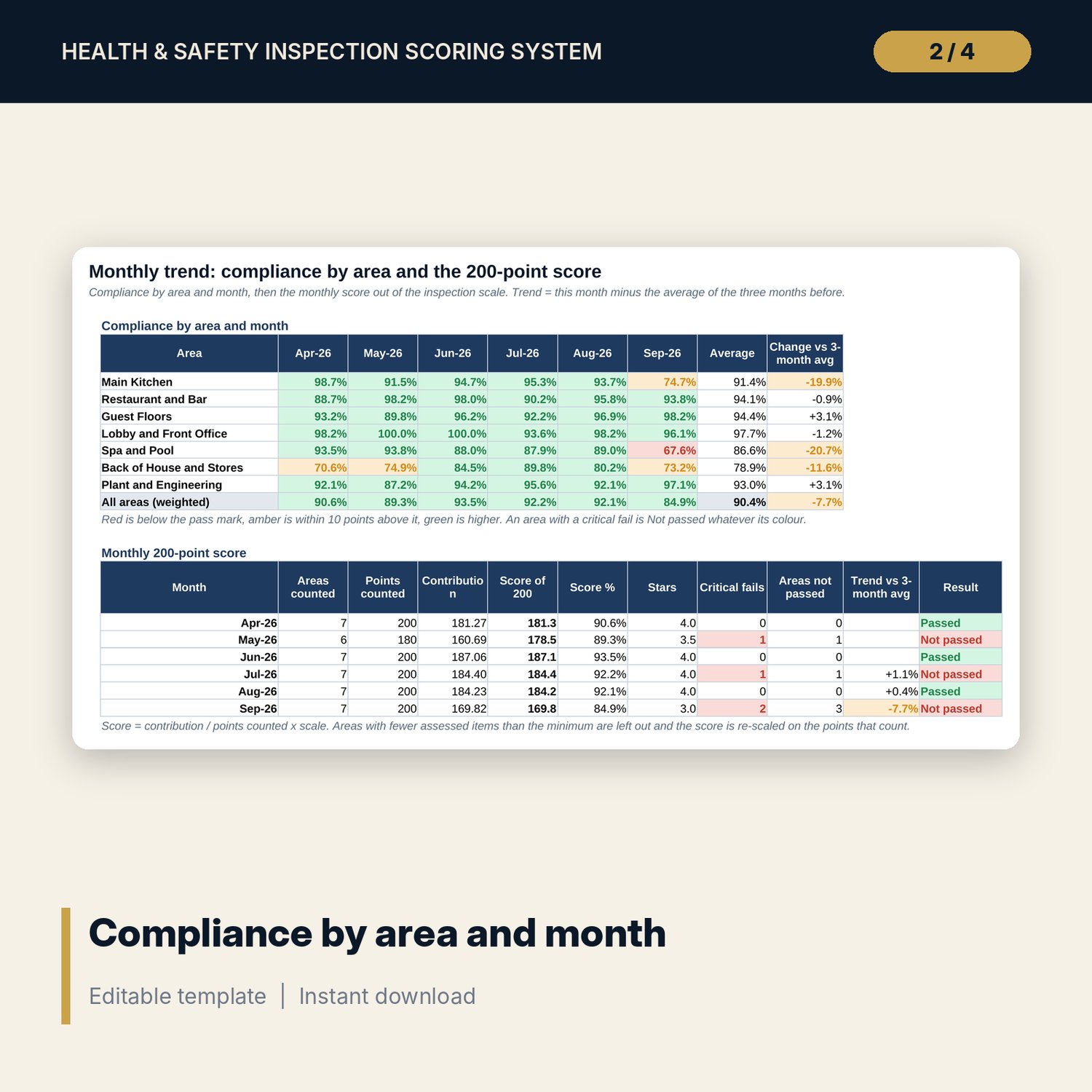
- Area Scores: the engine, one row per area and month with earned and assessed points, compliance, status, contribution, stars and trend
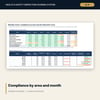
- Monthly Trend: compliance by area and month, the monthly score out of 200, critical fails and result
- Actions: 142 sample corrective actions plus 60 spare rows, with priority, owner, due date, status and days late
- Sensitivity: distance to the pass mark by area and two 5 x 5 what-if grids
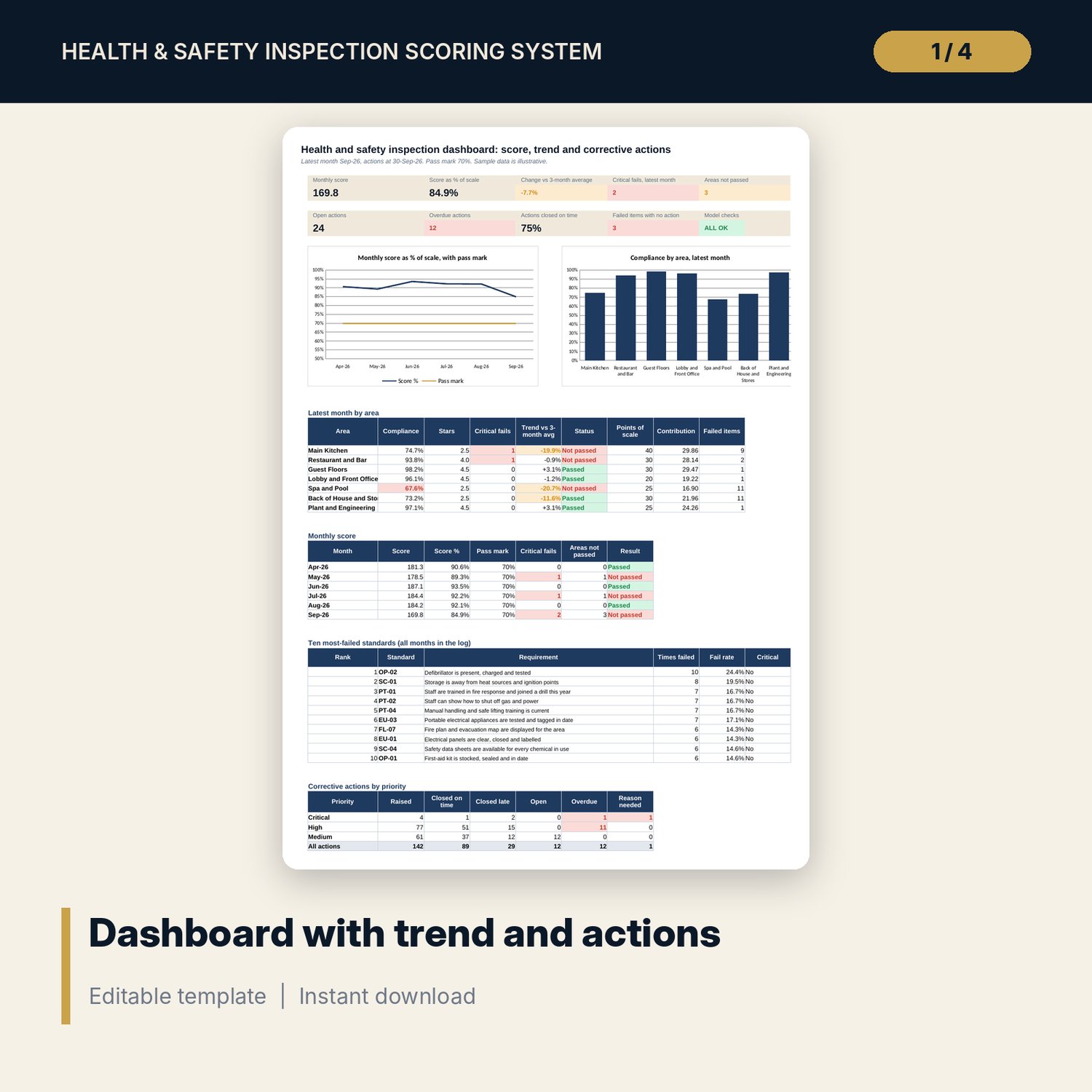
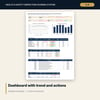
- Dashboard with 9 tiles, a check tile and 2 charts; 12 integrity checks; Method tab with 16 documented calculations
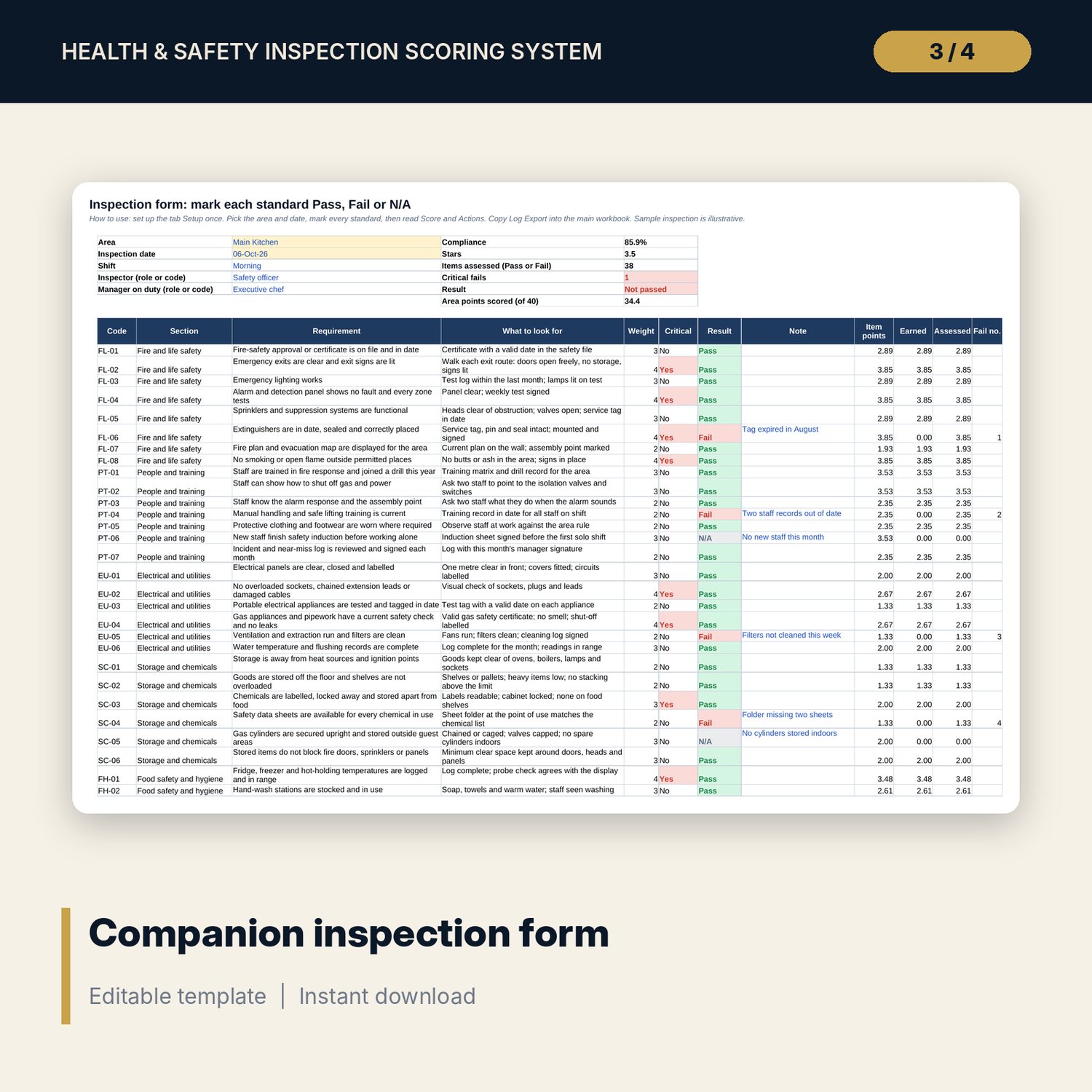
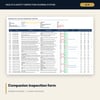
- Health_Safety_Area_Inspection_Form.xlsx: 5 tabs, 986 formulas, a live 40-item inspection form, section scores, an action sheet, export rows and 10 checks
- Health_Safety_Inspection_Scoring_Guide.docx and PDF: 10 pages with the scoring rules, critical standards with first responses, the monthly routine, a worked example, action rules, weight setting and printable forms
- README.txt and LICENSE-and-Terms.txt
How it works
- Set the pass mark, section weights, area points and owners on Assumptions, and edit the standards.
- Inspect each area with the companion form. Mark every standard Pass, Fail or N/A.
- Copy the export rows into the log and the action register.
- Read the dashboard and the trend, fix critical fails first, and close every action by its due date.
- Use the sensitivity grids to see what each weak area needs to reach the pass mark.
Details
- Formats: 2 Excel workbooks (.xlsx), 1 guide in Word (.docx) and PDF, English
- Software: Excel 2016 or later, or LibreOffice Calc 7 or later
- No macros, no external links, no data tables, no array formulas
- 4 files plus README and license; instant digital download
Good to know
- Sample data is illustrative. Areas, weights, thresholds and due days are examples to replace with your own.
- The standards are a starting list. Fire, food-safety and workplace-safety rules differ by location: verify local requirements.
- The files are management tools, not legal advice or a certified audit.
- Use role titles or codes for people in shared copies, never names.
- Single-user license. Do not redistribute.
FAQ
How is the 200-point score built?
Each standard earns item points from its section weight and its own weight. Area compliance is earned points over assessed points. The monthly score is the sum of compliance times area points, re-scaled to 200 on the areas that count.
What happens when a critical standard fails?
The area is Not passed whatever its percentage, and the month is Not passed too. The area still earns the points it scored, so the trend stays honest.
Can I change the standards, areas and weights?
Yes. Section weights, item weights, the critical flag, area points, owners, the pass mark and the star scale are all inputs. The checks warn you if weights or points no longer add up.
Do I have to type 40 rows for each inspection?
No. The companion form produces the rows. Copy them as values into the log. You can also type results straight into the log.
Do I need macros or add-ins?
No. Every result is a standard worksheet formula, including the sensitivity grids.