
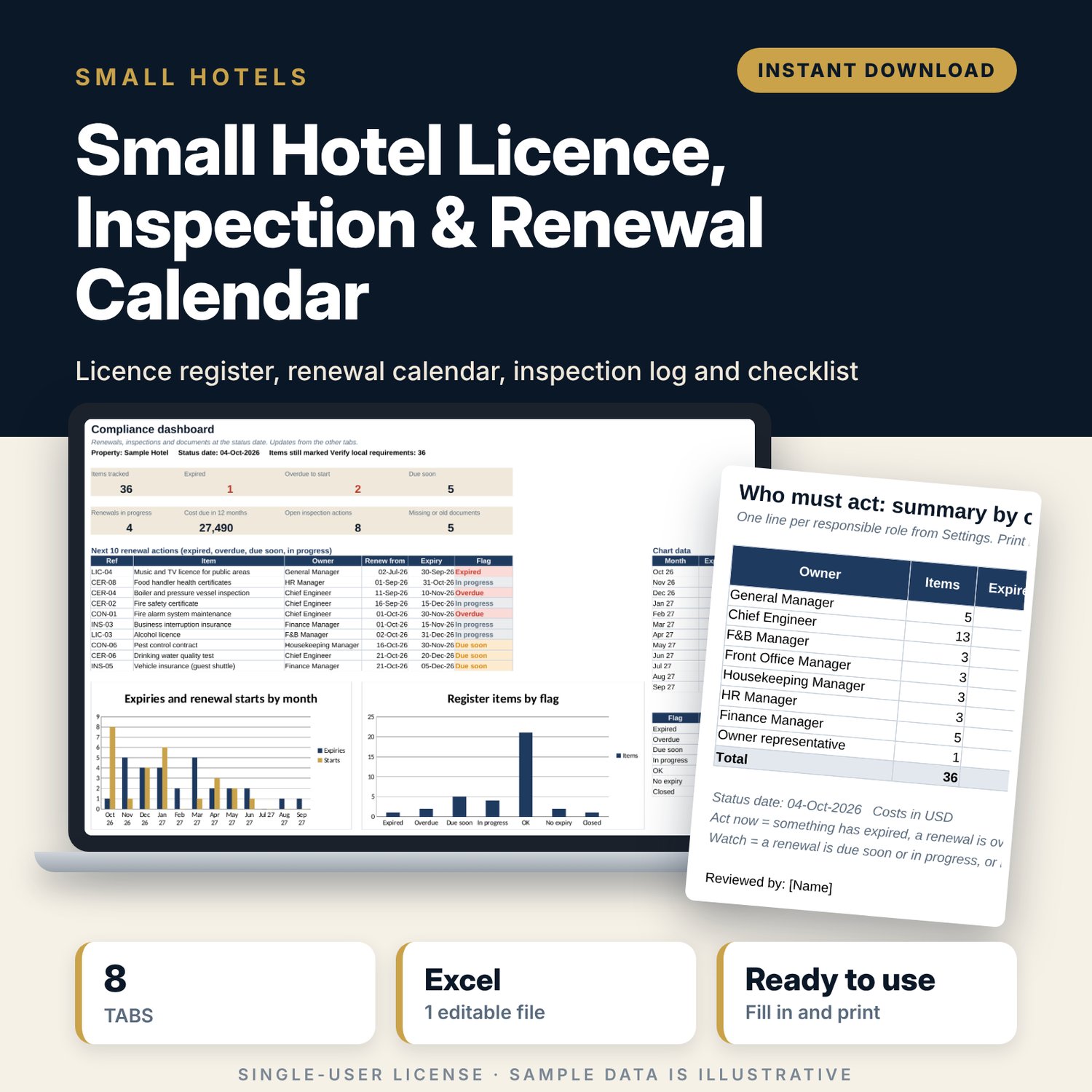



Small Hotel Licence, Inspection & Renewal Calendar: Hotel Compliance Tracker Spreadsheet
Full description
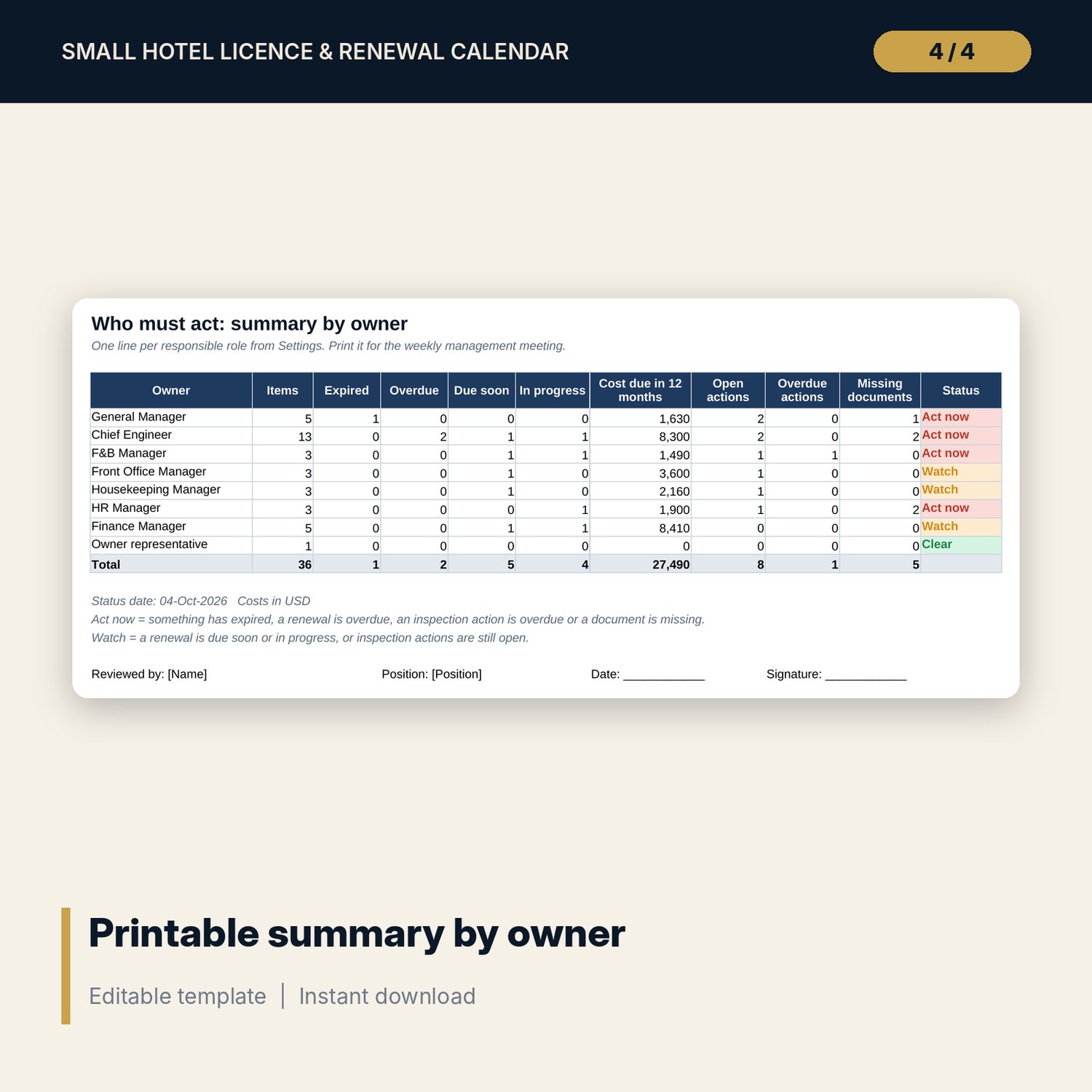
For owners, general managers and chief engineers of small hotels, guesthouses and serviced apartments who keep licences, certificates, insurance policies and service contracts in different folders and find out about an expiry too late. You list each item once with its expiry date and owner. The workbook works out when each renewal should start, flags what is expired, overdue or due soon, lays the next 12 months out on a calendar and gives each manager a one-line summary of what they must do.
Save with a bundle: this template is also in the Hotel Engineering, Safety & Compliance Bundle, 11 templates for $35 instead of $83. All 141 templates are in the All-Access Hospitality Template Library for $79.
What is inside
- Hotel_Licence_Inspection_Renewal_Calendar.xlsx: 8 tabs, 2,332 formulas, 2 native charts, 18 drop-down or number rules.
- Settings: property name, status date (today by default), due-soon window, default renewal lead time for 7 item types, and 8 drop-down lists (8 areas, 8 owner roles).
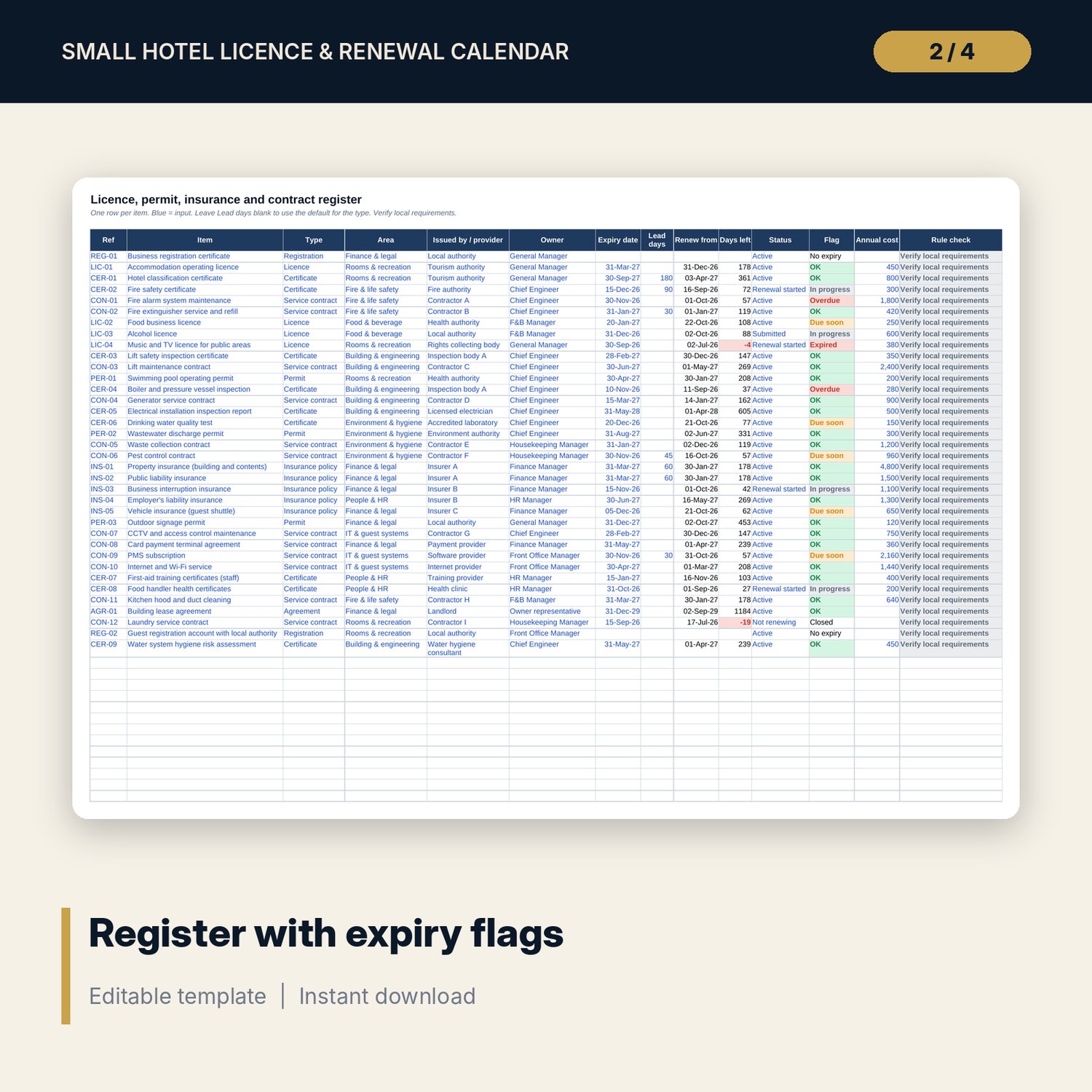
- Register: room for 100 items (36 sample rows: licences, permits, certificates, registrations, insurance policies, service contracts, a lease). Renew-from date, days left and an Expired, Overdue, Due soon, In progress or OK flag calculate.
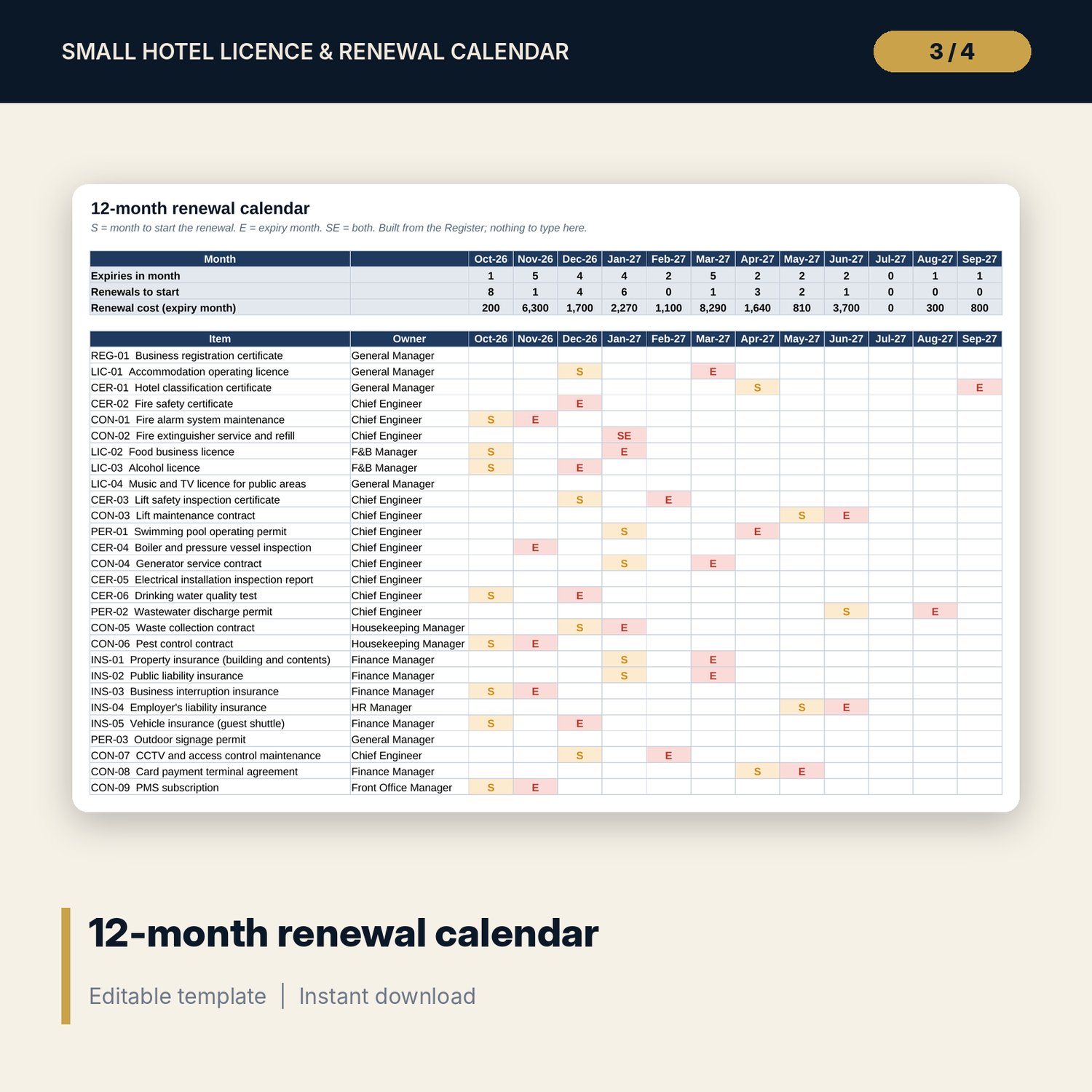
- Renewal_Calendar: 12 months from the status date. Marks the month to start each renewal and the expiry month, with monthly counts and renewal cost.
- Inspection_Log: room for 120 visits (14 sample rows) with result, findings, open actions, action due date, next visit and a flag.
- Document_Checklist: room for 70 documents (43 sample rows) with owner, where kept, status, last check, next check and a flag.
- Owner_Summary: one printable page with a line for each responsible role and an Act now, Watch or Clear status.
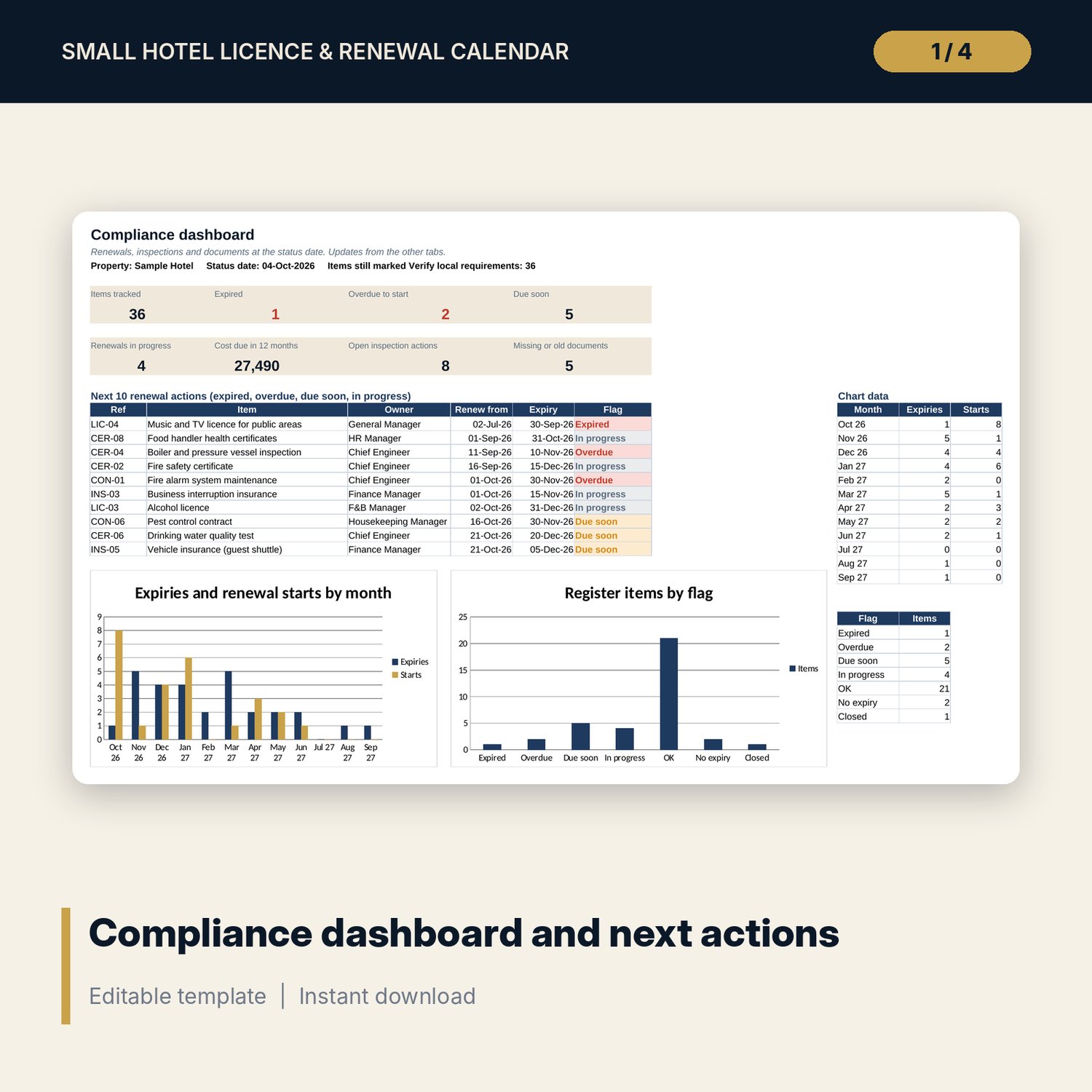
- Dashboard: 8 KPI tiles, the next 10 renewal actions and 2 charts.
- Every sample item carries a Rule check column set to "Verify local requirements".
- README.txt and LICENSE-and-Terms.txt.
How it works
- Enter the property name on Settings and check the default lead time for each item type.
- Replace the sample rows on Register with your own licences, permits, policies and contracts.
- When an item is renewed, type the new expiry date and set Status back to Active.
- Log inspections and keep the document checklist current.
- Each week, print Owner_Summary and Dashboard for the management meeting.
Details
- Format: Excel workbook (.xlsx). No macros.
- Language: English. Currency is a label you choose.
- Software: Excel 2016 or later, or a spreadsheet program that opens .xlsx files.
- Delivery: instant digital download. Nothing is shipped.
Good to know
- All sample items, dates, providers and costs are illustrative. Replace them with your own.
- Licence names, renewal periods and inspection rules differ by country and city. Verify local requirements for every item.
- The workbook is a tracking tool, not legal advice.
- Single-user license. Do not share or resell the files.
FAQ
Which date does the workbook use for the flags?
Today's date by default. Type a date in Settings to check the position on another day.
Can I change the lead time for one item only?
Yes. Type the number of days in the Lead days column. Leave it blank to use the default for the type.
Does it work in Google Sheets?
It opens in Google Sheets and the formulas calculate. Check the drop-downs after import.
Can I add my own areas and owner roles?
Yes. Edit the lists on Settings and the drop-downs update.
Is this a physical product?
No. It is a digital download. Refund terms follow the store policy at the time of purchase.