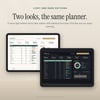
Paycheck Budget Planner Spreadsheet | Excel + Google Sheets | Debt Snowball vs Avalanche, Sinking Funds, Bill Calendar | Light + Dark
Budget each paycheck, see which months have a third paycheck, and compare the snowball and avalanche payoff plans side by side. Works in Excel 2016+, Google Sheets and LibreOffice.
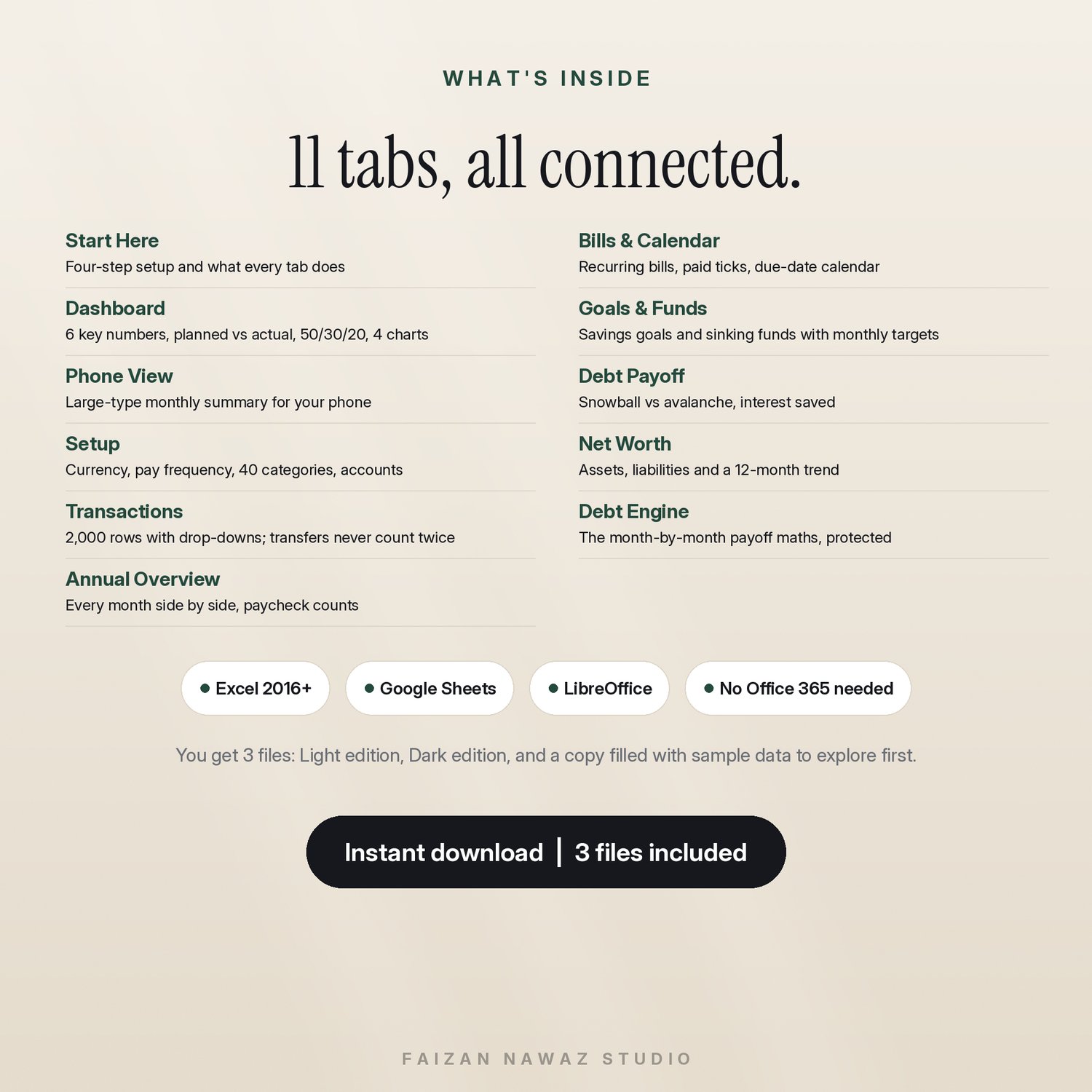
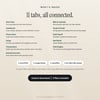
Most budget templates make you choose: a simple one-tab sheet, or a 28-tab system that is hard to learn. This planner has 11 connected tabs. You type in one place and everything else fills in by itself.
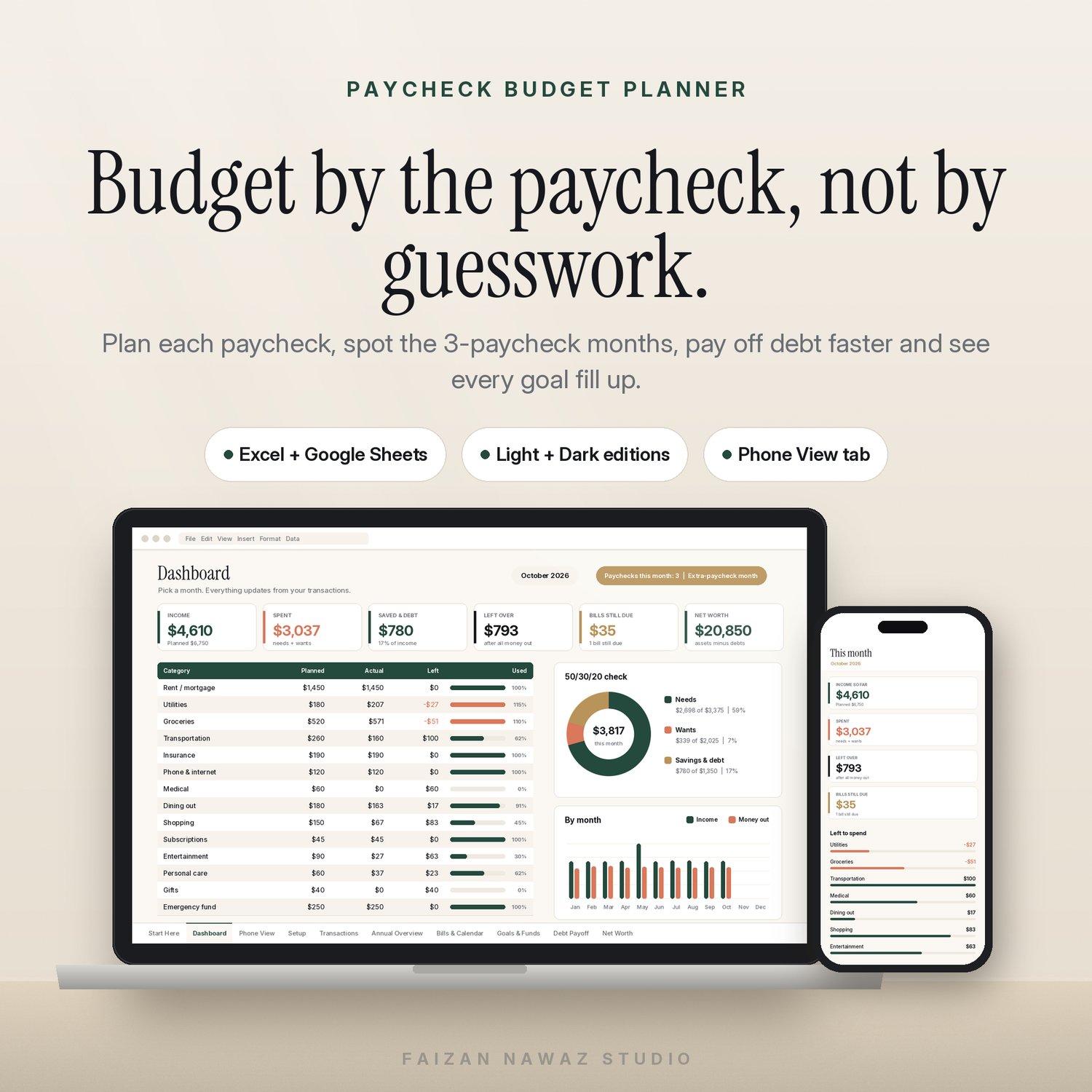
Built around your paychecks. Choose weekly, every two weeks, twice a month or monthly, and enter your first payday. The planner counts the paychecks in every month and highlights the months that have an extra one, so you can plan what that money does before it arrives.
Transfers never count twice. Each transaction is Income, Expense or Transfer. Moving money into savings is never counted as income or as spending. Buyers of other templates complain about exactly this.
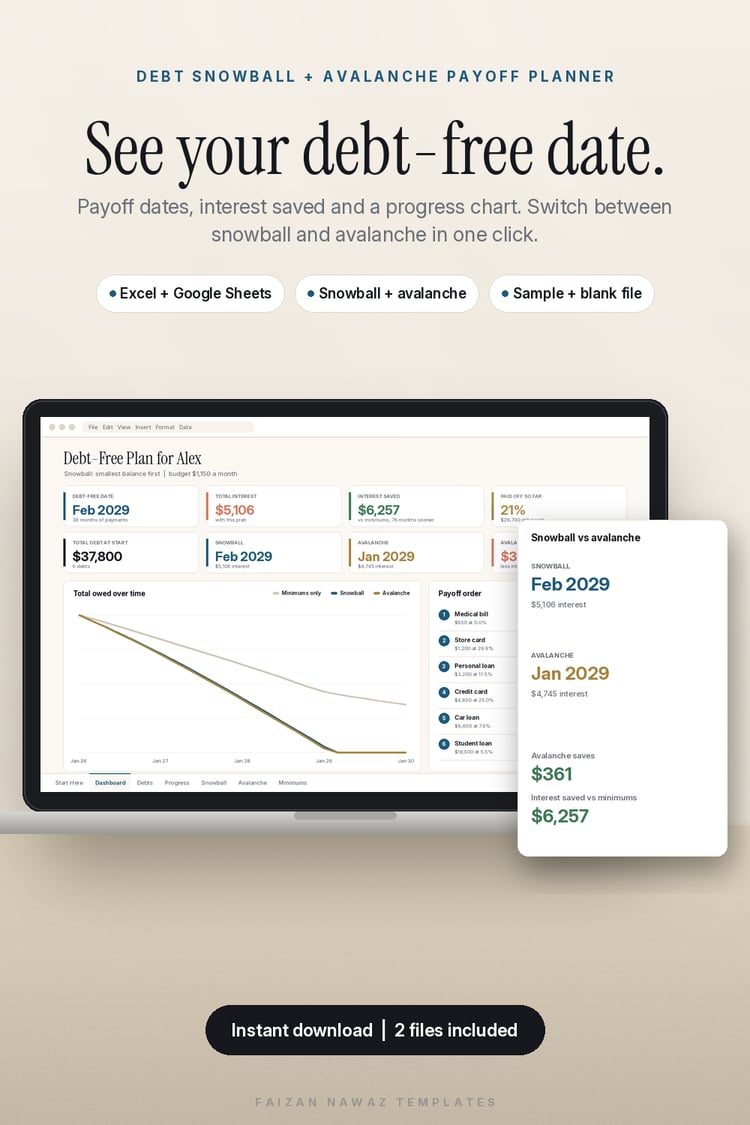
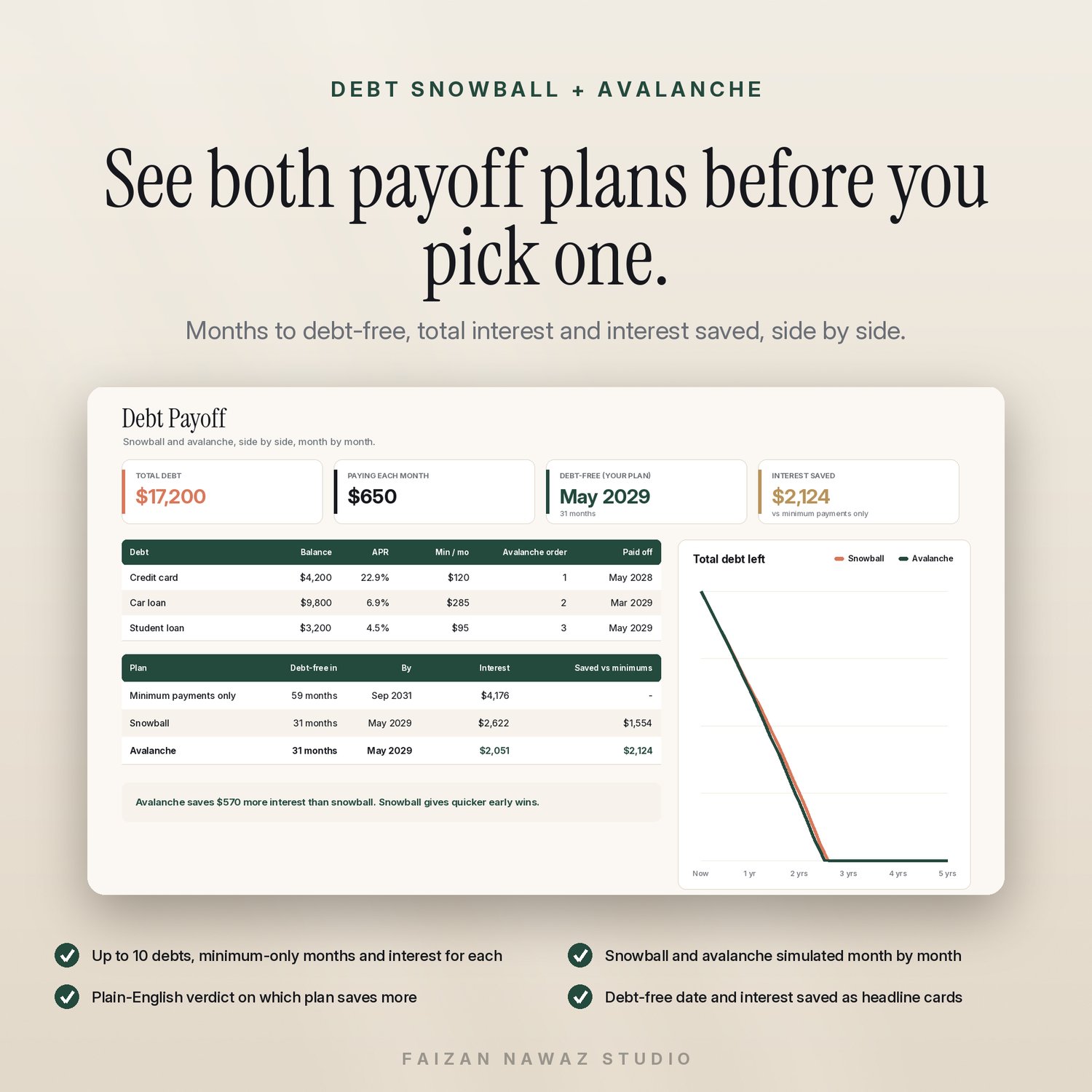
Debt snowball and avalanche, side by side. Enter up to 10 debts. The planner simulates both plans month by month and shows each one's debt-free date, total interest and interest saved compared with paying only the minimums. It ends with a plain-English verdict on which plan saves more.
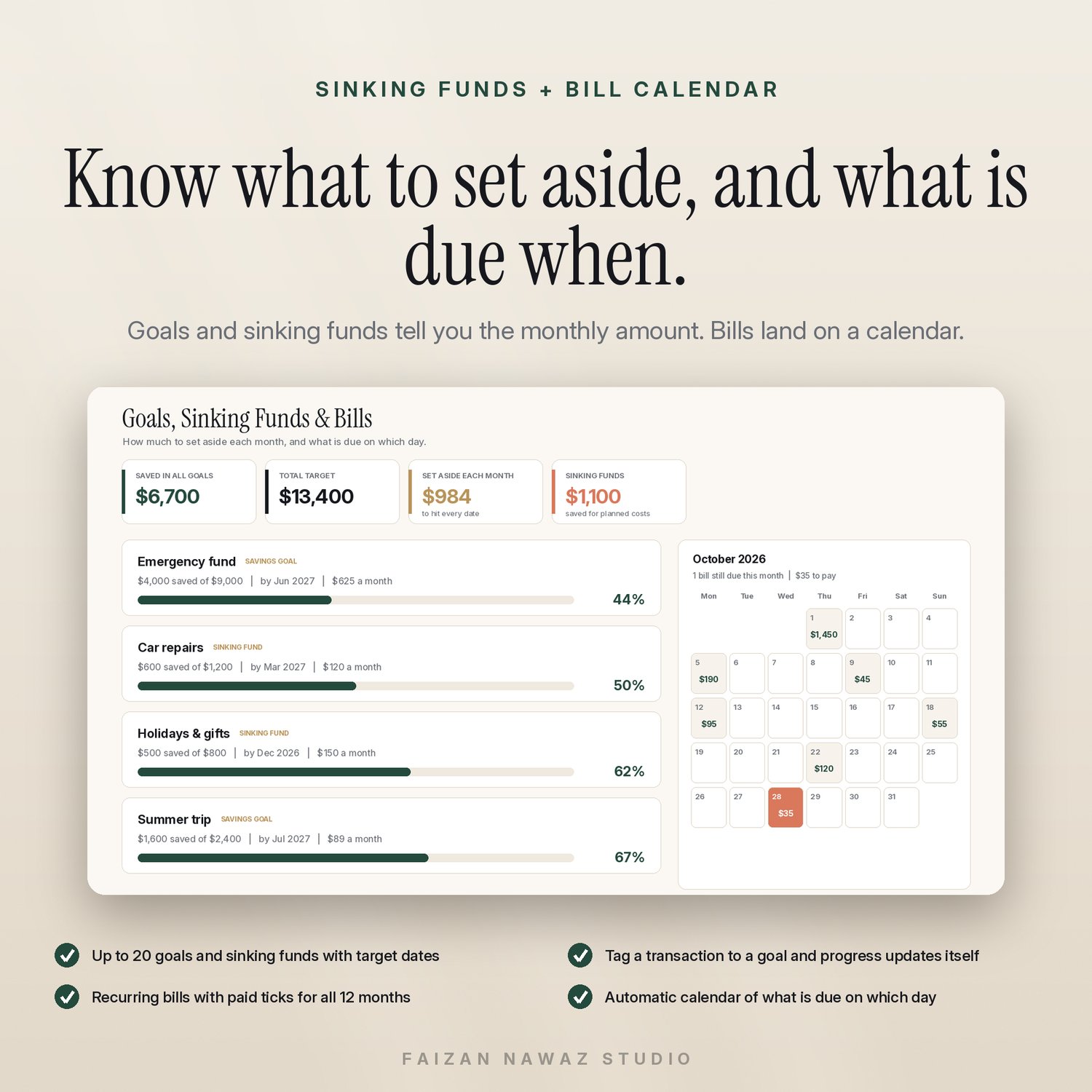
Goals and sinking funds that fill themselves. Set up to 20 goals with a target and a date. The planner tells you how much to put aside each month. Tag a transaction to a goal and its progress bar moves.
Bills on a calendar. Add up to 25 recurring bills, tick them off each month, and see every due date on an automatic month calendar.
One date style everywhere. Dates read 12 Mar 2026 on every tab, so day and month never get mixed up.
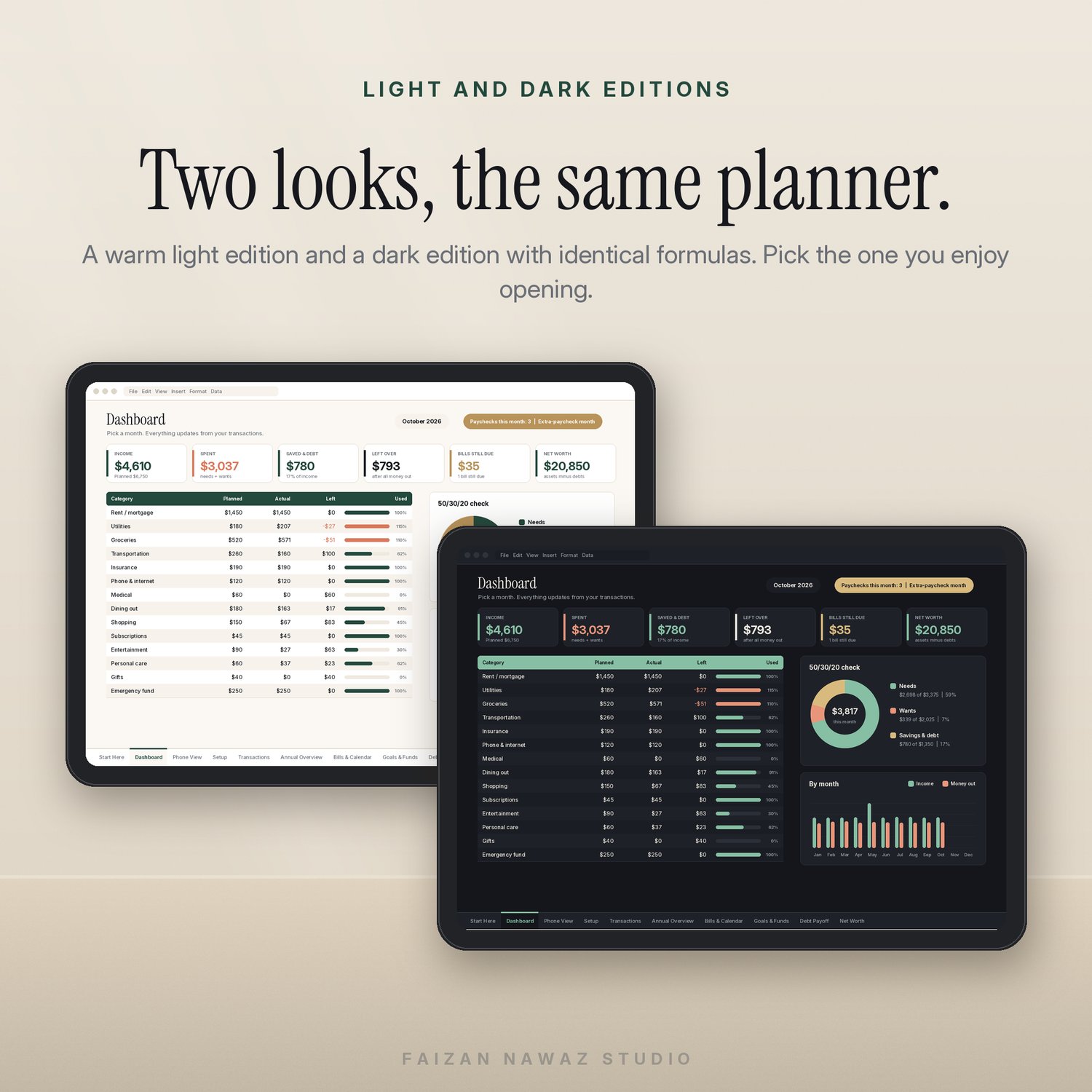
Light and Dark editions in one purchase. Both have the same formulas. Some top sellers sell these as separate listings.
A Phone View tab. Open it in the Google Sheets or Excel app to see income, spending, money left over and what is left in each category, in large type.
Feature bullets:
- 11 tabs: Start Here, Dashboard, Phone View, Setup, Transactions, Annual Overview, Bills & Calendar, Goals & Funds, Debt Payoff, Net Worth, and the Debt Engine (protected)
- Dashboard with a month selector, 6 key numbers, planned vs actual for every category, a 50/30/20 check and 4 charts
- 2,000 transaction rows with drop-downs for category, account and goal
- 40 categories you can rename, each with a monthly plan
- Paycheck counter that flags extra-paycheck months
- Income / Expense / Transfer types, so transfers are never counted as income or spending
- Debt snowball vs avalanche for up to 10 debts: debt-free date, total interest, interest saved
- Up to 20 savings goals and sinking funds with a monthly set-aside amount
- Up to 25 recurring bills with paid ticks and an automatic due-date calendar
- Annual overview: paychecks, income, needs, wants, savings and savings rate for every month
- Net worth with a 12-month trend chart
- Any currency, set in one cell
- 8 charts in total
- Light edition, Dark edition and a sample-data copy: 3 files
- Works in Excel 2016 or newer, Google Sheets and LibreOffice. No macros and no Office 365-only functions.
- Calculated tabs are protected against accidental edits; you type only in the cream cells
What you get: a zip with 3 .xlsx files (Light, Dark, With Sample Data) and a README.
Good to know: this is a digital download; nothing is posted to you. It is an organising tool, not financial advice. Debt payoff figures are estimates using standard monthly interest. For personal use only.
Questions: Faizan Nawaz, makhdoomfaizan@gmail.com, Phone/WhatsApp +92 330 1538484, https://faizan-nawaz-portfolio.surge.sh