
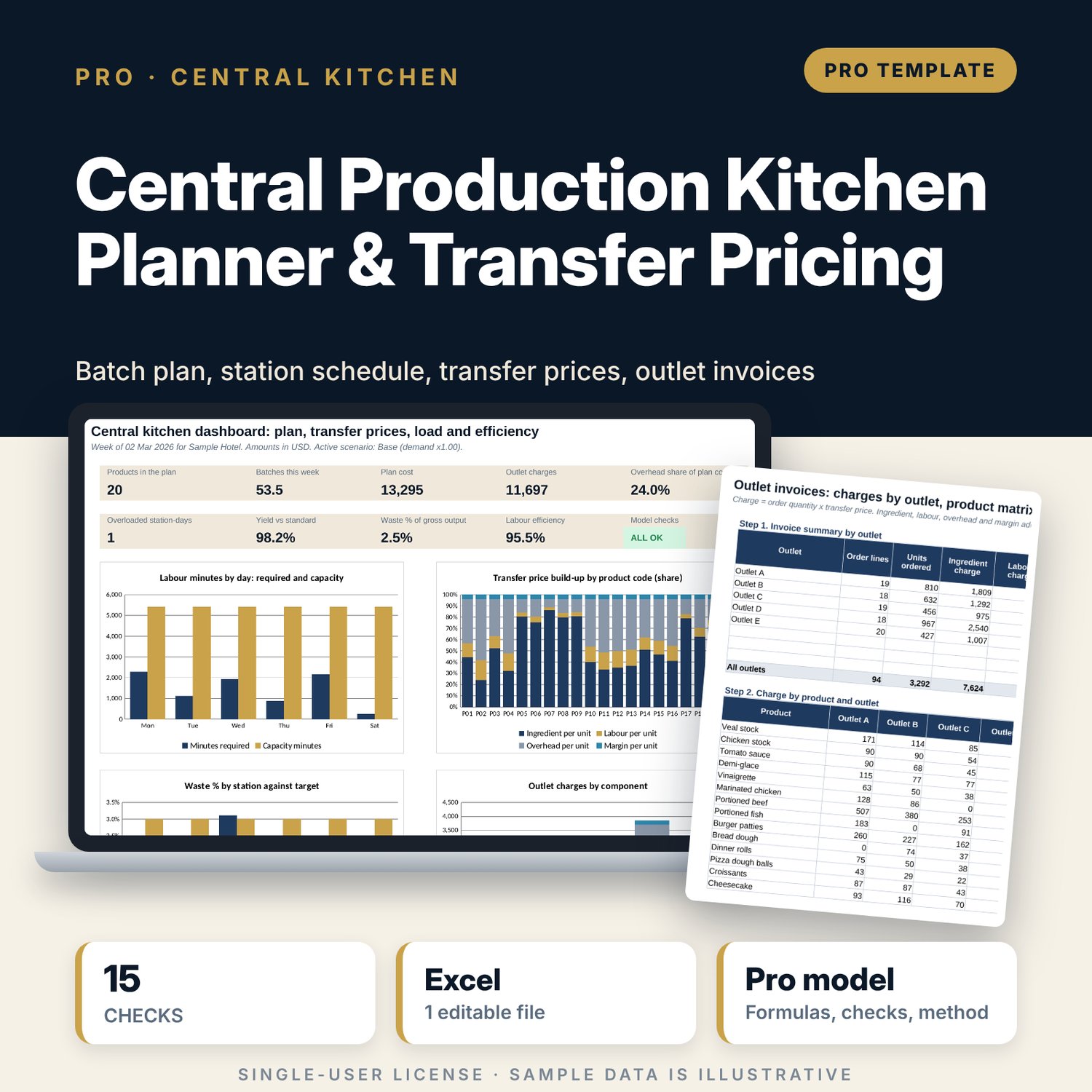





Central Production Kitchen Planner & Transfer Pricing: Central Kitchen Production Planning and Transfer Price Calculator
Full description
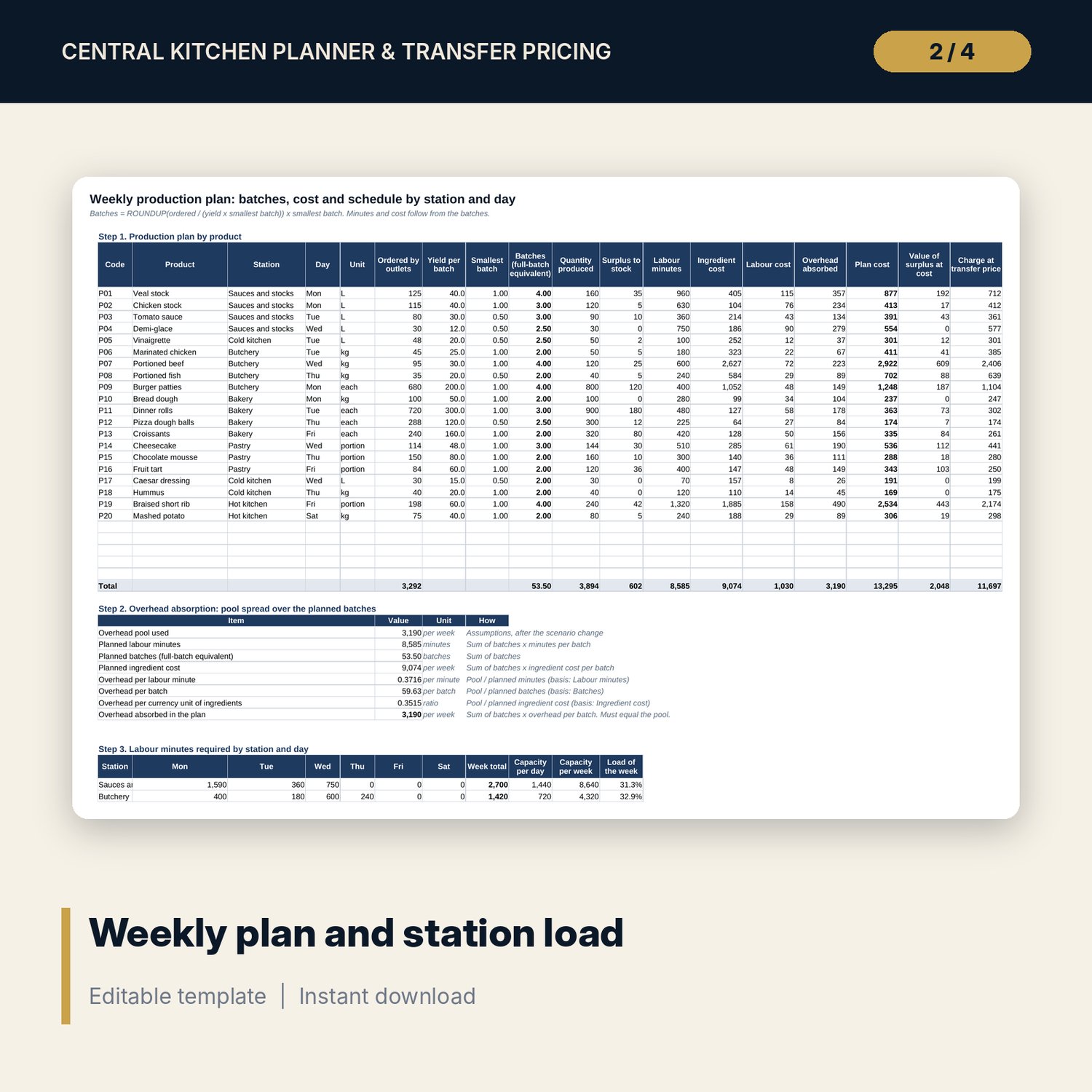
For executive chefs, commissary managers, food and beverage controllers and financial controllers who supply several outlets from one production kitchen. The workbook turns outlet par levels and orders into batches with a rounding rule you can see, prices each product from ingredients (recipe quantity x usable cost), labour minutes and an overhead pool spread by labour minutes, batches or ingredient cost, and adds an optional margin. It schedules labour minutes by station and day against capacity, lists ingredient requirements, produces an invoice for each outlet, and compares actual yield, waste and labour minutes from a production log with the standard. Scenarios and sensitivity grids show what demand, ingredient prices, wages and overhead do to the transfer price.
Save with a bundle: this workbook is also in the F&B Control & Audit Pro Bundle, 25 workbooks for $59 instead of $310. All 100 Pro workbooks are in the Pro Library for $119, and all 241 templates and workbooks are in the Ultimate Hospitality Library for $149.
What is inside
- Central_Kitchen_Planner_Transfer_Pricing.xlsx: 12 tabs, 7,638 formulas, 4 native charts, 25 drop-down and input rules
- Recipe_Book: 38 sample ingredients with 48 slots, and 100 recipe lines with room for 160
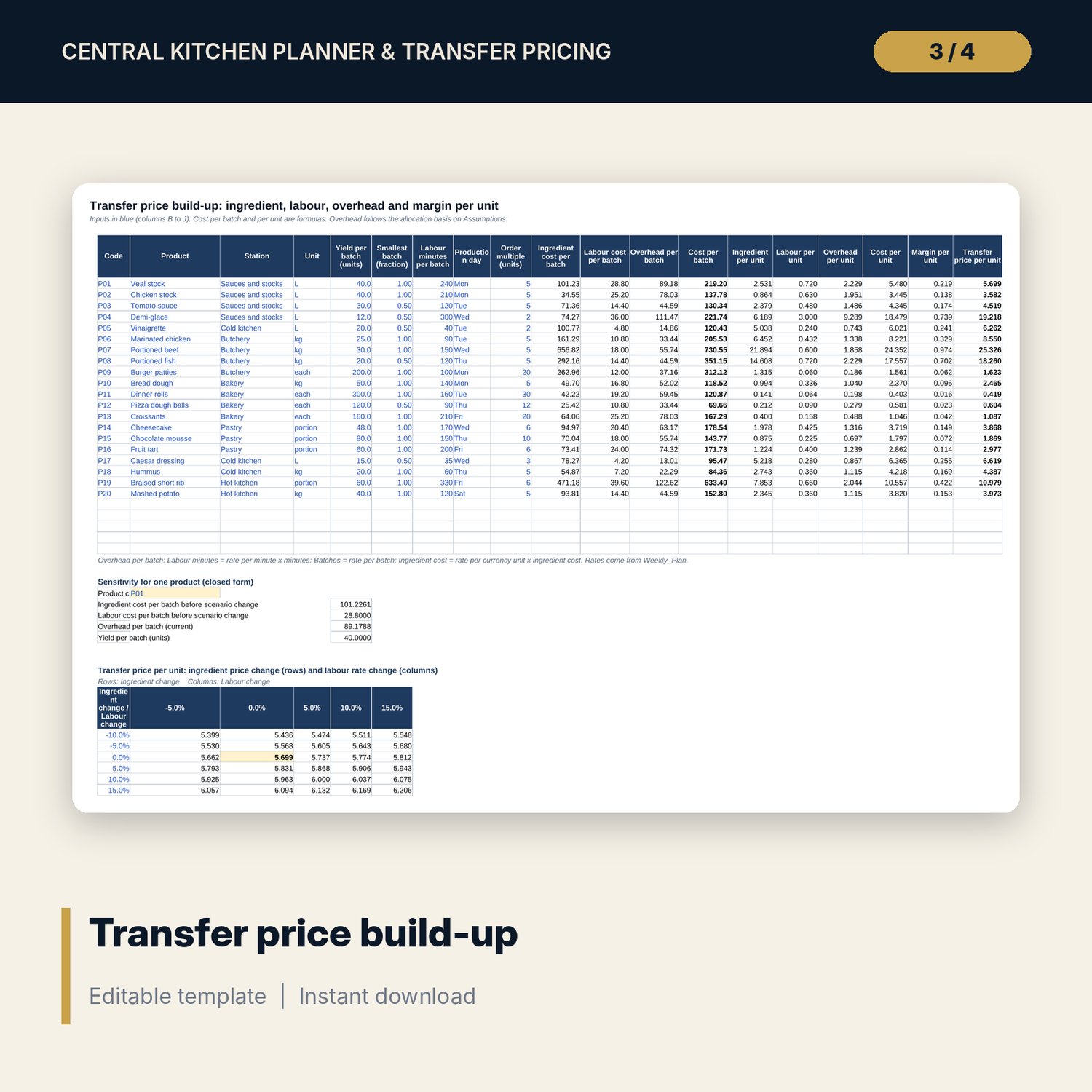
- Transfer_Price: 20 sample products with 25 slots, a step-by-step build-up from batch cost to transfer price, and two closed-form sensitivity grids
- Orders: 94 sample order lines from 5 outlets, room for 150; order quantity rounded up to each product's order multiple
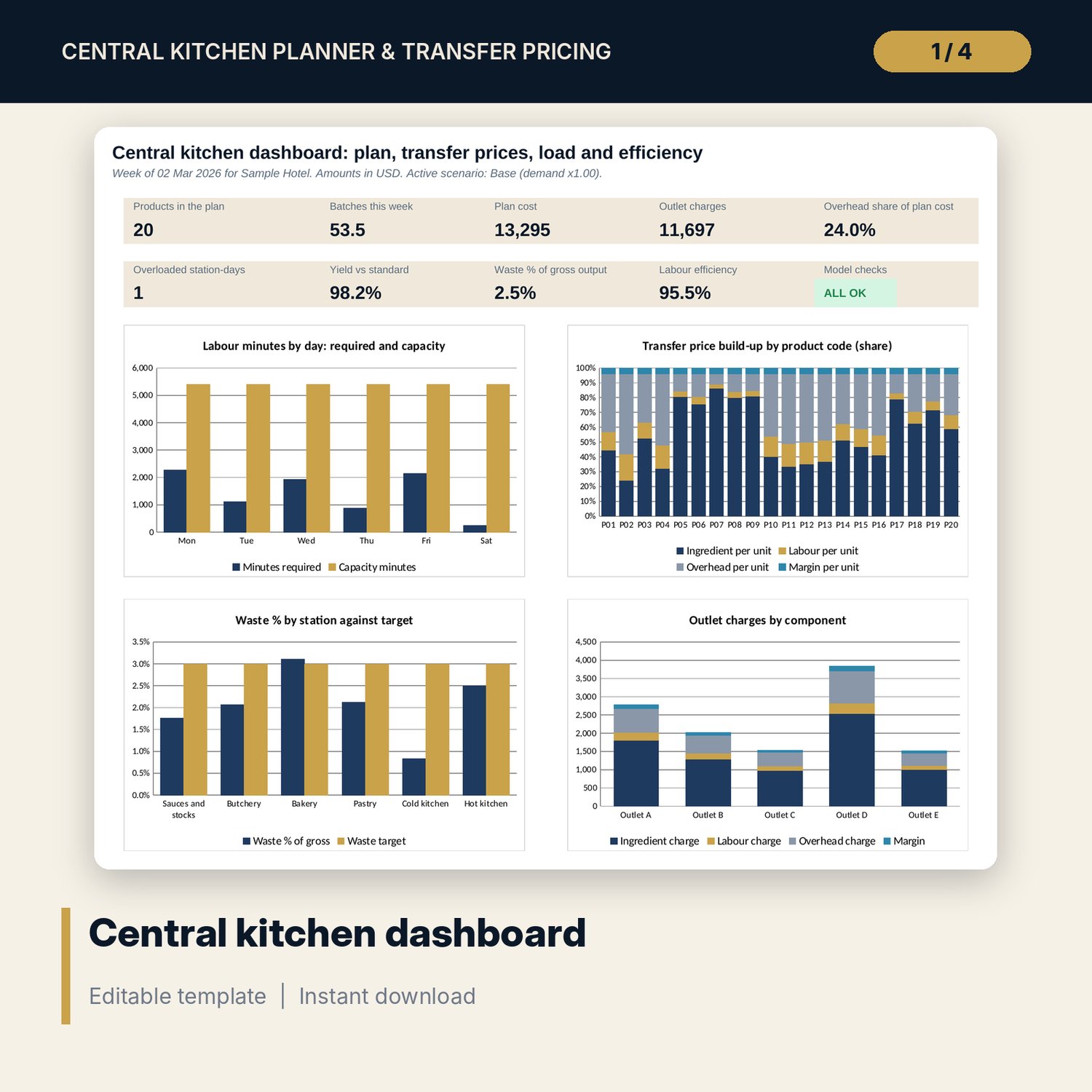
- Weekly_Plan: batches, surplus, labour minutes and cost by product; overhead absorption; 6 stations by 6 days with Overloaded and High flags
- Production_Log: 55 sample runs, room for 200; Efficiency: yield, waste, labour efficiency and order fill rate by station and by product
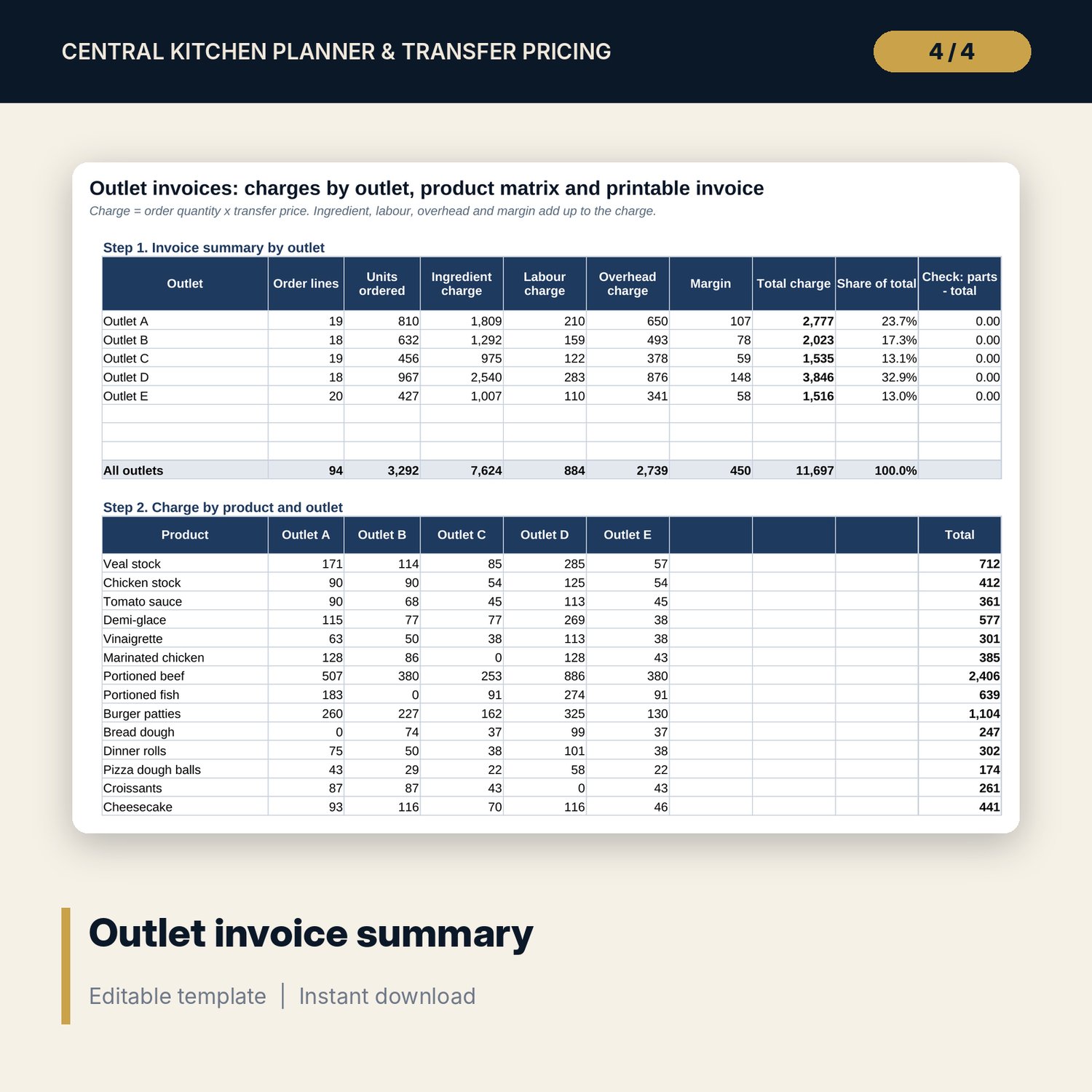
- Outlet_Invoices: charge split into ingredient, labour, overhead and margin for up to 8 outlets, a product by outlet matrix and a printable invoice
- Dashboard (one printed page), 15 integrity checks and a Method tab with 17 documented calculations
- README.txt and LICENSE-and-Terms.txt
How it works
- Enter the labour rate, weekly overhead pool, allocation basis, margin, station staffing and outlets on Assumptions.
- Enter ingredients and batch recipes on Recipe_Book, and products on Transfer_Price.
- Enter par level and stock on hand for each outlet and product on Orders.
- Read the batches, station schedule and transfer prices; move a product to another day if a station is Overloaded.
- Log production, read Efficiency, and print the invoice for each outlet.
Details
- Format: one .xlsx workbook, English
- Software: Excel 2016 or later, or LibreOffice Calc 7 or later
- No macros, no external links, no data tables, no array formulas
- Instant digital download
Good to know
- Sample data is illustrative. Replace it with your own figures.
- Overhead absorption and transfer prices follow the planned volume and the basis you choose. Verify internal pricing, cost allocation and tax rules with your finance team.
- Recipes, yields and labour minutes are inputs from your own kitchen. The workbook does not check food safety, shelf life or labelling.
- Single-user license. Do not redistribute.
FAQ
How is the transfer price built?
Ingredient cost per batch (recipe quantity x usable unit cost), labour cost per batch (minutes / 60 x loaded rate) and overhead per batch, divided by the batch yield, plus your margin.
Which overhead allocation can I use?
Labour minutes, batches or ingredient cost, chosen from a drop-down. The plan checks that the overhead absorbed equals the weekly pool.
What happens when demand rises?
Pick the Peak week scenario or change the demand multiplier. Batches, station load, overhead per unit and prices recalculate.
Can I use half batches?
Yes. Each product has a smallest batch fraction. Batches are rounded up to that fraction and labour minutes scale with it.
Does it need macros or add-ins?
No. Every result is a standard worksheet formula, including the sensitivity grids.