

Super Contributions Planner (Australia) – Cap Room, Carry-Forward & Salary Sacrifice Tax Saved, 2025-26 and 2026-27
NEW: Google Sheets edition included. Prefer Google Sheets? Your download includes a PDF with a one-click link to make your own copy (parity-tested: every formula cell matches the Excel version).
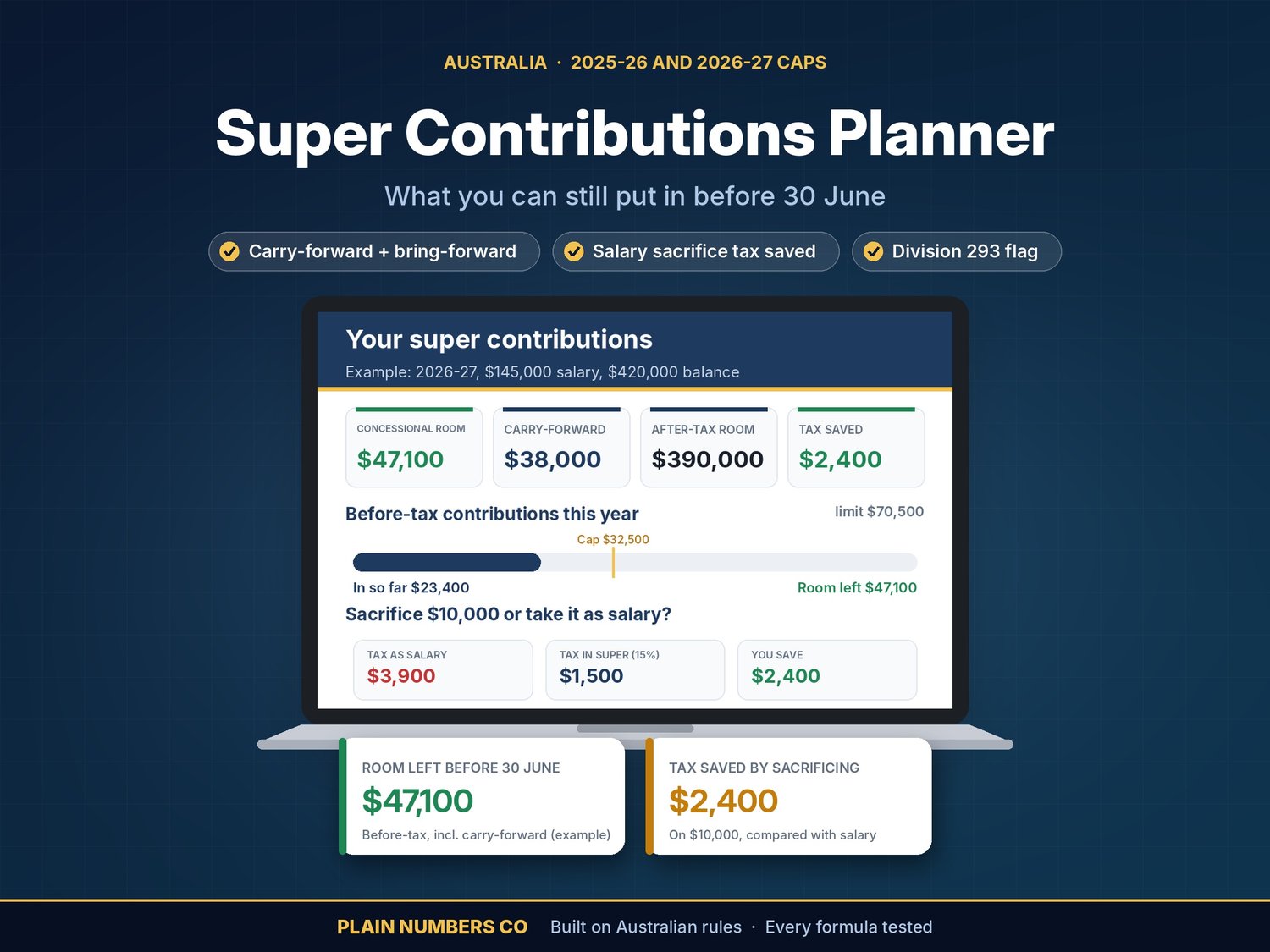
Find out how much you can still put into super before 30 June, and what it saves you in tax.
Enter your balance, salary and what's already going in. The workbook shows:
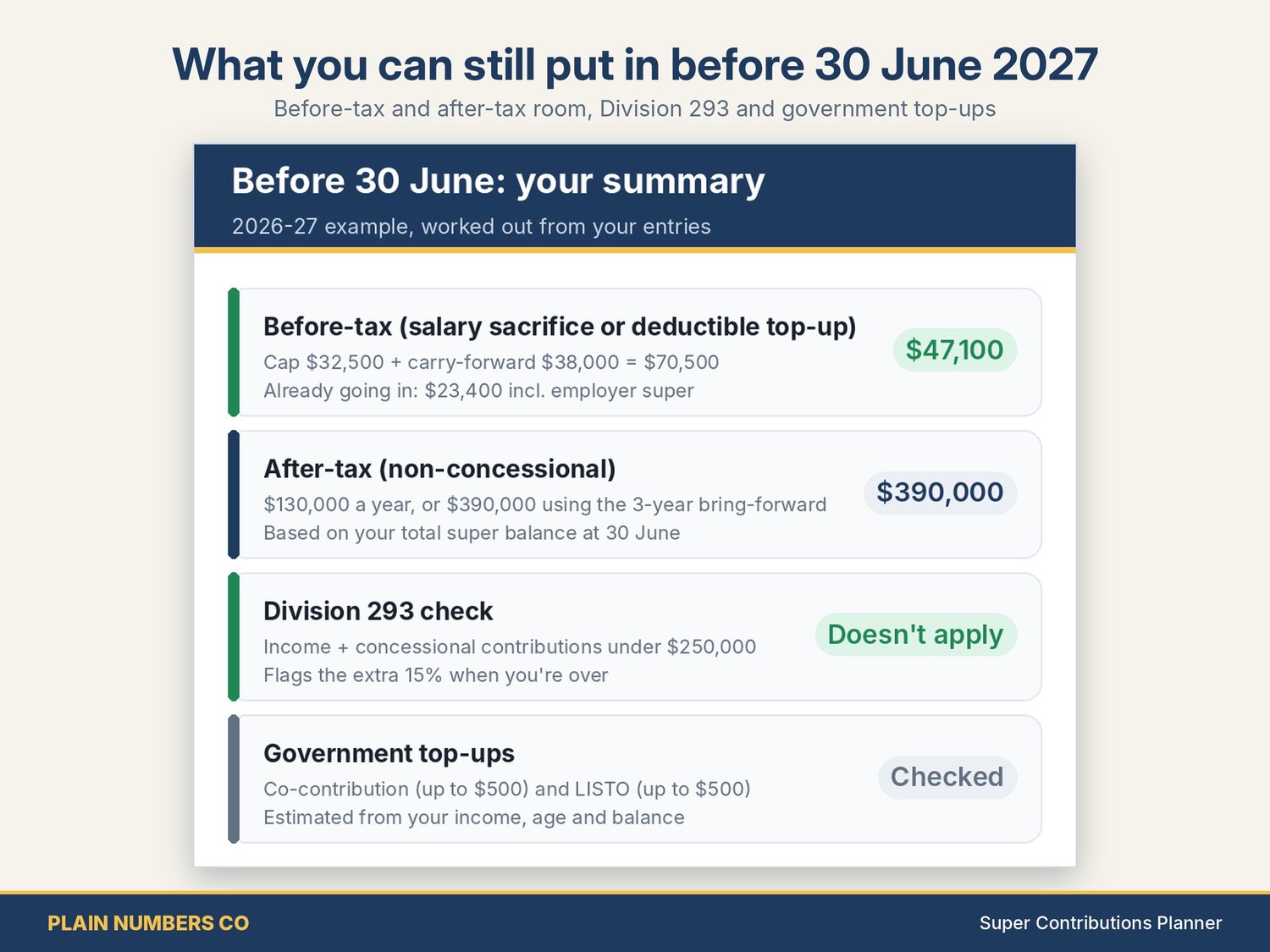
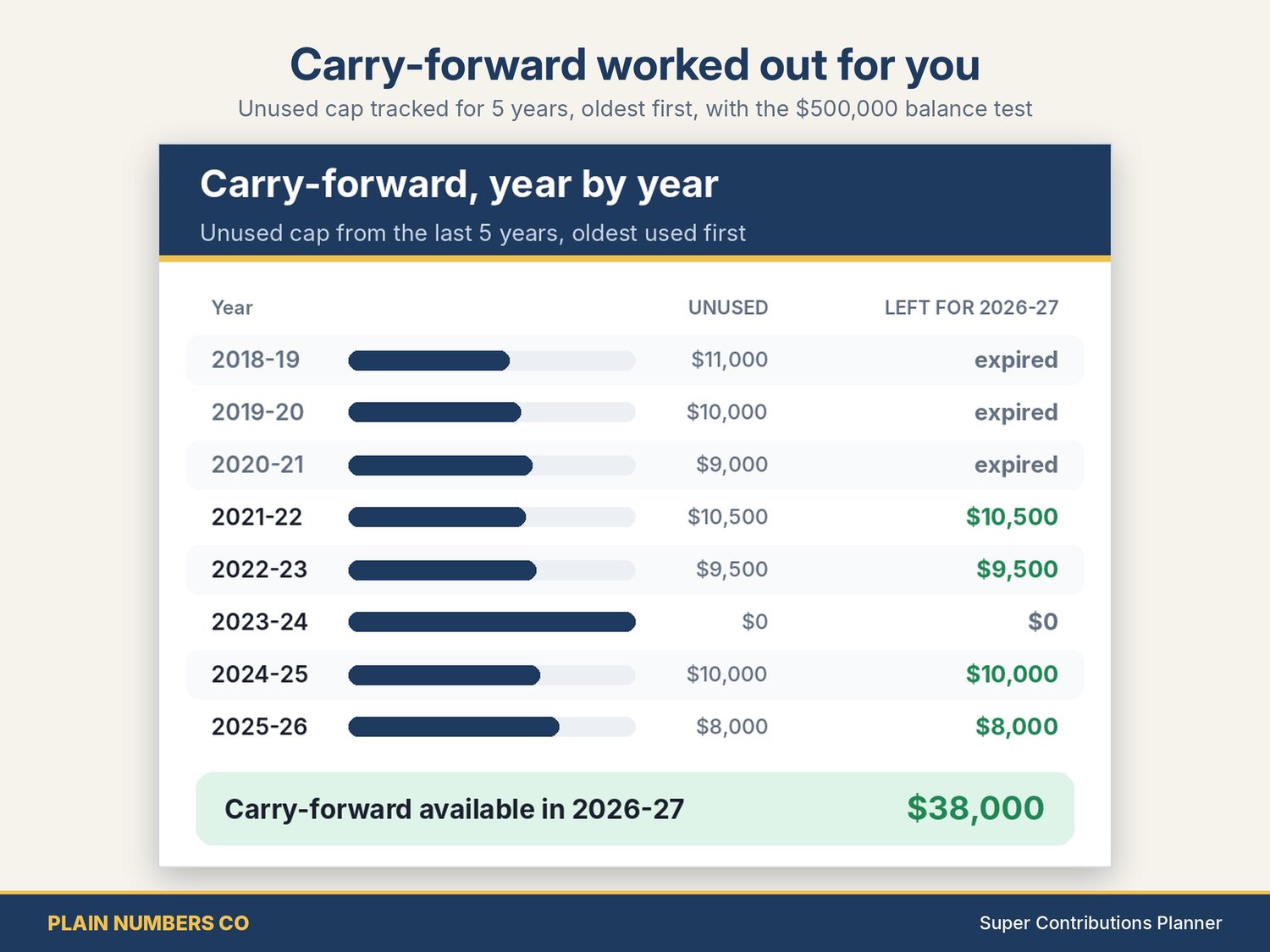
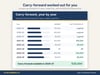
- Concessional (before-tax) room left for the year, including your carry-forward of unused cap from the last 5 years. It applies the $500,000 total super balance test and uses the oldest amounts first, and it tells you when they expire.
- Non-concessional (after-tax) room left, using the bring-forward rule and the 2025-26 or 2026-27 total super balance thresholds. If you're already in a bring-forward period, it accounts for that too.
- Tax saved by salary sacrificing compared with taking the same money as salary. It uses your resident tax rates, the low income tax offset, the Medicare levy and 15% contributions tax.
- A Division 293 flag when income plus concessional contributions goes over $250,000. The extra 15% is included in the comparison.
- An estimate of the government co-contribution (and how much more you'd need to put in to get the most), plus the LISTO.
- A check of whether a downsizer contribution (up to $300,000 outside the caps) is open to you.
- A plain-English box: "What you can still put in before 30 June".
Built on the ATO's published figures for both years:
- concessional cap: $30,000 for 2025-26, $32,500 for 2026-27;
- non-concessional cap: $120,000 / $130,000;
- transfer balance cap: $2m / $2.1m;
- super guarantee: 12%.
Division 296 (balances over $3 million) is now law from 2026-27. It's flagged but not calculated.
What's inside: Home, Dashboard, Your Details, Past Years (carry-forward ledger), Before 30 June, Calculator (every step shown), Rules & Rates, Checks and Notes & Sources with every official link and the date it was checked. An example is included. Works in Excel 2016 or later, Excel for Mac and Excel online.
Built and checked by a CPA. Every formula tested against a separate calculation.
Designed by Plain Numbers Co with the help of AI tools. Listing images are designed previews of the actual file.
30-DAY MONEY-BACK GUARANTEE: if it doesn't work for your situation, message us within 30 days. We'll fix it, or refund you in full if you'd rather. This is in addition to your rights under the Australian Consumer Law, which are not excluded.
General information only, not financial, tax or legal advice. It doesn't take your personal circumstances into account. Check your figures in myGov and with your super fund, a registered tax agent or a licensed financial adviser before you contribute.