




Food Truck & Coffee Cart Menu Cost Calculator
Cost every drink and pastry down to the cup, lid and sleeve, set prices from your target cost %, and see which menu items earn their spot.
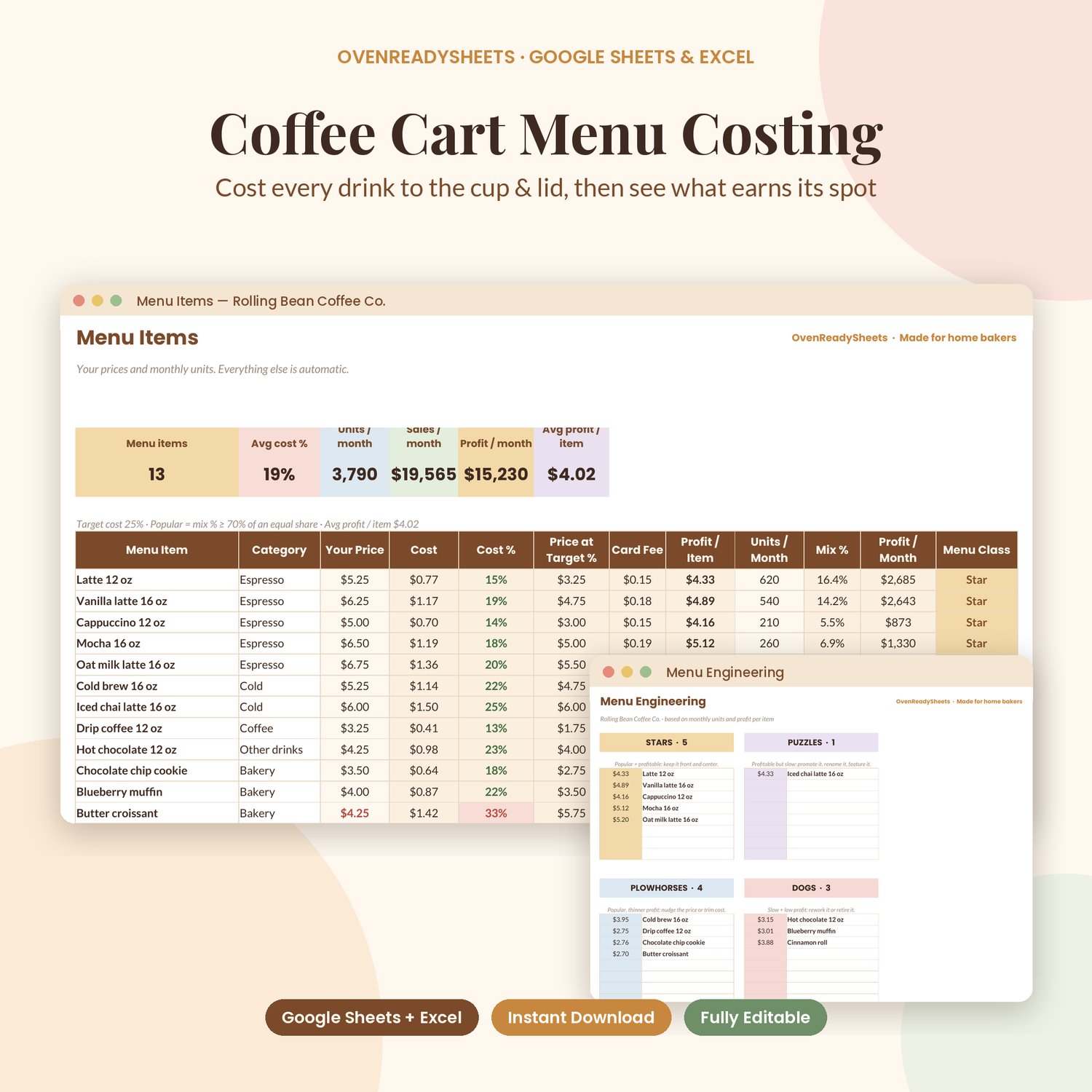
The Food Truck & Coffee Cart Menu Cost Calculator is a spreadsheet for mobile coffee carts, food trucks, pop-ups and small cafés. Enter what you buy, build each menu item from its ingredients and packaging, and add monthly units sold. It shows cost, cost %, the price that hits your target, card fees, profit per item and profit per month, then sorts your menu into Stars, Plowhorses, Puzzles and Dogs.
WHAT'S INCLUDED
- Food Truck & Coffee Cart Menu Cost Calculator, SAMPLE version (filled with example data so you can see how it works)
- Food Truck & Coffee Cart Menu Cost Calculator, BLANK version (ready for your business)
- Easy instructions PDF (Excel + Google Sheets)
Tabs:
- MENU ENGINEERING: Stars (popular + profitable), Plowhorses (popular, thinner profit), Puzzles (profitable but slow) and Dogs (slow + low profit) with profit per item, plus profit per month by item and a chart
- MENU ITEMS: price, cost, cost %, price at your target cost %, card fee, profit per item, units per month, mix %, profit per month and menu class. Room for 40 items.
- RECIPE LINES: one row per ingredient or supply in each item (amount and unit), cost per line automatic. Room for 400 lines.
- INGREDIENTS & PACKAGING: package size and price to cost per gram / ml / each (milk, beans, syrups, cups, lids, sleeves, straws, bags)
- SETTINGS: target cost %, price rounding, card fee %, popularity rule
- START HERE: step-by-step instructions
The sample is a coffee cart with 13 drinks and pastries, so you can see it working before you add your menu.
Works in Google Sheets and Excel (Google Sheets is free; Excel 2016+ or Microsoft 365).
HOW DELIVERY WORKS
- Instant download: right after checkout you get a download link on screen and by email.
- You receive one ZIP file. Double-click it (Mac or Windows) to unzip the files.
- Excel: open the .xlsx file. Google Sheets: go to sheets.google.com > File > Import > Upload and choose the .xlsx (step-by-step in the instructions PDF).
- Open the SAMPLE file to see how it works, then fill in the BLANK file with your own details.
- This is a digital product. Nothing will be shipped.
GOOD TO KNOW
- A computer is recommended for setup. The Google Sheets mobile app works for quick updates.
- Sample names, numbers and prices are fictional examples.
- Not affiliated with Google or Microsoft.
- For personal or single-business use. Please don't resell or share the files.
- Because this is a digital download, we can't offer returns. If a file won't open or a formula isn't working, contact us and we'll fix it or send a replacement.
- Designed with the help of AI tools; formulas tested by OvenReadySheets.
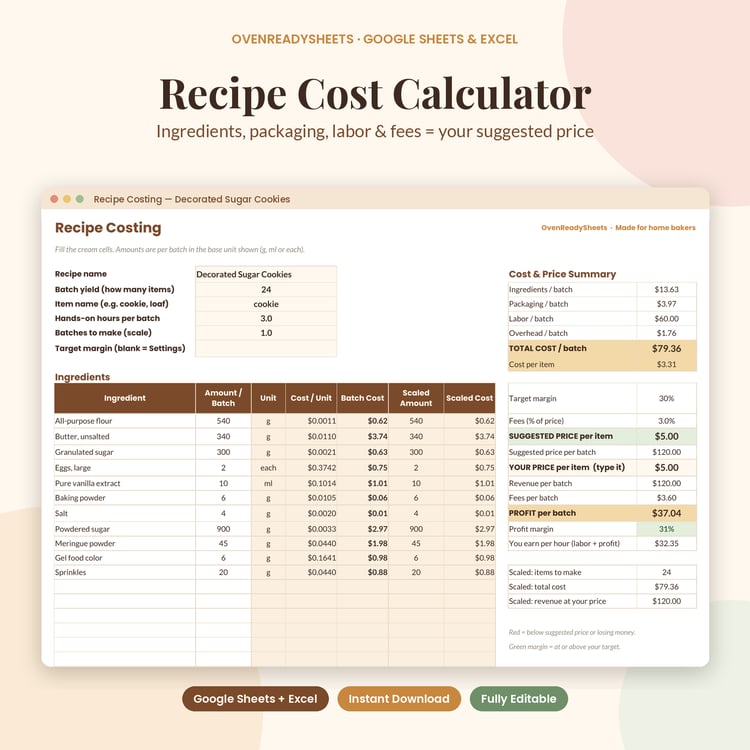
Pairs with our Recipe Cost & Pricing Calculator.