
🚀 Launch 40% off The Copilot Project Manager — Complete Toolkit Bundle
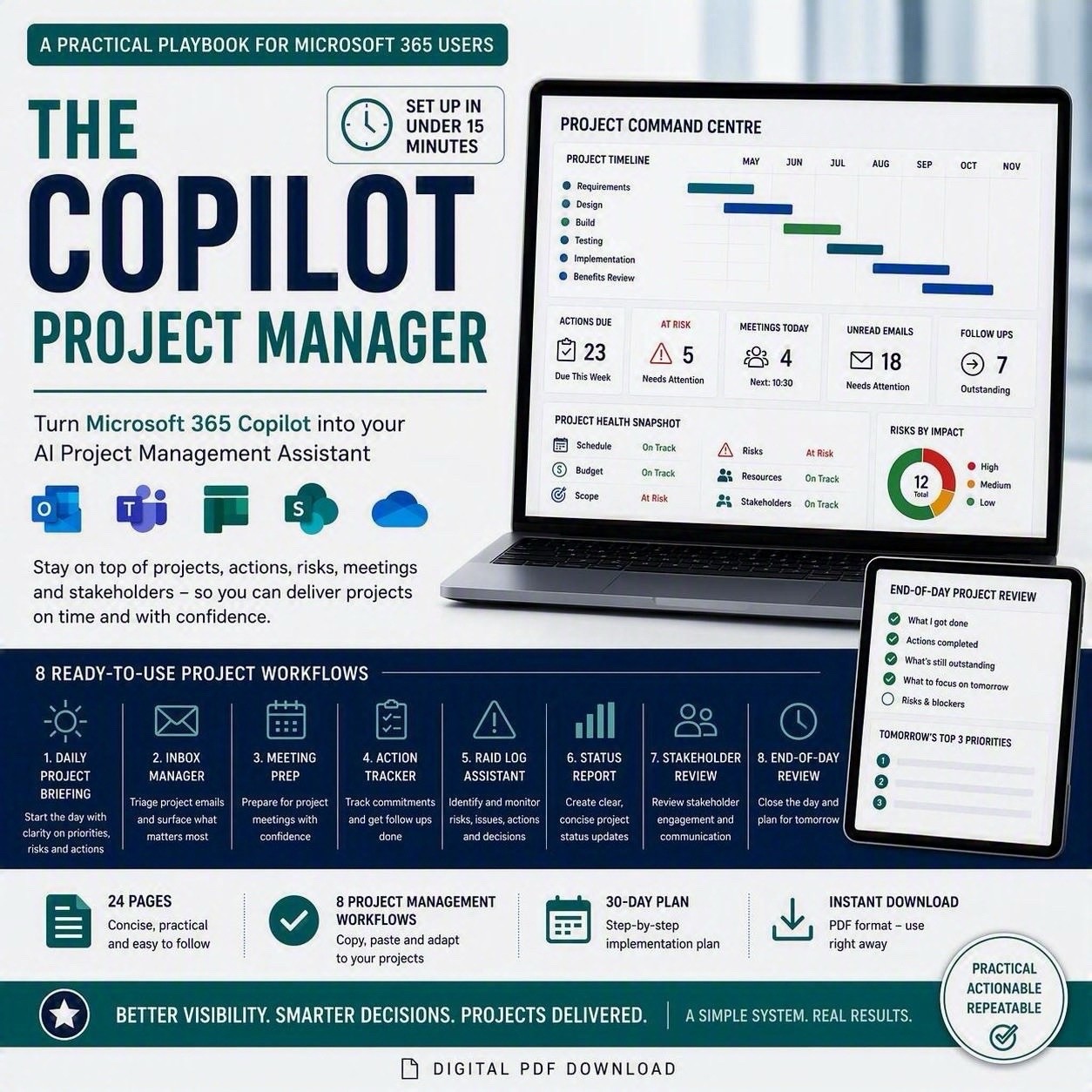
The Copilot Project Manager is a complete system for running project delivery through Microsoft 365 Copilot built for project managers, PMO analysts, workstream leads and anyone accountable for actions, risks and deadlines who wants Copilot working with them, not just answering one-off questions.
This bundle gives you everything you need to set it up once and run it every day:
📘 The Guide (Word document, 24 pages)
A complete playbook covering agent setup, your Project Profile and Keywords, full Agent Instructions, and 8 ready-to-run workflows from your Daily Project Briefing through to RAID management, stakeholder engagement and status reporting. Includes a 30-day implementation plan so you build the habit in stages, not all at once.
📋 The Prompt Library (plain text file)
Every prompt and instruction block from the guide, copy-paste ready no reformatting, no hunting through PDF pages mid-meeting. Paste straight into Copilot.
📊 The Excel Toolkit (8-tab workbook)
The tracking system that sits alongside your Copilot prompts: Action Tracker, RAID Log, Stakeholder Register and Milestone Tracker, all feeding a live Dashboard with auto-updating charts and RAG status. Every date, score and status is a real formula not a static template you fill in once and abandon.
Set it up in under 15 minutes. Use it for the life of the project.
What's Included
● The Copilot Project Manager guide (.pdf, 24 pages)
● Full Agent Instructions — copy-paste directly into Copilot
● 8 ready-to-run prompts: Daily Project Briefing, Project Inbox Manager, Meeting Prep, Action Tracker, RAID Log Assistant, Project Status Report, Stakeholder Engagement Review, End-of-Day Project Review
● Plain-text Prompt Library for fast copy-paste
● 8-tab Excel Toolkit: Project Profile, Action Tracker, RAID Log, Stakeholder Register, Milestone Tracker, live Dashboard, 30-Day Plan Tracker
● Colour-coded, formula-driven — automatic overdue flags, RAG status and RAID scoring
● 30-Day Implementation Plan to roll it out gradually
● Instant digital download
Who This Is For
● Project and programme managers
● PMO analysts and business analysts
● Workstream and transformation leads
● Anyone using Microsoft 365 Copilot who's responsible for actions, risks, stakeholders or reporting
You don't need a technical background or a formal PMO methodology just access to Microsoft 365 Copilot and a project to run.
Why a Bundle
The guide tells you what to ask Copilot. The Excel Toolkit is where the answers live the single source of truth you check Copilot's output against, and update after every prompt run. Buying them together means you're working from a matched pair from day one, rather than retrofitting a tracker to a system you've already set up.
FAQ
Do I need Project Online, Planner Premium, or any special licence?
No just Microsoft 365 Copilot and the usual Microsoft 365 apps (Outlook, Teams, SharePoint/OneDrive). The guide explains exactly what access to grant your agent.
Will this work for more than one project at a time?
Yes. The Project Profile and Keywords system is designed so you can run the same agent across multiple projects — just swap the profile and keywords when you switch focus.
Is the Excel Toolkit locked down / view-only?
No it's a fully editable workbook. Formulas are unprotected so you can adapt column names, add rows, or extend it to match how your organisation already works.
Do I need Excel, or does Google Sheets work?
Built and tested in Excel. Most formulas will work in Google Sheets after upload, but conditional formatting and charts may need minor rebuilding.