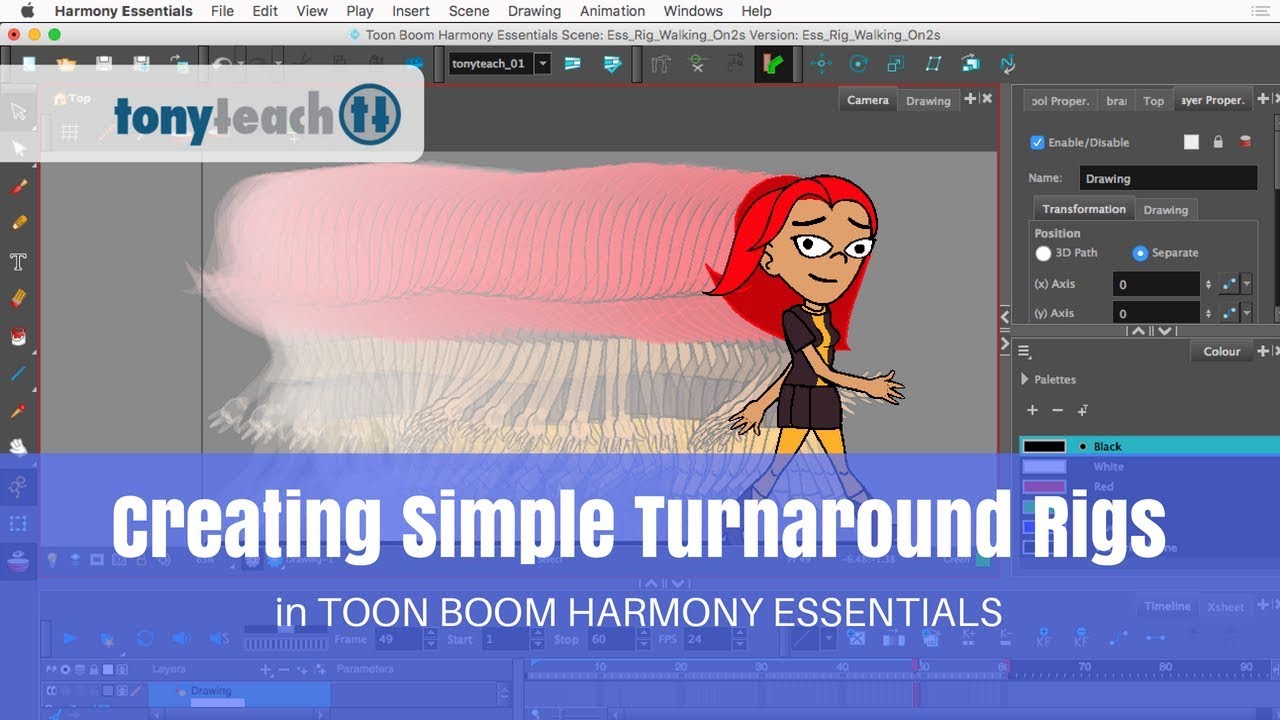
Create Simple Turnaround Rigs in Harmony Essentials
By
TonyTeach
Have you ever wondered could you create a turnaround rig in Harmony Essentials? In this new course, Tony Ross will show you step-by-step how to rig a simple, yet powerful cut-out character just using Harmony Essentials.
Now a full production character rig typically requires the node view and deformers that are only available in Harmony Premium – That being said, even at the entry level of Toon Boom software, out of the box, Harmony Essentials has a stronger set of animation features than programs like Animate or Flash!
Here are a few of the topics covered in the course:
TOC Welcome/Intro & Basics
About this Course
Harmony Essentials vs Harmony Premium
Harmony Essentials vs Flash/Animate
Setting your Preferences
Using the Brush Tool
Using the Pencil Tool
Working in Drawing Mode
Working in Camera Mode
Designing the Character
Designing Cut-Outs for Harmony Essentials
Sketching the Character
Cleanup and Inking the Character
Setting up Views of the Character
Setting up Layers
Working with Drawing Substitutions
Working with Pegs
Should You Animate Pegs or Drawings?
Setting Drawing Pivots
Setting Peg Pivots
Using Bone Deformers
Bone Deformer Basics
Rigging the Torso
Rigging the Arms
Rigging the Legs
Rigging the Hair
Using Symbols & Patches
Advanced Arm Rigging
Advanced Leg Rigging
Advanced Hair Rigging
Advanced Rigging the Eyes
Rough Sketch of Drawing Substitutions
Advanced Rigging the Eyes
Setting up Layers
Working with Masking & Cutters
Adding the Mouth
Rough Sketch of Drawing Substitutions
Advanced Rigging the Mouth
Setting up Layers
Working with Masking & Cutters
Setting up a Template
Re-Naming Drawing Substitutions
Using Kinematic Output
Working with Child-Parent hierarchy
Working with Layers and Nudging
Creating Master Pegs
Working with Libraries
Creating Templates
Animating your Character
Creating a 3/4 Walk Cycle
Creating Blinks
Creating Action Templates
Exporting Animations
Exporting H.264 format video
Exporting Video w/ Alpha Channel
How to Export Stills
How to Create a GIF
Closing
Now a full production character rig typically requires the node view and deformers that are only available in Harmony Premium – That being said, even at the entry level of Toon Boom software, out of the box, Harmony Essentials has a stronger set of animation features than programs like Animate or Flash!
Here are a few of the topics covered in the course:
TOC Welcome/Intro & Basics
About this Course
Harmony Essentials vs Harmony Premium
Harmony Essentials vs Flash/Animate
Setting your Preferences
Using the Brush Tool
Using the Pencil Tool
Working in Drawing Mode
Working in Camera Mode
Designing the Character
Designing Cut-Outs for Harmony Essentials
Sketching the Character
Cleanup and Inking the Character
Setting up Views of the Character
Setting up Layers
Working with Drawing Substitutions
Working with Pegs
Should You Animate Pegs or Drawings?
Setting Drawing Pivots
Setting Peg Pivots
Using Bone Deformers
Bone Deformer Basics
Rigging the Torso
Rigging the Arms
Rigging the Legs
Rigging the Hair
Using Symbols & Patches
Advanced Arm Rigging
Advanced Leg Rigging
Advanced Hair Rigging
Advanced Rigging the Eyes
Rough Sketch of Drawing Substitutions
Advanced Rigging the Eyes
Setting up Layers
Working with Masking & Cutters
Adding the Mouth
Rough Sketch of Drawing Substitutions
Advanced Rigging the Mouth
Setting up Layers
Working with Masking & Cutters
Setting up a Template
Re-Naming Drawing Substitutions
Using Kinematic Output
Working with Child-Parent hierarchy
Working with Layers and Nudging
Creating Master Pegs
Working with Libraries
Creating Templates
Animating your Character
Creating a 3/4 Walk Cycle
Creating Blinks
Creating Action Templates
Exporting Animations
Exporting H.264 format video
Exporting Video w/ Alpha Channel
How to Export Stills
How to Create a GIF
Closing

 Save
Save
 Share
Share
 Tweet
Tweet