Tilewright i3 Kit + Guide for Linux Mint Cinnamon (unofficial)
The Tilewright i3 setup kit and 89-page beginner’s guide, together for Linux Mint Cinnamon.

The Tilewright i3 setup kit and 89-page beginner’s guide, together for Linux Mint Cinnamon.
This bundle gives you both the Tilewright i3 setup kit and the 89-page beginner's guide, at a lower price than buying them separately.
Bought on their own, the kit is CA$29 and the guide is CA$19 (CA$48 together). The bundle is CA$39, so you save CA$9.
UNOFFICIAL: This is an independent product. It is not affiliated with, endorsed by, or supported by Linux Mint or the i3 project.
Installing i3 on Mint is easy. Making it feel like Mint is the hard part: the lock screen, the network icon, volume keys, tray icons, notifications and the login screen. This kit packages a working setup in one place, with an installer that is built to be undone.
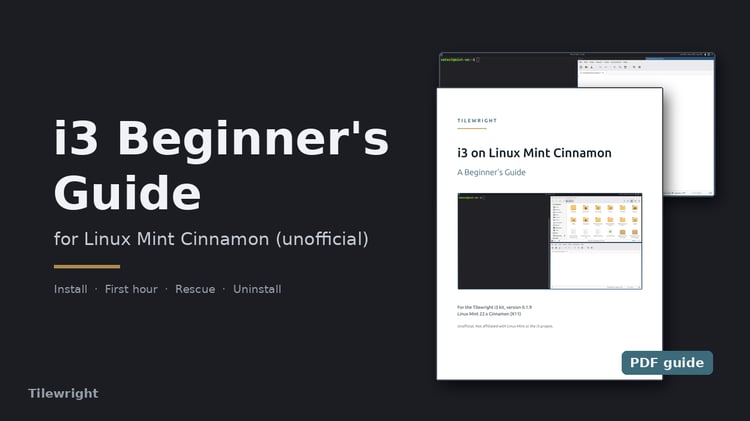
An 89-page walkthrough of the kit, in eight chapters and four appendices:
Linux Mint 22.3 Cinnamon (X11) in a VirtualBox virtual machine, single monitor. Kit versions 0.1.6, 0.1.7 and 0.1.8 were each installed on a clean Mint. Version 0.1.9 was then installed over 0.1.8 in the same machine (November 2026). That work covered the install, a login into i3, the first-hour keys, the health check, a return to Cinnamon, and the uninstaller. After the 0.1.9 upgrade, the health check inside i3 passed all 55 checks, and the existing settings files were kept. On 12 November 2026 two rescue steps were also checked in the same machine: removing and reinstalling Cinnamon, and apt autoremove after a full uninstall. The screenshots in the guide were taken with kit 0.1.9 in that machine.
Not yet tested: Mint 22.0, 22.1 or 22.2, real laptop or desktop hardware (brightness keys, lid close and suspend, Bluetooth pairing, Wi-Fi, touchpad, USB mounting, unlocking the lock screen), multiple monitors, and HiDPI screens. The installer accepts Mint 22.x Cinnamon, but only 22.3 in a VM has been tested. Hardware features may need adjusting.
The kit and the guide are for your own personal use; the kit on computers you own or control. You may change the kit's files for yourself and keep a backup copy of both. Please don't share, resell or publish them, or your download link. The kit's full terms are in LICENSE.txt in the kit download. The guide's short terms are on the page after its title page.
The kit on its own (CA$29): https://payhip.com/b/MDavZ.
The guide on its own (CA$19): https://payhip.com/b/S0opJ.
A free one-page key cheat-sheet is here: https://payhip.com/b/1BxVO.
The installer installs packages and writes files into your home folder. Take a Timeshift snapshot first (or a VM snapshot if you try it in a virtual machine). The kit does not create one for you. The installer refuses to run in a Wayland session, and it never removes packages.
Email tilewright@proton.me and include the output of ./doctor.sh.
Refunds: 14 days, see the refund policy on this page.
Here are all the products that are included in your bundle