



Kitchen Engineering Maintenance & Gas Safety Log: kitchen PPM, grease duct and gas test log
Full description
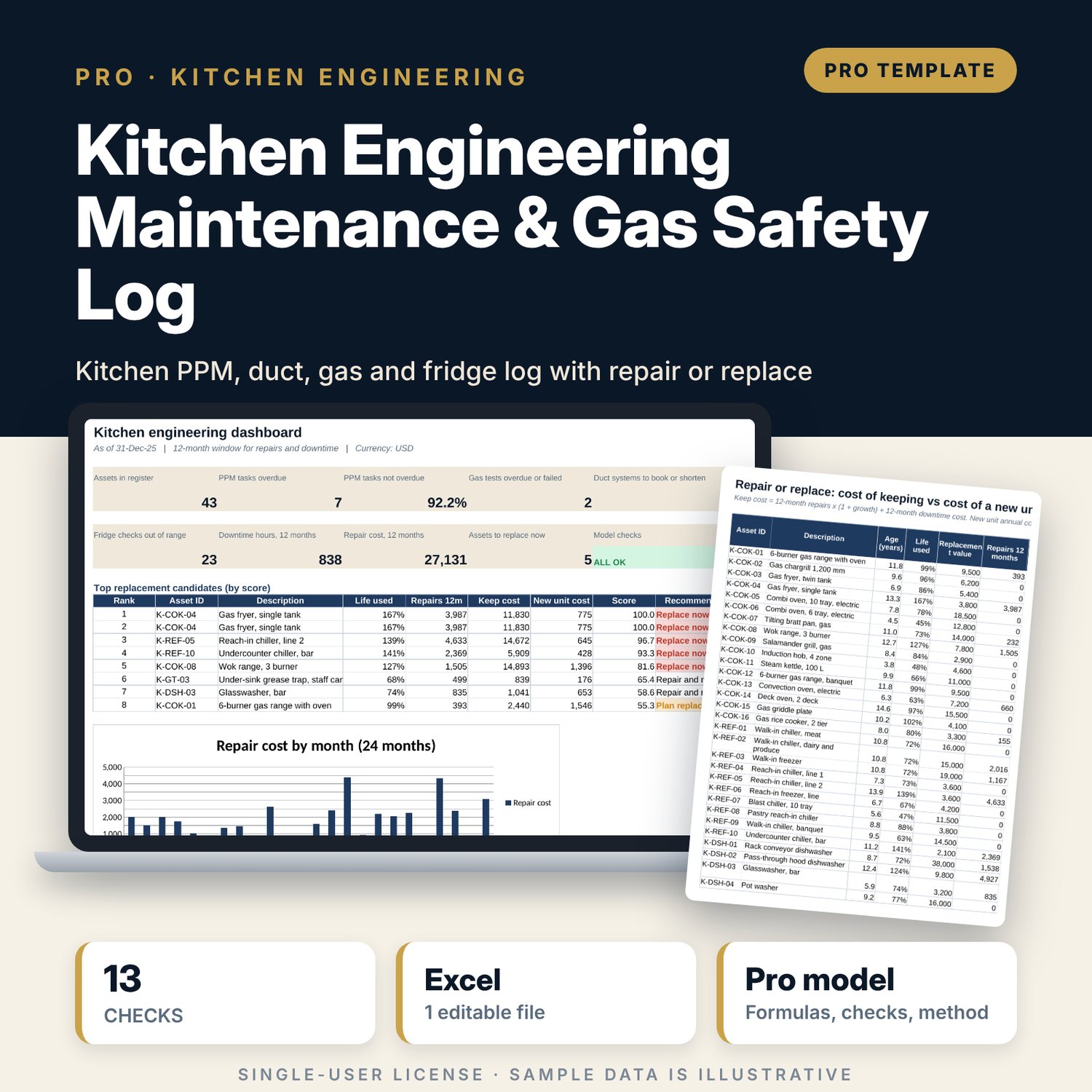
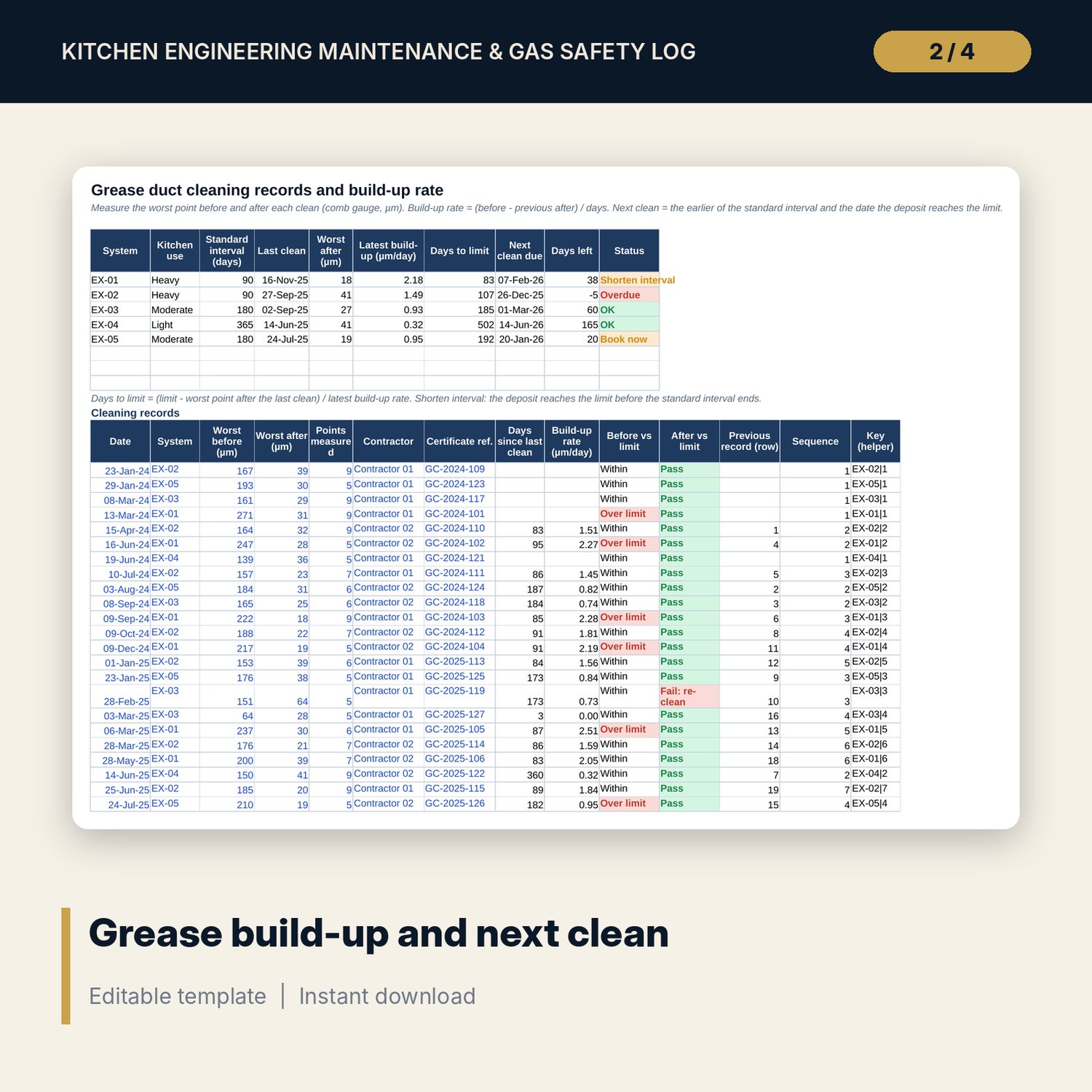
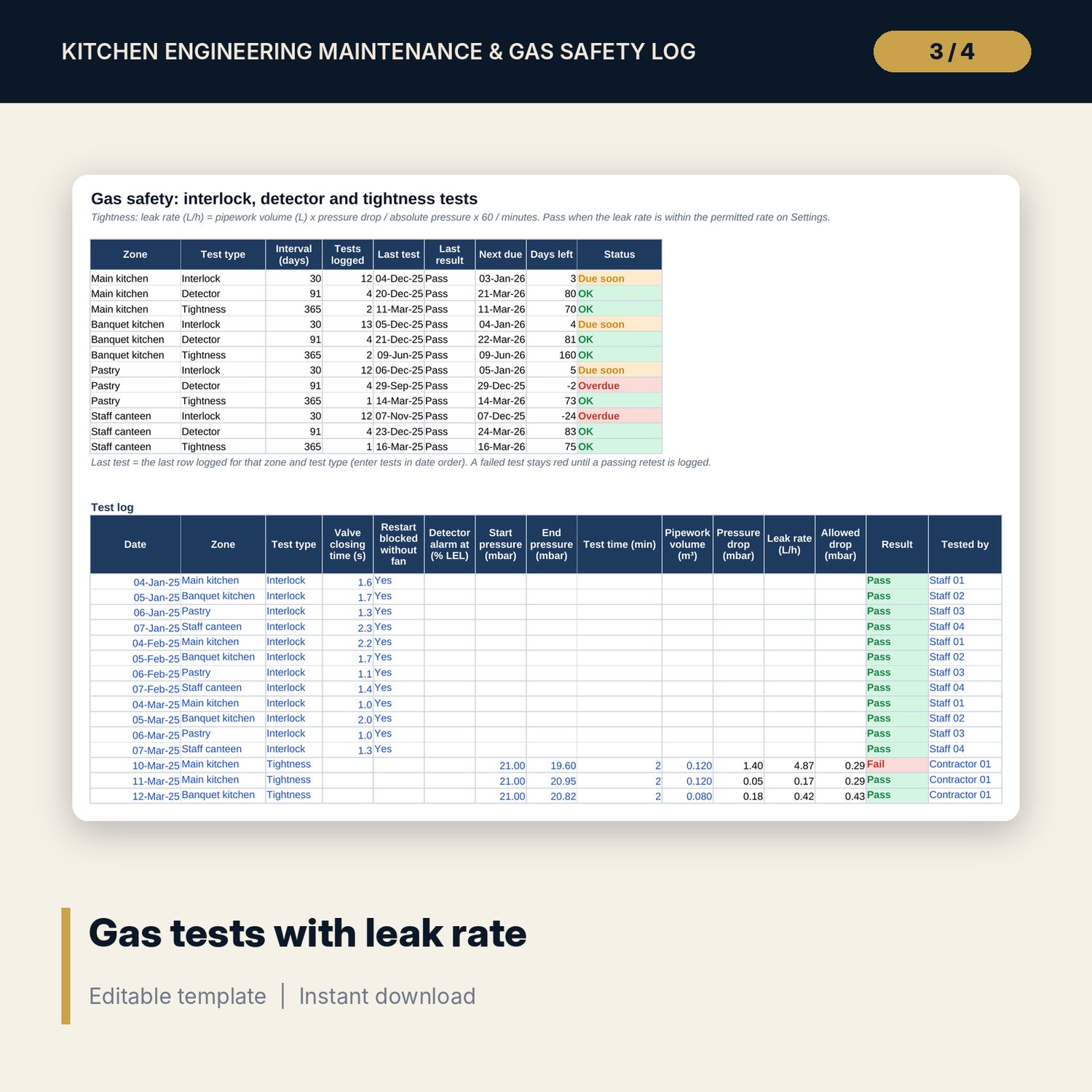
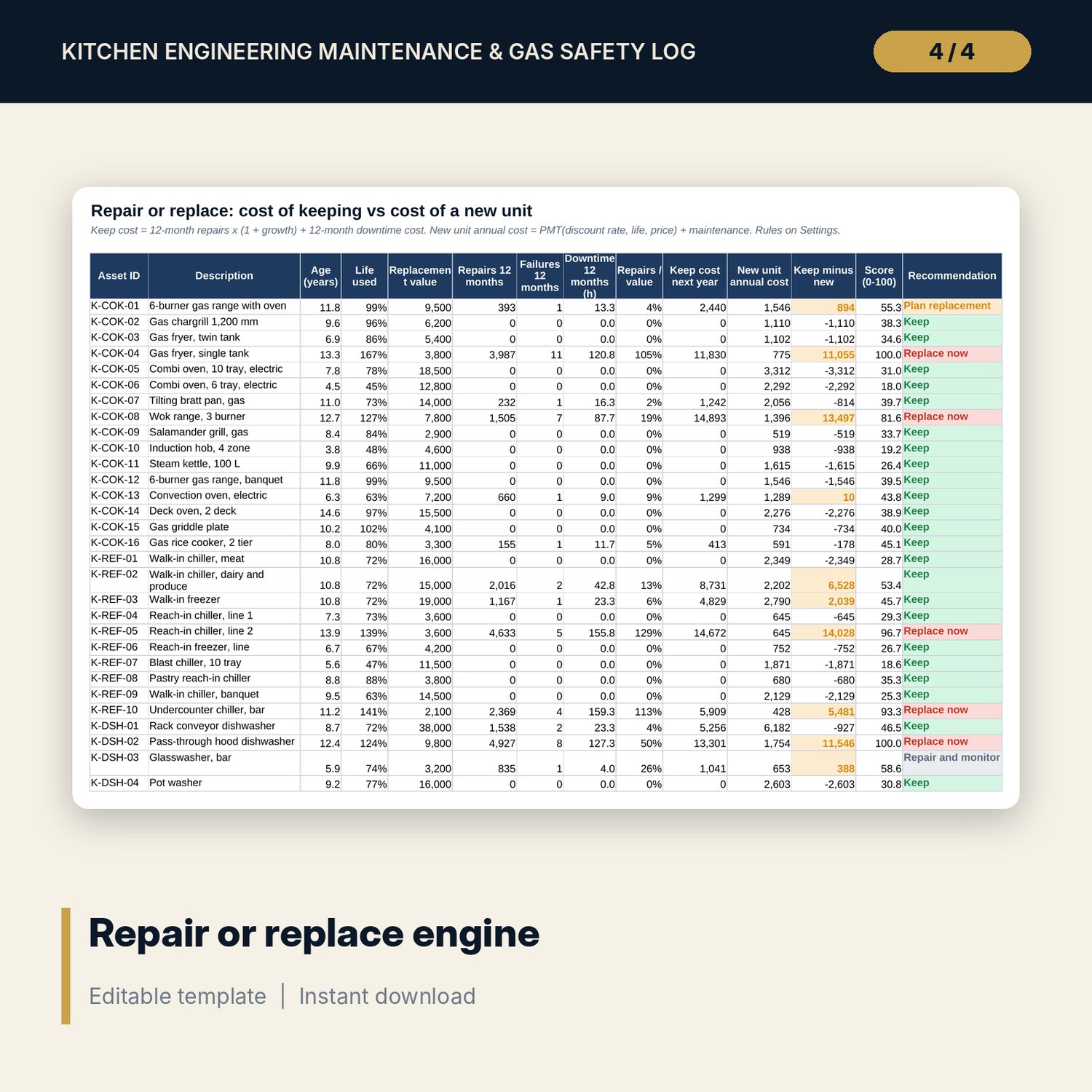
For chief engineers, executive chefs, kitchen engineering supervisors and general managers who must prove that kitchen plant is maintained and gas safe. You register cooking equipment, refrigeration, dishwashers, extraction, grease traps and gas lines, schedule PPM tasks by frequency, and log grease duct cleans with the deposit thickness measured before and after. The workbook turns each clean into a build-up rate in micrometres per day and sets the next clean date from the standard interval or the day the deposit reaches your limit, whichever comes first. Gas interlock, detector and tightness tests are logged with a pass or fail; the tightness test converts the pressure drop into a leak rate in litres per hour. Twice-daily fridge checks flag high readings, defrost faults and consecutive breaches. A breakdown tracker prices repairs and downtime, and a repair or replace engine compares keep cost with the annual cost of a new unit using PMT.
Save with a bundle: this workbook is also in the Hotel Engineering & MEP Pro Bundle, 25 workbooks for $59 instead of $319. All 100 Pro workbooks are in the Pro Library for $119, and all 241 templates and workbooks are in the Ultimate Hospitality Library for $149.
What is inside
- Kitchen_Engineering_Maintenance_Gas_Safety_Log.xlsx: 12 tabs, 20,103 formulas, 3 native charts, 28 data validation lists and limits, 13 integrity checks and a Method tab with 16 calculation notes.
- Sample data (illustrative): 43 assets in the plant register, 90 PPM tasks, 27 grease duct cleaning records for 5 systems, 71 gas tests across 4 zones, 1,500 refrigeration checks on 10 units and 88 breakdown tickets over 24 months.
- Spare rows for new data: 37 assets, 110 PPM tasks, 93 duct records, 129 gas tests, 300 fridge checks, 212 tickets.
- Status columns with colour flags: PPM overdue and due soon, duct clean overdue or interval too long, failed gas tests, fridge readings out of range, repair or replace recommendation.
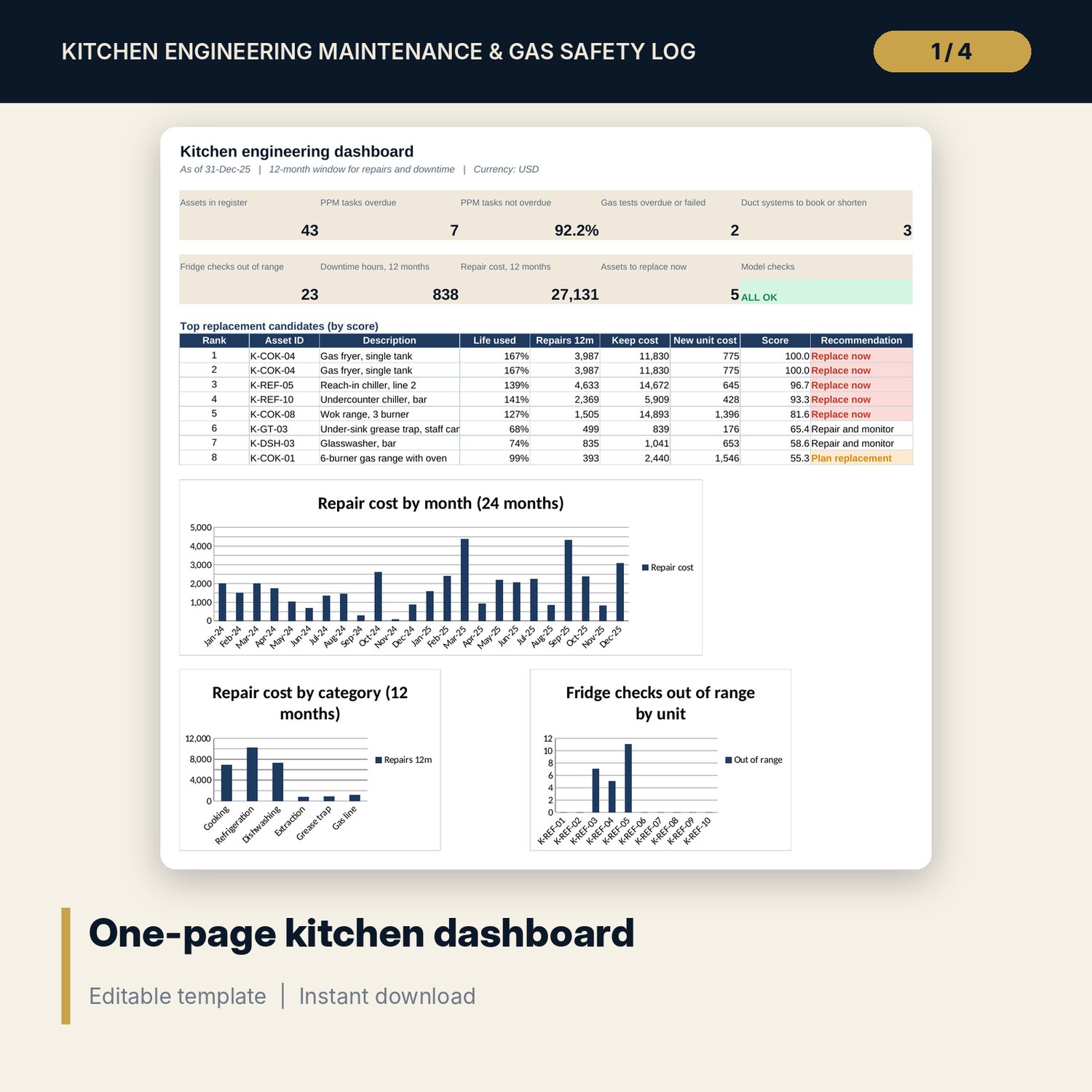
- Dashboard: nine KPI tiles, a check tile, the top replacement candidates and three charts, printable on one page.
- README.txt and LICENSE-and-Terms.txt.
How it works
- Set the as-of date, labour rate, grease limits, gas test criteria, fridge limits and decision rules on Settings.
- Load your assets and PPM tasks, then add the date each task was last done.
- Log duct cleans, gas tests, fridge checks and breakdowns as they happen, in date order.
- Read the status columns and the Dashboard to see what is overdue, failed or out of range.
- Use Replace_or_Repair each month to rank assets by score and confirm the Checks tab shows ALL OK.
Details
- Format: XLSX workbook, one file.
- Language: English.
- Software: Excel 2016 or later, or LibreOffice Calc. No macros, no add-ins.
- Units: micrometres, mbar, cubic metres, litres per hour, degrees Celsius, hours. Any currency.
- Delivery: instant download.
Good to know
- Sample data is illustrative and does not describe any real kitchen. Replace it with your own records.
- Limits, test criteria, fridge temperatures and the leak rate allowed are editable inputs. Verify local requirements, your gas code and supplier data.
- The workbook records tests and supports decisions. It is not engineering, gas safety or food safety certification or advice. Gas work needs a qualified person.
- Single-user license.
FAQ
Does the workbook decide whether my gas system is safe?
No. It records each test, applies the pass limits you enter and flags failures and late tests. A qualified person must carry out and sign off gas work.
How is the next grease duct clean date set?
The next clean is the earlier of the standard interval for the kitchen use and the date the deposit is expected to reach your limit, using the latest build-up rate.
Can I change the temperature limits for fridges and freezers?
Yes. Limits are set by unit type on Settings. Verify them against your local food safety requirements.
How does the repair or replace recommendation work?
It compares repairs and downtime over 12 months with the annual cost of a new unit, then applies the repair ratio, life used and failure rules you set on Settings.
Can I add more assets and logs?
Yes. Each tab has spare rows with formulas already in place. Type or paste over the blank rows.