


Chronoform: Varispeed Pitch Shifter
[ Trial Version ]
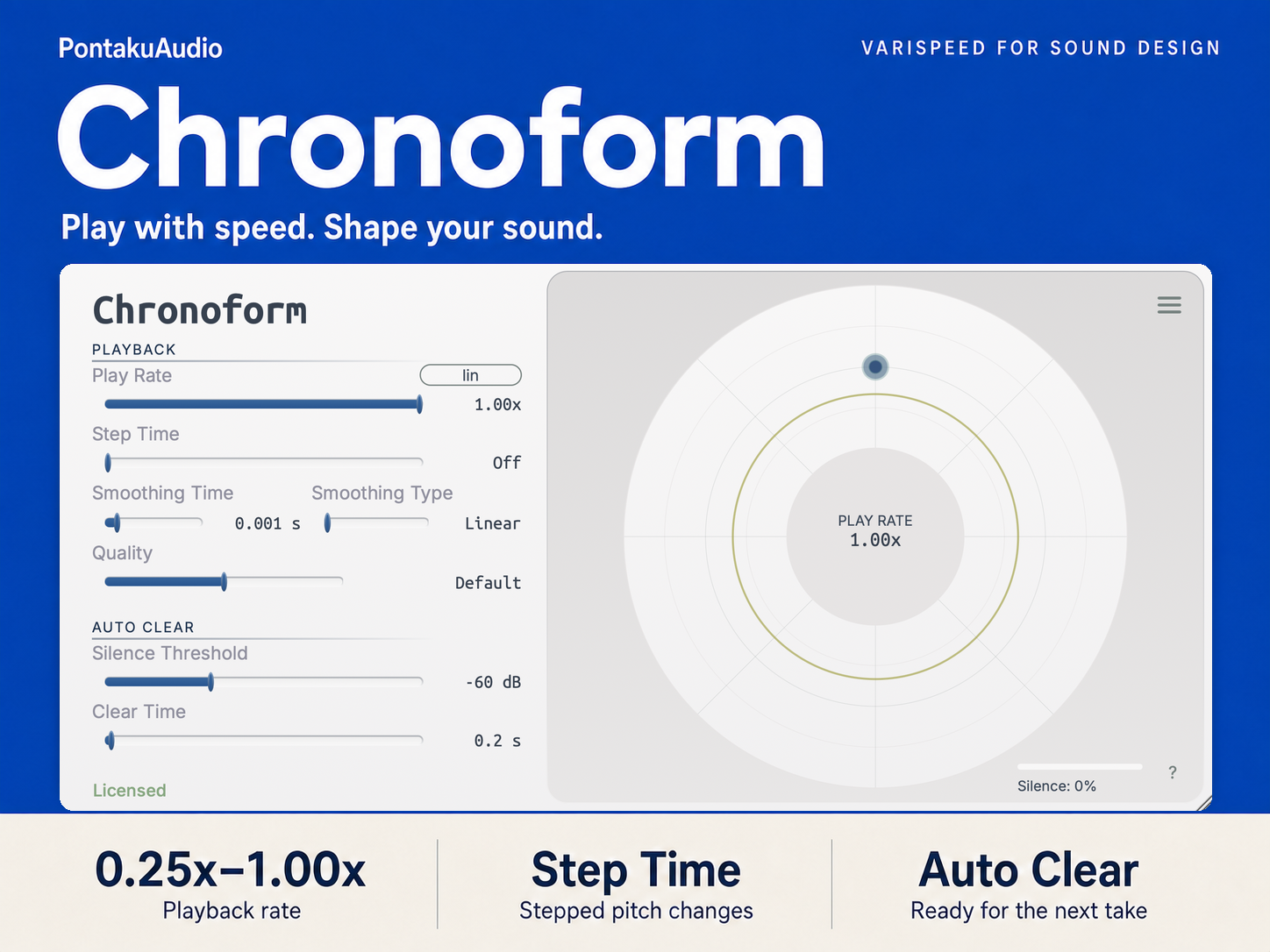
Chronoform is a varispeed plugin for sound design. It changes playback speed, pitch, and duration together.
Like changing the speed of an open-reel tape machine, Chronoform lets you slow a sound down while lowering its pitch and extending its duration. Play Rate can be controlled from 0.25× to 1.0× in real time, and it can also be automated from the DAW.
I developed Chronoform not only to make this kind of varispeed processing easy to use in a modern DAW, but also for recording. When recording Foley, props, or voice, I wanted to be able to hear the slowed-down result immediately and change the performance based on what I was hearing.
Key Features
Real-Time Varispeed
Play Rate can be changed in real time from 0.25× to 1.0×.
As the rate is reduced, the sound becomes longer and lower in pitch at the same time, similar to slowing down the transport speed of a tape machine.
Play Rate can also be automated from the DAW. This can be used for gradual pitch falls, sudden speed changes, or effects where the playback speed changes over time.
Auto Buffer Clear
Auto Buffer Clear was added mainly for recording workflows.
Chronoform detects when the input has been silent for a specified amount of time. When the next sound arrives, it can automatically clear the processing buffer before playing that new sound back.
This means you can record a sound, hear it slowed down, pause, and then record the next one without pressing Clear Buffer every time.
For example, when making a creature voice, you can listen to your own voice at a lower playback speed while recording and adjust the way you perform it.
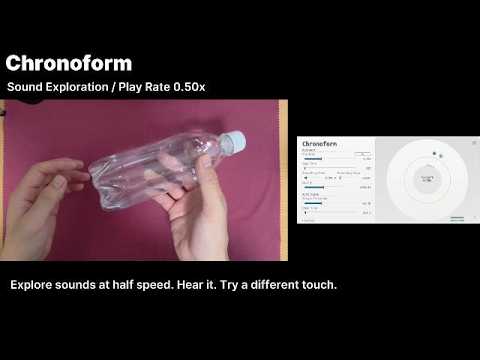
The same is useful for prop recording. You can hear immediately how an object sounds when slowed down, then try hitting, scraping, or handling it differently.
Threshold and Clear Time can be adjusted depending on the source and recording environment.
Interpolation Character
Chronoform lets you change the interpolation method used during varispeed playback.
Moving the Character control toward Buggy produces a rougher, more digital sound with more aliasing.
Moving it toward Precise reduces aliasing and preserves the source more cleanly.
The difference becomes especially noticeable below a Play Rate of around 0.5×.
I did not want this to be only a quality setting. The artifacts created by the interpolation itself can also be useful as part of the sound design.
Sample-Accurate Automation
Since v1.4, the VST3 and CLAP versions of Chronoform support sample-accurate automation for Play Rate.
If the DAW also supports sample-accurate automation, Play Rate changes can be processed at sample level rather than only at normal processing-block intervals.
This makes fast or complex automation curves much smoother, especially when using Play Rate to create pitch envelopes.
Step Time
Step Time goes in the opposite direction.
Instead of making Play Rate changes as smooth as possible, it deliberately limits how often the value is updated.
For example, if Step Time is set to 200 ms, Play Rate changes only once every 200 ms, even if the automation curve in the DAW itself is completely smooth. The result is a stepped pitch movement.
The idea came from looking at older game sound effects, particularly sounds from the SNES era. Some pitch sweeps that sound fairly smooth at first are actually made up of discrete pitch steps when examined more closely. The size and timing of those steps can have a noticeable effect on the character of the sound.
Step Time makes it possible to use that kind of movement deliberately, rather than having it occur as a technical limitation.
Technical Specifications
Operating Systems
- Windows 8.1, 10, 11 (64-bit)
- macOS 10.14 Mojave or later (Intel / Apple Silicon)
Sample Rates
- Up to 192 kHz
Channel Count
- Up to 128 channels
Plugin Formats
- AU
- VST3
- CLAP
- AAX (macOS only)
Trial Version
The trial version has the same features as the full version.
While running in trial mode, the output is temporarily muted every 45 seconds.
After purchasing and activating Chronoform, this limitation is removed.
Release Notes
Chronoformは、再生速度とピッチを連動させて変化させる、サウンドデザイン向けのvarispeedプラグインです。
オープンリール・テープの速度を操作するように、音の長さとピッチを同時に変化させ、スローモーションのようなサウンドをリアルタイムに生み出せます。Play Rateは0.25倍から1.0倍までコントロールでき、オートメーションを利用した動きのあるサウンドデザインにも対応します。
Chronoformは、こうしたvarispeedによるサウンドデザインを現代のDAW上で扱いやすくすると同時に、フォーリーやボイス収録中に、低速再生された音をその場で確認しながら試行錯誤できることを目的として開発しました。
主な機能
リアルタイムVarispeed
Play Rateを0.25倍から1.0倍までリアルタイムに変更できます。再生速度を下げると、テープの回転速度を落としたときのように音の長さとピッチが同時に変化します。
Play RateはDAWからオートメーションできるため、ゆっくり下降するピッチ、急激な速度変化、時間とともに形を変える効果音などを作ることができます。
Auto Buffer Clear
Chronoformには、フォーリーやボイス収録を繰り返しながら低速再生をモニターするための Auto Buffer Clear 機能があります。
入力が一定時間無音になったことを検出し、次の音が入力されたタイミングで処理バッファを自動的にクリアします。
これにより、Clear Bufferを毎回手動で操作することなく、新しく録音した音を冒頭から低速状態で確認できます。
たとえばクリーチャーボイスを作る場合、低速化された自分の声をモニターしながら発声方法を変えていくことができます。
プロップ収録でも、低速再生したときの音色をその場で確認しながら、叩き方、擦り方、鳴らし方などを試すことができます。
ThresholdとClear Timeを調整することで、素材や収録環境に合わせてAuto Buffer Clearの動作を設定できます。
補間アルゴリズムによる音色変化
Chronoformでは、再生速度を変更する際の補間アルゴリズムそのものをサウンドデザインに利用できます。
Buggy 側では、エイリアス成分を含む粗くデジタルな質感になります。
Precise 側では、エイリアスを抑え、より滑らかに原音の質感を維持します。
この違いは特に0.5×以下の低速再生で顕著になります。
単なる処理品質の選択ではなく、補間方式によって生まれる音色そのものをデザイン要素として使用できます。
Sample-Accurate Automation
v1.4以降のVST3/CLAP版では、Play Rateの Sample-Accurate Automation に対応しています。
DAW側もSample-Accurate Automationに対応している場合、Play Rateの変化をサンプル単位で処理します。
高速なオートメーションや複雑なカーブでも、階段状になりにくい滑らかなピッチ・速度変化を作ることができます。
Step Time
Sample-Accurate Automationとは逆に、意図的にPlay Rateの更新頻度を粗くするための機能がStep Timeです。
Step Timeを設定すると、Play Rateは指定したミリ秒間隔で更新され、滑らかなオートメーションカーブを入力しても階段状のピッチ変化になります。
この機能は、SNES時代をはじめとした古いゲーム効果音で見られる、離散的なピッチ変化から着想を得ています。
一見滑らかなピッチスイープでも、細かく見ると一定間隔でピッチが切り替わっている音があり、そのステップの粗さ自体が効果音のキャラクターを形成する要素になります。
滑らかなピッチ変化と階段状の変化を使い分けることで、現代的なサウンドからレトロゲーム的な質感まで作り分けることができます。
技術仕様
対応OS
- Windows 8.1、10、11(64ビット)
- macOS 10.14 Mojave以降(Intel/Apple Silicon)
対応サンプリングレート
- 最大192 kHz
対応チャンネル数
- 最大128チャンネル
プラグイン形式
- AU
- VST3
- CLAP
- AAX(macOSのみ)
トライアル版の制限
トライアル版では、製品版と同じ機能をお使いいただけます。
試用中は45秒周期で一時的に出力がミュートされます。
製品購入後、Chronoformをアクティベーションするとこの制限は解除されます。
Release Notes