FIGMA GRID DEEP DIVE – Theory, Sample Projects, Real Client Work (Course)
In this course, we'll go over theory, practice and how is Figma Grid most likely going to integrate with your workflow in the future.
Watch the intro video ⬇️

In this course, we'll go over theory, practice and how is Figma Grid most likely going to integrate with your workflow in the future.
Watch the intro video ⬇️
Experience an ad-free, no-bs, 45-min streamlined and structured way to learn about this latest Figma feature.
We will go over a few sample projects and I'll share a real-world example of how I used Figma Grid in my own client work.
I'll discuss how I think this new feature will impact you as a designer and what types of projects Figma Grid is most likely going to be used for.
By enrolling in this course, you also get the source file for sample projects we will be creating during the course
We will go over what Figma Grid is, how to use it and what are the caveats of this feature. We will assemble a "Key learnings" overview with quick, actionable tips and summary on how to use this feature that you can keep for future reference
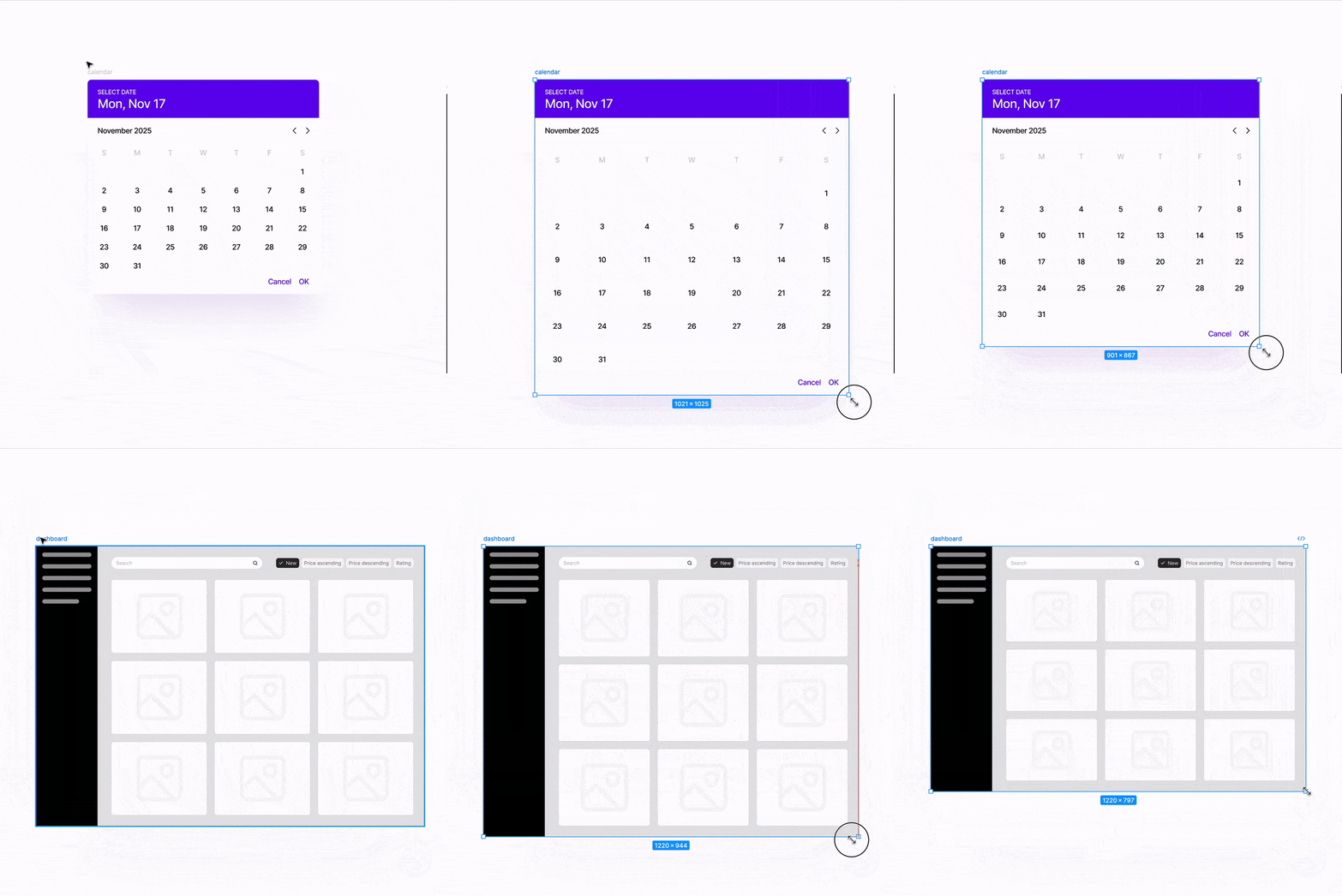
This isn't a theory-only course. We will be applying our newly obtained knowledge and build a simple calendar layout using Figma Grid and Auto Layout. We will then also assemble a basic dashboard layout, again utilizing Figma Grid and nested layout structures to achieve a responsive result
Get a unique perspective from an experienced designer (10+ years in the field) who has helped and taught millions of people on YouTube.
By the end of this course, you'll have gained a comprehensive overview of how Figma Grid works, its benefits, caveats and actionable tips on how to integrate this into your client / job workflow. You'll also get a source file for this course, enabling you to analyze what I have created during the course, deepening your knowledge even further. You'll also get the option to ask questions through in-platform comments, making sure you're not left in the dark.