


Sun Hours Studio - Sun Hours Heatmap Add-on for Blender (Architecture Sun Study)
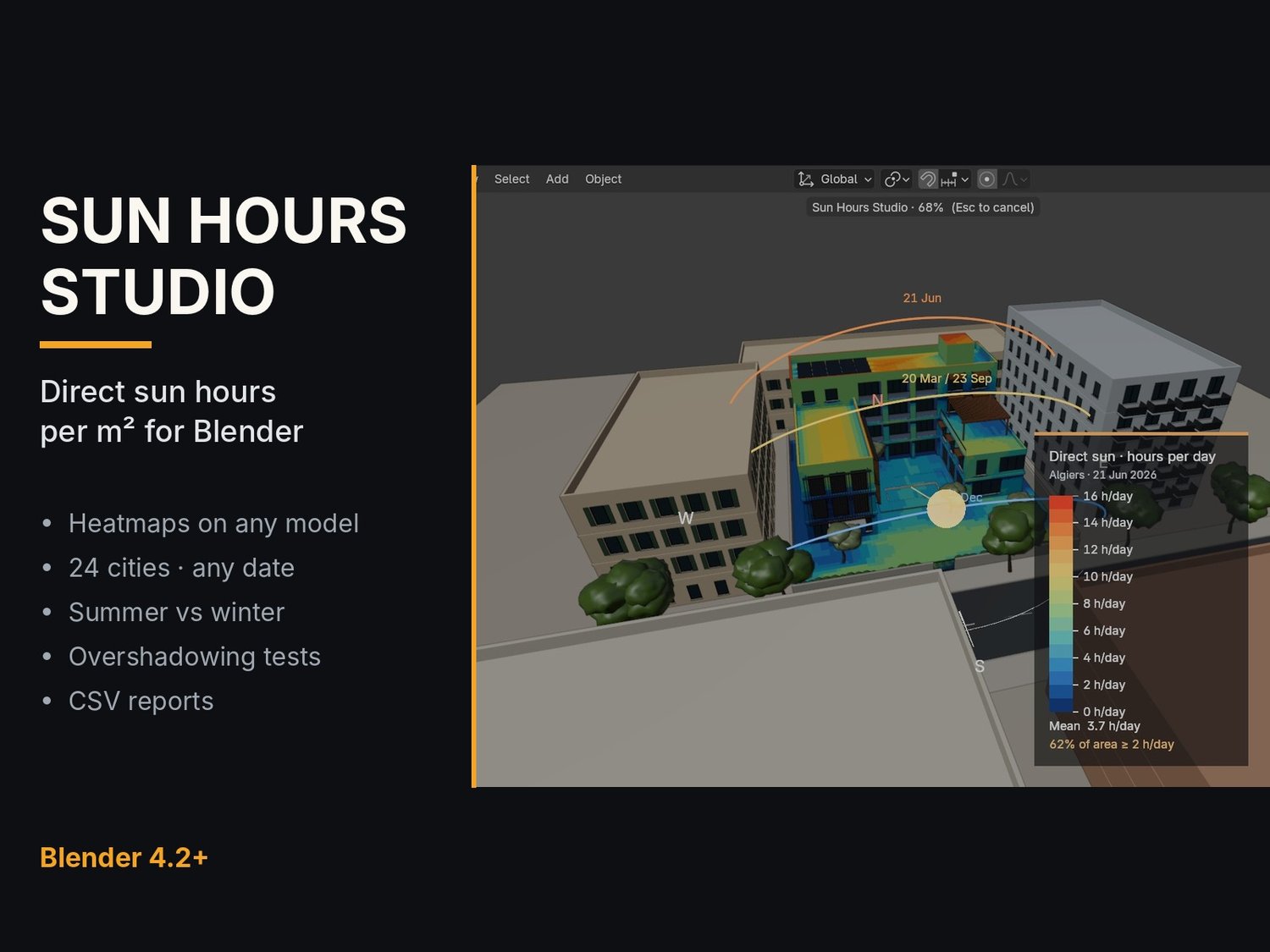
See exactly where the sun hits your design. Sun Hours Studio is a Blender add-on that calculates the direct sun hours per m² on any model and paints them as a clear heatmap. No more guessing which roofs, facades, terraces and courtyards get sunlight, and for how long.
WHO IT IS FOR
Architects, landscape designers, urban planners, interior and facade designers, real-estate visualizers and solar-minded 3D artists who need a fast, defendable sun study inside Blender.
WHAT YOU GET
Direct sun hours per m² as a heatmap on any mesh (hours per day, or % of the period)
24 built-in cities, or enter any latitude and longitude
Any date or period: summer solstice, winter solstice, equinox, a full year or a custom range
Live sun preview with sun-path arcs: scrub the hour and watch the sun move
Target hours (for example 2 h/day) with the percentage of area that meets it
Overshadowing what-if: hide a neighbouring building, re-run and compare the numbers
Results per object: analyse several objects at once and read each one's average
CSV reports and images to share with your client
Quality presets from quick drafts to detailed studies
HOW IT WORKS
Select the objects to study and choose your city and period.
Click Analyse. A progress bar runs while rays are cast against your scene.
Switch on Heatmap View and read the legend and the stats.
Hide or move a building, run again, compare, export.
INCLUDED IN THE DOWNLOAD
sun_hours_studio-1.0.0.zip: the add-on (install in Blender: Edit > Preferences > Get Extensions > Install from Disk)
Casa_Patio_demo.blend: the demo scene shown in the video, ready to analyse
REQUIREMENTS
Blender 4.2 or newer. Works on Windows, macOS and Linux. Runs entirely offline inside Blender.
Digital product: instant download after purchase.