
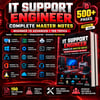
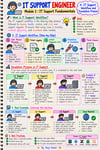
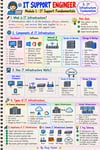
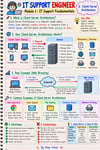
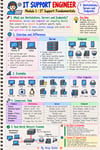
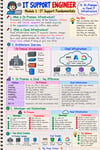
IT Support Engineer Master Notes
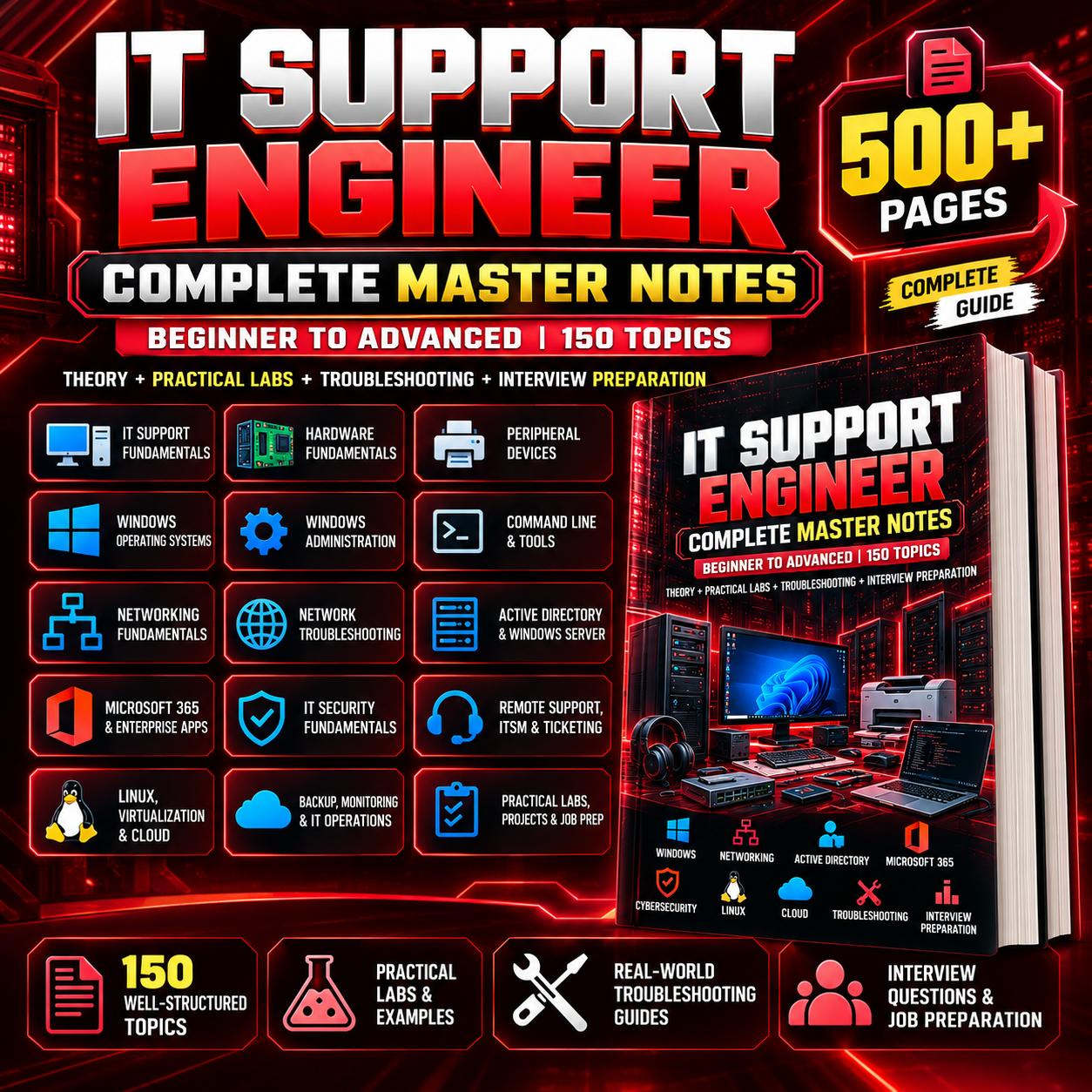
IT Support Engineer — Complete Master Notes
500+ Pages | 250 Topics | Beginner to Advanced
Complete IT Support Learning Resource | Computer Hardware | Windows Administration | Networking | Active Directory | Microsoft 365 | Cybersecurity | Cloud Computing | Practical Troubleshooting | Interview Preparation
Are you planning to start your career in IT Support but unsure which technical skills you need to learn first?
Do you want to understand how computers, operating systems, networks, servers, user accounts, and enterprise IT systems work together?
The IT Support Engineer — Complete Master Notes are designed to help students, freshers, and aspiring IT professionals build a structured foundation in IT support, desktop support, help desk operations, and enterprise IT fundamentals.
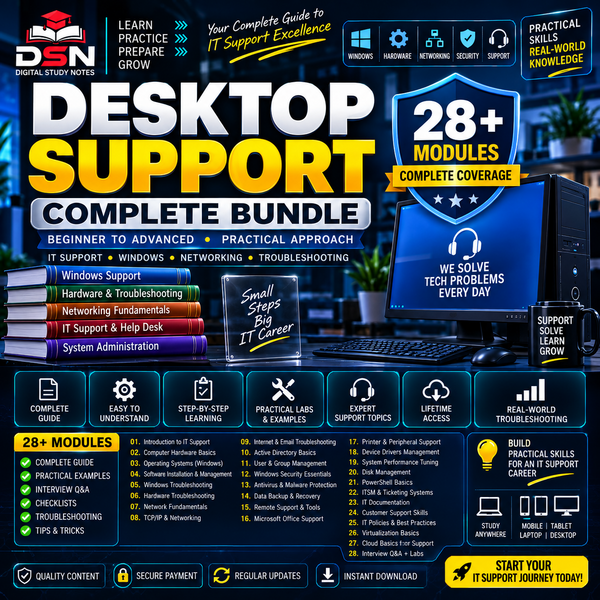
With 500+ pages and a broad syllabus organized around 250 topics, this learning resource brings together essential concepts across hardware, Windows, networking, system administration, cybersecurity, cloud technologies, and technical troubleshooting.
Instead of studying disconnected topics without a clear direction, you can use this resource to organize your learning, identify skill gaps, understand important IT concepts, and prepare for practical learning and entry-level IT support interviews.
Whether you are a BCA student, B.Tech student, computer science learner, or beginner exploring an IT career, this resource can help you understand the technologies and responsibilities commonly associated with IT support roles.
📚 What Will You Learn?
The syllabus covers a broad range of IT support technologies, from foundational computer concepts to enterprise administration and cloud fundamentals.
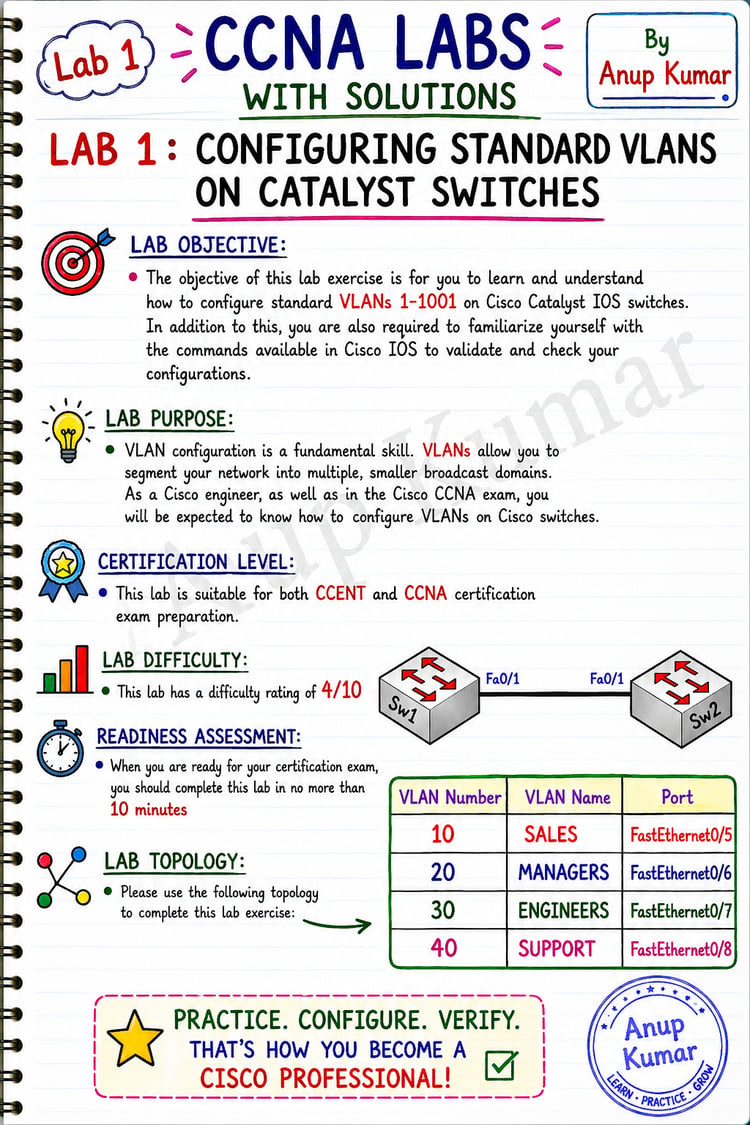
💻 Module 1: IT Support Fundamentals
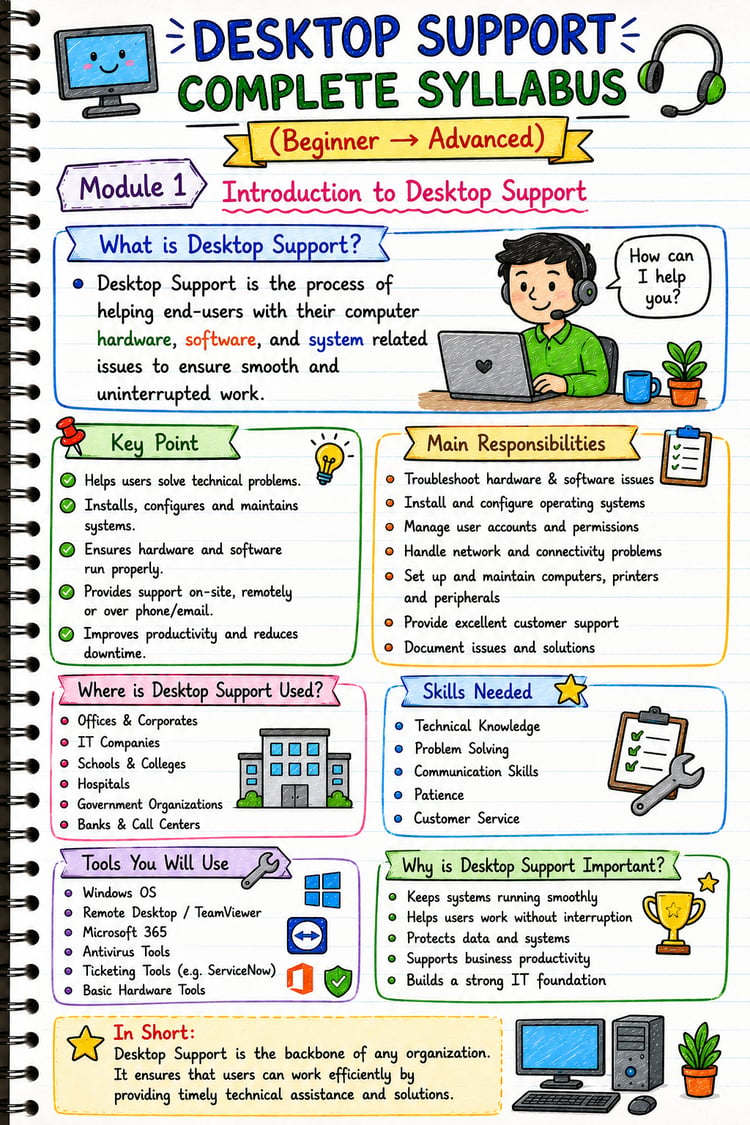
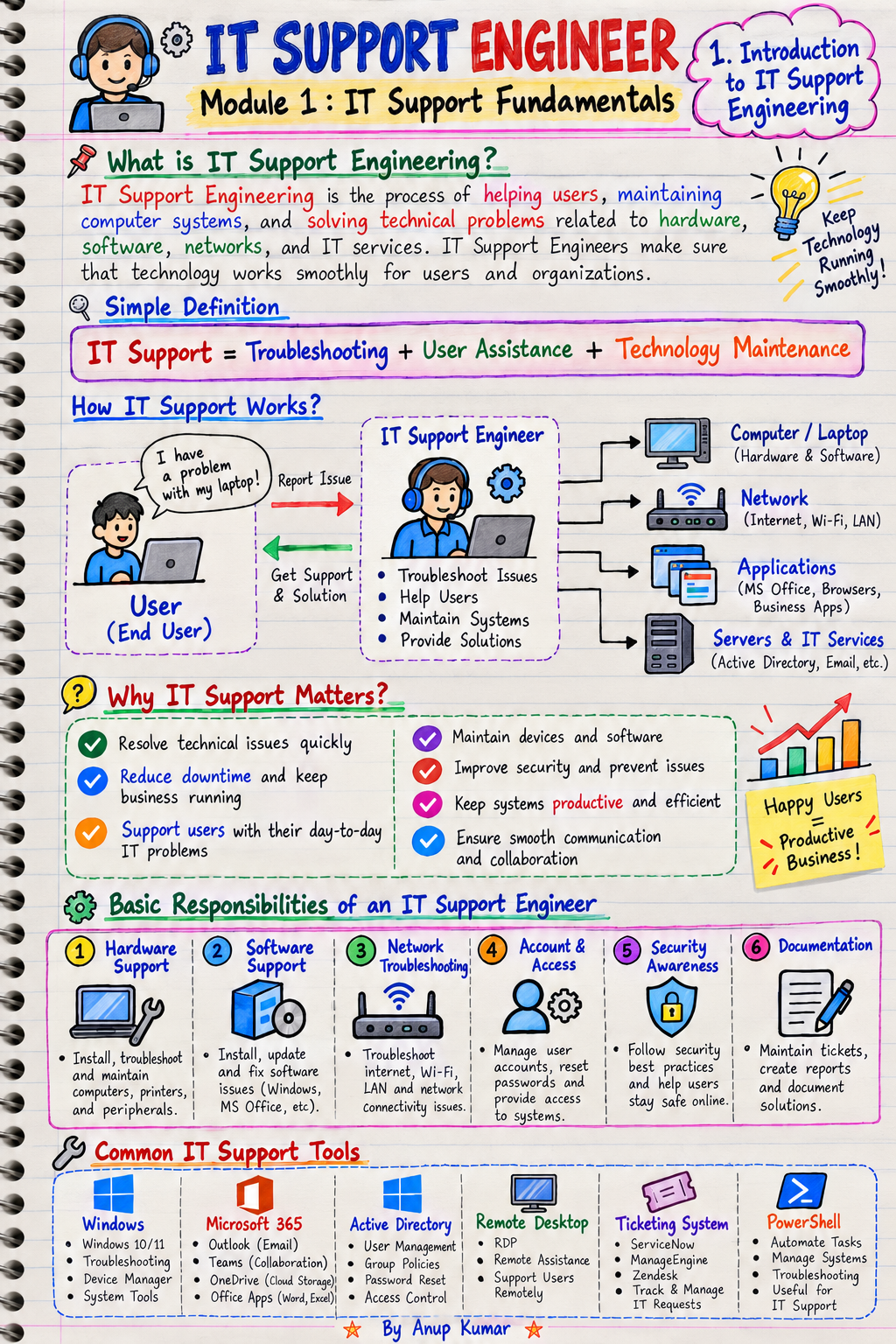
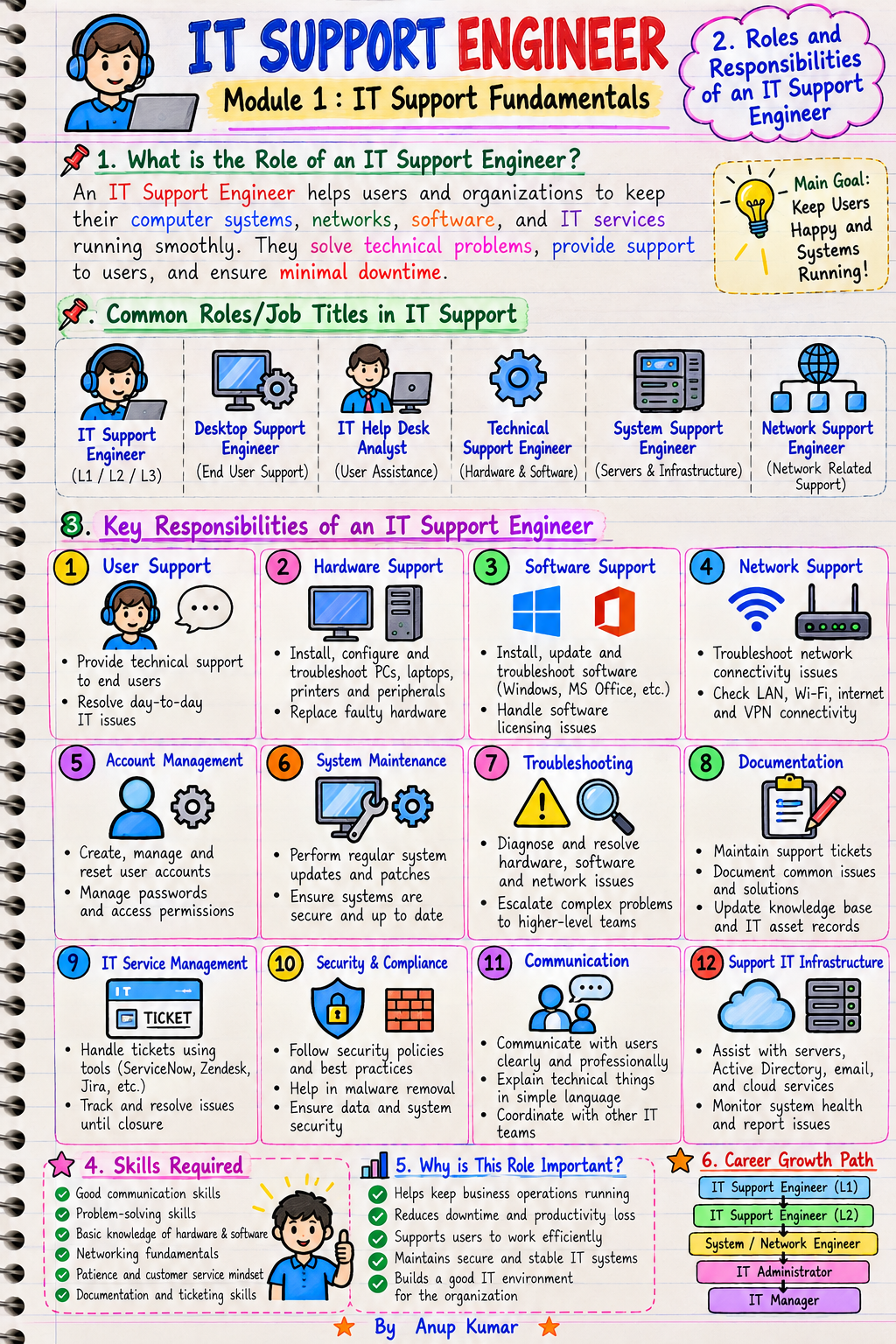
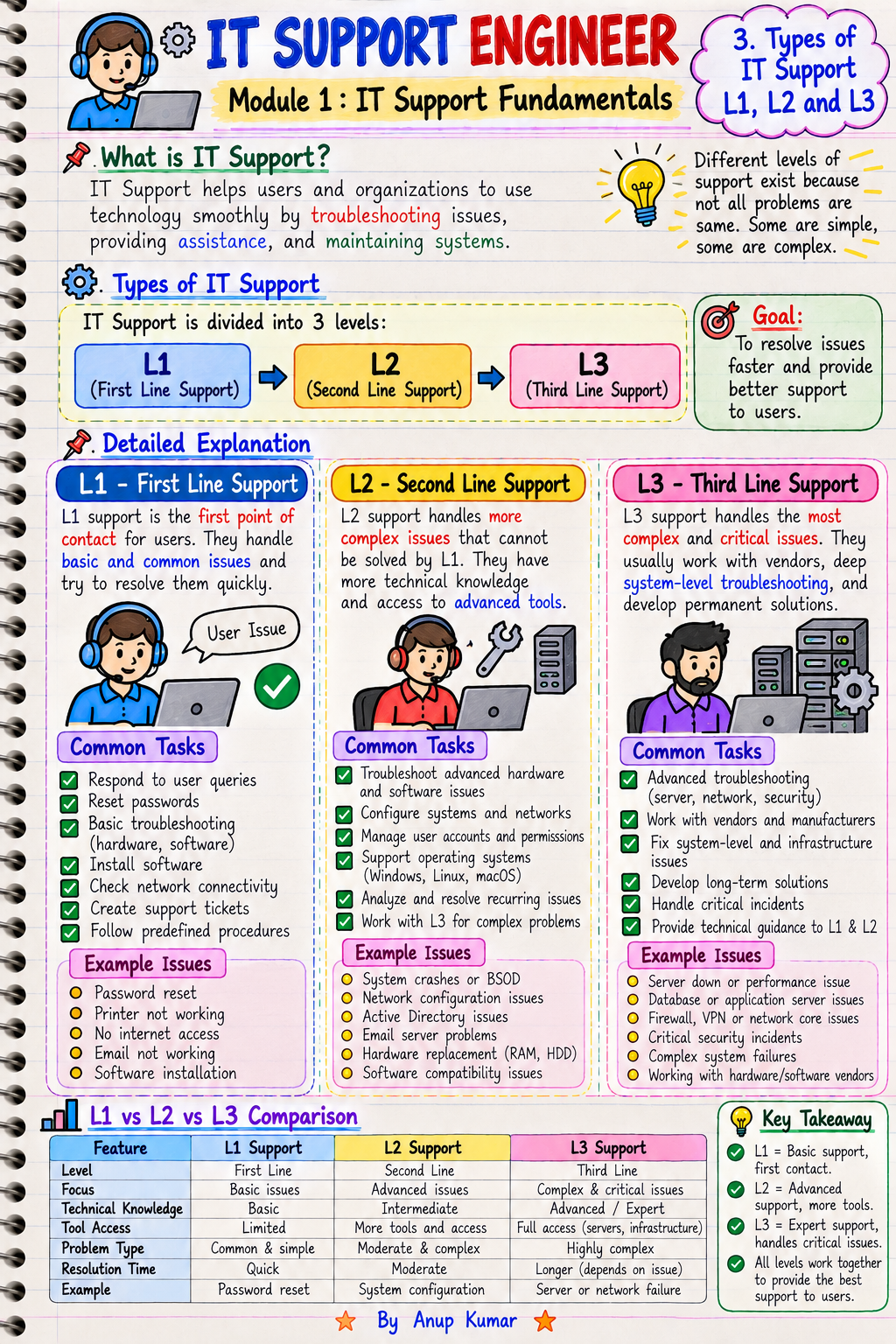
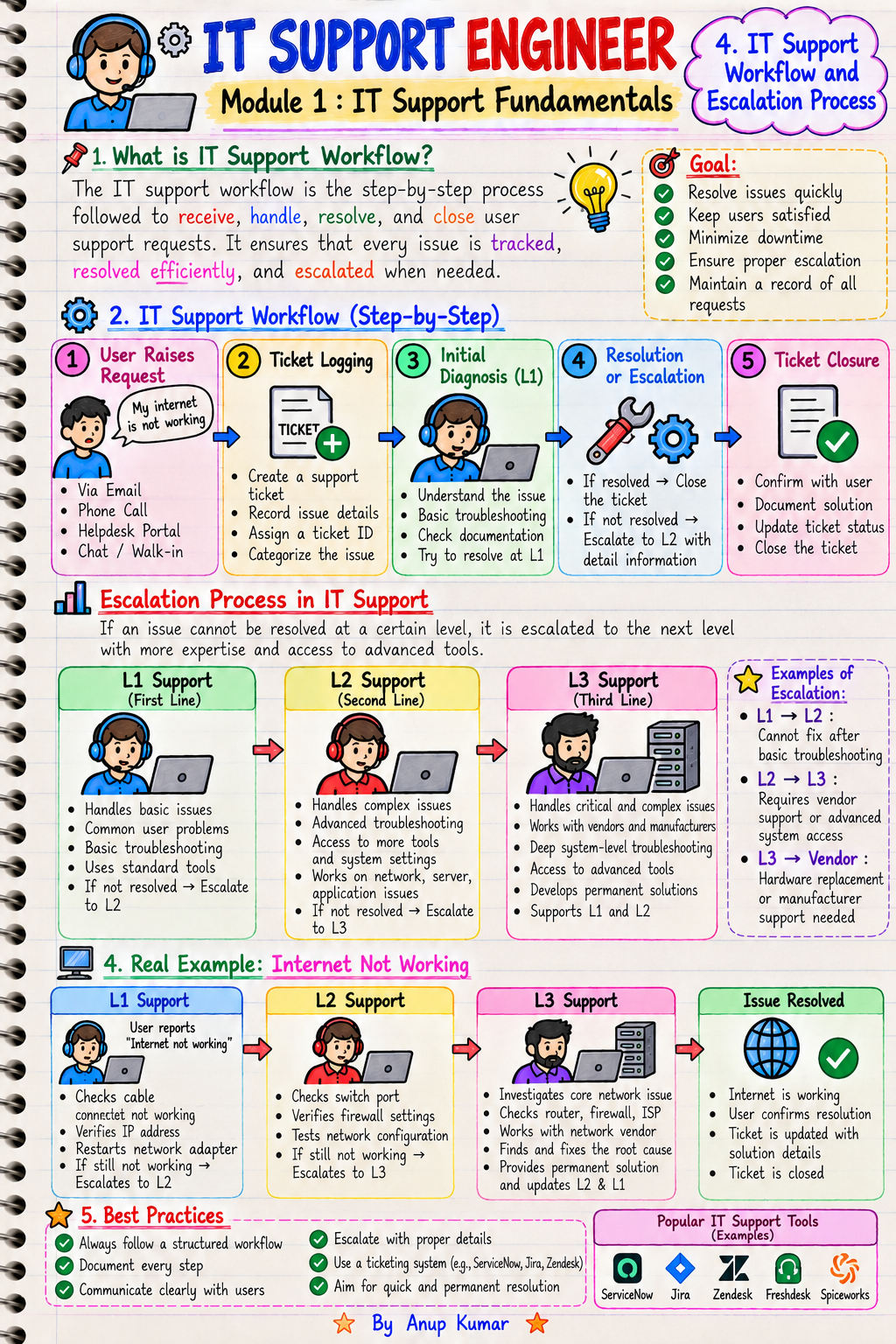
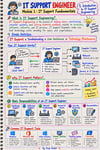
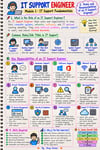
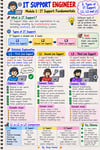
Understand the purpose of IT support and how technical support teams help organizations maintain their IT infrastructure.
Topics include:
- Introduction to IT Support Engineering
- Roles and responsibilities of IT Support Engineers
- Differences between L1, L2, and L3 support
- IT support workflows and escalation processes
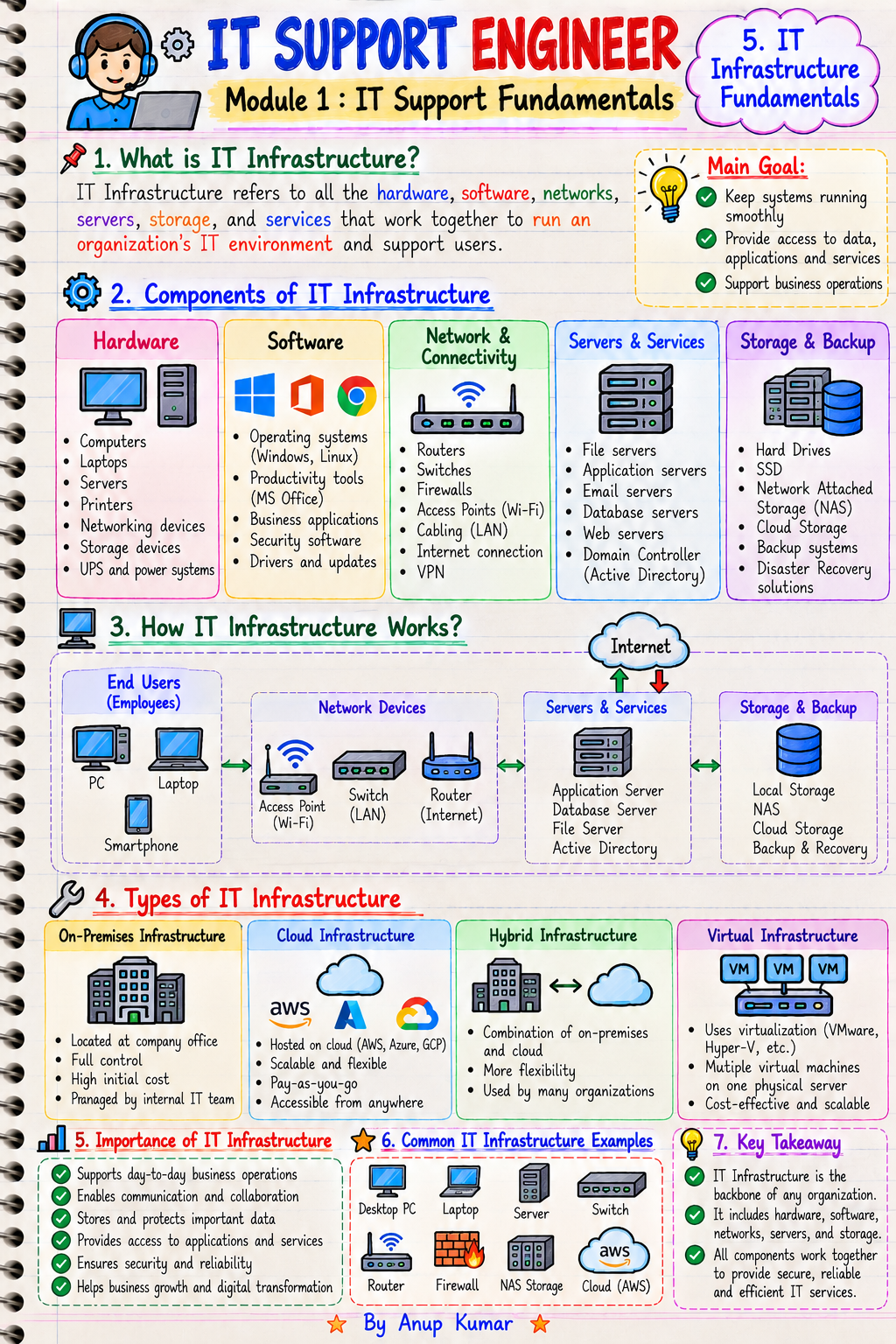
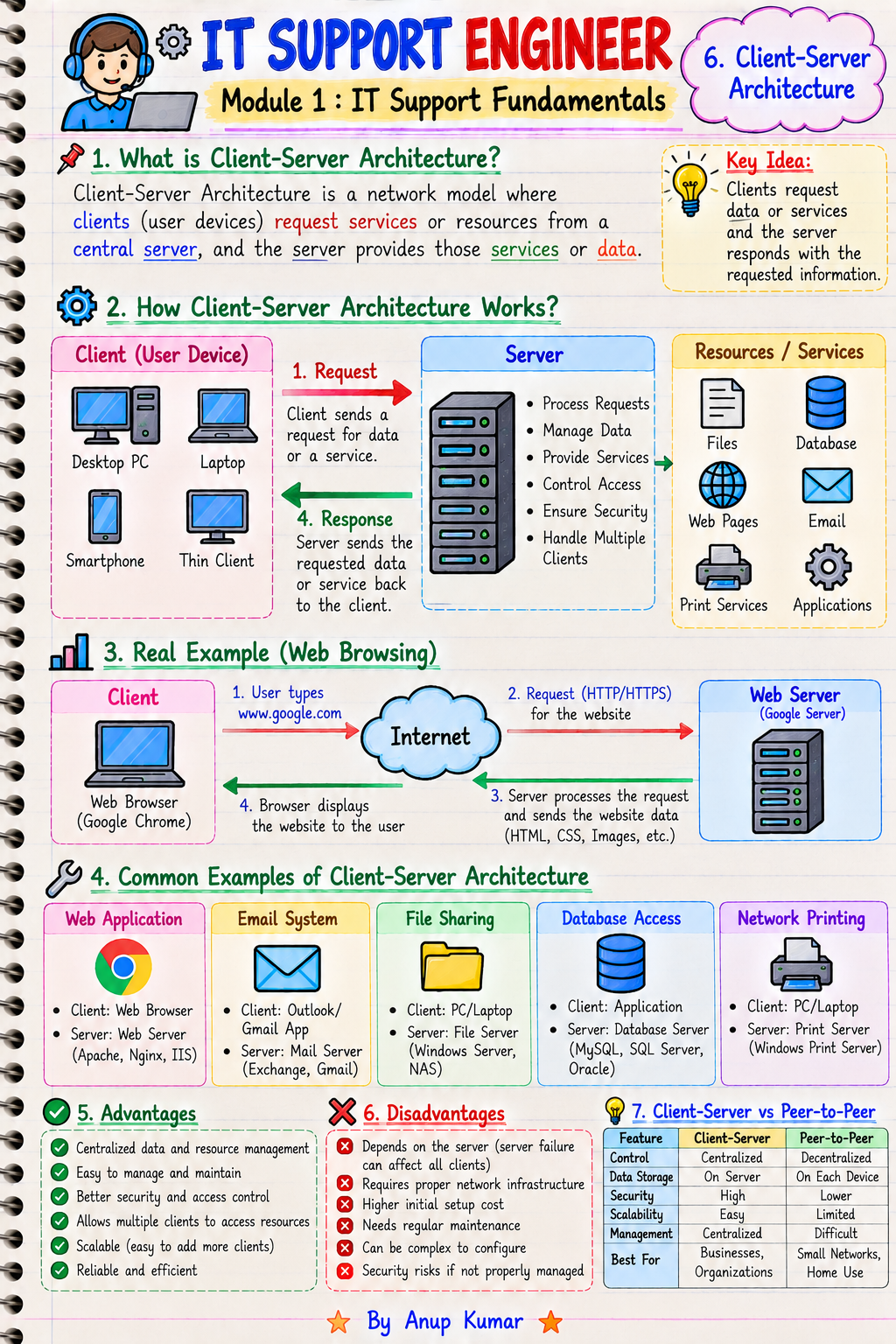
- IT infrastructure and client-server architecture
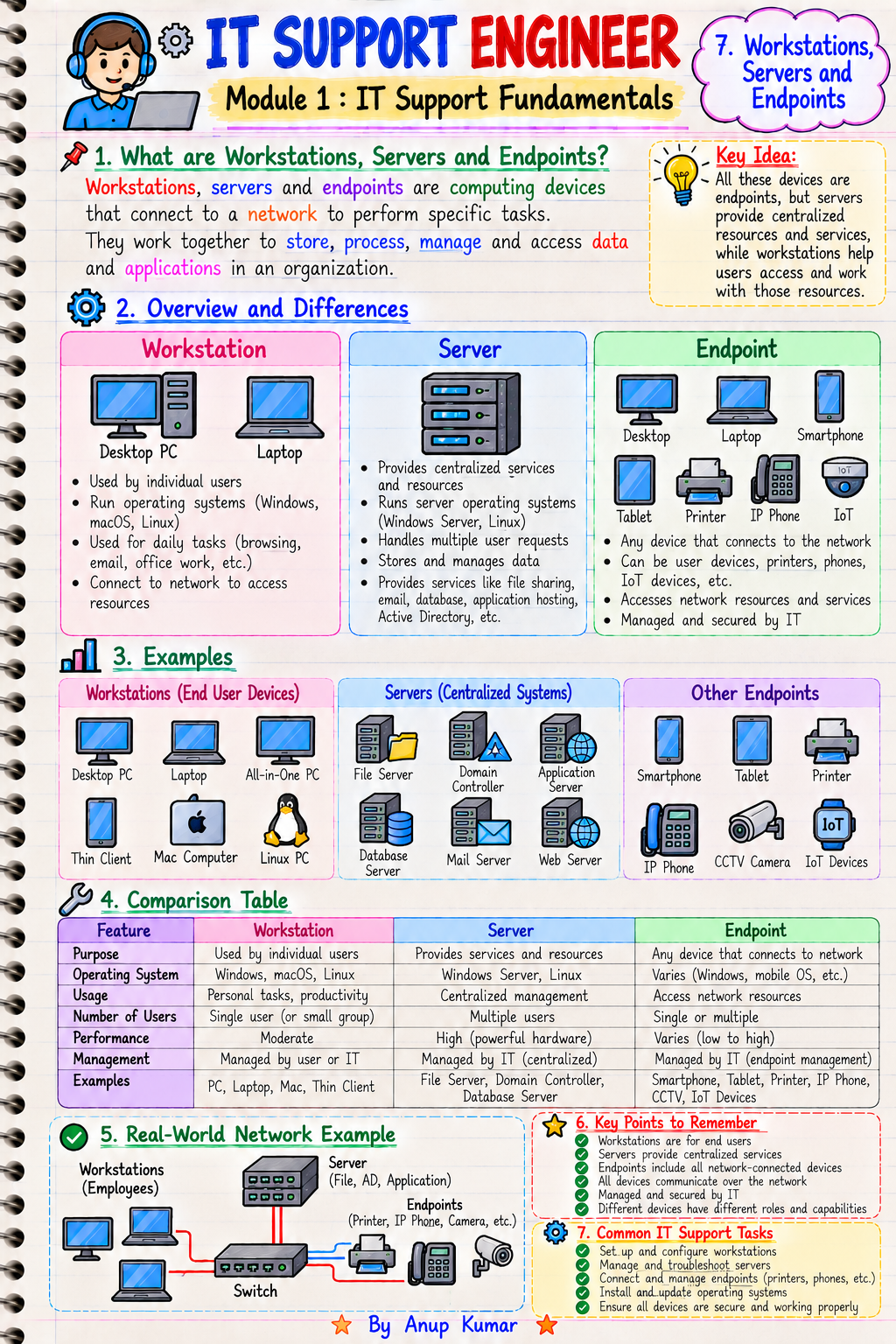
- Workstations, servers, and endpoints
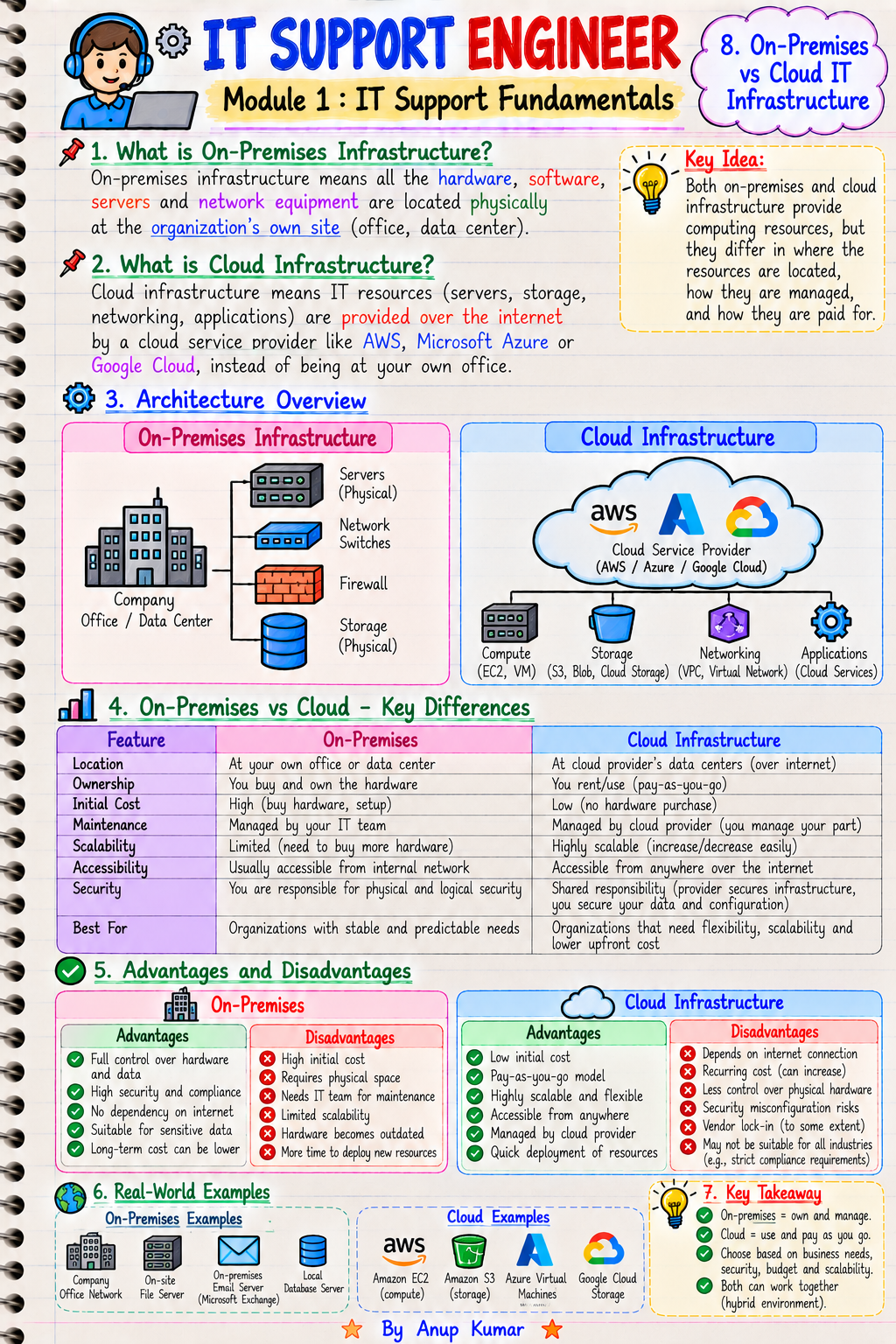
- On-premises versus cloud infrastructure
- IT policies, documentation, and standard operating procedures
- IT Support career roadmap and essential skills
Why it matters: These fundamentals help you understand the IT support environment, common responsibilities, and the skills you should develop before applying for entry-level roles.
🖥️ Module 2: Computer Hardware Fundamentals
Learn the essential components of desktop computers, laptops, and workstations.
Topics include:
- Computer components and architecture
- CPU cores, threads, clock speed, and cache
- RAM generations, capacity, and troubleshooting
- HDD, SSD, and NVMe storage
- Motherboards, chipsets, and expansion slots
- BIOS and UEFI fundamentals
- POST and the computer boot process
- Power supply and power-related troubleshooting
- Desktop PCs, laptops, and workstations
- Hardware diagnostics and component replacement
Why it matters: Hardware knowledge helps you identify common system failures, understand performance issues, and diagnose problems involving computer components.
🖨️ Module 3: Peripheral Devices & Hardware Troubleshooting
Understand how to configure, maintain, and troubleshoot the devices users depend on every day.
Topics include:
- Monitor types, resolution, and refresh rates
- Keyboard, mouse, and USB devices
- Laser, inkjet, and multifunction printers
- Printer installation and configuration
- Print queues and printer spooler troubleshooting
- Scanners and document imaging devices
- Webcams, headsets, microphones, and speakers
- Docking stations and external displays
- USB, HDMI, DisplayPort, and other connectors
- Hardware error diagnosis and preventive maintenance
Practical relevance: These skills are useful when resolving common desktop support issues involving printing, displays, audio devices, USB peripherals, and workstation hardware.
🪟 Module 4: Operating Systems Fundamentals
Build a foundation in operating systems and learn how they manage computer hardware, applications, files, and users.
Topics include:
- What is an operating system?
- Windows, Linux, and macOS overview
- Windows editions and system requirements
- Windows installation and upgrades
- Windows 10 and Windows 11 fundamentals
- Disk partitions, file systems, and formatting
- NTFS versus FAT32 versus exFAT
- Local accounts and Microsoft accounts
- Windows updates and driver management
- Windows Recovery Environment and Startup Repair
Why it matters: Operating system knowledge is essential for installing computers, configuring user environments, resolving startup issues, and maintaining endpoints.
⚙️ Module 5: Windows Administration & Troubleshooting
Learn the Windows tools and administrative features commonly used to investigate technical issues.
Topics include:
- Windows Settings and Control Panel
- Device Manager and hardware drivers
- Task Manager and resource monitoring
- Windows services and startup types
- Event Viewer and Windows logs
- Disk Management and storage troubleshooting
- System Configuration and startup applications
- Safe Mode and Clean Boot
- System Restore, recovery, and reset
- Blue screen errors and crash troubleshooting
Key learning goal: Understand how to investigate Windows problems systematically rather than relying on guesswork.
💻 Module 6: Command Line & Windows Tools
Become familiar with command-line utilities used for system administration, network diagnostics, and Windows repair.
Topics include:
- Command Prompt fundamentals
- PowerShell fundamentals
- File and directory commands
- ipconfig for network configuration
- ping for connectivity testing
- tracert and pathping
- nslookup for DNS troubleshooting
- netstat for connection and port inspection
- sfc and DISM for system file repair
- Remote Assistance and Windows troubleshooting utilities
Practical relevance: Command-line tools help you collect diagnostic information, verify connectivity, investigate system errors, and explain your troubleshooting process during technical interviews.
🌐 Module 7: Networking Fundamentals
Learn the networking concepts needed to understand how computers communicate within local networks and across the internet.
Topics include:
- Introduction to computer networking
- LAN, WAN, WLAN, and SOHO networks
- OSI model and TCP/IP model
- Switches, routers, access points, and firewalls
- Ethernet cables, fiber, and network connectors
- MAC addresses and ARP
- IPv4 addressing and subnet masks
- Private, public, and APIPA addresses
- Default gateway and routing basics
- DHCP and automatic IP address assignment
Why it matters: Networking fundamentals are important when diagnosing internet access problems, configuring endpoints, and understanding communication between devices.
📡 Module 8: Network Troubleshooting
Develop a structured approach to investigating connectivity and network-related issues.
Topics include:
- DNS fundamentals and name resolution
- TCP versus UDP and common port numbers
- HTTP, HTTPS, SSH, RDP, and other protocols
- Wi-Fi configuration and connectivity
- Ethernet link and adapter troubleshooting
- VLAN fundamentals for IT support
- VPN connectivity and remote access
- Proxy servers and internet access issues
- Firewall rules and network connectivity
- Troubleshooting no internet, slow networks, and packet loss
Practical relevance: Learn the concepts behind common network incidents and how diagnostic tools can help narrow down possible causes.
🏢 Module 9: Active Directory & Windows Server
Explore core enterprise identity and administration concepts used in Windows-based environments.
Topics include:
- Windows Server fundamentals
- Active Directory Domain Services (AD DS)
- Domains, forests, trees, and organizational units
- Domain controllers and authentication
- Creating and managing domain users
- Security groups and distribution groups
- Joining computers to a domain
- Password resets, account lockouts, and unlocking accounts
- Group Policy Objects (GPO) fundamentals
- DNS, DHCP, and file sharing in Windows Server
Why it matters: Active Directory knowledge is valuable for understanding user account administration, domain environments, access permissions, and common enterprise support requests.
☁️ Module 10: Microsoft 365 & Enterprise Applications
Understand the productivity applications and identity services frequently encountered in modern workplace IT environments.
Topics include:
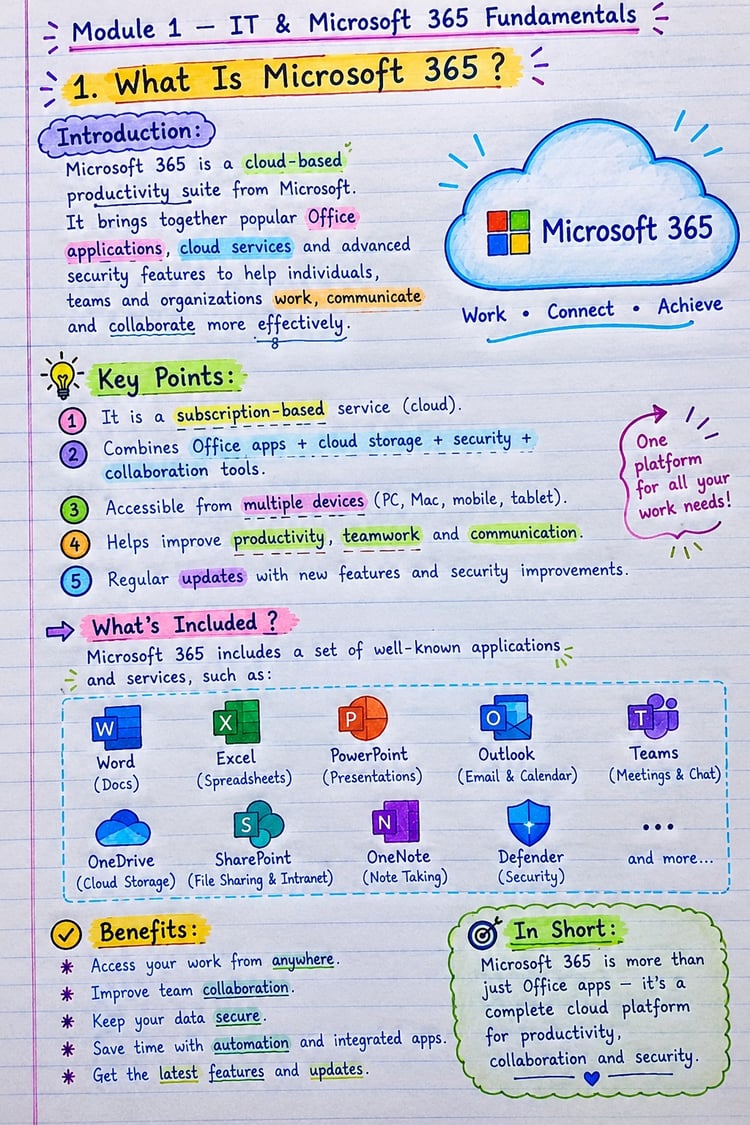
- Microsoft 365 fundamentals
- Microsoft 365 Admin Center
- User and license management
- Outlook configuration and troubleshooting
- Exchange Online and mailbox fundamentals
- Microsoft Teams installation and troubleshooting
- SharePoint Online and OneDrive fundamentals
- Microsoft Entra ID and identity basics
- MFA, passwordless authentication, and sign-in issues
- Microsoft Office installation, activation, and updates
Practical relevance: These concepts help you understand common workplace support scenarios involving email, collaboration applications, account access, and Microsoft 365 administration.
🔐 Module 11: IT Security Fundamentals
Learn the security principles that help protect users, endpoints, business information, and organizational systems.
Topics include:
- Cybersecurity fundamentals for IT support
- Malware, ransomware, phishing, and social engineering
- Windows Defender and endpoint protection
- Antivirus installation and troubleshooting
- Windows Firewall fundamentals
- User permissions and least privilege
- BitLocker and data encryption
- Secure passwords and multifactor authentication
- Patch management and vulnerability remediation
- Security incident reporting and initial response
Why it matters: IT support teams often help users follow security policies, maintain protected endpoints, report suspicious activity, and resolve basic security-related issues.
🎫 Module 12: Remote Support, ITSM & Ticketing
Understand how technical support teams organize incidents, communicate with users, and manage service requests.
Topics include:
- IT Service Management (ITSM) fundamentals
- Incident, service request, problem, and change management
- Ticket lifecycle and priority assignment
- SLA, response time, and resolution time
- ServiceNow, Jira Service Management, and alternatives
- Remote Desktop Protocol (RDP)
- Remote support tools and secure access
- User communication and technical support etiquette
- Root cause analysis and troubleshooting methodology
- Ticket documentation, knowledge bases, and escalation
Career relevance: Technical knowledge is only one part of IT support. Clear communication, accurate ticket updates, prioritization, and documentation are also important workplace skills.
🐧 Module 13: Linux, Virtualization & Cloud Basics
Expand your understanding beyond traditional desktop support and explore technologies used in virtualized and cloud-based environments.
Topics include:
- Linux fundamentals for IT support
- Essential Linux commands and file permissions
- Linux users, groups, and processes
- Virtualization fundamentals
- VMware, Hyper-V, and VirtualBox
- Virtual machines, snapshots, and virtual networks
- Cloud computing fundamentals
- AWS EC2, Azure Virtual Machines, and cloud basics
- Cloud IAM and access permissions
- Cloud connectivity and basic cloud troubleshooting
Why it matters: These concepts provide a foundation for understanding virtual machines, cloud-hosted systems, access control, and basic infrastructure troubleshooting.
📊 Module 14: Backup, Monitoring & IT Operations
Learn the concepts behind system maintenance, data protection, infrastructure visibility, and routine IT operations.
Topics include:
- Full, incremental, and differential backups
- Backup scheduling and restoration testing
- Data recovery and disaster recovery fundamentals
- Endpoint inventory and IT asset management
- Software inventory and license management
- System performance monitoring
- CPU, RAM, disk, and network utilization
- SNMP, Syslog, and monitoring fundamentals
- UPS, power protection, and equipment maintenance
- Preventive maintenance and IT operations checklists
Practical relevance: These topics help you understand how organizations monitor systems, maintain equipment, protect data, and document operational tasks.
🛠️ Module 15: Practical Labs, Projects & Job Preparation
Connect the concepts you learn with practical exercises and common IT support scenarios.
Topics include:
- Assembling and troubleshooting a desktop PC
- Installing Windows and configuring drivers
- Creating users, groups, and permissions on Windows
- Configuring static IP, DHCP, and DNS in a lab
- Joining a Windows client to an Active Directory domain
- Configuring shared folders and NTFS permissions
- Troubleshooting printer, Outlook, and Teams issues
- Diagnosing network connectivity using command-line tools
- Setting up a remote support and ticketing workflow
- Building an IT support portfolio with troubleshooting reports, SOPs, and interview scenarios
Learning objective: Use practical exercises to reinforce your understanding, document your approach, and build examples you can discuss during technical interviews.
🎯 Who Is This Resource For?
These notes are designed for learners who want to develop IT support knowledge and understand the technologies used in desktop and enterprise IT environments.
Ideal for:
- BCA students: Build technical knowledge alongside your academic studies.
- B.Tech and computer science students: Strengthen your understanding of hardware, operating systems, networking, and administration.
- IT freshers: Organize your preparation around essential support technologies.
- Aspiring IT Support Engineers: Explore core system administration and troubleshooting concepts.
- Desktop Support Engineers: Review hardware, Windows, drivers, printers, and endpoint issues.
- Help Desk Technicians: Understand user support, incident handling, and ticket documentation.
- Service Desk Analysts: Learn ITSM concepts, SLAs, escalation, and support workflows.
- L1 IT Support job seekers: Identify foundational technical topics to study before interviews.
- Career changers: Build a structured starting point for learning IT support fundamentals.
You do not need to master every technology at once. Start with computer fundamentals and Windows, then progress through networking, user administration, security, and cloud concepts.
💼 How These Topics Relate to IT Support Jobs
IT support roles involve different combinations of technical and communication skills depending on the employer and work environment.
This syllabus helps you explore the knowledge areas commonly associated with roles such as:
- IT Support Engineer
- Desktop Support Engineer
- Technical Support Engineer
- Help Desk Technician
- Service Desk Analyst
- L1 Support Engineer
- IT Operations Support
- Junior System Administrator
The actual responsibilities and required experience vary by organization and job description. Use the syllabus to identify relevant skills and focus your preparation on the roles you want to pursue.
🧠 Why Is Practical Troubleshooting Important?
Knowing a command or memorizing a definition is not always enough to resolve a technical issue.
An effective troubleshooting approach generally involves:
- Identify the problem: Understand the user's symptoms and the affected system.
- Gather information: Check error messages, settings, logs, and recent changes.
- Investigate possible causes: Use relevant diagnostic tools and technical knowledge.
- Test a solution: Make appropriate changes in a controlled and authorized environment.
- Verify the result: Confirm whether the issue has been resolved.
- Document the process: Record the findings, solution, and any required escalation.
Practicing this method can help you develop more systematic problem-solving habits and explain your reasoning during technical interviews.
🧪 Suggested Learning Approach
To get more value from the syllabus, study in a logical sequence rather than jumping randomly between topics.
Step 1 — Learn the fundamentals
Start with computer hardware, operating systems, file systems, and basic Windows administration.
Step 2 — Practice troubleshooting
Learn to use Task Manager, Event Viewer, Device Manager, CMD, PowerShell, and common Windows repair utilities.
Step 3 — Build networking knowledge
Study IP addressing, DHCP, DNS, gateways, common protocols, and connectivity diagnostics.
Step 4 — Explore enterprise environments
Progress to Active Directory, Windows Server, Microsoft 365, user permissions, and ticketing workflows.
Step 5 — Understand security and cloud concepts
Study endpoint protection, MFA, patch management, Linux, virtualization, and cloud access fundamentals.
Step 6 — Document your practice
Maintain troubleshooting notes, lab configurations, screenshots where appropriate, and short reports describing the problem, investigation, and outcome.
Step 7 — Prepare for interviews
Practice explaining technical concepts clearly and describing how you would investigate common support incidents.
Practice administrative changes only on systems you own or are authorized to manage. Use lab environments for exercises that could affect users, devices, or production services.
📈 Skills You Can Work Toward Developing
By studying and practicing the relevant topics, you can work toward developing a foundation in:
- Computer hardware identification and diagnostics
- Windows installation, configuration, and recovery
- Command-line troubleshooting
- IP configuration and basic network diagnostics
- DNS and DHCP troubleshooting fundamentals
- Active Directory user and group administration
- Microsoft 365 support concepts
- Endpoint security and access management
- Ticket documentation and incident escalation
- Backup, monitoring, and IT operations fundamentals
- Practical lab documentation and interview communication
Your actual skill level will depend on how thoroughly you study, practice, and apply these concepts.
📦 Product Information
Product: IT Support Engineer — Complete Master Notes
Length: 500+ pages
Syllabus: 250 topics, as specified in the current product title and description
Level: Beginner to Advanced
Coverage: Hardware, Windows, networking, Active Directory, Microsoft 365, cybersecurity, Linux, cloud, ITSM, troubleshooting, and job preparation
Please review the actual files included with the product for confirmation of the file format, detailed lesson content, lab instructions, and additional deliverables.
The topic list is a learning roadmap; it should not be interpreted as a guarantee that every listed topic includes a separate hands-on lab or a fully developed lesson.
🚀 Start Building Your IT Support Knowledge
You do not have to learn every technology in one day.
Start with the fundamentals, practice consistently, understand why troubleshooting steps work, and document what you learn.
Whether your goal is Desktop Support, Help Desk, Service Desk, or an entry-level IT Support Engineer role, a structured learning plan can help you prepare more effectively.
Learn the concepts. Practice the skills. Document your progress. Prepare for your next IT opportunity.
📚 Get started with the IT Support Engineer — Complete Master Notes and use the 250-topic syllabus to structure your learning journey.