

Home Renovation OS - Notion template
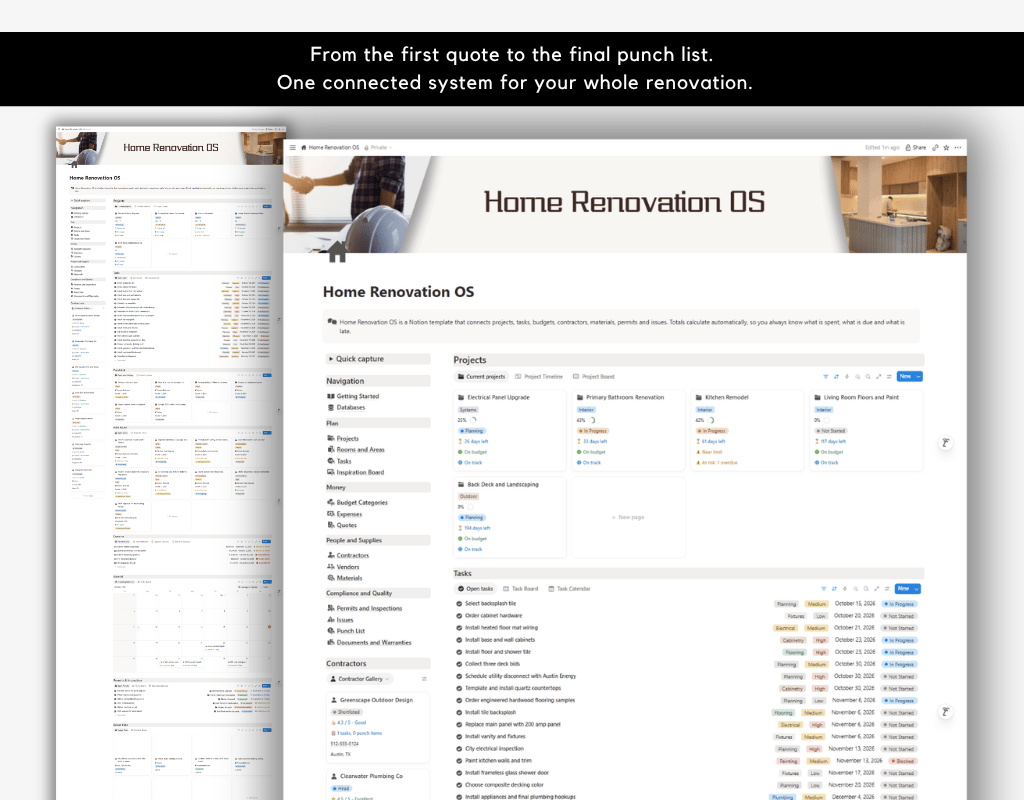
Renovations get messy fast. Quotes sit in your inbox, receipts end up in a drawer, contractors text you updates and nobody is sure what has been paid. Home Renovation OS replaces that scramble with one connected Notion workspace that tracks everything and calculates the numbers for you.
Enter information once and it appears everywhere it is needed. Log an expense and your budget, project total and contractor balance all update. Add an issue and its cost and delay roll up to the project. Open the dashboard and see only the work that needs attention.
Who this is for
- Homeowners planning a kitchen, bathroom, deck or whole house remodel
- DIYers who manage their own projects and hire trades as needed
- Landlords and flippers managing renovations on one or more properties
- Anyone who wants a clear record of costs, contacts, permits and warranties
What is included
The 14 databases
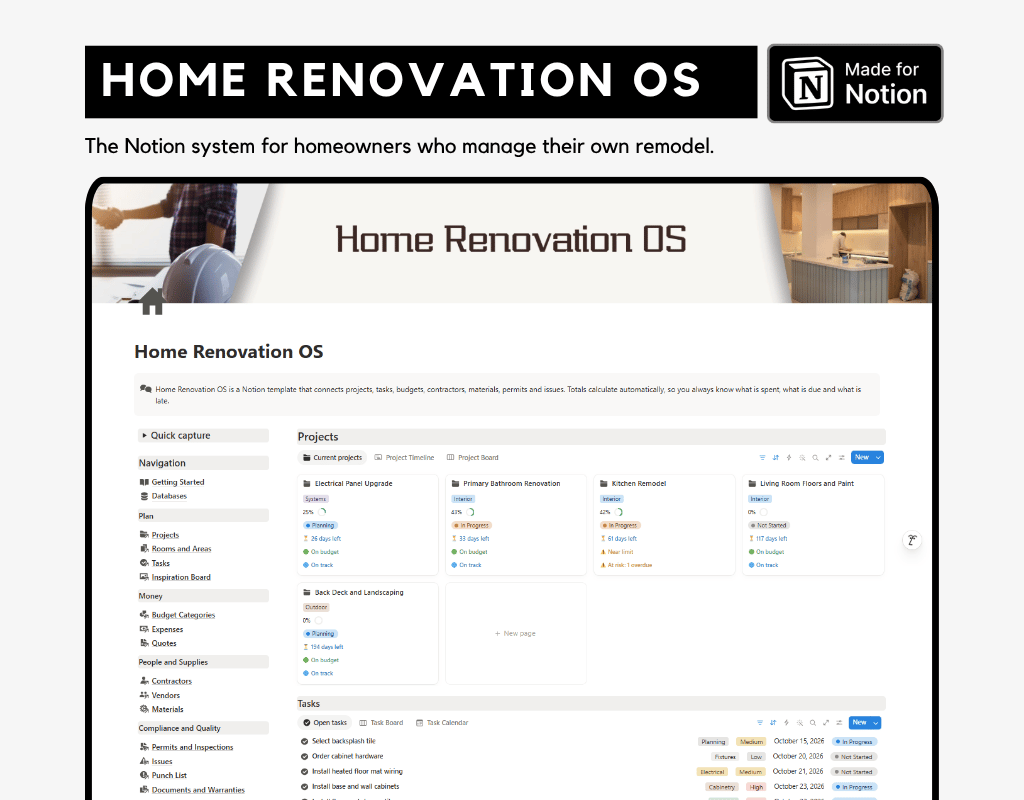
- Projects: the hub for each renovation job, with budget, spend, task progress, days remaining and health indicators
- Rooms and Areas: every room and outdoor space, with condition, status and open issues
- Tasks: scheduled work with trade, dates, hours and overdue alerts
- Budget Categories: planned budgets with spent, unpaid, remaining and percent used
- Expenses: invoices and payments with automatic outstanding balances
- Contractors: contact details, license numbers, ratings, total billed, total paid and balance due
- Vendors: stores and suppliers with total spend and materials ordered
- Materials: products with waste allowance, total cost and delivery alerts
- Quotes: side by side bid comparison with total price, cost per day and expiry status
- Permits and Inspections: approval tracking, inspection dates and alerts
- Issues: delays, cost overruns, material problems and design changes, with cost and schedule impact
- Punch List: defects and snags, with days open and urgency
- Documents and Warranties: contracts, invoices and warranties with automatic warranty end dates
- Inspiration Board: design ideas, finishes and decisions linked to each room
Also included: A built-in Getting Started guide with a relationship map, workflow, tips and cleanup steps
Key features
- Budgets that calculate themselves. Expenses roll up to budget categories, and budget categories roll up to projects. You see planned, spent, unpaid and remaining amounts at a glance.
- Health indicators. Projects show budget health and schedule health, so you can spot trouble early.
- Bid comparison. Compare labor, materials and fees across contractors. Quotes show total price, cost per working day and whether the quote is still valid.
- Material planning with waste. Enter a quantity and a waste percentage, and the template calculates the order quantity and total cost.
- Delivery alerts. See which materials are late and which arrive soon.
- Permit tracking. Track applications, approvals, inspections and expiry dates, with alerts that tell you what to do next.
- Issue tracking. Record problems as they happen and link them to the project, room, task, contractor, vendor and material involved. Cost impact and delay days roll up to each project.
- Contractor accountability. See each contractor’s open tasks, open punch items, total billed, total paid and balance due.
- Warranty tracking. Enter a start date and length in months, and the template shows when each warranty ends.
How it works
- Add your rooms and create a project.
- Set budget categories and planned amounts.
- Collect quotes and compare them.
- Track permits, tasks, materials and payments as work progresses.
- Log issues and punch list items as you find them.
- File warranties and final paperwork.
- Check the dashboard each week for payments due, deliveries, open issues and upcoming tasks.
What you will receive
- A link to duplicate the full template into your own Notion workspace
- Instant access after purchase
Requirements
- A Notion account. A free account works.
- Works in the Notion web, desktop and mobile apps. Some layout features look best on desktop.
Good to know
- Sample data is included for demonstration. Delete it with the cleanup steps in the guide, and your structure, formulas and views stay in place.
- Sample data uses US names, dollars and locations. Everything is editable, so you can use it anywhere.
- This is an organizational tool. It does not provide financial, legal or construction advice.
Frequently asked questions
Do I need to know Notion?
No. The Getting Started guide explains the structure, the relationships between databases and a simple workflow.
Can I use it for more than one project?
Yes. Add as many projects, rooms and contractors as you need. Each project tracks its own budget, tasks and issues.
Can I customize it?
Yes. You can add properties, change options, edit views and rename anything.
Is this a one-time purchase?
Yes. Pay once and keep it.
Can I share it with my contractor or partner?
Yes. Use Notion’s sharing options to invite others to specific pages.
Stay organized, keep control of your budget and finish your renovation with confidence.
Note:
• This is a digital product, no physical item will be shipped
• Due to the nature of digital products, refunds are not accepted