
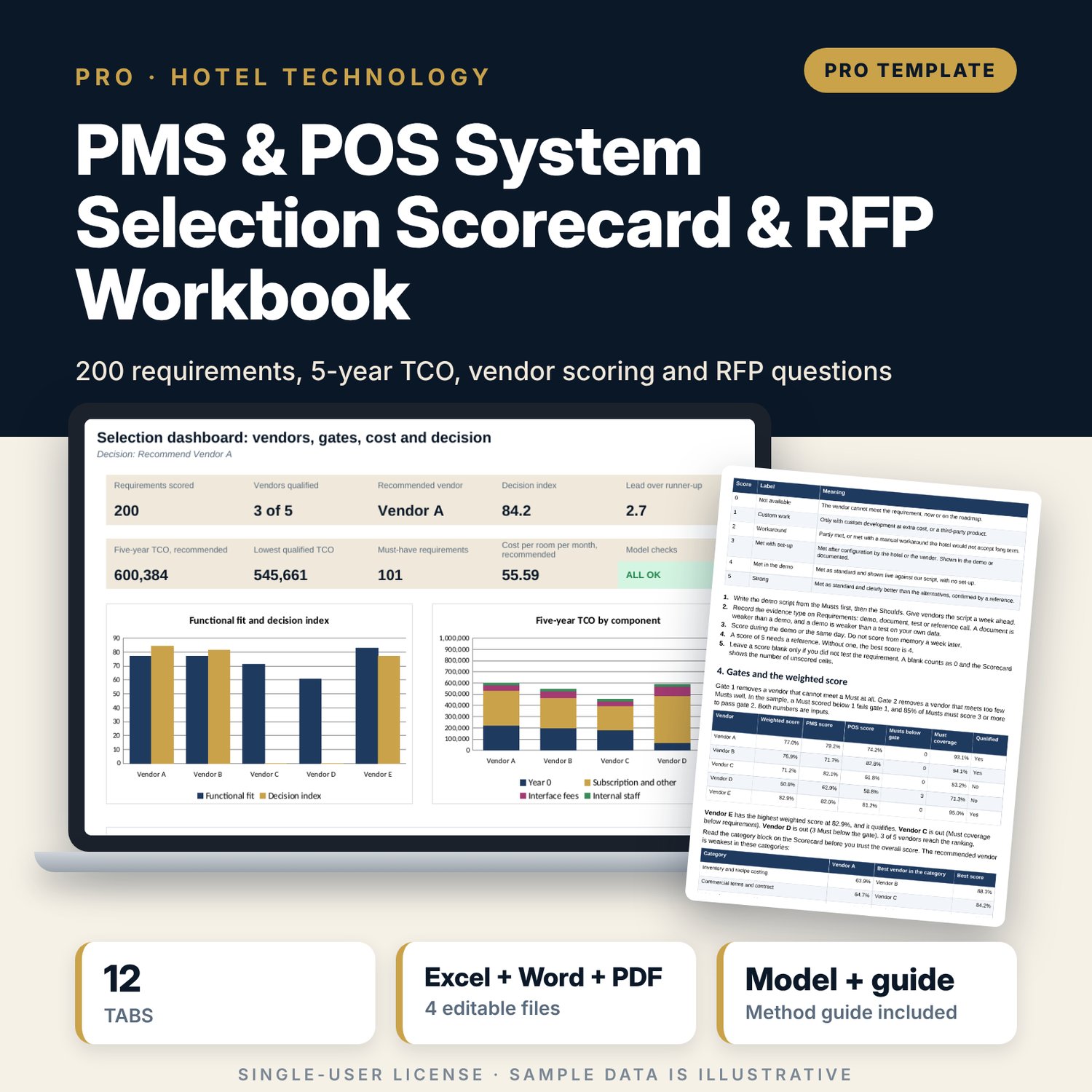

PMS & POS System Selection Scorecard & RFP Workbook: 200 requirements, vendor scoring and 5-year TCO for PMS and POS selection
Full description
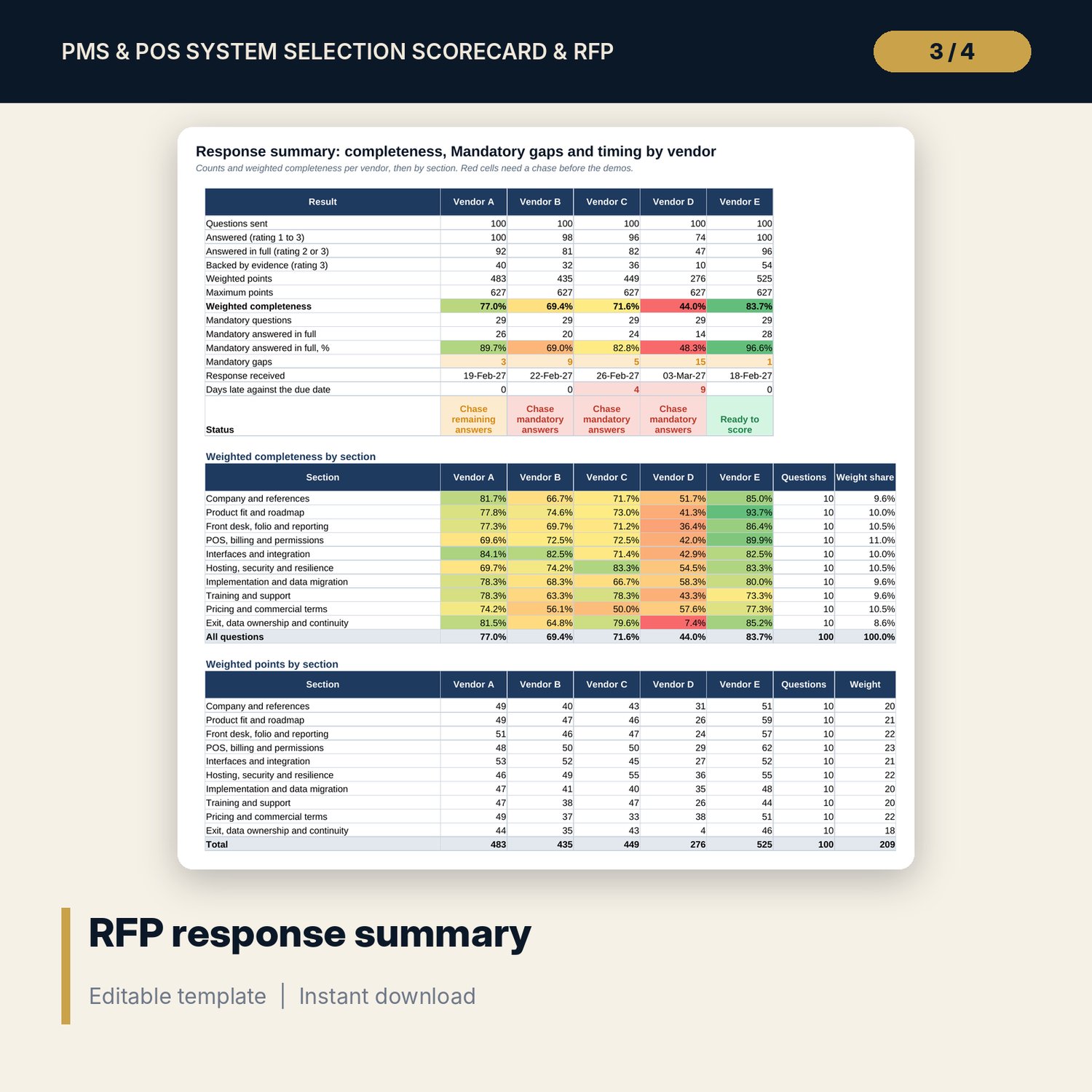
For hotel general managers, finance and IT leads who must choose a property management system and a point of sale and defend the choice. The scorecard weights 200 requirements, applies Must-have gates, prices each vendor over five years and ranks the vendors that qualify with a decision index. A sensitivity tab shows whether the winner changes when cost weights or price increases change. The companion workbook holds 100 RFP questions with importance and a rating grid, so you can see which vendor has answered what, and which Mandatory answers are still missing, before the demos start.
What is inside
- PMS_POS_Selection_Scorecard.xlsx: 12 tabs, 2,204 formulas, 3 native charts, 13 integrity checks, 19 drop-down and input rules
- 200 sample requirements in 13 categories (75 PMS, 70 POS, 55 common), each with scope, priority, owner and evidence, plus 20 spare rows
- Scoring grid for 5 vendors with a 0 to 5 scale; Gate 1 (no Must below the gate) and Gate 2 (Must-have coverage); weighted score overall, by scope and by category
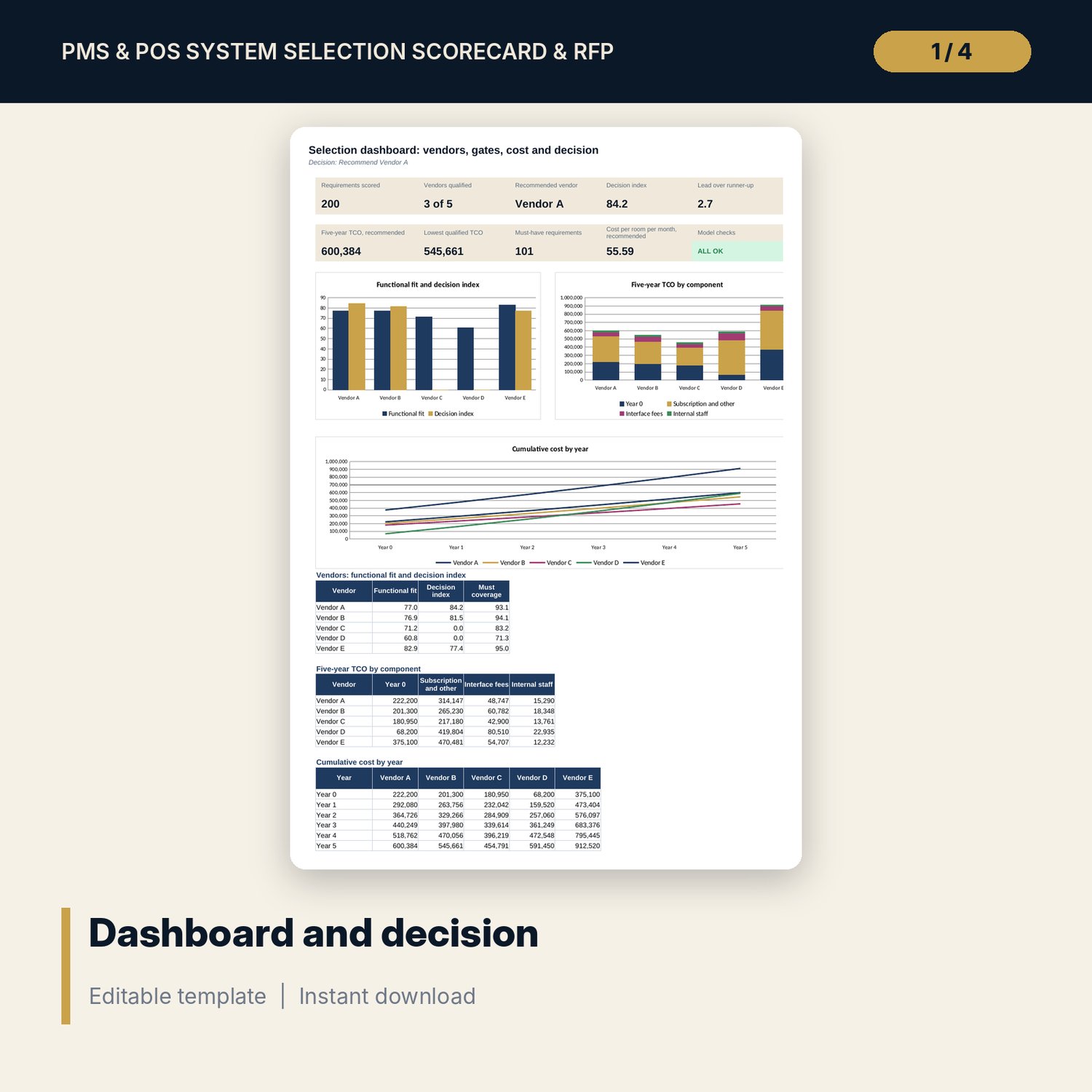
- Five-year TCO per vendor with contingency, price increase, wage inflation, present value, cost per room per month and four cost components
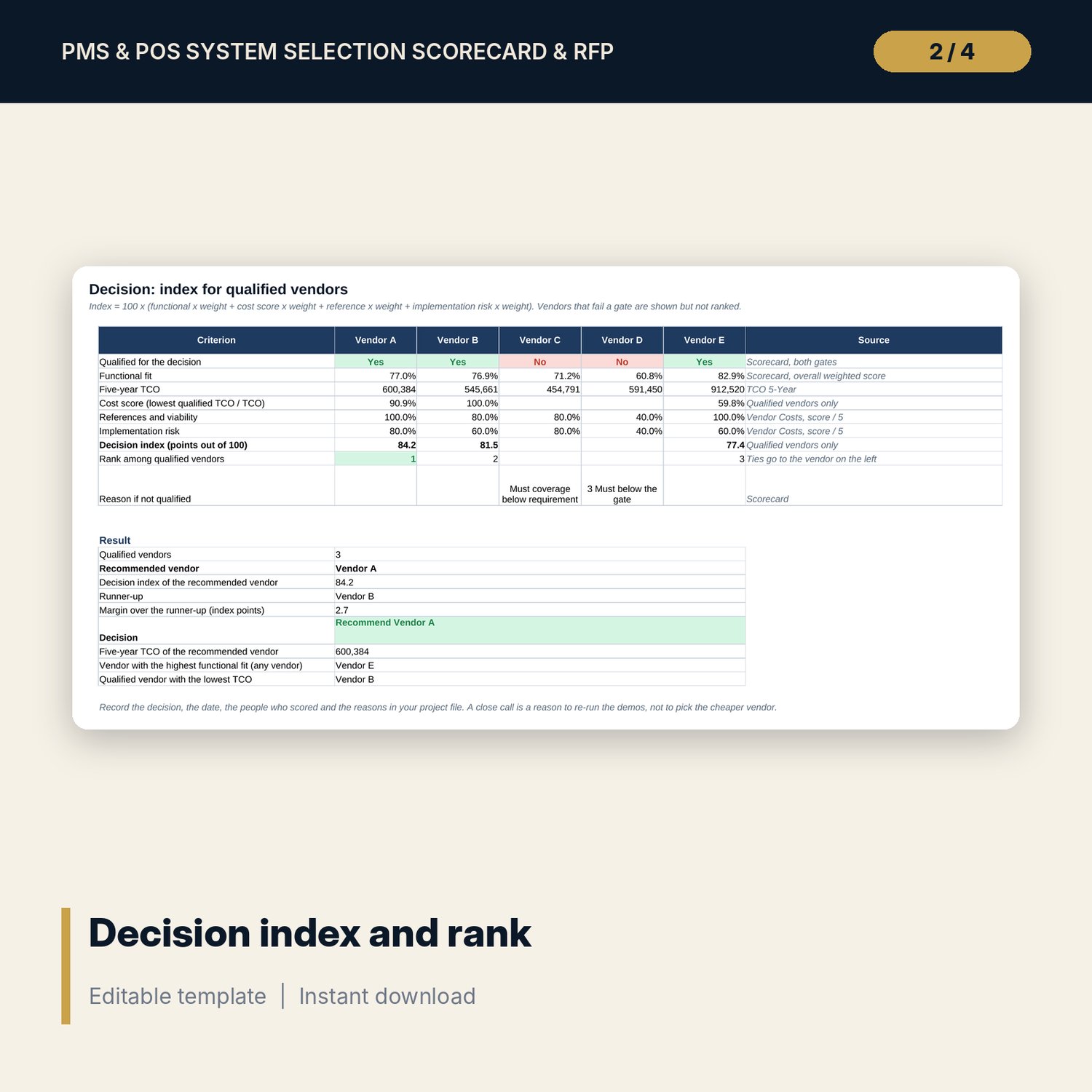
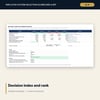
- Decision index with rank, margin, close-call rule and a sensitivity tab (6 cost weights, 5 price increases)
- Dashboard with 9 KPI tiles, a check tile and 3 charts; Method tab with 16 documented calculations
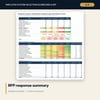
- PMS_POS_RFP_Question_List.xlsx: 5 tabs, 1,241 formulas, 100 RFP questions in 10 sections with importance, answer format and a full-answer description, a response rating grid for 5 vendors, completeness and Mandatory-gap summary, RFP calendar, 9 checks
- PMS_POS_Selection_Guide.docx and PDF: 10 pages with the method in plain equations, a worked example read from the sample data, how to read the result, common mistakes and a process checklist
- README.txt and LICENSE-and-Terms.txt
How it works
- Edit the requirements and set the weights, gates and decision weights on Assumptions.
- Send the RFP question list and rate each answer from 0 to 3 in the companion workbook.
- Run the demos and enter a 0 to 5 score for every vendor and requirement, then enter the quoted costs.
- Read the gates, the five-year TCO, the decision index and the sensitivity tables.
- Record the decision and the reasons using the guide checklist.
Details
- Formats: 2 Excel workbooks (.xlsx), 1 guide in Word (.docx) and PDF, English
- Software: Excel 2016 or later, or LibreOffice Calc 7 or later
- No macros, no external links, no data tables, no array formulas
- 4 files plus README and license; instant digital download
Good to know
- Sample data is illustrative. Replace it with your own figures.
- Decision aid, not legal or financial advice. Verify contract terms, local requirements and your own prices.
- The scorecard is built for 5 vendors and up to 220 requirement rows. Costs use one currency, before tax.
- Single-user license. Do not redistribute.
FAQ
Can I replace the 200 requirements with my own?
Yes. Edit, delete or add rows on Requirements. There are 20 spare rows, and the scoring grid follows the list.
How many vendors can I compare?
Five. Rename them on Assumptions. The tabs use five fixed columns.
What do the gates do?
Gate 1 disqualifies a vendor with any Must scored below the gate score. Gate 2 requires a share of Musts to score at or above the covered score. Both limits are inputs.
Does it cover the POS as well as the PMS?
Yes. Each requirement has a scope of PMS, POS or Common. The Scorecard shows a PMS score, a POS score and an overall score.
Do I need macros?
No. Every result is a standard worksheet formula.